 Snappixify



You’ve probably been caught scrolling aimlessly, chasing quick dopamine hits. Over time, you might’ve set limits—deleting TikTok or deciding to use social media only on your computer.
Why? Because your phone is built for quick distractions, while your computer is for work. Scrolling on your computer just feels different—it feels less mindless.
When YouTube Shorts moved to your computer, you started noticing the content that actually helped with work: ideas, examples, references. You might’ve realized that, despite telling yourself it’s “for work,” you weren’t using any of it.
Now, if it shows up on your computer, it has to matter. So, you start saving the relevant Shorts that actually add value.
What is YouTube Shorts?
YouTube Shorts is YouTube’s mobile-first, vertical video experience. While it began as a direct competitor to TikTok, by 2026 it has evolved into a powerhouse for discovery, allowing creators to reach massive audiences through quick, engaging content.
Key Specifications
|
Feature |
Specification |
|
Aspect Ratio |
9:16 (Vertical) |
|
Duration |
15 seconds to 3 minutes (Expanded from the original 60s limit) |
|
Resolution |
Minimum 720x1280; 1080x1920 recommended |
|
Audio |
Access to a vast Music Library (copyright-safe) |
Where Do Shorts Appear?
In 2026, Shorts are no longer confined to just one tab. They are integrated across the entire Google/YouTube ecosystem:
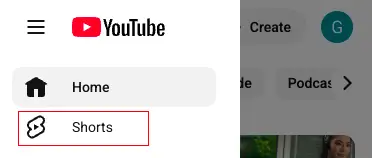
The Shorts Feed: The primary, immersive "infinite scroll" experience on the mobile app.
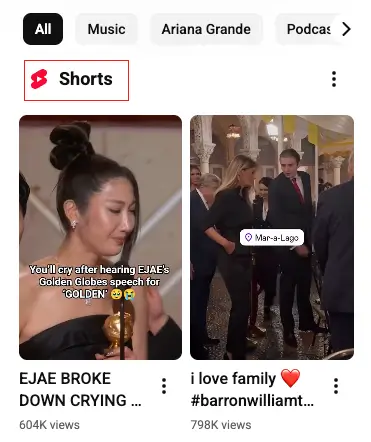
YouTube Homepage: Personalized "Shorts Shelves" that appear between traditional long-form videos.
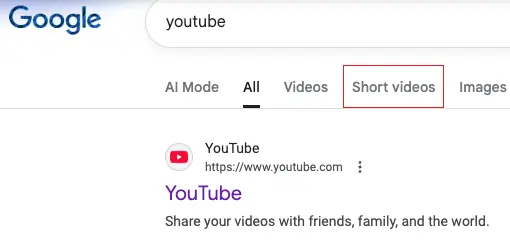
Google Search: Short-form videos now appear directly in Google search results (SGE) to provide quick answers to "How-to" queries.
Why Use Shorts in 2026?
-
The "Hook" for Long-form: Many creators use Shorts as "trailers" or highlights to drive traffic to their 20-minute deep dives.
-
Monetization: Through the YouTube Partner Program, creators earn a share of revenue from ads viewed between Shorts in the feed.
Why Content Creators Need Shorts?
If you aren't posting Shorts, you’re essentially leaving "free" subscribers on the table. Here is why they are essential:
-
Algorithmic Discovery: Unlike long-form videos that rely on clicks, Shorts are served to users based on interest. This allows you to reach people who have never heard of your channel.
-
High Engagement: Research shows that Shorts currently see 2.5x more engagement than standard videos.
-
The Lead Magnet Effect: Creators in 2026 use Shorts as "trailers" for their long-form content. One viral Short can drive thousands of viewers to your main channel.
-
Lower Production Barrier: You don't need a 4K camera or a studio. Most viral Shorts are filmed right on a smartphone.
Reminder: Legal & Ethical Lines
With the rise of "Remixing" and AI tools, it's incredibly easy to unknowingly cross legal and ethical boundaries. To ensure your content stays compliant and your channel remains in good standing, keep these rules in mind:
-
Copyright: Just because a song is available in the Shorts library doesn't automatically grant you permission to use it in a sponsored or commercial video. Always double-check the licensing agreements to ensure the music or other media is cleared for commercial use. Using copyrighted content without permission can lead to video takedowns or channel strikes, so make sure you're fully aware of your rights.
-
AI Disclosure: Starting in 2026, new regulations require creators to disclose AI-generated content that looks realistic or could mislead audiences. If you're using AI tools to create videos, images, or other content, be transparent about it. Failing to properly label AI-generated content could result in penalties, including strikes or even removal from platforms. Disclosure not only keeps you compliant but also builds trust with your audience.
-
Fair Use vs. Stealing: While reacting to a video often falls under Fair Use, it’s important to remember that simply re-uploading someone else's content with a minimal addition, like a emoji, is not Fair Use. Fair Use requires you to add transformative value to the original content, meaning you need to do more than just repost. Always ensure that your use of someone else's work is both legally justified and ethically sound.
How to and Why Download Shorts with Snappixify
If you’ve found an interesting YouTube Short that you’d like to keep or share with others, Snappixify makes the downloading process simple and fast. Whether you want to save it for offline viewing or for later sharing, Snappixify has you covered.
Step-by-Step Guide:
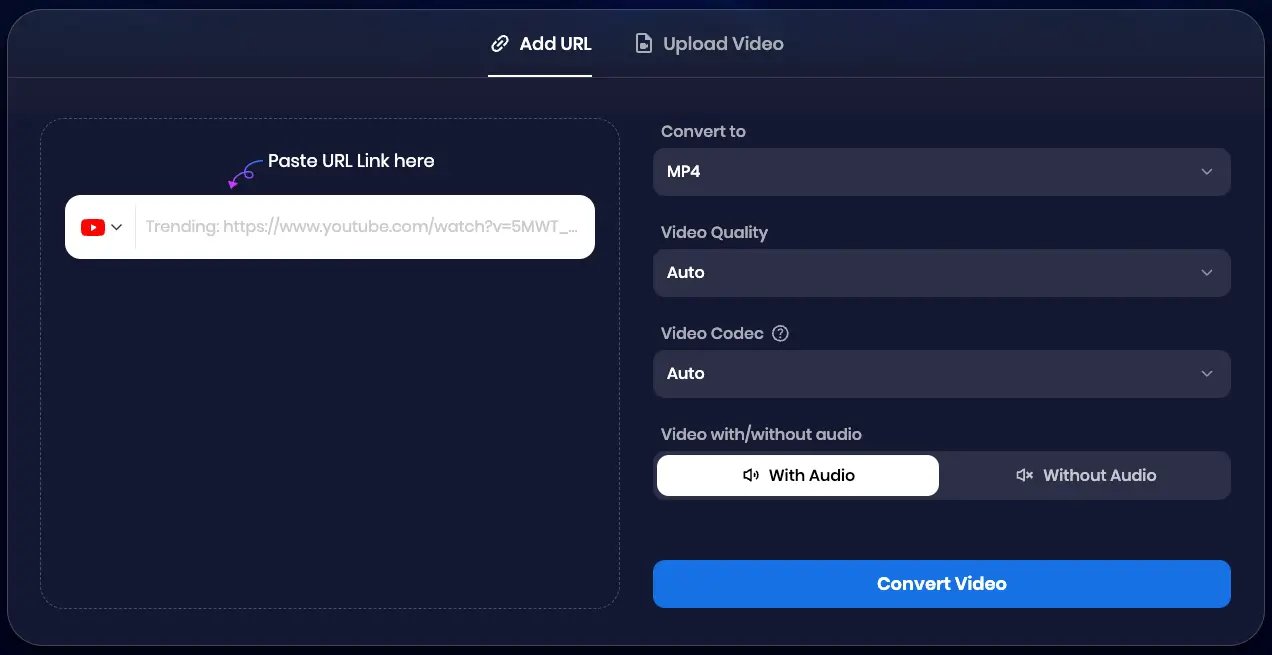
Paste url:
Copy and paste the URL of the YouTube Short you want to download. Snappixify allows you to quickly grab shorts directly from YouTube.
Select format and quality:
Choose the desired video format and quality for your download. Snappixify supports various formats to suit your needs.
Convert and save:
Once you’ve made your settings, click Convert All. The video will then be processed and ready for offline viewing or sharing.
Why Use Snappixify?
Fast and Simple:
Snappixify simplifies the process of downloading YouTube Shorts, making it quick and easy to save content in just a few steps.
High-Quality Downloads:
Get your Shorts in high-quality format with no hassle, preserving the sharp visuals and crisp audio.
Save Content for Offline Viewing:
Keep your favorite Shorts saved on your device for when you're offline or to view them later.
FAQs about Short Downloader
Can I Download YouTube Shorts in Different Formats?
Yes! Most Short Downloader tools allow you to choose from several formats, including MP4, which is the most commonly used format for video. Some tools also let you extract the audio in MP3 format if you only want the sound.
Do I Need to Install Software to Download Shorts?
No, Snappixify Short Downloader is web-based, meaning you don't need to install any software. You can simply use them via your browser by visiting the website, pasting the video URL, and downloading your Shorts directly.
Are There Any Limits on How Many Shorts I Can Download?
With Snappixify, there are no limits on how many Shorts you can download. Whether you’re a casual user or a frequent downloader, you can enjoy unlimited downloads without any restrictions. Feel free to download as many Shorts as you like, at any time!
Can I Download Shorts from Other Platforms?
Yes, with Snappixify, you can download Shorts not only from YouTube but also from other popular platforms like Instagram Reels, TikTok, and Facebook. Snappixify supports a variety of platforms, making it easy for you to save content from all your favorite sources.
Can I Download Shorts in High Quality with Snappixify?
Yes, you can! Snappixify allows you to download YouTube Shorts in high quality. If the original video is available in 4K, you can download it in that resolution as well. The final quality depends on the video's original upload, but Snappixify ensures you get the best possible output.
Can I Download YouTube Shorts on Mobile Devices Using Snappixify?
Absolutely! Snappixify is optimized for mobile devices. You can easily download YouTube Shorts on both iOS and Android devices. Just copy the video URL, paste it into Snappixify’s mobile interface, and you’re ready to save the video in high quality. The process is simple and similar to downloading on a desktop.
Conclusion
YouTube Shorts is no longer just a trend—it is a core pillar of digital growth. By leveraging tools like Snappixify and staying within ethical boundaries, you can turn 60 seconds of video into a lifetime of audience loyalty.


