 Snappixify


Free your M4B audiobooks from platform restrictions. Convert them to high-quality MP3 (up to 320 kbps) and enjoy smooth playback wherever you listen.
- MP3
- Auto
- An audio codec is a technology that compresses and decompresses sound files so they take up less space while keeping good sound quality.
- Common audio codecs include MP3, AAC, FLAC, and WAV, each balancing file size and sound quality differently.
How to Convert M4B to MP3
-
![Add M4B Flie]()
Add M4B Flie
1.Add M4B FlieUpload your M4B audiobook or paste a link to start converting -
![Set MP3 Quality]()
Set MP3 Quality
2.Set Your MP3 QualityChoose MP3 as the output format and set the bitrate up to 320 kbps for high-quality audio -
![Convert & Enjoy]()
Convert & Enjoy
3.Convert & EnjoyConvert your M4B audiobook to MP3 and enjoy smooth playback on any device


M4B
M4B (MPEG-4 Audiobook) is an audio format designed for audiobooks and widely used on Apple platforms such as iTunes and Apple Books. It supports chapters and bookmarking for easy listening. However, M4B has limited compatibility with non-Apple devices and players. Converting M4B to MP3 ensures high-quality audio and smooth playback across more devices and platforms.

MP3
MP3 is one of the most widely used audio file formats, known for its high compatibility and small file size. It uses lossy compression technology, reducing file size while maintaining acceptable audio quality, making it the preferred format for music downloads, podcast audio, and playback across various devices. On Windows, macOS, Android, and nearly all media players, MP3 remains a lightweight, universal, and almost ubiquitous audio format.
Audio Converter M4B to MP3 for Audiobooks, Flexible Use Anywhere
-
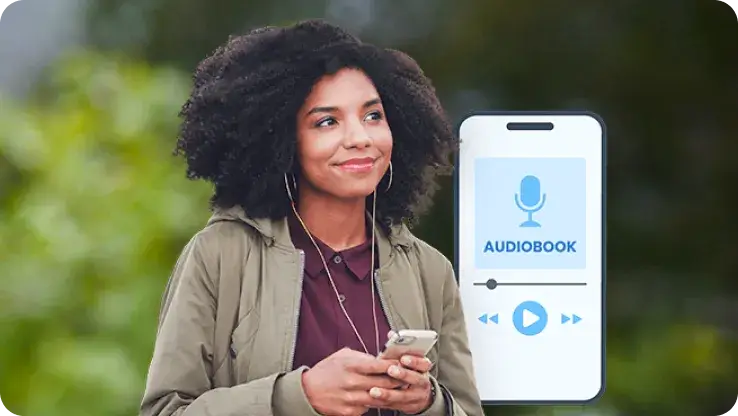
![Audiobook Listeners]() Everyday Audiobook Listening
Everyday Audiobook ListeningAudiobook Listeners
Many audiobooks come in M4B format, which isn’t supported by all players. Converting M4B to MP3 lets you listen anywhere—on any device—and easily split chapters into separate files for better organization and playback.
-
![Android Users]() Listen Beyond the Apple Ecosystem
Listen Beyond the Apple EcosystemAndroid Users
M4B audiobooks often work best only in Apple Books and have limited support on Android devices. By converting M4B to MP3, you can enjoy audiobooks purchased from iTunes directly on their phones without compatibility issues.
-
![Drivers]() Make Every Trip Better
Make Every Trip BetterDrivers
Most car audio systems do not support M4B files, which often limits your options on the road. By converting audiobooks to MP3, you can listen while driving just like regular music, turning long commutes into relaxing listening time.
-
![Learners]() Classic Content Replayed
Classic Content ReplayedLearners
Many learning tools like Anki only support MP3, making it hard to use M4B for study. By converting M4B to MP3, you can loop and listen to chapters anytime, using them as highly effective materials for your daily learning and review.


-
![Batch M4B to MP3 Converter]()
Batch M4B to MP3 Converter for Any Device
Tired of processing files one by one? Snappixify lets you batch M4B to MP3 with incredible speed and zero quality loss. Whether you’re batch converting M4B files on Mac or Windows, or need a reliable way to convert M4B to MP3 on Android for listening anytime, anywhere, you’ll enjoy a smooth, effortless experience that keeps your music library perfectly organized.
M4B Format to MP3 -
![M4B to MP3 Converter for Audiobooks]()
High-Quality M4B to MP3 Converter for Audiobooks
Never lose your progress again with Snappixify. As a professional-grade audiobook converter, we make it simple to convert M4B to MP3 with chapters perfectly preserved. Our advanced engine ensures that every M4B to MP3 conversion maintains high-fidelity sound, keeping your stories organized and easy to navigate on any media player.
Convert M4B to MP3 -
![Online M4B to MP3 Converter]()
Best Free Online M4B to MP3 Converter
Experience the most secure way to handle your audio files online. Snappixify is recognized as the best M4B to MP3 converter for those who need quick results without software installation. Our protected audio converter allows you to convert protected M4B to MP3 safely, ensuring your privacy while delivering the high-quality output you expect.
Change M4B to MP3


Making M4B Audiobooks Easier to Listen to — Real User Stories


Frequently Asked Questions
How do I convert M4B to MP3?
Can I convert M4B to MP3 without downloading any software?
Can I convert Audiobookshelf audiobooks from M4B to MP3?
Will converting M4B to MP3 reduce audio quality or mess up chapter order?
Can I convert other audiobook or audio formats to MP3 with Snappixify?
Is my M4B audiobook file safe during the conversion process? Will it be shared or leaked?
Format-to-Format Converters


