Snappixify


Extract high-quality audio from TS video files in seconds. No software to install, 100% secure, and works on any device
- MP3
- Auto
- An audio codec is a technology that compresses and decompresses sound files so they take up less space while keeping good sound quality.
- Common audio codecs include MP3, AAC, FLAC, and WAV, each balancing file size and sound quality differently.

Professional TS to MP3 Converter — Extract High-Fidelity Audio
-
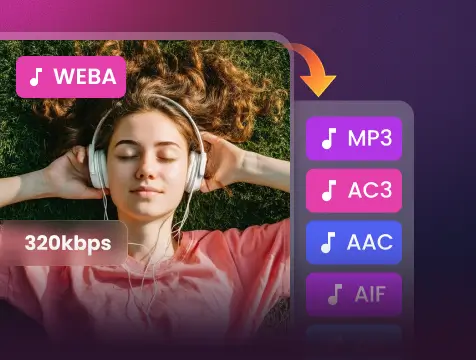
Extract 320kbps MP3s from HD TS recordings with zero quality loss
-
Advanced AWS cloud technology converts large TS streams in seconds, not minutes
-
Automatically preserves track info from broadcast streams for an organized library
-
Extracted MP3s work perfectly on iPhone, Android, and all smart devices
-
Convert multiple TS files or entire folders simultaneously to save time
-
SSL encryption and auto-deletion ensure your files are never stored or shared
-
![Batch TS to MP3 Conversion]()
Batch TS to MP3 Conversion in High Quality
Save time with our multi-file processing. Whether it’s a music video collection or a series of lectures, you can upload multiple TS files simultaneously. We ensure every output maintains 320kbps fidelity for a premium listening experience, guaranteeing no duration changes or audio loss.
Batch Convert TS Now -
![TS to MP3 Converter Online]()
Professional TS to MP3 Converter Online
Extract high-fidelity audio from TS videos instantly. Our cloud-powered engine ensures lightning-fast extraction without the need for software installation or registration. Just upload your TS files and get a perfect MP3 in seconds without long wait times.
Start TS to MP3 Extraction -
![TS to MP3 for Any Device]()
Universal TS to MP3 Results for Any Device
Snappixify works seamlessly on any system, including Windows, Mac, or Linux. Our output MP3s are optimized for perfect playback on smartphones, car stereos, and all media players. The converted files are guaranteed to adapt to all platforms and players.
Convert to MP3 Now


Essential Scenarios for TS to MP3 Conversion
Stop letting oversized video files trap your audio. From professional editing suites to daily road trips, Snappixify empowers you to extract and carry your high-quality sound wherever you go
-
![Music Enthusiasts]() Save Storage Space
Save Storage SpaceMusic Enthusiasts
Large TS files from concert streams consume massive storage. Snappixify performs TS to MP3 conversion to shrink file sizes by 90%, letting you enjoy 320kbps audio on your smartphone anywhere and at any time.
-
![Audio Editors]() Boost Editing Workflow
Boost Editing WorkflowAudio Editors
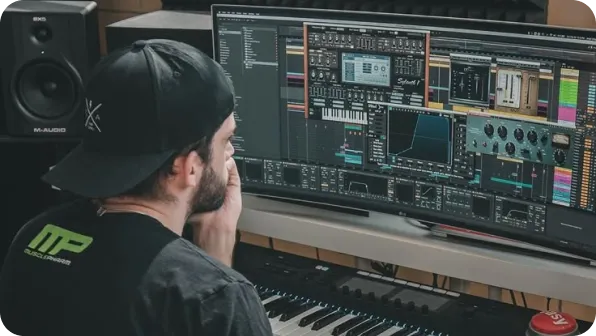
Most DAWs lack native support for TS files from Blu-ray. Snappixify provides fast TS to MP3 extraction, delivering clean audio tracks ready for immediate mixing and professional sampling in your favorite studio.
-
![Broadcast Fans]() Break Format Barriers
Break Format BarriersBroadcast Fans
DVB recordings in TS format won't play on mobile players. Use Snappixify for TS to MP3 tasks to turn restricted broadcast files into universal audio that plays on any device or portable player without limits.
-
![Car Commuters]() Enjoy listening anytime, anywhere
Enjoy listening anytime, anywhereCar Commuters
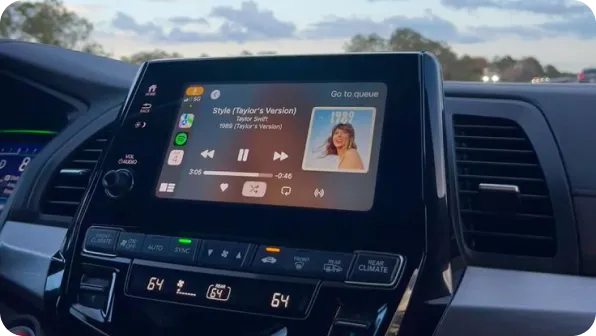
Car stereos don't support TS video. Snappixify simplifies TS to MP3 conversion to turn recordings into podcasts. Enjoy hands-free, high-quality audio while staying focused on the road safely and comfortably.


Why Snappixify TS to MP3 Converter?

Universal MP3 Playback
Play your audio anywhere. MP3 works with car stereos, smartphones, and smart speakers, giving you a seamless listening experience.

Crystal-Clear Quality
Extract pure sound with ease. Our tool supports up to 320kbps bitrates, ensuring your MP3 preserves the high fidelity of the source.

Extract from Live Streams
Easily turn TS video captures from IPTV or satellite into portable audio. Perfect for saving news, music, or talk shows for later.

Browser-Based Tool
No software or plugins required. Convert TS files instantly on PC, Mac, or mobile via your browser with 100% privacy and no login.

Save Massive Storage
TS files are bulky video streams. Converting to MP3 creates small, optimized audio files that save gigabytes of space on your phone.

Fast & Efficient Conversion
Save time with rapid processing. We guarantee high-speed, secure conversions, providing free daily TS to MP3 downloads with ease.
Play your audio anywhere. MP3 works with car stereos, smartphones, and smart speakers, giving you a seamless listening experience.
Easily turn TS video captures from IPTV or satellite into portable audio. Perfect for saving news, music, or talk shows for later.
TS files are bulky video streams. Converting to MP3 creates small, optimized audio files that save gigabytes of space on your phone.
Extract pure sound with ease. Our tool supports up to 320kbps bitrates, ensuring your MP3 preserves the high fidelity of the source.
No software or plugins required. Convert TS files instantly on PC, Mac, or mobile via your browser with 100% privacy and no login.
Save time with rapid processing. We guarantee high-speed, secure conversions, providing free daily TS to MP3 downloads with ease.
TS vs. MP3: What is the Difference?s

What is TS?
MPEG-2 Transport Stream
.TS
File extension

What is MP3?
MPEG-1 Audio Layer III
.MP3
File extension
When to Use TS vs. MP3
Convert from TS, MP4, MOV, AVI, MKV, and more — one tool for all your MP3 conversion needs
Use to TS

- When you need to preserve the original high-definition video and multi-channel broadcast data.
- When you are archiving raw digital recordings for professional post-production or editing.
- When you require the full transport stream for playback on specialized satellite or cable hardware.
Use to MP3

- When you want to extract audio from large video files to save up to 90% of your storage space.
- When you need universal playback on smartphones, car stereos, or any portable MP3 player.
- When you are creating offline audio content from lectures, news broadcasts, or live streams.
Key Differences Between TS and MP3
How to Convert TS to MP3
-
![Upload TS Video]()
Upload TS Video
1. Upload TS VideoDrag and drop your TS file or paste a video link to begin the audio extraction process -
![Set MP3 Quality]()
Set MP3 Quality
2. Set MP3 QualityChoose your preferred bitrate (from 32 to 320 kbps) for the best sound output. -
![Download MP3]()
Download MP3
3. Download MP3Click convert to process the file, then save the high-quality MP3 directly to your device.


Convert Any Video or Audio - 500+ Formats Supported
From MP4 and TS to MP3 and FLAC, Snappixify handles all your conversion needs – Fast & secure conversions for all your audio and video projects.
400+ Audio Files
Supports 400+ Audio Formats
 M4A Converter
M4B Converter
M4R Converter
MIDI Converter
MKA Converter
MOD Converter
MP3 Converter
OGA Converter
OGG Converter
Opus Converter
PCM Converter
RA / RAM
VOC Converter
WAV Converter
WEBA Converter
WMA Converter
M4A Converter
M4B Converter
M4R Converter
MIDI Converter
MKA Converter
MOD Converter
MP3 Converter
OGA Converter
OGG Converter
Opus Converter
PCM Converter
RA / RAM
VOC Converter
WAV Converter
WEBA Converter
WMA Converter
500+ Video Files
Supports 500+ Video Formats
DV Converter
DVR Converter
FLV Converter
GIF Converter
M2TS Converter
M4V Converter
MKV Converter
MOD Converter
MOV Converter
MP4 Converter
MPEG Converter
MPG Converter
MTS Converter
MXF Converter
RM Converter
RMVB Converter
SWF Converter
TS Converter
VOB Converter
WEBM Converter
WMV Converter
WTV Converter
Popular TS & MP3 Converter Tools
TS to MP3 Made Simple — Snappixify extracts audio from IPTV and satellite recordings, turning bulky TS files into portable MP3s for any device


What People Are Saying About Snappixify


Frequently Asked Questions
How to convert TS file to MP3?
Is TS a good quality?
Which MP3 converter is safest to use?
Can I play a .TS file on my phone?
What is the difference between TS and MPEG?
How do I open a TS file?
One Tool for Your Audio, A Whole Suite for Your Workflow