 Snappixify


Convert MP4, MOV, YouTube & More to MP3 (up to 320kbps) - supporting 500+ formats. Fast, reliable, and perfectly tuned for your sound.
- MP3
- Auto
- An audio codec is a technology that compresses and decompresses sound files so they take up less space while keeping good sound quality.
- Common audio codecs include MP3, AAC, FLAC, and WAV, each balancing file size and sound quality differently.

Pristine Audio, Instant Conversion: The Ultimate Video to MP3
-
Turn MP4 and other video to MP3 with just one click.
-
Works on Any Browser – Chrome, Safari, Edge, Firefox— no installation needed.
-
Supports More Than YouTube – TikTok, SoundCloud, Spotify, Instagram, and more platforms.
-
Extract Audio Effortlessly – Perfect for creating music clips, podcasts, or sound libraries.
Convert Your Videos to MP3: Fast, Simple & High-Quality

400+ Audio

500+ Videos

1000+ Websites

320kbps HD Audio
Why Millions Choose Our Video to MP3 Converter

High-Quality Audio
Our Video to MP3 tool delivers up to 320kbps bitrate for premium audio quality — perfect for music, podcasts, or voice clips. Enjoy studio-grade MP3s without distortion, loss, or compromise.

Save Music Easily
Hear a song you love on YouTube? Save the music instantly. Convert it to MP3 in seconds for unlimited offline listening.

Simple Podcast Creation
Easily reuse your existing video content by converting it into high-quality audio for your next episode.

Extract Audio from Video
Need the audio, not the video? Our online Video to MP3 Converter is the fastest and simplest way to extract high-quality audio from any video file.

Commute/Offline Listener
Convert lectures, podcasts, and music videos to small MP3 files and listen ad-free, offline, anywhere—perfect for your daily subway ride or workout.

Free Up Storage
Stop cluttering your device. Easily convert large video formats into lightweight MP3 audio, giving your phone or laptop significantly more room.
Our Video to MP3 tool delivers up to 320kbps bitrate for premium audio quality — perfect for music, podcasts, or voice clips. Enjoy studio-grade MP3s without distortion, loss, or compromise.
Easily reuse your existing video content by converting it into high-quality audio for your next episode.
Convert lectures, podcasts, and music videos to small MP3 files and listen ad-free, offline, anywhere—perfect for your daily subway ride or workout.
Hear a song you love on YouTube? Save the music instantly. Convert it to MP3 in seconds for unlimited offline listening.
Need the audio, not the video? Our online Video to MP3 Converter is the fastest and simplest way to extract high-quality audio from any video file.
Stop cluttering your device. Easily convert large video formats into lightweight MP3 audio, giving your phone or laptop significantly more room.
How to Convert Video to MP3?
-
1.
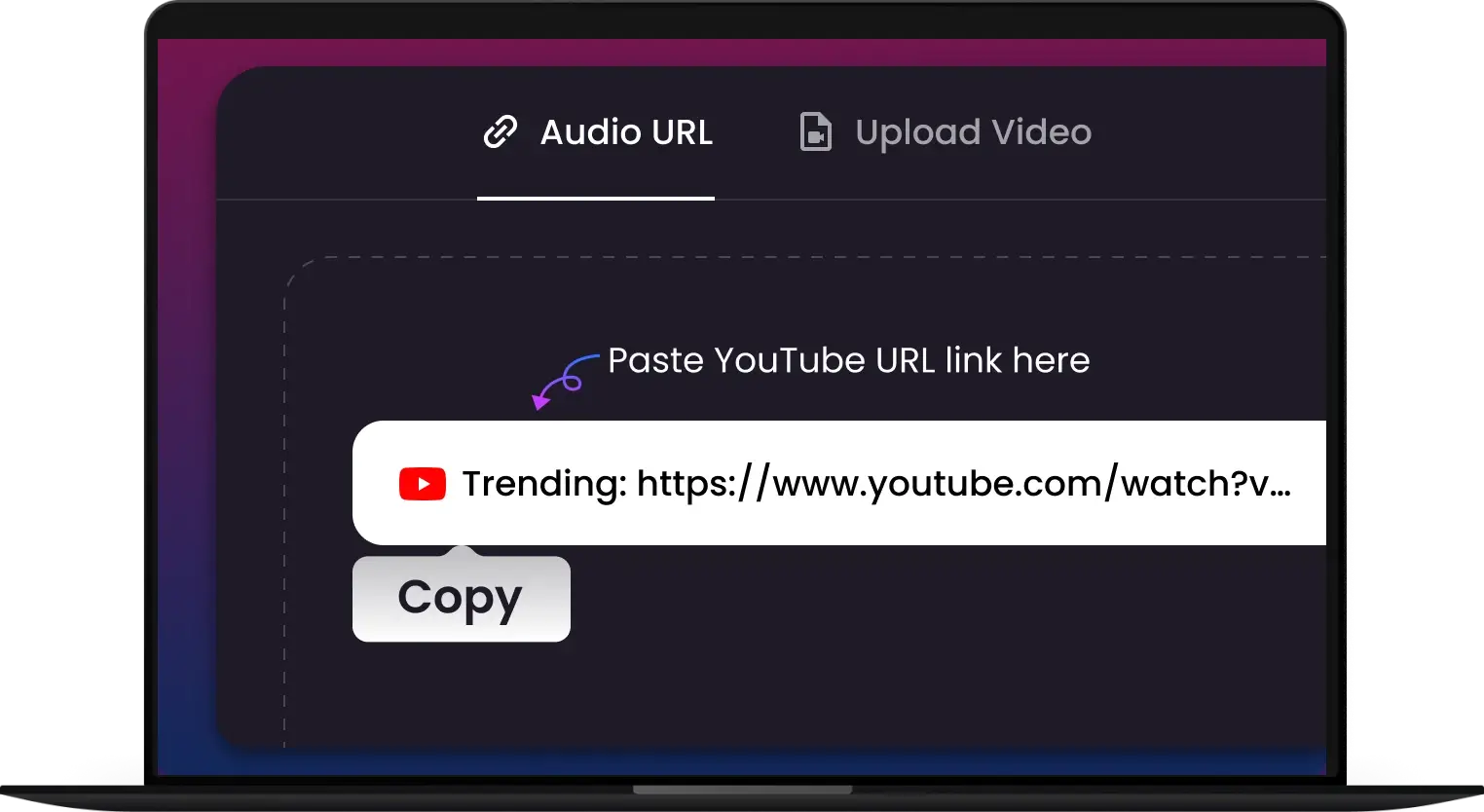
Upload or Paste Video URL
Drag and drop your file (MP4, MOV, AVI, etc.) or paste a YouTube video link into the box above.
-
2.
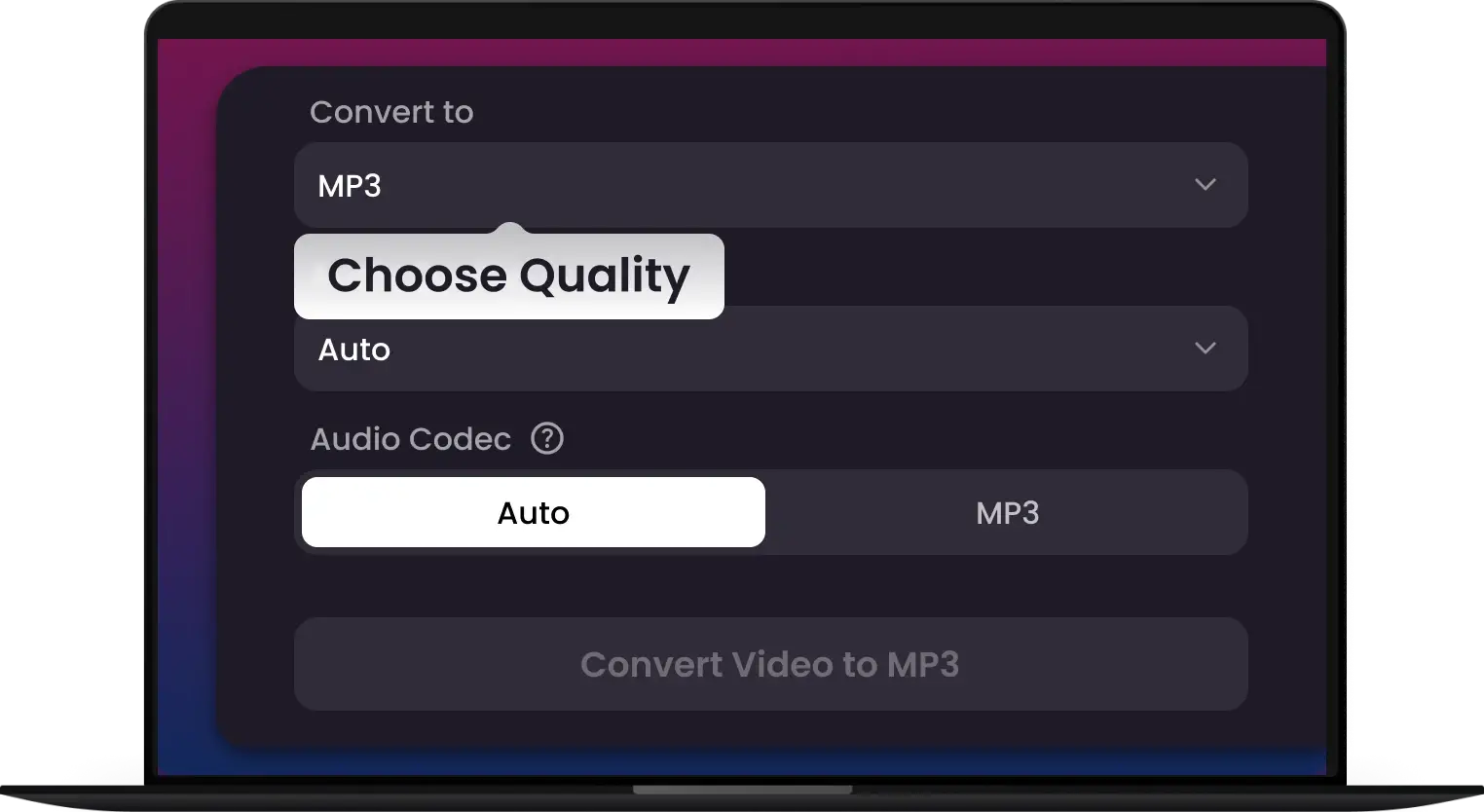
Choose MP3 & Settings
Select file format and the bitrate 128kbps, 192kbps, or 320kbps for the perfect audio file.
-
3.
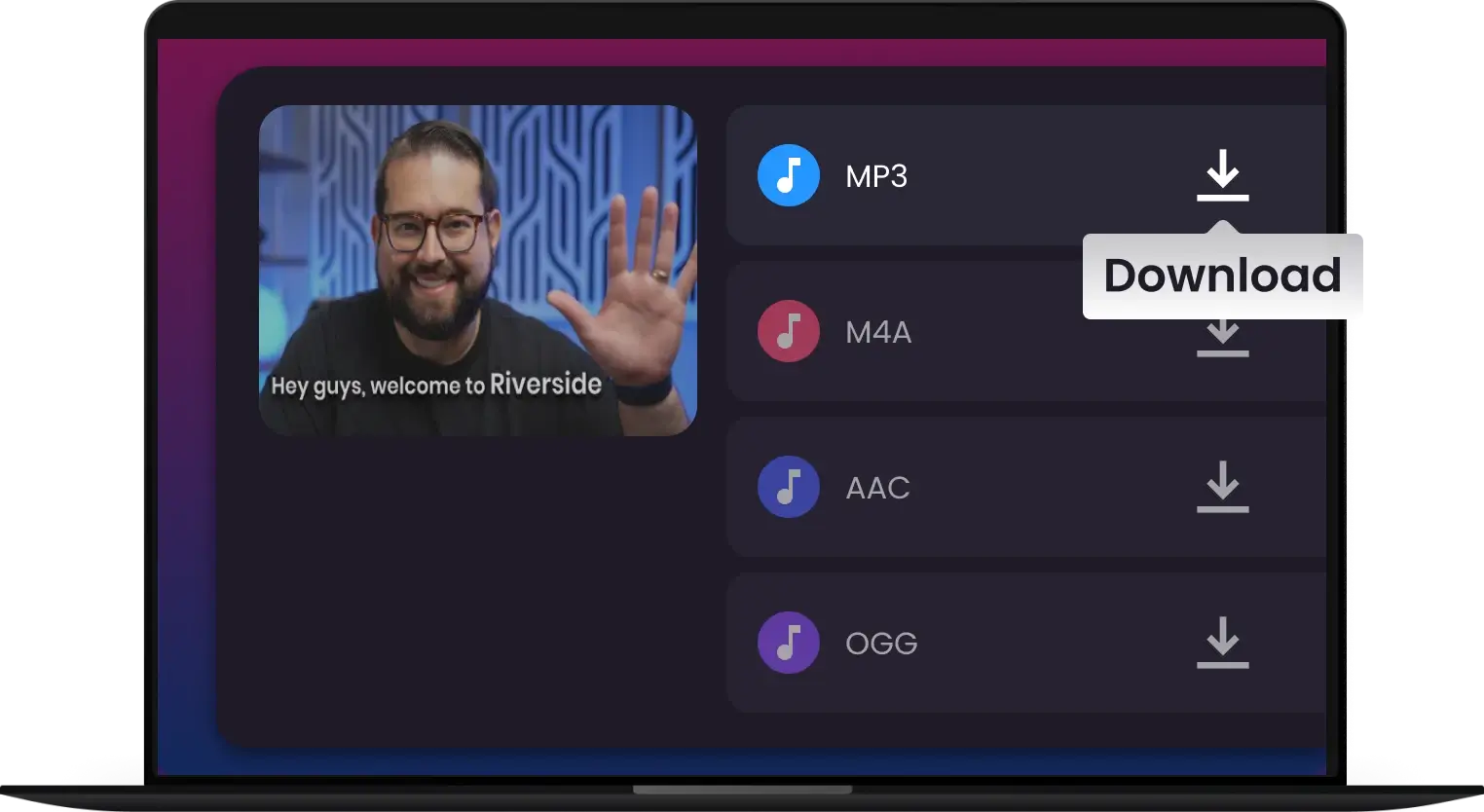
Convert & Save
Click "Convert" to get your MP3 file in seconds, ready to play anywhere.
Frequently Asked Questions
How long does it typically take to convert a video to MP3?
Can I adjust the audio settings, like Bitrate or Sample Rate, during conversion?
Is your converter safe to use, do you keep any logs of my downloads or conversions?
Does the Pro version support batch conversion? How many files can I convert at once?
Will converting videos to MP3 affect the audio quality?
Which video formats can I convert?
Do I need to register or create an account to use this MP3 converter?
Do I need to install any software?


