 Snappixify


Stop struggling with 'Codec Missing' errors. Effortlessly transform WMV, AVI, and old Windows recordings into polished, high-definition MP4, MOV, or ProRes
- MP4
- Auto
- A video codec is a technology or algorithm used to compress and decompress digital video files.
- Common video codecs include H.265 (HEVC), AV1, H.264 (AVC)
- For example, an .mp4 file might contain H.264 video and AAC audio.
- Auto

Transform WMV, Legacy Windows Renders & PC Clips into Universal & HD MP4s
-
Convert Legacy WMV, AVI, and Raw PC Recordings into HD MP4 Instantly
-
The Perfect Solution for Media Archivists, Content Creators, Youtubers & More
-
Fix 'Codec Lag' Errors — Turn Stuttering WMV Files into Smooth, Edit-Ready Video
-
Bit-Perfect Preservation — Maintain Original Resolution, Hi-Fi Audio, and Metadata
-
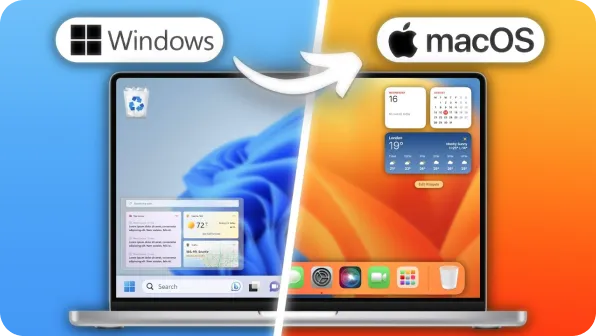
Bridge the PC-to-Mac Gap — Convert Restricted WMV to Smooth, Mac-Friendly MP4
-
![Bridge the PC-to-Mac Gap]()
Bridge the PC-to-Mac Compatibility Gap
Received a WMV you can’t open? Instantly convert unsupported Windows files into Apple-native MOV or MP4 for seamless playback on Mac, iPhone, and iPad
Transfer WMV to MP4 -
![MP4 Conversion in a Single Click]()
Universal MP4 Conversion in a Single Click
Turn outdated Windows Media into universal HD MP4s. Perfect for sharing on YouTube, TikTok, and Instagram or casting to your favorite Smart TV flawlessly
Make WMV to MP4 -
![Batch Processing at 180X Speed]()
Industrial-Grade Batch Processing at 180X Speed
Modernize entire corporate archives in minutes. Leverage GPU acceleration to handle up to 100 WMV files simultaneously with bit-perfect quality preservation
Change WMV to MP4


Pixel-Perfect WMV Conversion — High-Quality Video & Audio
Convert MOV, MKV, WEBM, AVI, WMV, and more to HD MP4, maintaining resolution, audio quality, and metadata for smooth playback on both Windows and Mac.
-
![Mac Switcher]() Smooth Transition to Mac
Smooth Transition to MacMac Switcher
Just moved from PC to Mac? Convert your entire legacy WMV library into Apple-friendly MP4 files for seamless playback in any app, ensuring a smooth transition to the macOS environment.
-
![Professional Editor]() Flawless Editing Workflow
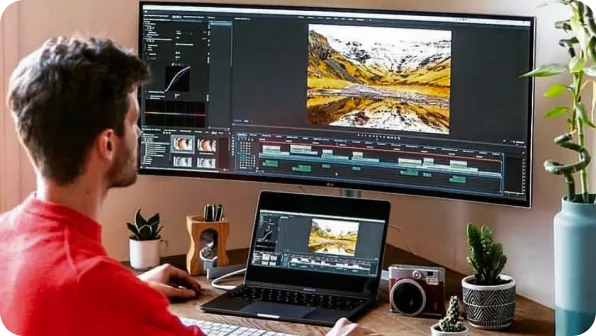
Flawless Editing WorkflowProfessional Editor
Stop the stutter. Transcode laggy WMV files into edit-ready MP4 for a smooth, crash-free workflow in Premiere Pro and Resolve, optimizing your editing process without compromise.
-
![Content Creators]() Perfect for Social Media
Perfect for Social MediaContent Creators
Convert videos to WMV for Windows editing, streaming, and social media uploads with zero quality loss, ensuring your content appears as sharp and vibrant as intended on all platforms.
-
![Media Archivists]() Preserve and Organize
Preserve and OrganizeMedia Archivists
Preserve old videos in MP4 format for long-term storage, high-quality playback, and organized archives, ensuring your media assets remain intact and accessible for future use.
-
![Educators & Trainers]() Ideal for Classrooms
Ideal for ClassroomsEducators & Trainers
Convert lessons, webinars, and tutorials to MP4 for classroom use or cross-platform distribution, making your educational content compatible and easy to share across various devices and platforms.
-
![Mobile Enthusiasts]() On-the-Go Playback
On-the-Go PlaybackMobile Enthusiasts
Transform your WMV videos into mobile-friendly formats for smooth playback on smartphones and tablets. Whether for personal use or sharing with friends, you’ll get the best experience anywhere, anytime.




Why Snappixify WMV to MP4 Converter?

Universal Compatibility
WMV files can be tricky to play across different devices. Snappixify makes it easy by converting your WMV files to MP4, a format that works perfectly on all devices, from smartphones to desktop computers.

AI-Enhanced Compression
Our smart AI algorithm adjusts bitrate dynamically, ensuring that action-packed scenes stay sharp while static shots are compressed for better file size. The result is the perfect balance of quality and efficiency.

Reduce File Size, Retain Quality
With Snappixify, you can shrink your WMV files by up to 50% while keeping the original quality intact. This means quicker load times, less storage usage, and smoother playback without compromising on clarity.

Perfect for Social Media
Convert WMV to MP4, optimizing your videos for fast uploads and smooth playback on social media platforms. Your content will be ready in the ideal format for streaming, with minimal buffering and quick loading times.

Seamless Video Editing
Editing WMV files can be a pain. Snappixify transforms your files into MP4s, compatible with popular video editing software like Premiere Pro, Final Cut Pro, and DaVinci Resolve—no more dealing with slow proxies.

Fast, Secure Conversions
With Snappixify’s GPU acceleration, your conversions happen in record time. Plus, we use advanced encryption to ensure that your media is handled securely, from start to finish.
WMV files can be tricky to play across different devices. Snappixify makes it easy by converting your WMV files to MP4, a format that works perfectly on all devices, from smartphones to desktop computers.
With Snappixify, you can shrink your WMV files by up to 50% while keeping the original quality intact. This means quicker load times, less storage usage, and smoother playback without compromising on clarity.
Editing WMV files can be a pain. Snappixify transforms your files into MP4s, compatible with popular video editing software like Premiere Pro, Final Cut Pro, and DaVinci Resolve—no more dealing with slow proxies.
Our smart AI algorithm adjusts bitrate dynamically, ensuring that action-packed scenes stay sharp while static shots are compressed for better file size. The result is the perfect balance of quality and efficiency.
Convert WMV to MP4, optimizing your videos for fast uploads and smooth playback on social media platforms. Your content will be ready in the ideal format for streaming, with minimal buffering and quick loading times.
With Snappixify’s GPU acceleration, your conversions happen in record time. Plus, we use advanced encryption to ensure that your media is handled securely, from start to finish.
WMV vs. MP4: What is the Difference?

What’s WMV?
WINDOWS MEDIA VIDEO
.WMV
File extension

What’s MP4?
MPEG-4 Part 14
.MP4
File extension
When to Use WMV vs. MP4
Convert MOV, MKV, WEBM, AVI, WMV, and more - all your video conversion needs in one tool
Use to WMV

- When you need to play videos on Windows devices with the highest compatibility without requiring additional software.
- When you need a smaller file size while preserving good quality for easy storage and quick access.
- When you need to upload videos to platforms like Facebook or YouTube, ensuring smooth playback with minimal buffering.
Use to MP4

- When you need universal compatibility for playback on iPhones, Android devices, and smart TVs without errors.
- When you are uploading content to social media like Instagram, TikTok, or LinkedIn for maximum reach and stability.
- When you are working in professional DAWs or editors like Premiere Pro and need a stable, industry-standard master format.
Key Differences Between WMV and MP4
Convert WMV to MP4 in 3 Simple Steps
-
![Upload Your WMV]()
Upload Your WMV
1. Upload Your WMVDrag and drop WMV files of any size. Supports single clips or bulk WMV video conversion. -
![Select MP4 Setting]()
Select MP4 Setting
2. Select MP4 SettingSelect MP4 with HD resolution, original frame rate, and high-quality audio—no codec headaches. -
![Convert & Download]()
Convert & Download
3. Convert & DownloadOne click converts WMV to MP4 for smooth playback on all devices. Download instantly—no sign-up needed.


Convert Any Video or Audio - 500+ Formats Supported
Stop letting old formats slow you down. Instantly upscale and transform outdated WMV recordings into crystal-clear HD MP4s. Ready for editing and sharing in seconds.


Popular WMV & MP4 Converter Tools
Snappixify makes converting WMV to MP4 and MP4 to WMV easy, with fast, high-quality results for smooth playback on any device.


Join 500,000+ Creators Rescuing Their Footage with Our Pro-Speed WMV Converter


Frequently Asked Questions
Why won't my WMV files play on my Mac or iPhone?
Will I lose video quality during the conversion process?
Can I convert WMV files for use in Premiere Pro or DaVinci Resolve?
How fast is the conversion from WMV to MP4?
Can I convert multiple WMV files at once?
Will the converted files work on my Smart TV or Gaming Console?
What if my original WMV file is in a 4:3 (square) aspect ratio?


