Snappixify


Convert legacy MPG video files into universal MP3 audio, ensuring perfect compatibility with all today’s modern devices
- MP3
- Auto
- An audio codec is a technology that compresses and decompresses sound files so they take up less space while keeping good sound quality.
- Common audio codecs include MP3, AAC, FLAC, and WAV, each balancing file size and sound quality differently.

Fast MPG to MP3 conversion. No ads, no sign-up, 100% online
-
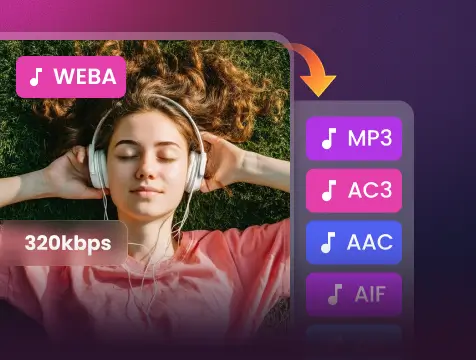
Extract clear MP3 audio at up to 320 kbps while preserving original sound detail
-
Designed to pull audio from MPG, MPEG-1, and MPEG-2 video files with accuracy
-
Cloud-based processing converts MPG to MP3 quickly, even for large or old files
-
Turn legacy video audio into MP3 files that work on phones, cars, and all players
-
Files are encrypted during transfer and automatically deleted after conversion
-
No sign-up, no installs, no ads—just upload your MPG and convert
-
![MPG to MP3 Converter Online & Free]()
Fast MPG to MP3 Converter Online & Free
Our smart AI makes it incredibly easy to get the audio or music out of your MPG videos. You don’t need to be a tech expert or download any bulky software. Just upload your video file, and we will turn it into a high-quality MP3 in seconds—completely free. It's the simplest way to get your audio on the go.
Convert MPG File to MP3 -
![Batch Convert MPG to MP3]()
Batch Convert MPG to MP3 in High Quality
Have a whole folder of videos? No problem. Our tool lets you turn many MPG files into MP3s all at once so you don't have to waste time doing them one by one. We use AI to keep the sound crystal clear, ensuring your new audio files sound just as good as the original video recordings.
Convert MPG File to MP3 -
![MPG to MP3 Tool for Old Recordings]()
The Best MPG to MP3 Tool for Old Recordings
If you have old videos from digital cameras or DVDs that won’t play on your phone, we can help. Our AI safely unlocks the audio from those old MPG files and turns them into modern MP3s. Now you can listen to your favorite memories, old interviews, or music on any smartphone or car speaker.
Change MPG to MP3


Why MPG to MP3 Is Essential for Old Files?
From vintage recordings to early digital archives, Snappixify quickly extracts high-quality MP3 audio from legacy MPG files
-
![Training Archivists]() DVD Content Archiving
DVD Content ArchivingTraining Archivists
Many legacy training courses were distributed on DVDs, where video is stored as MPG files by standard. Learners often only need the spoken lectures for mobile study. Converting MPG to MP3 removes unnecessary video data and makes large audio libraries easy to store, share, and replay.
-
![TV Recording Operators]() Broadcast Audio Extraction
Broadcast Audio ExtractionTV Recording Operators
TV capture cards and DVB systems record programs directly in MPG format. News and talk shows contain valuable speech but occupy gigabytes as video. Converting MPG to MP3 allows fast indexing, transcription, and reuse in audio-based workflows.
-
![Video Editors]() Legacy Media Reuse
Legacy Media ReuseVideo Editors
Older camcorders from Sony and Panasonic saved projects in MPG for DVD compatibility. When reusing narration or dialogue, extracting audio directly from MPG avoids slow video editing and simplifies modern production pipelines.
-
![Researchers]() Field Interview Processing
Field Interview ProcessingResearchers
Older portable recording kits captured interviews as MPG video to ensure hardware compatibility. For qualitative analysis, only voice data is required. Converting MPG to MP3 supports transcription and coding in research software.


Why Snappixify MPG to MP3 Converter?

Lightning-Fast Extraction
Save time with our high-speed processing engine. Convert MPG to MP3 in seconds. We guarantee a reliable service that handles your files with peak efficiency.

Works on Any Device
No software, no plugins, no hassle. Our online MPG to MP3 tool works instantly in your browser—perfect for Windows, Mac, iOS, and Android.

High-Fidelity Audio
Never compromise on sound. Extract audio from MPG videos while preserving the original bitrates (up to 320kbps) for a crisp, studio-quality listening experience.

No Sign-ups Required
Forget about passwords and registrations. Our tool works directly without a login, allowing you to extract audio from video immediately and anonymously.

Privacy-First Security
Your data is your business. Every download is 100% virus-free and privacy-protected. Files are automatically deleted from our servers after conversion.

Unlimited Batch Conversion
Why wait for one by one? Upload multiple MPG files simultaneously and convert them to MP3 in a single batch. Our cloud-powered engine handles the heavy lifting, saving you valuable time and effort.
Save time with our high-speed processing engine. Convert MPG to MP3 in seconds. We guarantee a reliable service that handles your files with peak efficiency.
Never compromise on sound. Extract audio from MPG videos while preserving the original bitrates (up to 320kbps) for a crisp, studio-quality listening experience.
Your data is your business. Every download is 100% virus-free and privacy-protected. Files are automatically deleted from our servers after conversion.
No software, no plugins, no hassle. Our online MPG to MP3 tool works instantly in your browser—perfect for Windows, Mac, iOS, and Android.
Forget about passwords and registrations. Our tool works directly without a login, allowing you to extract audio from video immediately and anonymously.
Why wait for one by one? Upload multiple MPG files simultaneously and convert them to MP3 in a single batch. Our cloud-powered engine handles the heavy lifting, saving you valuable time and effort.
MPG vs. MP3: What is the Difference?

What is MPG?
Moving Picture Experts Group
.MPG
File extension

What is MP3?
MPEG-1 Audio Layer III
.MP3
File extension
When to Use MPG vs. MP3
Convert from MPG, MP4, AVI, MOV, and more — one tool for all your MP3 extraction needs.
Use to MPG

- When you need to store both high-quality video and audio in a single file for playback.
- When creating content for DVDs, television broadcasting, or cinematic presentations.
- When visual data is essential and file size is a secondary concern.
Use to MP3

- When you want to extract audio from a video to save up to 90% of storage space.
- When you want to listen to video lectures, music videos, or podcasts on portable audio players.
- When you need a lightweight format that is compatible with every modern digital device.
Key Differences Between MPG and MP3
How to Convert MPG to MP3
-
![Upload Video or Paste Link]()
Upload Video or Paste Link
1. Upload Video or Paste LinkUpload the MPG video from your device or paste an MPG video link -
![Adjust Audio Quality]()
Adjust Audio Quality
2. Adjust Audio QualityChoose your preferred bitrate (from 32 to 320 kbps) for the best sound -
![Convert to MP3]()
Convert to MP3
3. Convert to MP3Click Convert to extract the audio and download it to your device instantly


Convert Any Video or Audio - 500+ Formats Supported
From MP4 and MOV to WAV and FLAC, Snappixify handles all your conversion needs – Fast & secure conversions for all your audio and video projects.
400+ Audio Files
Supports 400+ Audio Formats
 M4A Converter
M4B Converter
M4R Converter
MIDI Converter
MKA Converter
MOD Converter
MP3 Converter
OGA Converter
OGG Converter
Opus Converter
PCM Converter
RA / RAM
VOC Converter
WAV Converter
WEBA Converter
WMA Converter
M4A Converter
M4B Converter
M4R Converter
MIDI Converter
MKA Converter
MOD Converter
MP3 Converter
OGA Converter
OGG Converter
Opus Converter
PCM Converter
RA / RAM
VOC Converter
WAV Converter
WEBA Converter
WMA Converter
500+ Video Files
Supports 500+ Video Formats
DV Converter
DVR Converter
FLV Converter
GIF Converter
M2TS Converter
M4V Converter
MKV Converter
MOD Converter
MOV Converter
MP4 Converter
MPEG Converter
MPG Converter
MTS Converter
MXF Converter
RM Converter
RMVB Converter
SWF Converter
TS Converter
VOB Converter
WEBM Converter
WMV Converter
WTV Converter
Popular MPG & MP3 Converter Tools
MPG to MP3 Made Effortless — Snappixify turns your videos into high-quality soundtracks, ready for your ears whenever, wherever.


From Video to Sound: Real Stories from Our Users


Frequently Asked Questions
How to convert MPG file to MP3?
Which is the safest MP3 converter?
Does converting reduce audio quality?
What is MPG in music?
Are MP3 and MPG the same?
Is an MPG file good?
One Tool for Your Audio, A Whole Suite for Your Workflow