Snappixify


Extract audio from your iTunes movies, Apple TV shows, or iOS screen recordings and enjoy them on any device as universal MP3s
- MP3
- Auto
- An audio codec is a technology that compresses and decompresses sound files so they take up less space while keeping good sound quality.
- Common audio codecs include MP3, AAC, FLAC, and WAV, each balancing file size and sound quality differently.

Professional M4V to MP3 Converter — Extract Pure Audio Instantly
-
Extract 320kbps audio with zero quality loss from original M4V files
-
Convert your M4V files instantly in your browser—no installations, no accounts, no hassle
-
Advanced cloud tech converts large M4V videos in seconds, not minutes
-
Extracted MP3s work flawlessly on all devices, including Android and car stereos
-
Convert multiple M4V files or entire playlists at once to save time
-
SSL encryption and auto-deletion guarantee your files remain 100% secure
-
![Batch Convert M4V]()
Batch Convert M4V in High Quality
Save time with our multi-file processing. Whether it’s a music video collection or a series of lectures, you can upload multiple M4V files simultaneously. We ensure every output file maintains 320kbps fidelity for a premium listening experience.
Change M4V to MP3 -
![M4V to MP3 Converter Online]()
Professional M4V to MP3 Converter Online
Extract high-fidelity audio from Apple M4V videos instantly. Our cloud-powered engine ensures lightning-fast extraction without the need for software installation or registration. Just upload your M4V and get a perfect MP3 in seconds.
Convert Video to MP3 -
![MP3s for Any Device]()
Universal MP3s for Any Device
Convert from any browser on Windows, Mac, or Linux. Our output MP3s are optimized for perfect playback on smartphones, car stereos, and all media players. Your privacy is protected with bank-grade SSL encryption and auto-deletion.
Convert to MP3 Now


Why Extract MP3 Audio from M4V Files?
Unlock your Apple media. From iOS screen recordings to iTunes libraries, extract pure MP3 audio for total flexibility across all your devices
-
![iTunes Users]() Play on Any Device
Play on Any DeviceiTunes Users
M4V files are often locked to Apple devices. By extracting the MP3, you can finally enjoy your favorite iTunes soundtracks or concert audio on any Android phone, PC, or car stereo without any format restrictions.
-
![iPhone Recorders]() Storage Optimization
Storage OptimizationiPhone Recorders
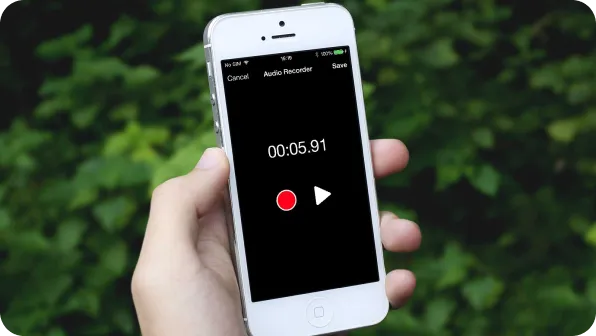
iOS screen recordings in M4V take up massive space and crash many audio tools. Converting to MP3 slashes file size while keeping 320kbps quality, making your recordings easy to store, edit, and share instantly.
-
![Podcast Editors]() Production Efficiency
Production EfficiencyPodcast Editors
Don't let heavy M4V containers lag your editing software. Extracting a clean MP3 track directly from video interviews speeds up rendering and saves CPU power, allowing you to focus on the sound instead of the lag.
-
![Online Learners]() Learning on the Go
Learning on the GoOnline Learners
M4V courses require an active screen, draining your battery. Converting lessons to MP3 lets you listen while your phone is locked. Turn your commute or gym time into a classroom with portable, audio-only content.



Why Snappixify M4V to MP3 Converter?

Universal MP3 Playback
Enjoy audio on any device. MP3 works with iTunes, Spotify, and car systems, ensuring a seamless listening experience everywhere you go.

High-Quality Extraction
Extract crystal-clear sound easily. Our tool supports bitrates up to 320kbps, maintaining high source fidelity for the best audio quality.

Music & Podcast Offline
Turn videos into an offline experience. Extract audio to listen to content as a podcast on the go without needing an internet connection.

Works on Any Device
No software or installation needed. Our service is 100% browser-based and works instantly on PC, Mac, or mobile with no login required.

Maximize Storage Space
M4V files are large due to video data. Converting to MP3 creates small, optimized files that save massive space on your mobile devices.

Fast & Reliable Service
Save time with high-speed processing. We guarantee fast, reliable, and private conversions, giving you free daily M4V to MP3 downloads.
Enjoy audio on any device. MP3 works with iTunes, Spotify, and car systems, ensuring a seamless listening experience everywhere you go.
Turn videos into an offline experience. Extract audio to listen to content as a podcast on the go without needing an internet connection.
M4V files are large due to video data. Converting to MP3 creates small, optimized files that save massive space on your mobile devices.
Extract crystal-clear sound easily. Our tool supports bitrates up to 320kbps, maintaining high source fidelity for the best audio quality.
No software or installation needed. Our service is 100% browser-based and works instantly on PC, Mac, or mobile with no login required.
Save time with high-speed processing. We guarantee fast, reliable, and private conversions, giving you free daily M4V to MP3 downloads.
M4V vs. MP3: What is the Difference?

What is M4V?
MPEG-4 Video Container
.M4V
File extension

What is MP3?
MPEG-1 Audio Layer III
.MP3
File extension
When to Use M4V vs. MP3
Convert from M4V, MP4, MOV, MKV, and more — one tool for all your MP3 extraction needs
Use to M4V

- When you want to watch high-definition video with synchronized audio.
- When playing movies or TV shows on Apple TV or home theaters.
- When storing media that requires visual content and subtitles.
Use to MP3

- When you only need the soundtrack, song, or dialogue from a video.
- When you need to save massive storage space on your mobile device.
- When listening to audio on the go via car systems or headphones.
Key Differences Between M4V and MP3
How to Convert M4V to MP3
-
![Upload M4V Video]()
Upload M4V Video
1. Upload M4V VideoDrag and drop your M4V file or paste a video link to begin the extraction -
![Set Audio Quality]()
Set Audio Quality
2. Set Audio QualityChoose your preferred bitrate (from 32 to 320 kbps) for the best sound output -
![Download MP3]()
Download MP3
3. Download MP3Click convert to process the file, then save the high-quality MP3 to your device


Convert Any Video or Audio - 500+ Formats Supported
From MP4 and M4V to MP3 and FLAC, Snappixify handles all your conversion needs – Fast & secure conversions for all your audio and video projects.
400+ Audio Files
Supports 400+ Audio Formats
 M4A Converter
M4B Converter
M4R Converter
MIDI Converter
MKA Converter
MOD Converter
MP3 Converter
OGA Converter
OGG Converter
Opus Converter
PCM Converter
RA / RAM
VOC Converter
WAV Converter
WEBA Converter
WMA Converter
M4A Converter
M4B Converter
M4R Converter
MIDI Converter
MKA Converter
MOD Converter
MP3 Converter
OGA Converter
OGG Converter
Opus Converter
PCM Converter
RA / RAM
VOC Converter
WAV Converter
WEBA Converter
WMA Converter
500+ Video Files
Supports 500+ Video Formats
DV Converter
DVR Converter
FLV Converter
GIF Converter
M2TS Converter
M4V Converter
MKV Converter
MOD Converter
MOV Converter
MP4 Converter
MPEG Converter
MPG Converter
MTS Converter
MXF Converter
RM Converter
RMVB Converter
SWF Converter
TS Converter
VOB Converter
WEBM Converter
WMV Converter
WTV Converter
Popular M4V & MP3 Converter Tools
M4V to MP3 Made Simple — Snappixify extracts audio from Apple video files, turning iTunes and iPhone recordings into portable MP3 you can play on any device


Unlocking Melodies: Why Our Users Love M4V to MP3


Frequently Asked Questions
How to extract audio from M4V?
Which MP3 converter is safest to use?
Do M4V files have audio?
Is M4V higher quality than MP4?
Which video format is the highest quality?
Will M4V play on Windows?
One Tool for Your Audio, A Whole Suite for Your Workflow