 Snappixify


Convert MP3 to AAC for MP4 video workflows, batch conversion, and smaller file sizes with efficient, high-quality audio
- MP3
- Auto
- An audio codec is a technology that compresses and decompresses sound files so they take up less space while keeping good sound quality.
- Common audio codecs include MP3, AAC, FLAC, and WAV, each balancing file size and sound quality differently.
How to Convert MP3 to AAC
-
![Add MP3 Audio]()
Add MP3 Audio
1. Add MP3 AudioPaste a link or upload your MP3 file to start the conversion -
![Select AAC Output]()
Select AAC Output
2.Select AAC OutputChoose AAC as the output format and adjust audio quality for efficient use -
![Convert & Save]()
Convert & Save
3.Convert & SaveConvert MP3 to AAC and download files ready for video, mobile, or streaming playback


MP3
MP3 is one of the most widely used audio file formats, known for its high compatibility and small file size. It uses lossy compression technology, reducing file size while maintaining acceptable audio quality, making it the preferred format for music downloads, podcast audio, and playback across various devices. On Windows, macOS, Android, and nearly all media players, MP3 remains a lightweight, universal, and almost ubiquitous audio format.

AAC
AAC (Advanced Audio Coding) is a widely used lossy audio format standardized by MPEG and designed to deliver high-quality sound at lower bitrates. It uses advanced compression technology to preserve clarity, detail, and balance while reducing file size, and is commonly used in services like Apple Music, YouTube, and broadcast systems. With broad device support and efficient performance, AAC has become a mainstream choice for both online distribution and everyday listening.
Key Scenarios for MP3 to AAC Conversion
-
![Content Creators]() Audio Ready for Publishing
Audio Ready for PublishingContent Creators
To keep audio clear at smaller file sizes, converting MP3 to AAC is often the better choice. MP3 to AAC conversion improves sound quality through more efficient compression, making your audio ready for publishing.
-
![Video Editors]() Compatible Audio Tracks
Compatible Audio TracksVideo Editors
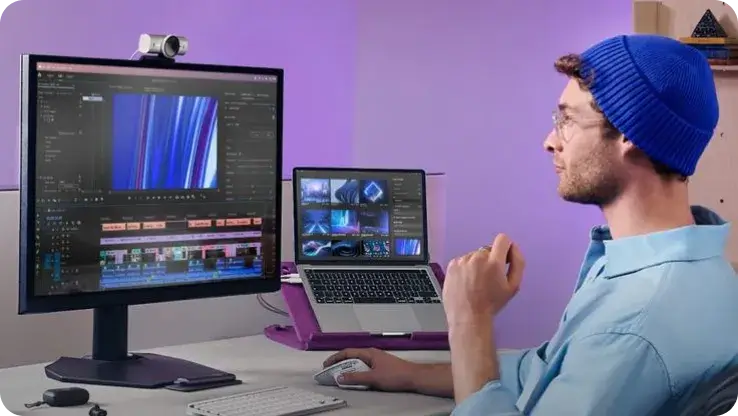
MP3 audio doesn’t always behave well in video editors—waveforms can drift or fail to line up properly. Switching to AAC makes the audio work seamlessly with MP4 files, so everything stays in sync from editing to final export.
-
![Mobile Users]() Save Phone Storage
Save Phone StorageMobile Users
A large collection of MP3 files can quickly fill your phone’s storage, making it harder to manage music and apps. Converting them to AAC significantly reduces the space they take while keeping the same listening experience.
-
![Podcasters]() Optimize Podcast Audio
Optimize Podcast AudioPodcasters
For podcasts, MP3 may not support features like chapter markers or precise navigation. Converting MP3 to AAC keeps file size similar while enabling chapters and better playback control, making episodes easier for listeners to navigate.



-
![Batch MP3 to AAC Converter]()
Free Online Batch MP3 to AAC Converter
With snappixify, you get a free online MP3 to AAC converter with batch support, letting you convert multiple MP3 files at once without installing software. It runs directly in your browser and offers a simple, reliable way to convert MP3 to AAC quickly for everyday audio needs.
Convert MP3 to AAC -
![Convert MP3 to AAC with Metadata]()
Convert MP3 to Smaller AAC Files with Stable Metadata
Compared to traditional MP3, AAC offers more stable handling of cover art, lyrics, and album metadata, while achieving smaller file sizes at similar audio quality. Powered by a professional-grade engine, Snappixify efficiently converts MP3 to AAC, letting you stay focused on audio production and processing without interruption.
Turn MP3 into AAC


Why Users Choose Snappixify for MP3 to AAC Conversion


Frequently Asked Questions
How do I convert MP3 to AAC?
Can I convert MP3 to AAC online without downloading software?
Are my MP3 files safe during the conversion process?
How many MP3 files can I batch convert at once?
Will converting MP3 to AAC improve the audio quality?
Besides AAC, what other formats can I convert MP3 into?
Format-to-Format Converters


