 Snappixify


Batch convert MOV to MP4 in seconds. Optimized for Windows users, social media creators, and seamless cross-platform sharing
- MP4
- Auto
- A video codec is a technology or algorithm used to compress and decompress digital video files.
- Common video codecs include H.265 (HEVC), AV1, H.264 (AVC)
- For example, an .mp4 file might contain H.264 video and AAC audio.
- Auto

Your All-In-One Hub for Apple-Ready Video and Pro-Grade Transcoding
-
Effortlessly convert MOV, MP4, AVI, MKV, WEBM, and 500+ video formats
-
Automatically optimize MOV videos for TikTok, Instagram Reels and YouTube Shorts
-
Instantly convert 'unplayable' iPhone MOV files into Windows-ready MP4 or AVI.
-
Paste links from 1000+ sites to save online content directly as MOV or MP4 files
-
Optimized for Video Workflows & Beyond — Perfect for video editors, social media managers, marketers, educators, and content creators
-
![MOV Files to Apple-Ready MP4]()
Convert 'Unplayable' QuickTime MOV Files to Apple-Ready MP4
Convert unplayable QuickTime MOV files into Apple-ready MP4 for smooth playback on iPhone, iPad and Mac—fast, secure, no signup.
Convert to Apple MP4 -
![MOV Converter for Social Media & Editing]()
Pro-Grade MOV Converter: Optimized for Social Media & Editing
Pro-grade MOV converter optimized for social media and editing. Convert MOV to MP4 with high quality for YouTube, Instagram, and pro workflows.
Change MOV to MP4 -
![Batch Convert 100+ Large Videos]()
Batch Convert 100+ Large Videos at 180X Speed for 4K
Batch convert 100+ large videos with ease—no file size limits and lightning-fast processing for MP4 and 400+ formats. Experience 180X faster MOV conversion, processing massive 4K videos in seconds with zero quality loss.
Switch MOV to MP4


Who Is This MOV Converter For
Built for iPhone Users, Creators and Pros who need fast MOV conversion
-
![Video Editors]() Seamless Editing Across Platforms
Seamless Editing Across PlatformsVideo Editors
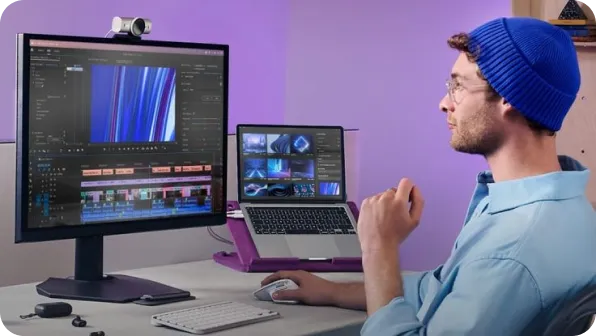
Keep original quality and edit seamlessly in Premiere, Final Cut Pro, or DaVinci Resolve
-
![Filmmakers]() Flawless Editing Experience
Flawless Editing ExperienceFilmmakers
Lossless quality for Pro Tools. Works perfectly with Premiere, Final Cut and Resolve
-
![Content Creators]() Perfect for Social Media
Perfect for Social MediaContent Creators
Convert MOV to universally supported formats like MP4 for seamless uploads and social media sharing.
-
![YouTubers]() Effortless Uploads to Social Media
Effortless Uploads to Social MediaYouTubers
Convert MOV to MP4 for seamless uploads to YouTube, TikTok, and Instagram
-
![Students]() Convert Lectures, Play Anywhere
Convert Lectures, Play AnywhereStudents
Pro education tools. Convert MOV lectures or assignments into MP4 for any platform
-
![Educators]() Smooth Conversion for Teaching
Smooth Conversion for TeachingEducators
Effortless MOV conversion for lectures and projects. No more upload errors




Why Snappixify MOV to MP4 Converter?

Compatible Across All Devices
MOV files can be difficult to play on various platforms. Snappixify ensures compatibility by converting MOV files to MP4, which works smoothly on all devices, from smartphones to desktops.

Optimized for Social Media
Snappixify converts MOV to MP4 for fast uploads and seamless playback across all major social media platforms. Your videos will be ready for Instagram, TikTok, YouTube, and more, with minimal load time.

Shrink File Size, Keep Quality
Shrink your MOV files while keeping the original quality intact. This means quicker load times, less storage usage, and smoother playback without compromising on clarity, all by converting to the more efficient MP4 format.

Perfect for Video Editing
Editing MOV files can be slow and tedious. Transforms them into MP4, making them fully compatible with top editing software like Premiere Pro, Final Cut Pro, and DaVinci Resolve.

Smart AI Compression
Our AI-driven algorithm dynamically adjusts the bitrate, ensuring sharp quality during fast-paced action scenes while reducing file size for better efficiency. It's the optimal balance of quality and performance.

Fast & Secure Conversions
Snappixify leverages GPU acceleration to deliver ultra-fast conversion speeds. Coupled with our advanced encryption technology, we ensure your files are securely processed every step of the way.
MOV files can be difficult to play on various platforms. Snappixify ensures compatibility by converting MOV files to MP4, which works smoothly on all devices, from smartphones to desktops.
Shrink your MOV files while keeping the original quality intact. This means quicker load times, less storage usage, and smoother playback without compromising on clarity, all by converting to the more efficient MP4 format.
Our AI-driven algorithm dynamically adjusts the bitrate, ensuring sharp quality during fast-paced action scenes while reducing file size for better efficiency. It's the optimal balance of quality and performance.
Snappixify converts MOV to MP4 for fast uploads and seamless playback across all major social media platforms. Your videos will be ready for Instagram, TikTok, YouTube, and more, with minimal load time.
Editing MOV files can be slow and tedious. Transforms them into MP4, making them fully compatible with top editing software like Premiere Pro, Final Cut Pro, and DaVinci Resolve.
Snappixify leverages GPU acceleration to deliver ultra-fast conversion speeds. Coupled with our advanced encryption technology, we ensure your files are securely processed every step of the way.
MOV vs. MP4: What is the Difference?

What’s MOV?
QuickTime Movie
.MOV
File extension

What’s MP4?
MOV-4 Part 14
.MP4
File extension
When to Use MOV vs. MP4
Convert MOV, MKV, WEBM, AVI, WMV, and more - all your video conversion needs in one tool
Use to MOV

- When you need high-quality video for Apple devices like iPhones, iPads, and Macs
- When you are working on video projects requiring editing flexibility in software like Final Cut Pro and DaVinci Resolve.
- When you need to preserve the full video resolution and quality for archiving or streaming on platforms that support MOV
Use to MP4

- When you need universal compatibility for playback on iPhones, Android devices, and smart TVs without errors.
- When you are uploading content to social media like Instagram, TikTok, or LinkedIn for maximum reach and stability.
- When you are working in professional DAWs or editors like Premiere Pro and need a stable, industry-standard master format.
Key Differences Between MOV and MP4
How to Convert MOV in 3 Simple Steps
-
![Drag & Drop MOV]()
Drag & Drop MOV
1. Drag & Drop MOVQuickly upload your MOV videos from your desktop, cloud storage, or mobile device. -
![Pick Your Profile]()
Pick Your Profile
2. Pick Your ProfileSelect MP4 for universal compatibility, or choose from 500+ other formats to suit your project needs. -
![Convert & Go]()
Convert & Go
3. Convert & GoClick 'Convert' and let our high-speed engine do the work. Get your video instantly, optimized and ready for any screen or social platform.


Convert Any Video or Audio - 500+ Formats Supported
Convert MOV to MP4 online with Snappixify. Experience fast and completely lossless video conversion for seamless sharing and broad compatibility on non-Apple devices.
Convert from MOV


Popular MOV & MP4 Converter Tools
Snappixify makes converting MOV to MP4 and MP4 to MOV easy, with fast, high-quality results for smooth playback on any device.


Fast, Lossless & Effortless — The MOV Converter That Keeps Your Editing Workflow in Flow


Frequently Asked Questions
How to convert MOV to MP4?
Should you convert MOV or MP4?
Does YouTube prefer MOV or MP4?
Does TikTok prefer MOV or MP4?
Does Instagram prefer MOV or MP4?
Is MOV or MP4 better for social media?
What are the disadvantages of MOV?
Is it safe to convert files to MP4 online?


