 Snappixify


Batch convert legacy MPEG-1 and MPEG-2 files from old DVDs and early digital cameras to universal MP4 in seconds. Preserve your precious family memories in 1080p HD quality for seamless playback on iPhone, Android, and smart TVs.
- MP4
- Auto
- A video codec is a technology or algorithm used to compress and decompress digital video files.
- Common video codecs include H.265 (HEVC), AV1, H.264 (AVC)
- For example, an .mp4 file might contain H.264 video and AAC audio.
- Auto

Convert Ancient MPG & MPEG Files to Universal MP4s
-
Play vintage camcorder MPG videos on modern phones.
-
Compress bulky MPG files without losing quality.
-
Fix codec errors and audio sync instantly.
-
Cleanly convert old DVD rips to MP4.
-
Make nostalgic home videos ready for social media.
-
Convert sensitive files with secure auto deletion.
-
![Lossless MPG to MP4 Conversion]()
Lossless MPG to MP4 Conversion Without Quality Loss
Our AI-optimized engine preserves every pixel. Convert old MPG data into HD MP4 without quality loss. Your legacy footage remains crystal clear while using modern neural transcoding for the best visual fidelity possible online.
Transfer MPG to MP4 -
![Convert Old Files Fast with MPG to MP4]()
Convert Old Files Fast with MPG to MP4
Stop waiting for slow software to finish the job. Drag and drop your 90s camera clips and get a modern file in seconds. We handle the heavy lifting so you can watch your vintage videos on your phone right away.
Convert MPG to MP4 -
![Use MPG to MP4 Online]()
Use MPG to MP4 Online without Downloads
Skip the risky software installs that slow down your computer. Everything happens right in your web browser. Just upload your video and let our servers do the work. It is safe, fast, and keeps your hard drive clean.
Change MPG File to MP4


Fast Online MPG to MP4 Converter for Lossless HD Video
Transform old MPG videos from Sony or Canon cameras into sharp MP4s. Works on any browser with no quality loss and no software needed
-
![Content Creator]() Retro Content Made Easy
Retro Content Made EasyContent Creator
Vintage styles are trending on TikTok and YouTube. Easily convert your old camera footage into web-ready MP4s. Keep that classic look without the upload errors or annoying audio sync issues.
-
![Mobile User]() Play Legacy Videos Anywhere
Play Legacy Videos AnywhereMobile User
Need to watch an old home movie from your parents? iPhones and Android devices cannot open legacy MPG files natively. Convert them online to MP4 for instant playback while saving storage space.
-
![Family Archivist]() Revive Your Old Memories
Revive Your Old MemoriesFamily Archivist
Stop letting your 90s family clips gather dust in a dead format. Turn those shaky MPG recordings into clear MP4s for your iPhone. Share your childs first steps with the whole family instantly.
-
![Video Editor]() Import Legacy Clips Easily
Import Legacy Clips EasilyVideo Editor
Clients often provide outdated MPG files that crash modern software. Transform those problematic videos into edit ready MP4s online. Keep the original lossless quality for seamless timeline performance.
-
![Online Educator]() Convert Lessons for Mobile
Convert Lessons for MobileOnline Educator
Help your students learn on the go by updating legacy course videos. Convert old classroom MPG files into mobile MP4s. No apps or downloads needed to keep your educational content accessible.



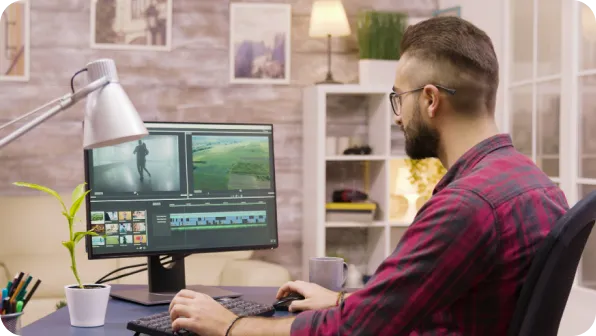

Why Snappixify MPG to MP4 Converter?

Universal Playback Everywhere
MPG files often fail on modern mobile devices. Convert to MP4 to ensure your legacy videos play flawlessly on any smartphone, tablet, or smart TV without needing extra codecs.

Instant Social Sharing
Old MPG clips aren't social-media ready. Convert to MP4 instantly to share your favorite memories on TikTok, YouTube, and Instagram without any upload errors or playback lag.

Modern Compression, Less Space
Legacy MPG formats waste valuable disk space. Our tool optimizes them into compact MP4s, significantly slashing file sizes while preserving the original clarity of your footage.

Pro Editor Friendly
MPG files cause sync issues in modern editors. Transform them into MP4 for a seamless, lag-free workflow in CapCut, Premiere Pro, and DaVinci Resolve. Professional editing made easy.

AI-Powered Restoration
Our AI restores clarity to older MPG files. It enhances resolution and optimizes bitrates, giving your dated videos a crisp, modern look at a fraction of their original file size.

High-Speed & Private
Enjoy lightning-fast MPG conversion with GPU acceleration. Your privacy is our priority, featuring end-to-end encryption for every upload to keep your personal memories secure.
MPG files often fail on modern mobile devices. Convert to MP4 to ensure your legacy videos play flawlessly on any smartphone, tablet, or smart TV without needing extra codecs.
Legacy MPG formats waste valuable disk space. Our tool optimizes them into compact MP4s, significantly slashing file sizes while preserving the original clarity of your footage.
Our AI restores clarity to older MPG files. It enhances resolution and optimizes bitrates, giving your dated videos a crisp, modern look at a fraction of their original file size.
Old MPG clips aren't social-media ready. Convert to MP4 instantly to share your favorite memories on TikTok, YouTube, and Instagram without any upload errors or playback lag.
MPG files cause sync issues in modern editors. Transform them into MP4 for a seamless, lag-free workflow in CapCut, Premiere Pro, and DaVinci Resolve. Professional editing made easy.
Enjoy lightning-fast MPG conversion with GPU acceleration. Your privacy is our priority, featuring end-to-end encryption for every upload to keep your personal memories secure.
MPG vs. MP4: What Is the Difference?

What’s MPG?
MPEG-1 or MPEG-2 Video
.MPG
File extension

What is MP4?
MTS-4 Part 14
.MP4
File extension
When to Use MPG vs. MP4
Convert MPG, MPEG, MPEG-2, and more – all your video conversion needs in one tool
Use to MPG

- When archiving videos for legacy DVD players or MPEG-2 broadcast systems.
- When preserving older media collections without re-encoding the source stream.
- When playing videos on vintage systems that don’t support modern codecs.
Use to MP4

- When you need universal playback on iPhone, Android, and Smart TVs without codec issues.
- When uploading legacy MPG videos to YouTube, Instagram, or TikTok.
- When optimizing file size for faster uploads and efficient cloud storage.
Key Differences Between MPG and MP4
How to Convert MPG to MP4
-
![Upload MPG Files]()
Upload MPG Files
1. Upload MPG FilesDrag and drop your MPG or MPEG files from your computer or media storage. -
![Choose MP4 Format]()
Choose MP4 Format
2. Choose MP4 FormatSelect MP4 to ensure smooth playback on modern smartphones, tablets, and social media. -
![Fast Convert & Save]()
Fast Convert & Save
3. Fast Convert & SaveHit 'Convert' and let our fast engine process your file. Download your optimized, high-quality video instantly.


Convert Any Video or Audio – 500+ Formats Supported
Master 500+ video formats with our high-fidelity MPG converter. From legacy MPEG-1/2 files to web-optimized MP4 or MOV, we deliver studio-grade transcoding for creators.


Popular MPG & MP4 Converter Tools
Snappixify makes converting MTS to MP4 effortless, delivering fast, high-fidelity results so your raw AVCHD camcorder footage plays smoothly on any screen.


Trusted by Over 500,000 Users for Snappixify Conversion


Frequently Asked Questions
How to convert MPG to MP4?
Should I convert MPG to MP4?
Is an MPG file the same as an MP4?
Can Adobe convert MPG to MP4?
What are the disadvantages of MPG?
How to convert MPG to MP4 with VLC?
Is MPG the same as MPEG?
Is MPG a video or audio file?
How to extract audio from an MPG file?
Is converting MPG to MP4 free?


