Snappixify


Convert legacy 3GP files from old phones into universal MP3 audio, ensuring perfect compatibility with all today's modern devices
- MP3
- Auto
- An audio codec is a technology that compresses and decompresses sound files so they take up less space while keeping good sound quality.
- Common audio codecs include MP3, AAC, FLAC, and WAV, each balancing file size and sound quality differently.

Restore Old Phone Memories — Convert 3GP to MP3 for Modern Playback
-
Enhance Old Audio – Clearer sound for low-quality legacy recordings
-
Batch Convert 3GP – Transform entire folders of voice memos instantly
-
Retro Phone Support – Works with all old Nokia, Sony, and Moto formats
-
Keep Original Dates – Preserves recording metadata and file info
-
Instant Playback – Seamlessly works on today's phones and players
-
![Lossless 3GP to MP3 Extraction]()
Lossless 3GP to MP3 Extraction
Bridge the gap between legacy files and modern devices. Our AI-powered engine is fine-tuned to extract audio from 3GP mobile videos with bit-for-bit precision, ensuring zero quality loss during the transition. Convert unplayable old phone recordings into universally compatible MP3s that work perfectly on iPhone, Android, or car stereos.
3GP File to MP3 -
![Batch Convert 3GP to MP3]()
Batch Convert 3GP to High-Fidelity MP3
Upgrade low-bitrate audio to crystal clarity. Don't let the limitations of the 3GP format hold back your sound. Our tool supports bulk uploads and simultaneous processing, allowing you to convert entire archives of old mobile clips into MP3s without the wait. We use advanced resampling tech to ensure your output is clear, loud, and compatible with all modern devices and players.
Change 3GP to MP3 -
![3GP to MP3 for Modern Devices]()
3GP to MP3 for Modern Devices
Bring your legacy audio into the future with Snappixify. Our platform seamlessly converts 3GP files into high-quality MP3s, ensuring perfect playback on any device. Enjoy a fast, secure, and entirely web-based experience designed to keep your most important memories accessible forever.
3GP Audio to MP3


Why 3GP to MP3 Is Essential for Legacy Media?
Designed for users with classic mobile recordings who need universal playback, high-speed audio extraction, and seamless compatibility with all modern devices.
-
![Mobile Users]() Save Legacy Memories
Save Legacy MemoriesMobile Users
Old Nokia or Motorola videos often trap precious memories in 3GP. Since modern players won't open them, converting to MP3 is the only way to hear those voices again on your current smartphone or computer.
-
![Podcast Editors]() Format Compatibility
Format CompatibilityPodcast Editors
Many pro audio tools fail to import legacy 3GP files, stalling your workflow. Converting to MP3 ensures your vintage recordings are edit-ready, allowing for seamless integration into your latest podcast episodes.
-
![Social Creators]() Easier to Share
Easier to ShareSocial Creators
Extracting audio from 3GP clips often causes ‘no sound’ bugs on TikTok or Instagram. Converting to MP3 not only fixes these errors but also makes your nostalgic sound bites easier to share and perfectly synced with high-definition video edits.
-
![Vintage Lovers]() Digital Preservation
Digital PreservationVintage Lovers
Collectors find rare media on 3G-era gadgets that modern systems no longer support. Converting 3GP to MP3 is key to digitizing these clips, making them accessible across all your modern devices and cloud storage.

Why Choose Our 3GP to MP3 Converter?

Lightning-Fast Extraction
Save time with our optimized processing engine. We extract audio from 3GP files in seconds, delivering your MP3 files instantly without the long wait times common in other tools.

Zero Installation Required
Keep your device clean and secure. Our service works entirely within your web browser, requiring no software downloads, no account sign-ups, and absolutely no desktop plugins.

High-Fidelity Audio Quality
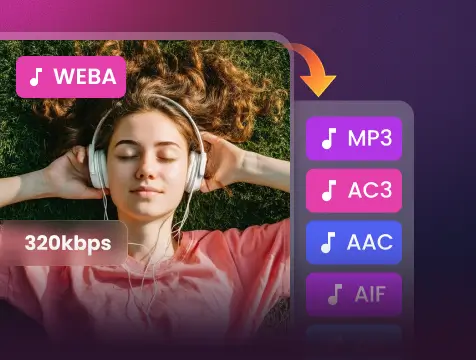
Never compromise on sound. Our tool precisely strips the audio stream from the video container, supporting bitrates up to 320kbps to ensure your music and recordings stay crystal clear.

Privacy-First Security
Your files belong to you. Every upload is protected by end-to-end encryption and is automatically wiped from our servers within 60 minutes, ensuring your personal data stays private.

Legacy Format Specialist
Breathe new life into old media. We specialize in handling 3GP files from vintage mobile devices, ensuring seamless compatibility where other modern converters might fail.

Universal Device Compatibility
Convert on the go. Whether you are using a smartphone, tablet, or desktop, our responsive interface adapts to any screen, allowing you to transform files anytime, anywhere.
Save time with our optimized processing engine. We extract audio from 3GP files in seconds, delivering your MP3 files instantly without the long wait times common in other tools.
Never compromise on sound. Our tool precisely strips the audio stream from the video container, supporting bitrates up to 320kbps to ensure your music and recordings stay crystal clear.
Breathe new life into old media. We specialize in handling 3GP files from vintage mobile devices, ensuring seamless compatibility where other modern converters might fail.
Keep your device clean and secure. Our service works entirely within your web browser, requiring no software downloads, no account sign-ups, and absolutely no desktop plugins.
Your files belong to you. Every upload is protected by end-to-end encryption and is automatically wiped from our servers within 60 minutes, ensuring your personal data stays private.
Convert on the go. Whether you are using a smartphone, tablet, or desktop, our responsive interface adapts to any screen, allowing you to transform files anytime, anywhere.
3GP vs. MP3: What is the Difference?

What is 3GP?
3rd Generation Partnership Project
.3GP
File extension

What is MP3?
MPEG-1 Audio Layer III
.MP3
File extension
When to Use 3GP vs. MP3
Convert from 3GP, MP4, WAV, and more — one tool for all your MP3 conversion needs
Use to 3GP

- When you are managing legacy media archives from early 2000s mobile devices.
- When you need to keep the original video stream alongside the audio for historical reference.
- When file size is the absolute priority on a device with extremely limited storage.
Use to MP3

- When you want to extract audio from an old video to listen on modern music players.
- When you need universal compatibility across all your smartphones, tablets, and PCs.
- When you want a better balance between high-quality sound and efficient storage space.
Key Differences Between 3GP and MP3
How to Convert 3GP to MP3
-
![Upload 3GP Video]()
Upload 3GP Video
1. Upload 3GP VideoUpload 3GP files from your device or paste a video link to start -
![Adjust Audio Quality]()
Adjust Audio Quality
2. Adjust Audio QualityChoose 320kbps and the best codec for the highest sound quality -
![Convert and Download]()
Convert and Download
3. Convert and DownloadClick Convert to extract your audio and download the MP3 file


Convert Any Video or Audio - 500+ Formats Supported
From MP3 and WAV to M4B and FLAC, Snappixify handles all your conversion needs - Fast & secure conversions for all your audio and video projects
400+ Audio Files
Supports 400+ Audio Formats
 M4A Converter
M4B Converter
M4R Converter
MIDI Converter
MKA Converter
MOD Converter
MP3 Converter
OGA Converter
OGG Converter
Opus Converter
PCM Converter
RA / RAM
VOC Converter
WAV Converter
WEBA Converter
WMA Converter
M4A Converter
M4B Converter
M4R Converter
MIDI Converter
MKA Converter
MOD Converter
MP3 Converter
OGA Converter
OGG Converter
Opus Converter
PCM Converter
RA / RAM
VOC Converter
WAV Converter
WEBA Converter
WMA Converter
500+ Video Files
Supports 500+ Video Formats
DV Converter
DVR Converter
FLV Converter
GIF Converter
M2TS Converter
M4V Converter
MKV Converter
MOD Converter
MOV Converter
MP4 Converter
MPEG Converter
MPG Converter
MTS Converter
MXF Converter
RM Converter
RMVB Converter
SWF Converter
TS Converter
VOB Converter
WEBM Converter
WMV Converter
WTV Converter
Popular 3GP & MP3 Converter Tools
From 3GP to MP3, Snappixify makes your videos playable anywhere – Fast, reliable conversions for all your audio needs


Restore Your Memories: Hear From Our Users


Frequently Asked Questions
Can I change 3GP to MP3?
What is a 3GP file and why won’t it play on modern devices?
What''s the best free MP3 converter?
Will converting 3GP to MP3 reduce audio quality?
Can I convert 3GP to MP3 online for free?
Is MP3 a better format for long-term audio storage?
One Tool for Your Audio, A Whole Suite for Your Workflow