 Snappixify


Convert legacy MPEG files to high-quality MP4 instantly. No software required—works directly in your browser
- MP4
- Auto
- A video codec is a technology or algorithm used to compress and decompress digital video files.
- Common video codecs include H.265 (HEVC), AV1, H.264 (AVC)
- For example, an .mp4 file might contain H.264 video and AAC audio.
- Auto

Transform MPEG & Legacy Media into Universal HD MP4s
-
Convert legacy MPEG-1, MPEG-2, and older media files to HD MP4 in seconds.
-
Ensure smooth playback on iPhone, Android, Smart TVs, and all social media platforms.
-
Eliminate file not supported errors and turn stuttering clips into smooth, edit-ready video.
-
Preserve original resolution, high-quality audio, and metadata without pixelation or lag.
-
Move legacy PC renders and professional MPEG files easily to Mac and mobile devices.
-
No installation or account required — files are processed securely and deleted automatically.
-
![MPEG to MP4 Compression]()
Fast AI MPEG to MP4 Compression with Snappixify
Snappixify uses AI technology to shrink massive MPEG files into tiny MP4s to save your storage space. You get ultra-fast results without losing any visual clarity. It is the best way to manage your video library in seconds.
Change MP4 to MPEG -
![MPEG to MP4 Conversion with No Loss]()
High Quality AI MPEG to MP4 Conversion with No Loss
Snappixify's AI features deliver high quality output that helps elevate your video content. Your videos are converted to MP4 format without losing any resolution. This tool ensures professional grade results for every single file.
Transfer MPEG to MP4 -
![MPEG to MP4 Playback for Every Device]()
Stable AI MPEG to MP4 Playback for Every Device
Snappixify makes your MP4 files play perfectly on iPhones, Smart TVs, and social media. Our AI engine ensures universal compatibility so you can share content everywhere. Enjoy a smooth experience on any screen or platform you use.
Turn MPEG to MP4


Professional MPEG to MP4 Conversion for Legacy Video Formats
Convert MPEG-1 and MPEG-2 files to modern MP4 while preserving video clarity and audio quality. Make older broadcast and DVD-based MPEG videos play smoothly on Windows, Mac, mobile devices, and social platforms
-
![Photographers]() Legacy Gear Support
Legacy Gear SupportPhotographers
Transform legacy MPEG files from your older Sony or Canon cameras into crisp MP4s. Stop struggling with jerky playback on modern devices. Get HD results that play perfectly every time you share.
-
![Mobile Users]() Pocket-Friendly Storage
Pocket-Friendly StorageMobile Users
MPEG files are storage hogs that won't open on your iPhone or Android. Convert to MP4 to view your memories instantly while saving up to 70% of your space. Efficient, mobile-friendly, and crystal clear.
-
![YouTube Creators]() Crisp & Sharp Uploads
Crisp & Sharp UploadsYouTube Creators
Don't let YouTube's aggressive compression ruin your MPEG quality. Convert to MP4 first to bypass data loss and keep your uploads sharp. Ensure your fans see your content in stunning HD clarity.
-
![Video Editors]() Fluid Editing Workflow
Fluid Editing WorkflowVideo Editors
Say goodbye to stuttering timelines and slow proxy generation. Converting MPEG to MP4 ensures a smooth scrubbing experience in Premiere. Edit faster, export sooner, and keep your creative flow going.



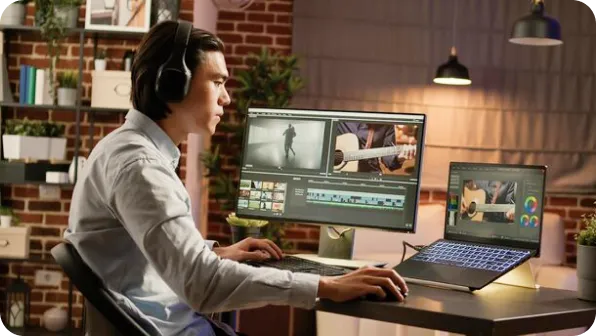
Why Snappixify MPEG to MP4 Converter?

Universal Compatibility
Convert legacy MPEG files to MP4 to ensure your videos play flawlessly on iPhones, Androids, and Smart TVs without any codec errors.

AI-Enhanced Restoration
Our AI analyzes MPEG frames to optimize bitrates, removing artifacts and ensuring smooth motion in every high-speed action scene.

Smaller Size, Better Quality
Modernize old MPEG footage. Shrink file sizes by up to 60% using H.264 codecs while preserving the original DVD-quality clarity.

Perfect for Social Media
Quickly share vintage clips or DVD rips. Snappixify converts MPEG to social-ready MP4s, optimized for Instagram, TikTok, and YouTube.

Seamless Video Editing
Stop struggling with old MPEG formats in Premiere or CapCut. MP4 provides a smooth, lag-free editing timeline for all your projects.

Fast, Secure Conversions
Leverage hardware acceleration to batch convert MPEG libraries in seconds. Your data remains private with our secure local encryption.
Convert legacy MPEG files to MP4 to ensure your videos play flawlessly on iPhones, Androids, and Smart TVs without any codec errors.
Modernize old MPEG footage. Shrink file sizes by up to 60% using H.264 codecs while preserving the original DVD-quality clarity.
Stop struggling with old MPEG formats in Premiere or CapCut. MP4 provides a smooth, lag-free editing timeline for all your projects.
Our AI analyzes MPEG frames to optimize bitrates, removing artifacts and ensuring smooth motion in every high-speed action scene.
Quickly share vintage clips or DVD rips. Snappixify converts MPEG to social-ready MP4s, optimized for Instagram, TikTok, and YouTube.
Leverage hardware acceleration to batch convert MPEG libraries in seconds. Your data remains private with our secure local encryption.
MPEG vs. MP4: What Is the Difference?

What’s MPEG?
Moving Picture Experts Group
.MPEG
File extension

What is MP4?
MPEG-4 Part 14
.MP4
File extension
When to Use MPEG vs. MP4
Convert MPEG, MPG, VOB, DAT, and more – all your video conversion needs in one tool
Use to MPEG

- When you need to burn video content to a standard DVD or VCD for playback on legacy hardware players.
- When you are working with specialized broadcast equipment or archived surveillance systems that require MPEG-2 streams.
- When you need to maintain compatibility with vintage digital photo frames or early-2000s multimedia devices.
Use to MP4

- When you need universal compatibility for seamless playback on iPhones, Android devices, and Smart TVs without codec errors.
- When you are uploading content to social media platforms like YouTube, Instagram, or TikTok for maximum reach and stability.
- When you need to modernize legacy footage to save storage space while preserving high-definition clarity via H.264 compression.
Key Differences Between MPEG and MP4
How to Convert MPEG to MP4
-
![Select MPEG Video]()
Select MPEG Video
1. Select MPEG VideoDrag and drop your old MPEG file (like .mpg or .mpeg) or paste a source URL to start modernization. -
![Select MP4 Setting]()
Select MP4 Setting
2. Select MP4 SettingConfirm the MP4 container, select your desired video and audio quality, and enable hardware acceleration. -
![Convert & Download]()
Convert & Download
3. Convert & DownloadClick convert to process your file. Download your MP4 video, ready for smooth playback, sharing, or professional editing.


Convert Any Video or Audio - 500+ Formats Supported
Convert MPEG to MP4 online with Snappixify – quickly fix compatibility issues and get a format that works on all devices, platforms, and editing tools.


Popular MPEG & MP4 Converter Tools
Convert MPEG to MP4 — Quick, smooth playback on any device


Stop the Lag. Start Converting MPEG to MP4.


Frequently Asked Questions
How to convert MPEG to MP4?
Why should I convert MPEG to MP4?
Are MPEG and MP4 the same?
How to convert MPEG to MP4 using VLC?
Does converting to MP4 reduce quality?
What is the best software to convert MPEG to MP4?
Is MPEG still used?
What are the disadvantages of MPEG?


