 Snappixify


Losslessly convert legacy AVI to universal MP4. Fix playback errors on iPhone and Mac while preserving original HD quality. Fast, free, and secure
- MP4
- Auto
- A video codec is a technology or algorithm used to compress and decompress digital video files.
- Common video codecs include H.265 (HEVC), AV1, H.264 (AVC)
- For example, an .mp4 file might contain H.264 video and AAC audio.
- Auto

Professional AVI to MP4 Converter — High Speed, Zero Quality Loss
-
Convert bulky AVI files to high-quality MP4 instantly with zero loss in resolution.
-
Fully compatible with all major platforms including YouTube, TikTok, and Instagram.
-
Advanced cloud-based encoding ensures lightning-fast processing for files of any size.
-
Optimized output for all modern devices, including iPhone, Android, and Windows PC.
-
Batch conversion support allows you to process multiple AVI videos at the same time.
-
Secure 256-bit SSL encryption and auto-delete policy keep your data 100% private.
-
![AVI to MP4 for All Devices]()
The Easiest AVI to MP4 Tool for All Your Devices
Snappixify runs on Windows, Mac, and Linux directly in your browser. Convert any AVI video to MP4 for flawless playback on phones, tablets, and TVs. Enjoy hassle-free viewing across all your devices.
Change from AVI to MP4 -
![High Quality AVI to MP4]()
High Quality AVI to MP4 Conversion
Don't worry about your videos getting blurry or losing detail. Snappixify keeps your movies and home videos looking as sharp as the original. It is the perfect way to save your favorite videos for a long time without losing any of the quality you love.
Transfer AVI to MP4 -
![Fast AVI to MP4 Converter]()
Fast AVI to MP4 Converter to Save Your Storage Space
Tired of giant video files taking up all your space? Our tool quickly shrinks huge AVI files into small, easy-to-share MP4s. It’s super fast and helps you clear out your hard drive so you have room for more memories. Spend less time waiting and more time sharing.
Turn AVI into MP4


Why AVI to MP4 Is the Best Choice for Your Videos
Whether you are digging up old memories or working on a new project, Snappixify fixes the gap between old AVI files and the apps you use every day
-
![Content Creators]() Upload AVI to YouTube
Upload AVI to YouTubeContent Creators
Found some great old footage in AVI format? Most streaming sites won't let you upload it. Use our tool to change AVI to MP4 so you can post your best clips to YouTube or TikTok without any errors.
-
![Video Editors]() Smooth editing with MP4
Smooth editing with MP4Video Editors
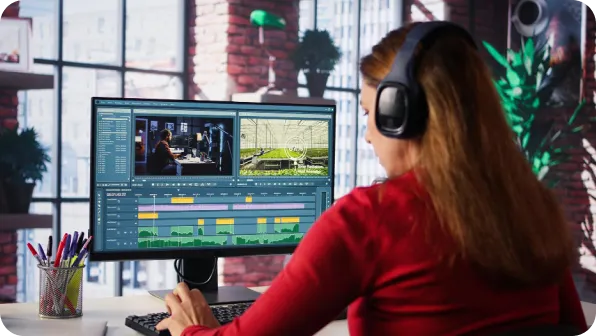
Don't let your editing software crash because of an old AVI file. Modern tools like Premiere Pro and DaVinci Resolve work best with MP4. Use our AVI to MP4 converter to prepare your clips so you can edit smoothly without any lag.
-
![iPhone Users]() Play AVI on iPhone
Play AVI on iPhoneiPhone Users
Old cameras often save videos as AVI, which won't play on your iPhone. Switch from AVI to MP4 so you can watch your favorite family videos directly in your Photos app or share them via AirDrop.
-
![Mac Users]() Open AVI on Mac
Open AVI on MacMac Users
Can’t open that Windows AVI file on your Mac? QuickTime often struggles with old AVI codes. Converting AVI to MP4 makes your videos 100% compatible with macOS, so you can watch them instantly without downloading extra players.
-
![Photographers]() Make AVI client-ready
Make AVI client-readyPhotographers
Old digital cameras record in AVI, making it hard to send files through WhatsApp or iMessage. Change your AVI to MP4 so your clients and friends can actually see your work on their phones without needing a computer.
-
![Social Media Managers]() Prepare AVI for Posting
Prepare AVI for PostingSocial Media Managers
Is a client sending you brand assets in AVI? Don't let a bad file extension ruin your posting schedule. A quick AVI to MP4 conversion ensures your reels and stories upload perfectly to Instagram every single time.




Why Snappixify AVI to MP4 Converter?

Universal Playback
Bring your old AVI files back to life for smooth playback on iPhone, Android, and Smart TVs. Eliminate codec missing errors and enjoy your favorite memories on any modern device without compatibility issues.

Perfect Sync
Preserve multi-track audio and subtitles with precision. Fix common AVI audio-lag issues, ensuring your sound and vision remain perfectly aligned for a flawless viewing experience.

Smart Compression
Shrink massive AVI files into storage-friendly MP4s. Maintain crisp HD quality while saving up to 80% disk space, making large videos much easier to store and share.

Web & Social Ready
Get web-optimized MP4s that preview instantly in Slack, Discord, and Instagram. Avoid the heavy upload times of outdated AVI containers with formats tailored for fast sharing.

Edit-Ready Files
Bridge the gap between legacy footage and Premiere Pro or DaVinci Resolve. Convert AVIs to high-performance MP4s to eliminate lag and proxy needs during professional editing.

Secure Local Processing
100% private conversion with no cloud uploads. Process massive AVI batches locally on your own hardware, ensuring your sensitive data never leaves your computer.
Bring your old AVI files back to life for smooth playback on iPhone, Android, and Smart TVs. Eliminate codec missing errors and enjoy your favorite memories on any modern device without compatibility issues.
Shrink massive AVI files into storage-friendly MP4s. Maintain crisp HD quality while saving up to 80% disk space, making large videos much easier to store and share.
Bridge the gap between legacy footage and Premiere Pro or DaVinci Resolve. Convert AVIs to high-performance MP4s to eliminate lag and proxy needs during professional editing.
Preserve multi-track audio and subtitles with precision. Fix common AVI audio-lag issues, ensuring your sound and vision remain perfectly aligned for a flawless viewing experience.
Get web-optimized MP4s that preview instantly in Slack, Discord, and Instagram. Avoid the heavy upload times of outdated AVI containers with formats tailored for fast sharing.
100% private conversion with no cloud uploads. Process massive AVI batches locally on your own hardware, ensuring your sensitive data never leaves your computer.
AVI vs. MP4: What is the Difference?

What is AVI?
Audio Video Interleave
.AVI
File extension

What is MP4?
MPEG-4 Part 14
.MP4
File extension
When to Use AVI vs. MP4
Convert from AVI, MKV, WMV, HEVC, and more — one tool for all your MP4 compatibility needs
Use to AVI

- When you are maintaining legacy Windows archives or using vintage digital camcorder footage that requires the original container structure.
- When you are using older desktop-based multimedia applications or hardware that specifically requires the AVI file extension for playback.
- When you need an uncompressed video format for specific local storage scenarios where file size and cross-platform compatibility are not concerns.
Use to MP4

- When you want to play videos on iPhone, iPad, or any mobile device natively without downloading third-party media players like VLC.
- When you need to save significant disk space while keeping 4K quality intact for long-term digital storage and easy sharing.
- When you need to upload content to Tiktok, Instagram, or LinkedIn for instant processing and high-quality streaming performance.
Key Differences Between AVI and MP4
How to Convert AVI to MP4
-
![Upload AVI Video]()
Upload AVI Video
1. Upload AVI VideoDrag and drop your AVI file or paste a link to start the high-speed conversion -
![Set MP4 Quality]()
Set MP4 Quality
2. Set MP4 QualityChoose your preferred resolution and bitrate settings for optimal playback on any device -
![Download MP4]()
Download MP4
3. Download MP4Click convert to process, then save your high-quality MP4 video directly to your hardware


Convert Any Video or Audio - 500+ Formats Supported
From AVI to MP4 and more, Snappixify is your all-in-one AVI to MP4 converter—fast, secure, and optimized for smooth playback, editing, and sharing on any device


Popular AVI & MP4 Converter Tools
AVI to MP4 Made Simple — Snappixify converts outdated AVI files into lightweight, widely compatible MP4 videos for smooth playback on any device


Why Millions Choose Us for AVI to MP4


Frequently Asked Questions
How to convert AVI to MP4?
Is AVI better quality than MP4?
What are the disadvantages of AVI?
What is the best program to convert AVI to MP4?
How long does it take to convert AVI to MP4?
Does converting AVI to MP4 lose quality?
Can I play AVI files on my phone?
What apps do I need to play AVI files?


