 Snappixify




Every January, thousands of exhibitors arrive at CES with the same goal: make their booth stand out.
But once the screens are powered on, reality hits.
YouTube videos won’t load smoothly. 4K files are too large. The display system rejects the format. And streaming live on the show floor is simply unreliable.
That’s why most exhibitors end up needing a fast way to download, convert, and prepare high-quality videos for big screens — before and during CES.
What Is CES Show?
CES (Consumer Electronics Show) is the world’s largest and most influential technology exhibition, organized by the Consumer Technology Association (CTA).
It takes place every January in Las Vegas, Nevada, and serves as the global launchpad for the technologies that will shape the year ahead.
CES 2026 at a Glance
-
Dates: January 6–9, 2026
-
Location: Las Vegas, Nevada, USA
CES brings together
-
Global technology brands and industry leaders
-
Innovative startups and emerging companies
-
Media, creators, and decision-makers from around the world
What to Expect at CES?
CES is far more than a traditional trade show. It is where the technology trends of the coming year are first unveiled.
At CES, visitors can expect to see the latest innovations across key consumer and enterprise categories, including:
-
Next-generation laptops and computing devices
-
Smart home and connected living solutions
-
Gaming hardware, displays, and immersive experiences
-
TVs and advanced display technologies
-
Smartphones and mobile ecosystems
-
Wearables, digital health, and wellness technology
Each year, leading technology companies use CES to make major announcements, launch new products, and showcase cutting-edge technologies through large-scale visual and video presentations.
Common Video Challenges for CES Exhibitors
For many exhibitors, video is the centerpiece of their booth. However, preparing videos for on-site display often comes with three major challenges.
1. Downloading High-Quality Videos
Exhibitors often need to use:
-
Official brand videos
-
Product launch trailers
-
Media reviews or influencer coverage
Many of these videos are hosted on YouTube, and streaming them live at the booth is risky due to unstable internet connections.
That’s why exhibitors prefer to download videos locally, often in 4K resolution.
2. Large File Sizes Due to Quality and Length
High-quality booth videos usually mean:
-
4K resolution
-
High bitrates
-
Longer durations (3–10 minutes or more)
These files are large and not always easy to download or process quickly — especially under time pressure.
3. Big-Screen Playback Format Requirements
Large LED walls and commercial displays often require:
-
Specific formats (MP4, MOV, etc.)
-
Compatible codecs (H.264 / H.265)
-
Fixed resolutions and frame rates
YouTube’s original formats are not always ready for direct playback on professional screens.
Why Streaming Videos at CES Is Not Ideal?
On the CES show floor, relying on live streaming is a risk most exhibitors can’t afford.
Exhibition halls are crowded, networks are overloaded, and internet quality is unpredictable. A video that plays perfectly in the office may suddenly start buffering, drop in quality, or fail to load entirely during the show.
In addition, streaming videos means:
-
Video quality may fluctuate and fail to match the standard of large LED screens
-
Ads, loading screens, or unexpected interruptions can appear at the worst moment
-
Playback cannot be fully controlled, making seamless looping difficult
-
Any network issue instantly becomes a public, on-screen problem
For a high-stakes, professional exhibition like CES, offline playback of pre-downloaded, properly formatted videos offers far greater stability, quality, and control — ensuring your booth looks polished at all times.
The Solution: Download and Convert Videos with Snappixify
This is where Snappixify Online Video Converter comes in. Snappixify is designed to help exhibitors quickly download and convert online videos — including YouTube — into formats ready for big-screen display.
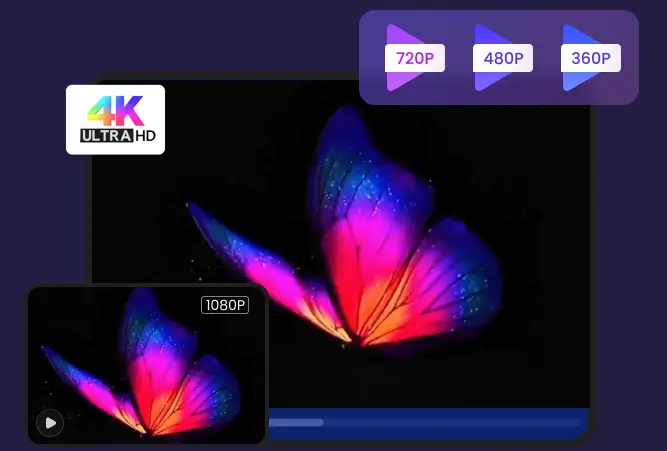
True Lossless 4K & UHD Quality
No Compromise: Maintain 100% of the original visual quality when converting formats like MKV to MP4 or MOV to AVI. Get perfect, high-fidelity results every time.
100X GPU-Accelerated Speed
Break the Clock: Leverage full hardware acceleration to convert hours of 4K, HEVC (H.265) & HD video in minutes, not hours. Save time and energy.
500+ Formats Support
Universal Compatibility: Instantly convert videos for any device (iPhone, PS5, Xbox, Smart TV, Android). Supports every major and obscure format: MP4, MOV, AVI, MKV, WMV, WebM, and more.
How to download and convert videos with Snappixify
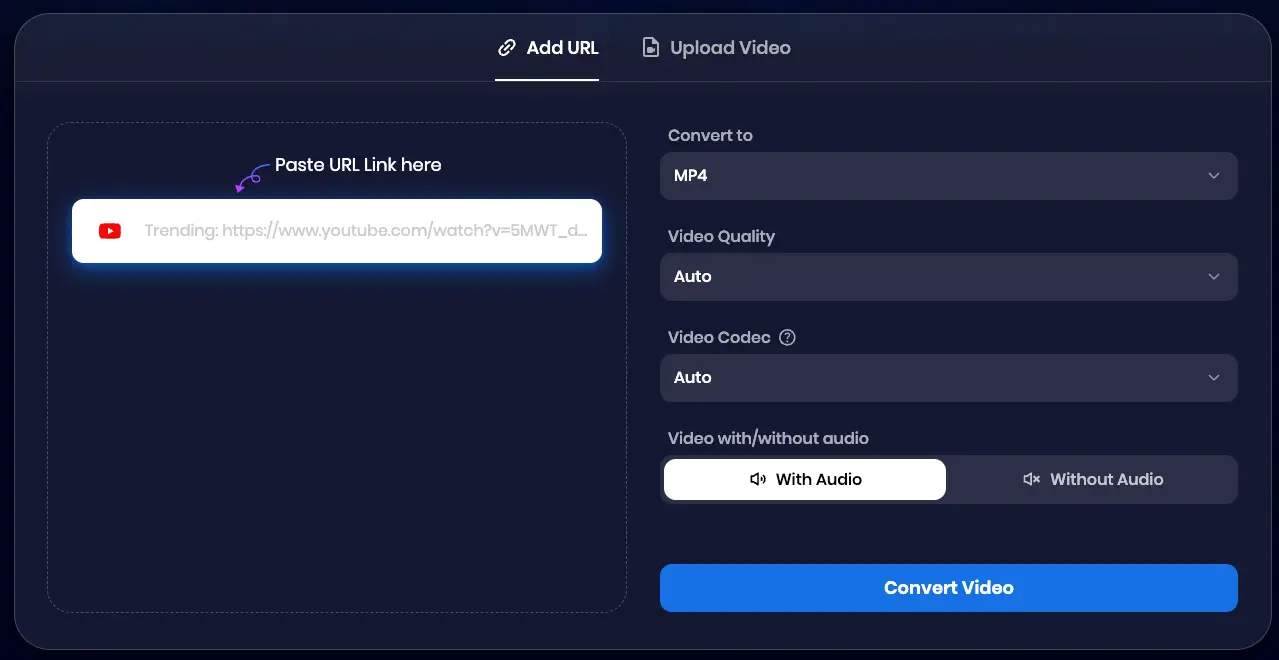
1. Add URL or Upload Video
Upload your video file from your device, or paste a video URL directly into the box to start the conversion
2. Set Your Preferences
Choose your preferred format, set the video quality and codec, and decide whether to keep the audio.
3. Convert & Save
Click on the Convert Video button and the video will be saved to your device in your preferred settings.
Real CES Use Cases
1. Pre-Show Preparation
-
Download promotional videos in advance
-
Convert them into screen-friendly formats
-
Test playback before the show starts
2. On-Site Emergency Fixes
-
Quickly grab a media review or demo video
-
Convert it on the spot
-
Play it instantly on booth screens
3. Post-Show Content Management
-
Save booth videos for future marketing
-
Reuse content for websites or social media
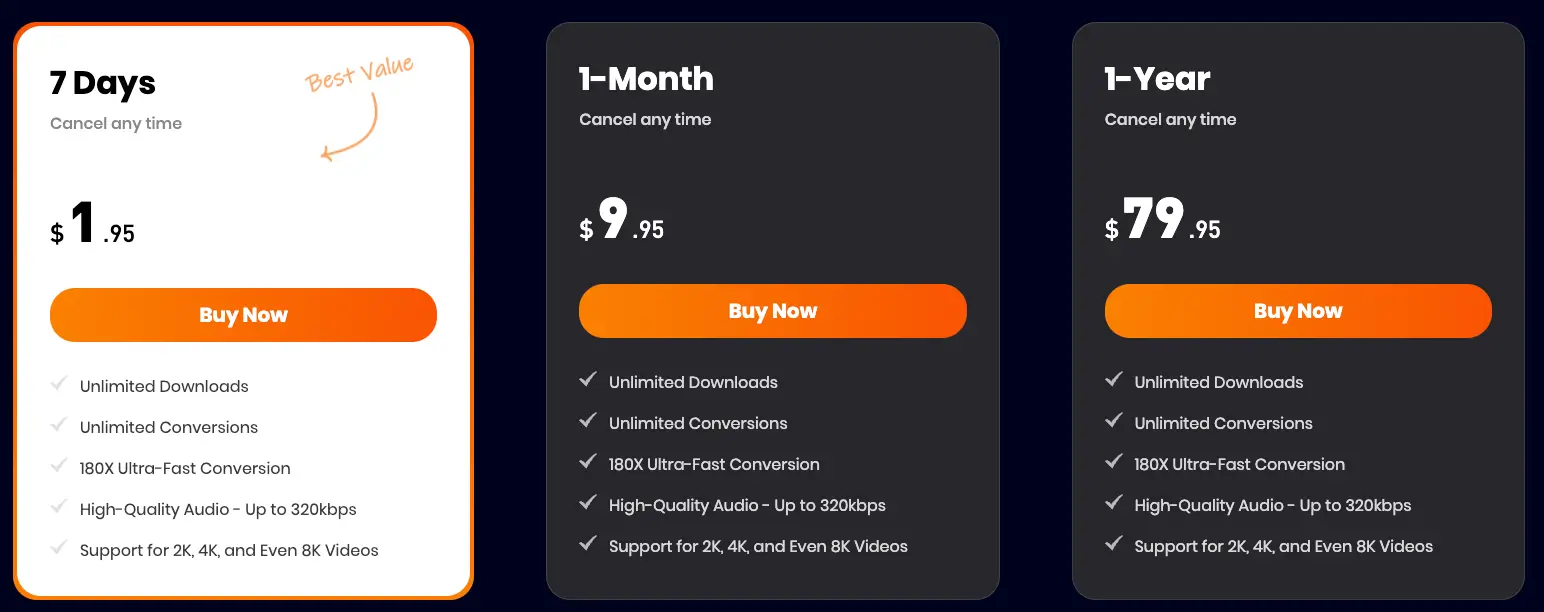
Perfect for Short-Term Needs: Pro Access for 7 Days at $1.95
CES doesn’t last long — and neither should your subscription.
That’s why Snappixify offers: Unlock Pro for 7 Days — Only $1.95
This is ideal for exhibitors who need:
-
Higher-quality downloads
-
Faster conversion speeds
-
Better handling of large 4K files
-
A low-cost, flexible solution for a short event
Final Thoughts
CES is all about innovation and presentation.
When your booth relies on video, stability, quality, and control matter.
With the right tools, you can:
-
Avoid last-minute technical issues
-
Deliver flawless visual experiences
-
Focus on what really matters — showcasing your technology
If you’re preparing for CES, Snappixify helps turn YouTube videos into exhibition-ready content — fast.


