 Snappixify


Do you use Spotify to listen to music? As one of the world's most popular platforms, it serves over 600 million users globally. However, many listeners find themselves wanting to convert their favorite tracks to MP3 for better flexibility. Saving your music as MP3 files offers numerous advantages, such as offline listening on any device without a subscription. In this guide, I will recommend some truly useful tools to help you achieve a high-quality MP3 song download quickly and easily.
Reasons to Convert Spotify Music to MP3 Format
Converting your favorite music into a universal format offers several practical advantages for every listener:
-
Universal Device Compatibility: Unlike app-based streaming, MP3 files work on virtually any device, including older MP3 players, smart TVs, and specialized fitness wearables.
-
Permanent Offline Access: You can listen to your music in remote areas with no internet or save on expensive cellular data plans while commuting.
-
Flexible Personal Use: Having an MP3 file allows you to use your favorite tracks as custom ringtones, alarm sounds, or background music for personal video edits.
-
Zero App Dependency: You no longer need to keep a specific app installed or updated just to access your own curated playlists.
-
Ease of Storage: MP3 files are easy to organize in folders on your PC or external hard drives, making it simple to manage a massive music collection.
How to Use Spotify Library Mode for Offline Listening
For many users, the most direct way to save music is through the official Spotify app. This feature allows Premium subscribers to store music directly within their library for offline use. Here is how you can do it:
-
Create or Find a Playlist: Open the Spotify app and navigate to the album or playlist you want to save.
-
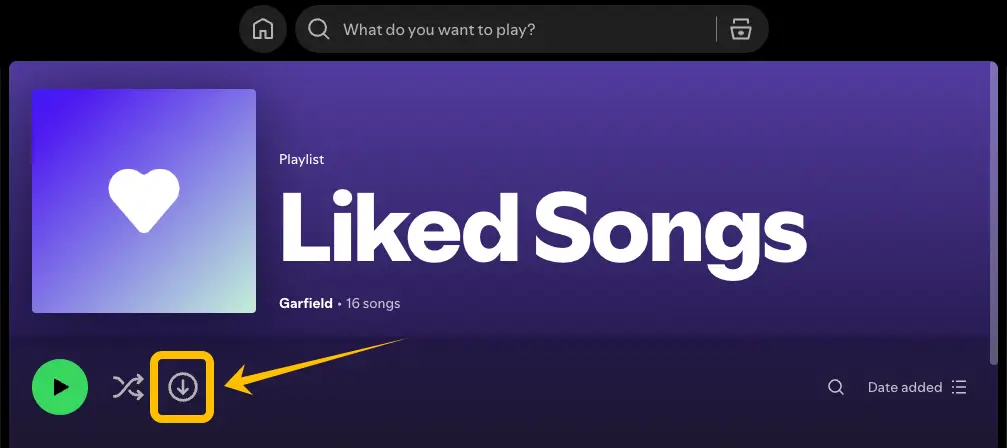
Toggle the Download Button: Look for the downward arrow icon (the download toggle) near the top of the playlist or album. Switch it on, and it will turn green once the tracks are successfully saved.
-
Access Your Downloads: Go to "Your Library" and filter by "Downloaded" to see all the songs available for offline playback.
-
Enable Offline Mode: In your app settings, you can switch to "Offline Mode" to ensure Spotify only plays the music you have already saved, which is perfect for saving data.
Limitations of Using the Official Spotify Library Mode
While the built-in download feature is convenient, it comes with several strict limitations that might hinder your listening experience:
-
Subscription Requirement: Offline listening is a Premium-only feature. If you are using a free account, you can only download podcasts, not music.
-
Encrypted Format: The files downloaded via Spotify are stored in a protected, encrypted format. You cannot move these files to other devices or play them on non-Spotify media players.
-
The 30-Day Rule: To keep your downloads active, you must go online with the Spotify app at least once every 30 days. If you fail to do this, your offline tracks will automatically be removed.
-
Device and Track Limits: Spotify restricts you to downloading music on a maximum of 5 different devices, with a limit of 10,000 tracks per device.
-
App Dependency: Your downloaded music is tied to the Spotify app. If you uninstall the app or your subscription expires, you lose access to all your offline content immediately.
-
Storage Consumption: High-quality downloads can take up significant storage space on your phone or PC, and you cannot easily manage these files outside of the app’s interface.
Useful Tools for Spotify to MP3 Conversion
Choosing the right tool is the key to a smooth MP3 song download experience. Below are five popular options in 2026, ranging from professional all-in-one platforms to quick online converters.
Snappixify
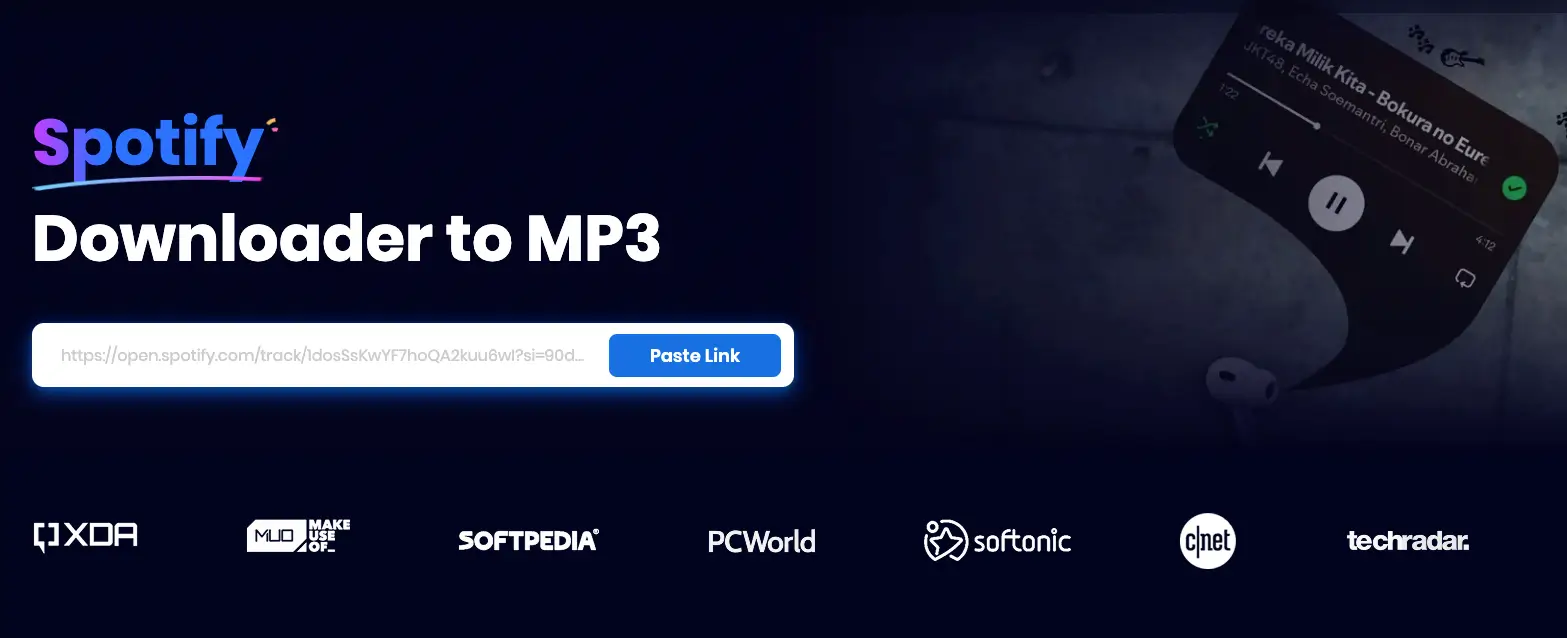
Snappixify is a powerful, all-in-one online tool designed for users who want a premium experience without the premium price tag. It stands out by offering far more than just simple conversions.
-
Key Features:
-
Versatile Media Support: Beyond standard MP3s, it supports over 400 audio formats (FLAC, WAV, OGG, etc.) and 500+ video formats including 4K/8K MP4 and MOV.
-
Massive Platform Compatibility: You can grab content from 1,000+ websites, including YouTube, TikTok, Facebook, and Instagram, making it a universal downloader.
-
No Installation Needed: It works perfectly on any browser like Chrome or Safari across all devices—PC, Mac, or mobile.
-
-
Pros:
-
Ad-Free Experience: Unlike many free tools, Snappixify provides a clean environment without annoying pop-ups.
-
Instant Use: No registration or login is required. Just paste your link and start.
-
High-Speed Conversion: Optimized servers ensure your files are ready in seconds.
-
User-Friendly Interface: The minimalist design is perfect for beginners and pros alike.
-
MP3Juices
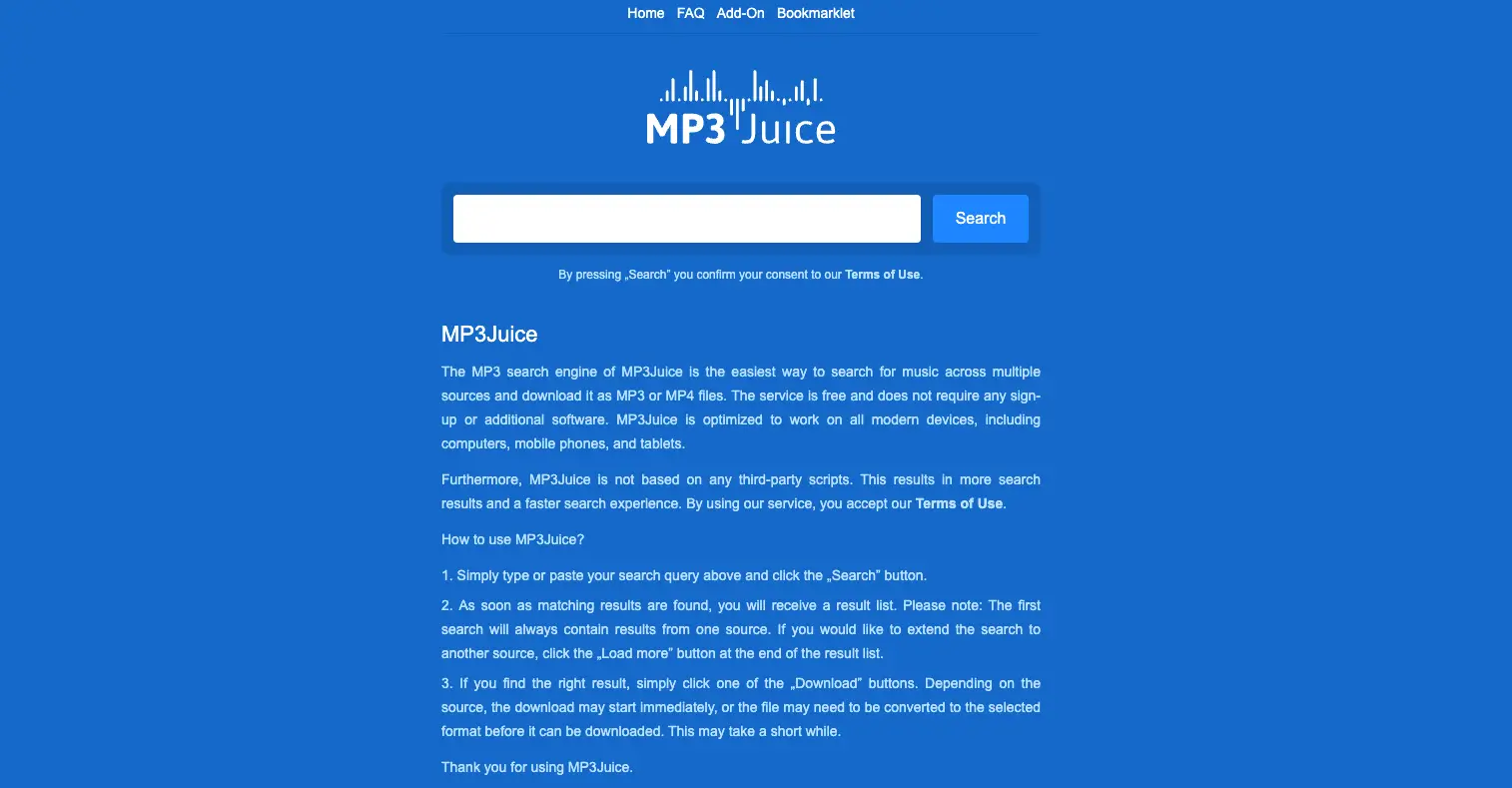
MP3Juices is a long-standing name in the music download world, known for its unique search-based approach.
-
Key Features:
-
Integrated Music Search: You can download songs by simply searching for the artist or track name directly on the site, even if you do not have a specific URL.
-
-
Pros:
-
Completely free to use for unlimited downloads.
-
Supports both MP3 (audio) and MP4 (video) formats.
-
-
Cons:
-
The website domain changes frequently due to stability issues.
-
The user experience is often interrupted by pop-up ads and redirects after clicking the download button.
-
SpotiDownloader
SpotiDownloader is a dedicated web-based tool specifically tailored for the Spotify ecosystem.

-
Key Features:
-
Simple link-parsing technology that extracts audio from Spotify playlists and albums.
-
-
Pros:
-
Specifically optimized for Spotify links.
-
Often features a cleaner interface compared to general converters.
-
Completely free to use with no hidden subscription fees.
-
-
Cons:
-
Output quality is usually capped at 128kbps, which may not satisfy audiophiles.
-
Does not support batch downloading of entire playlists in one click.
-
SpotiDown
SpotiDown is a lightweight online app that focuses on simplicity and ease of use for mobile and desktop users.

-
Key Features:
-
Direct audio extraction designed for quick, one-off song saves.
-
-
Pros:
-
Generally free of intrusive banner advertisements.
-
No account or personal information is ever requested.
-
-
Cons:
-
Conversion and download speeds can be quite slow during peak traffic hours.
-
Occasional parsing errors when dealing with very long or private playlists.
-
SpotiMate
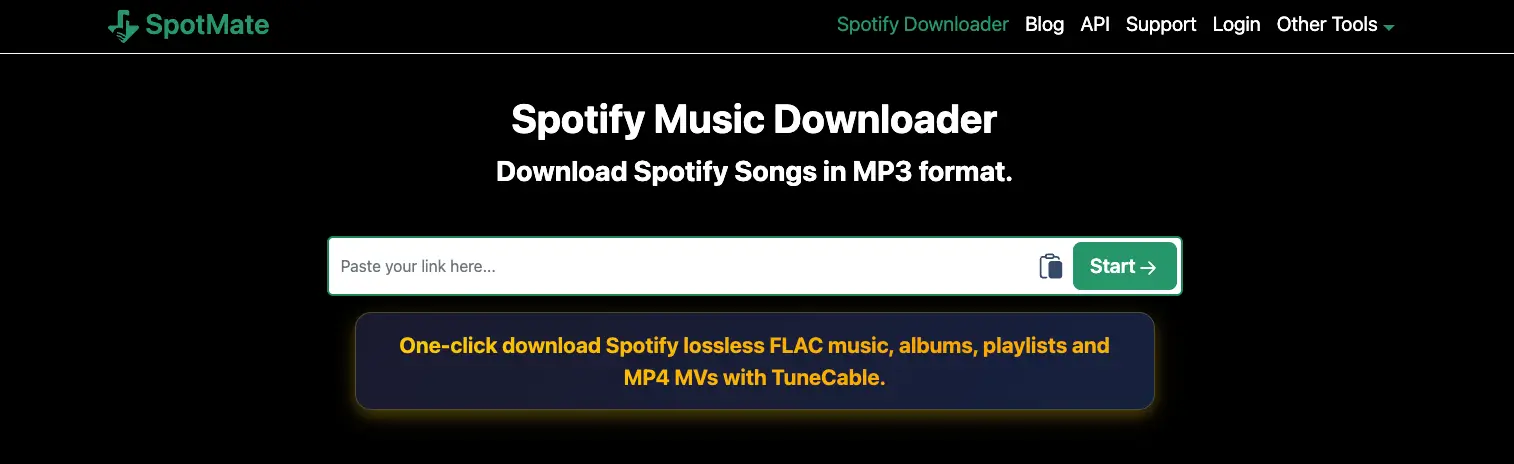
SpotiMate is another popular alternative for users looking for a straightforward way to get their music files.
-
Key Features:
-
Browser-based operation that allows for quick MP3 generation from public Spotify links.
-
-
Pros:
-
The website is typically ad-free, providing a smoother navigation experience.
-
-
Cons:
-
Lacks advanced features like ID3 tag preservation (song covers or album info may be missing).
-
Support for high-bitrate audio is limited compared to professional tools.
-
How to Use Snappixify for MP3 Song Download
Getting your music files with Snappixify is quick and straightforward. Just follow these three simple steps:
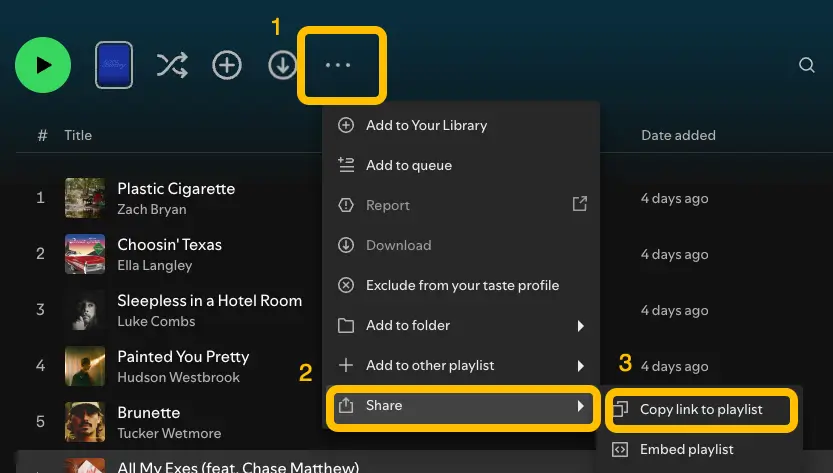
Step 1: Copy Link to Song Open Spotify and find the album or track you want. Click the three dots (•••) icon, select Share, and then click Copy Link.
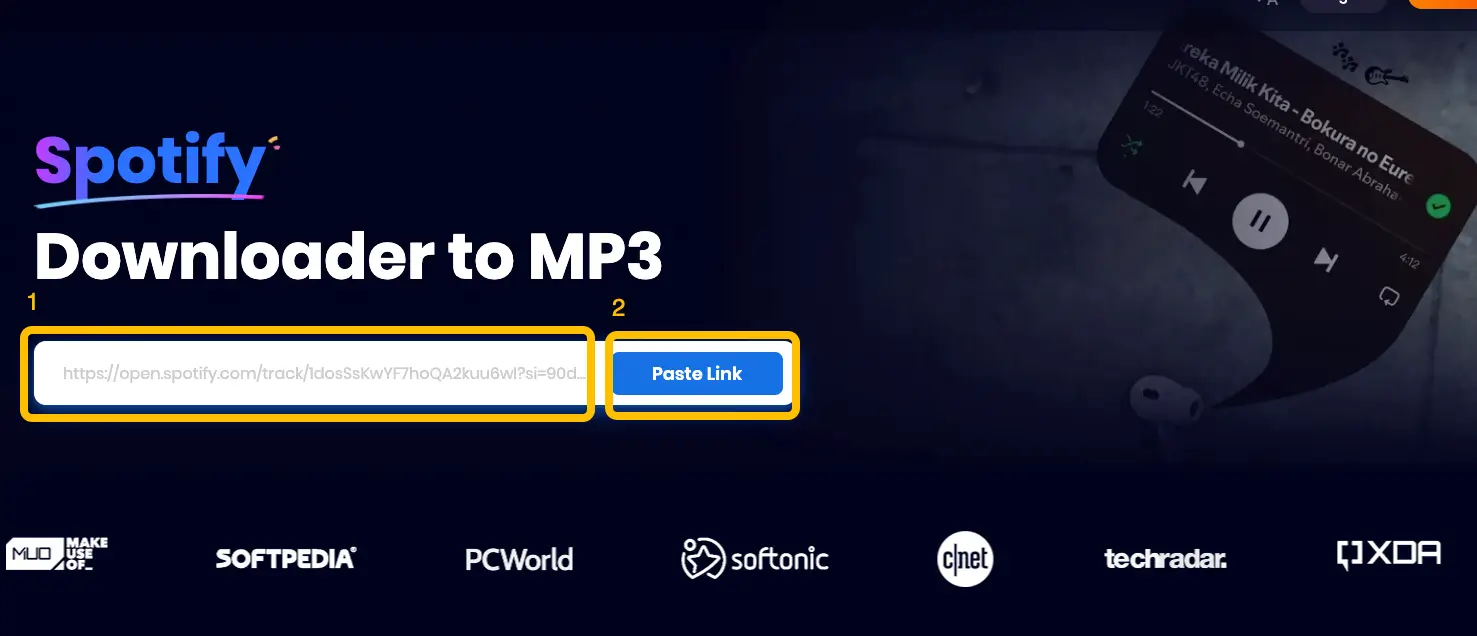
Step 2: Paste the Link Navigate to Snappixify and paste the URL into the input box. Click the Paste Link button to let the tool process the music details.
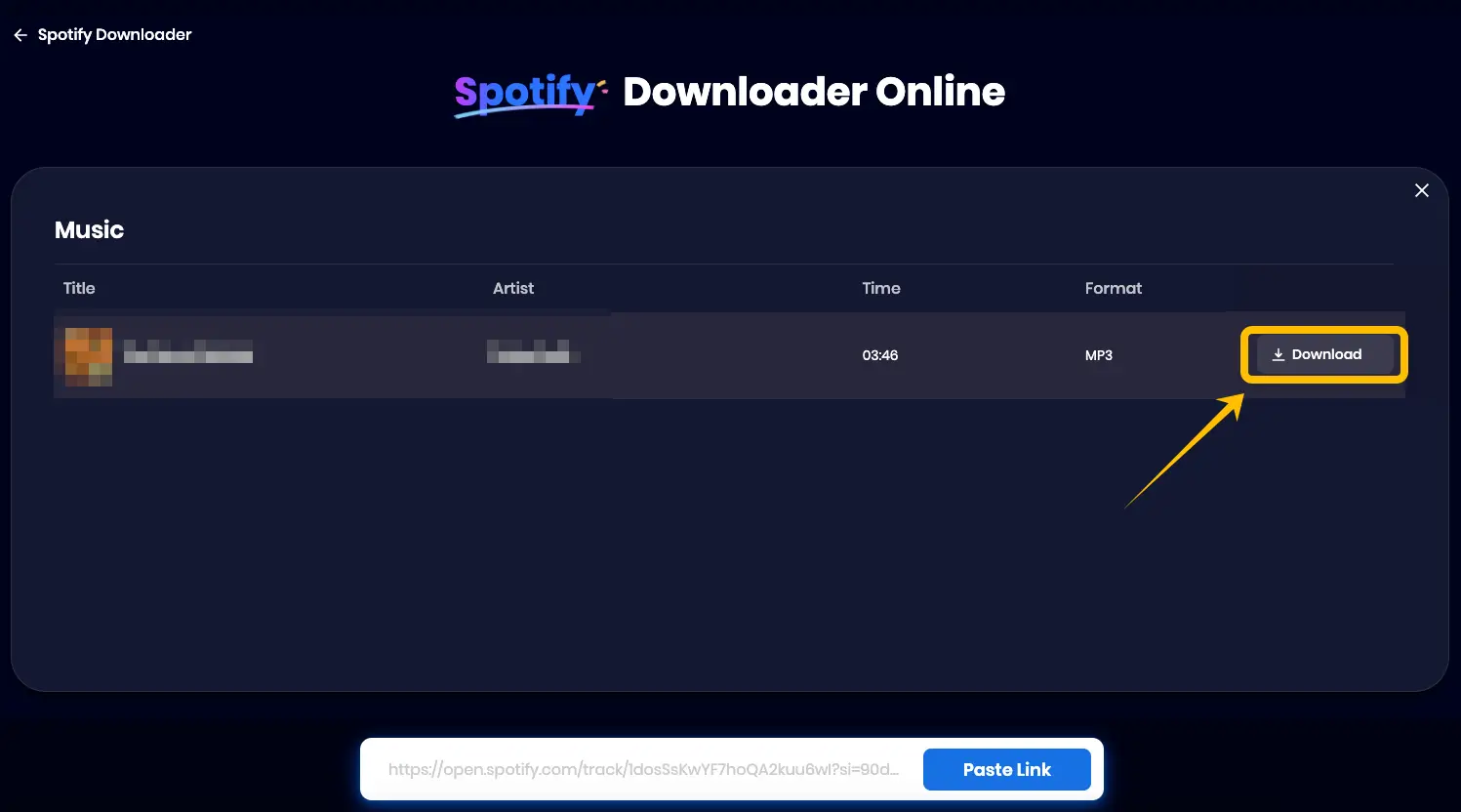
Step 3: Convert and Save Choose your desired audio quality and format. Click the Download button to instantly save the song or album to your device.
Conclusion
Converting Spotify to MP3 is the best way to ensure your music library is always accessible, regardless of your subscription status or internet connection. While official offline modes have their limits, tools like Snappixify provide a seamless, ad-free solution to save high-quality audio for any device. By following the simple steps outlined in this guide, you can take full control of your music and enjoy a superior listening experience anytime, anywhere.
FAQ about Spotify to MP3 Conversion
Is it legal to convert Spotify to MP3?
Converting Spotify to MP3 is generally intended for personal, non-commercial use, such as listening to your favorite songs offline on your own devices. It is important to respect the artists' work and use these tools for personal enjoyment rather than for distribution or public broadcasting.
Can I convert Spotify to MP3 on mobile?
Absolutely. By using Snappixify, you can convert Spotify to MP3 on all devices, including Android and iOS smartphones. Since it is a web-based tool, it works perfectly across all major mobile browsers and websites without requiring any app installation.
Is it free to use Snappixify?
Yes! Snappixify offers a free daily download quota for every user. For users building large libraries, we offer a 7-day trial for just $1.95, providing an affordable way to bulk-save your collection.
What should I do if the download speed is slow?
Download speeds can occasionally vary based on your internet connection or server traffic. Using a stable Wi-Fi connection and a professional tool like Snappixify ensures the fastest possible conversion and download speeds compared to other ad-heavy alternatives.


