 Snappixify


In today’s fast-paced digital world, many users often come across videos they want to listen to on the go—whether it’s a favorite song, podcast, lecture, or an inspiring speech. But streaming videos everywhere isn’t always convenient, especially with limited data, slow internet, or device storage constraints. That’s where converting video links to MP3 files becomes essential.
Snappixify offers a simple, free, and fast solution to this common problem. With just a video link, our online tool quickly extracts the audio and converts it into high-quality MP3 files — no downloads, no complicated software, and no ads. Whether you want to save music for offline listening or extract sound from any video, Snappixify makes it easy and hassle-free.
How to Get the Video Link
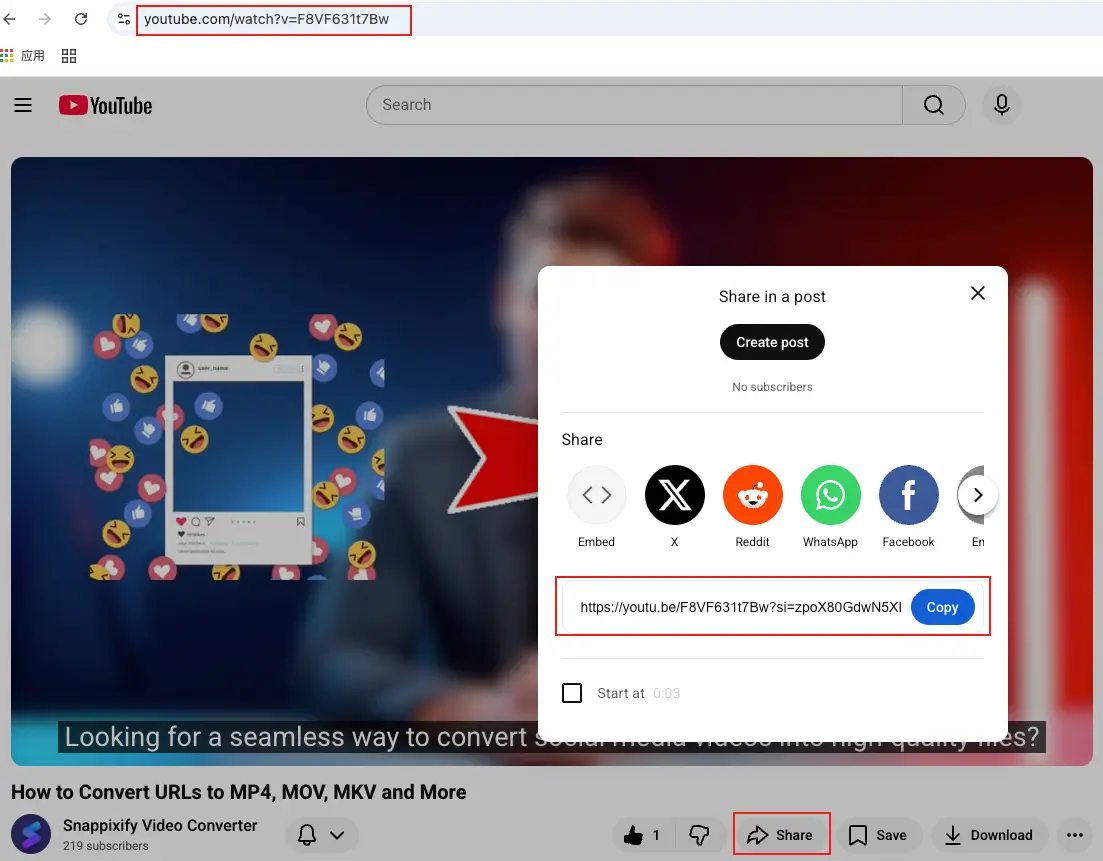
1. YouTube
Address Bar
Simply copy the URL directly from your browser's address bar.
Share Button
Click the "Share" button below the video player. A pop-up will appear with a shortened link, then copy it.
2. TikTok
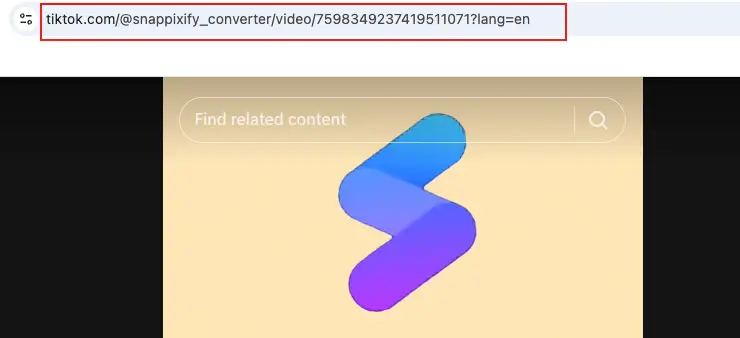
Direct Copy from Address Bar (Fastest)
This is the most straightforward way. Once you are on the specific video’s page:
Highlight the entire URL (it usually starts with tiktok.com/@username/video/...).
Press Ctrl + C (Windows) or Command + C (Mac) to copy it.
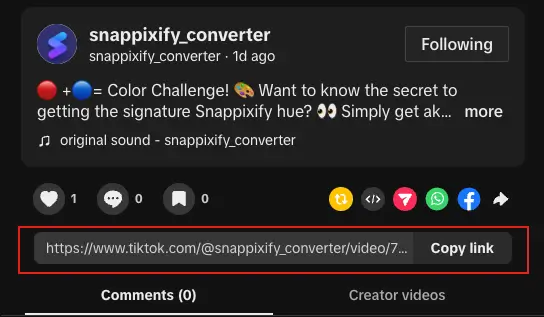
Use the "Copy Link" Button
On the right side of the video player, you will see the interaction panel (below the Like, Comment, and Favorite icons):
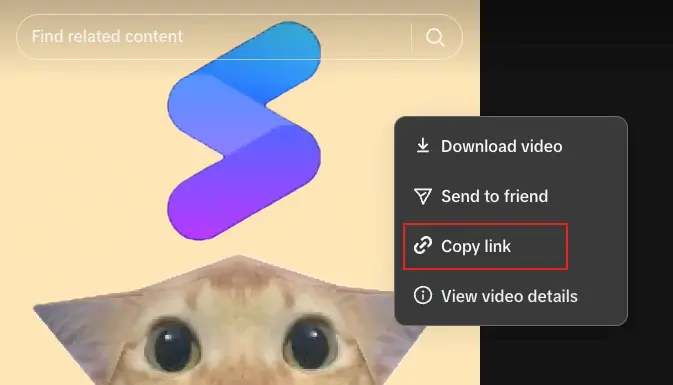
Right-Click the Video
If you want to save time or can't find the button, use this shortcut:
-
Right-click anywhere on the video while it is playing.
-
Select "Copy link" from the pop-up menu.
3. Facebook
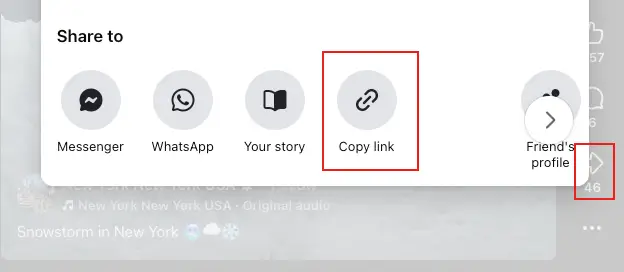
Using the "Share" Button
Find the video and tap the "Share" button. Look directly for the "Copy link" button and click it.
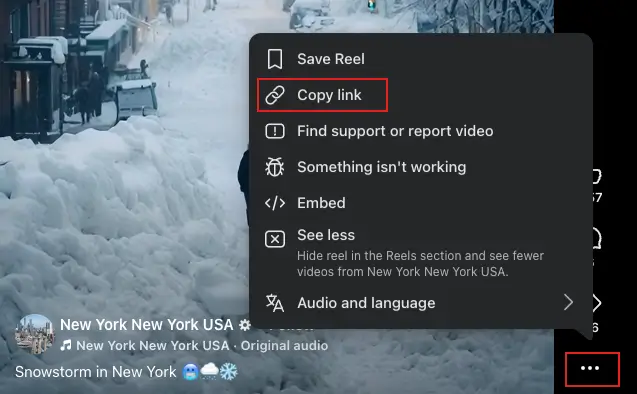
From the Three Dots
Click the three dots next to the video and select "Copy link" from the options.
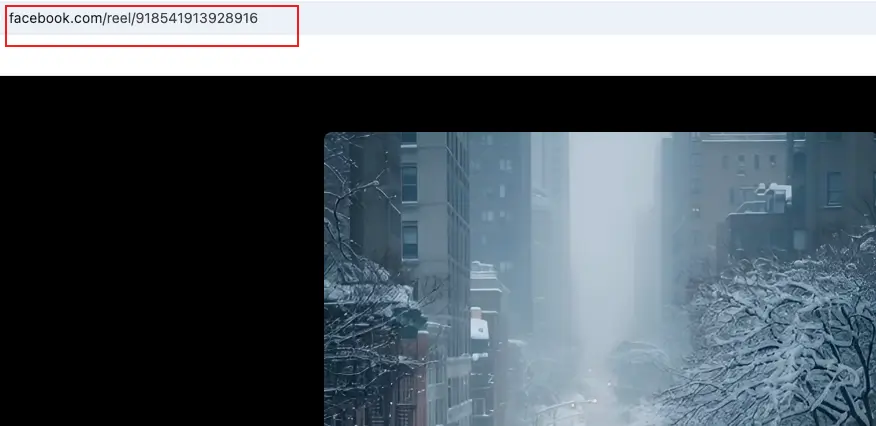
Direct Copy from the Address Bar
Click on the video to open it in theater mode and copy the URL directly from the address bar.
4. X (formerly Twitter)
Using the "Share" Button
Tap the “Share” icon (upward arrow) at the bottom right of the tweet. Then select “Copy link”.
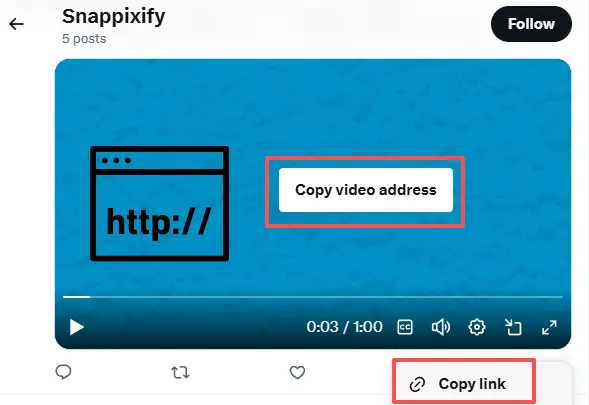
Copy the Video address
Right-click on the video and select “Copy video address”.
How to Convert Links to MP3 with Snappixify
Step 1: Copy the video URL
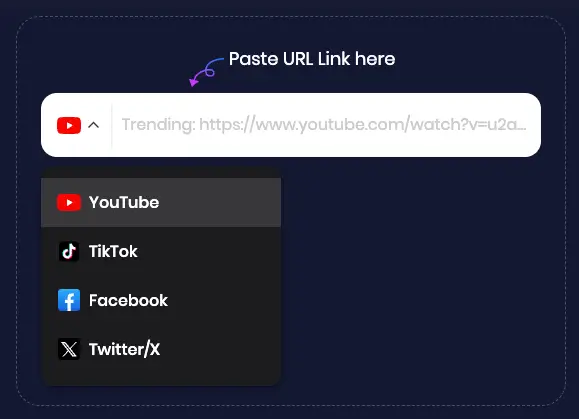
Step 2: Paste the link into Snappixify’s converter box
Step 3: Select MP3 format and preferred audio quality
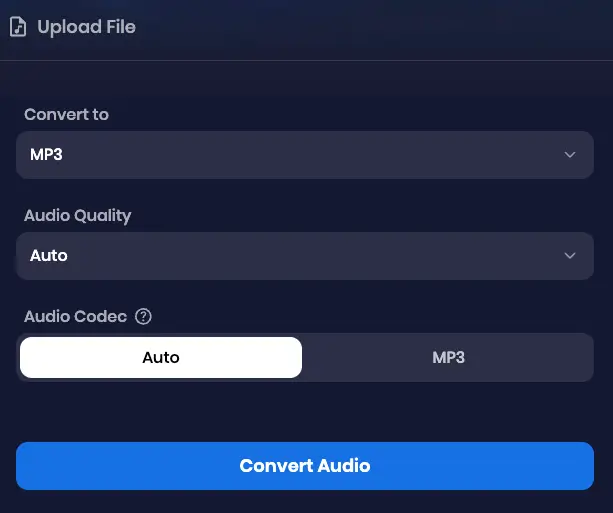
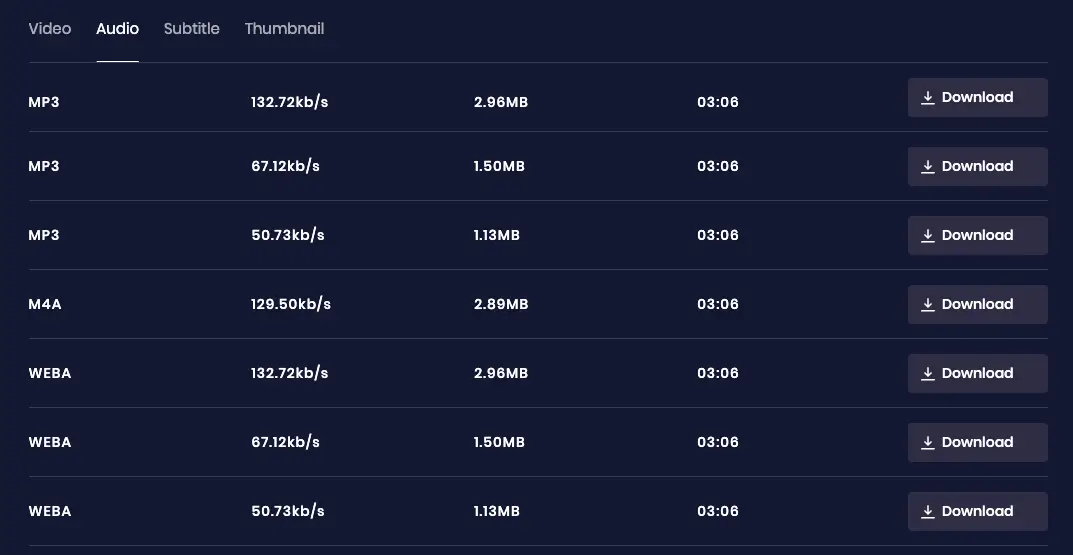
Step 4: Click “Convert” and get your high-quality MP3 within seconds
Why Choose Snappixify MP3 Converter?
Take Control of Your Audio, start converting your files today—no compromises necessary.
Universal Playback
Your car stereo, old MP3 player, smart home device, and legacy media software still rely on MP3s. Stop dealing with "Format Not Supported" errors. Convert your modern or niche formats (like FLAC, M4A, or OGG) to the universally compatible MP3 format.
Archive and Preserve
Streaming services can remove content without notice. Our converter lets you capture and save audio from supported sources, ensuring your favorite tracks and rare podcasts stay accessible forever.
Universal Compatibility
Works seamlessly with Chrome, Safari, and all major browsers—no apps or installations required. Just paste the link and download. Simple.
Offline Music & Podcasts
Sick of draining your data to stream podcasts or music? Tired of dead zones and weak Wi-Fi interrupting your listening? Our MP3 converter keeps your entertainment flowing.
Instant Video-to-Audio
Need the audio from a YouTube video, lecture, or movie trailer? Instantly extract the sound from any video format (MP4, MOV, FLV, etc.) and save it as an MP3 file. Your video library becomes your audio collection.
Save Space, Share Instantly
Compress large video and audio files into the most efficient formats without losing quality. Sharing becomes fast and effortless.
Common Use Cases
Music Lovers
Quickly convert their favorite videos from YouTube, TikTok, or other platforms into MP3s for offline listening. Whether it's the latest chart-topping hits or rare live performances, users can build a personalized audio library that suits their taste, all without worrying about internet access.
Content Creators
Extract key audio clips from videos for use in podcasts, promotional materials, or social media content. From background music to soundbites, content creators can easily grab the audio they need to enhance their projects, saving time and effort while ensuring high-quality sound.
Language Learners
Convert lectures, language lessons, podcasts, or audiobooks into MP3 format, making it easier to review and practice offline. Whether on a long commute or during study sessions, users can replay important lessons or new vocabulary without being tethered to an internet connection.
Social Media Users
Archive favorite audio from videos to use in posts, stories, or share with friends. Whether it’s a funny moment, a viral sound, or a piece of a live stream, users can preserve audio content for later sharing or personal enjoyment.
Personal and Professional Needs
Whether it’s for capturing voice notes from meetings, converting webinars to audio files for later reference, or simply creating a personal audio collection from online content, this tool serves any quick audio extraction need for both personal enjoyment and professional purposes.
FAQs About Convert Video Link to MP3
How to make a URL that leads to an MP3?
The simplest way is to use Snappixify to convert a video or audio link directly into an MP3 file. Once converted, you can download the MP3 and upload it to cloud storage like Google Drive or iCloud to generate a shareable URL. This way, you get a clean MP3 link without extra steps or platforms.
Are video to MP3 converters safe to use?
They can be risky if the site relies on fake download buttons or intrusive ads. A trusted, ad-free platform like Snappixify avoids these risks by offering a clean conversion process with no pop-ups or bundled downloads, making it a safer choice for video to MP3 conversion.
Is converting video to MP3 legal?
It depends on the content. To convert video to MP3 legally, make sure the source is public domain, Creative Commons–licensed, or content you own the rights to. Snappixify is designed as a neutral tool and should only be used for lawful personal or authorized use.
Do you need permission to use a song in a video?
Yes. Using music in any video content—ads, podcasts, films, or social media—requires permission from the copyright holder unless the music is royalty-free or self-created. Creating your own audio or using properly licensed tracks ensures your content stays compliant.
Conclusion
Converting a video link to MP3 online doesn’t have to be complicated. With the right tool, you can extract high-quality audio in just a few clicks—no software installs, no technical steps. Snappixify makes the process fast, secure, and ad-free, helping you turn video links into MP3 files you can listen to, share, or save anytime. Whether you’re converting music, podcasts, or learning materials, Snappixify offers a simple and reliable solution for everyday audio needs.


