 Snappixify



In the era of digital streaming, the demand for offline music and video access remains higher than ever. Have you ever spent hours searching for a song only to be met with endless pop-up ads, low-quality audio, or broken download links?
As a long-standing giant in the free download world—especially popular in regions like South Africa—Tubidy has been a go-to for building offline libraries. But in 2025, with rising audio standards and tighter copyright restrictions, is it still the best choice? Today, we’ll dive deep into a neutral review of Tubidy and introduce a more powerful, secure, all-in-one solution: Snappixify.
What is Tubidy? A Universal Hub for Free MP3 & MP4
Tubidy isn't a traditional music hosting site; it functions as a robust media search engine. Its core purpose is to index public audio and video content across the web (such as YouTube and Facebook) and convert it into downloadable formats.
-
Multi-Platform Integration: Tubidy allows users to indirectly search for and grab video content from major global platforms.
-
Dual Format Support:
-
MP3 (Audio): Automatically extracts the audio stream for offline listening on mobile devices.
-
MP4 (Video): Offers various resolutions, from data-saving 3GP for older phones to mainstream HD formats.
-
-
Ultimate Compatibility: Since it’s entirely web-based, no app installation or registration is required. Whether you’re on an old Android, a new iPhone, or a PC, Tubidy is accessible via any browser.
How to Download Music & Videos via Tubidy?
Using Tubidy is straightforward and involves four core steps:
-
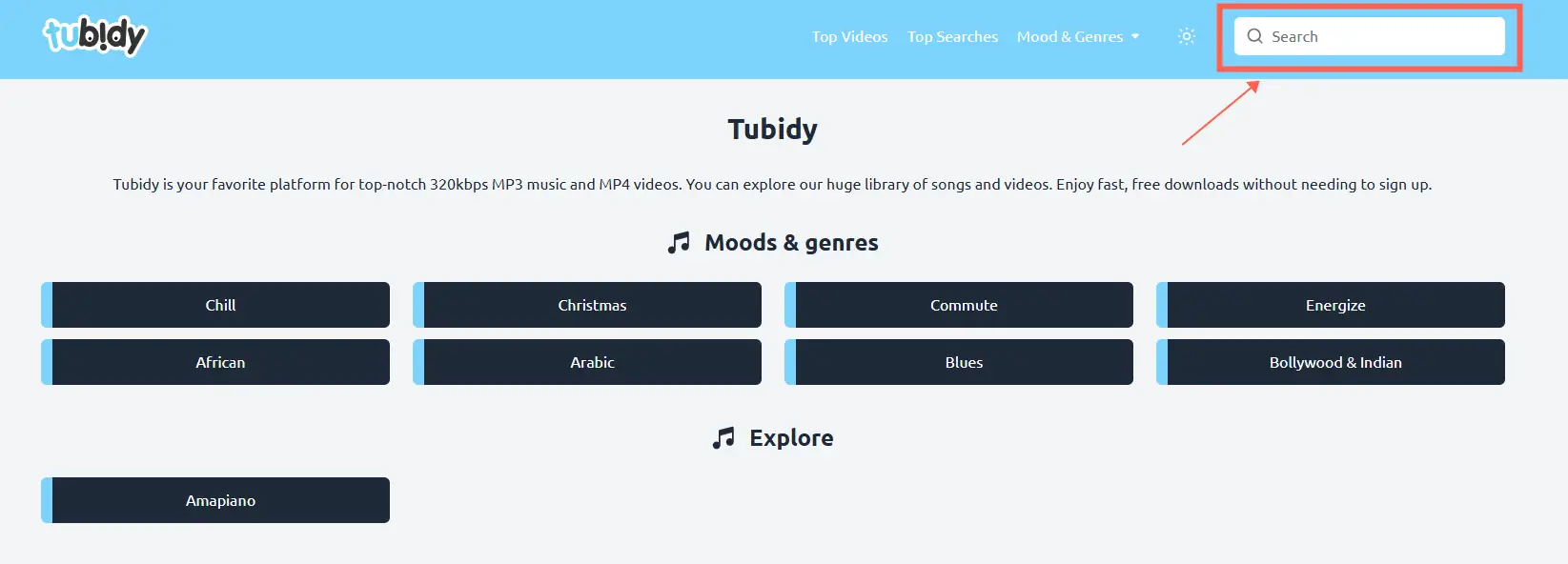
Access the Website: Open your mobile or desktop browser and go to the official Tubidy search page.
-
Keyword Search: Type the artist's name, song title, or a specific YouTube video link into the search bar.
-
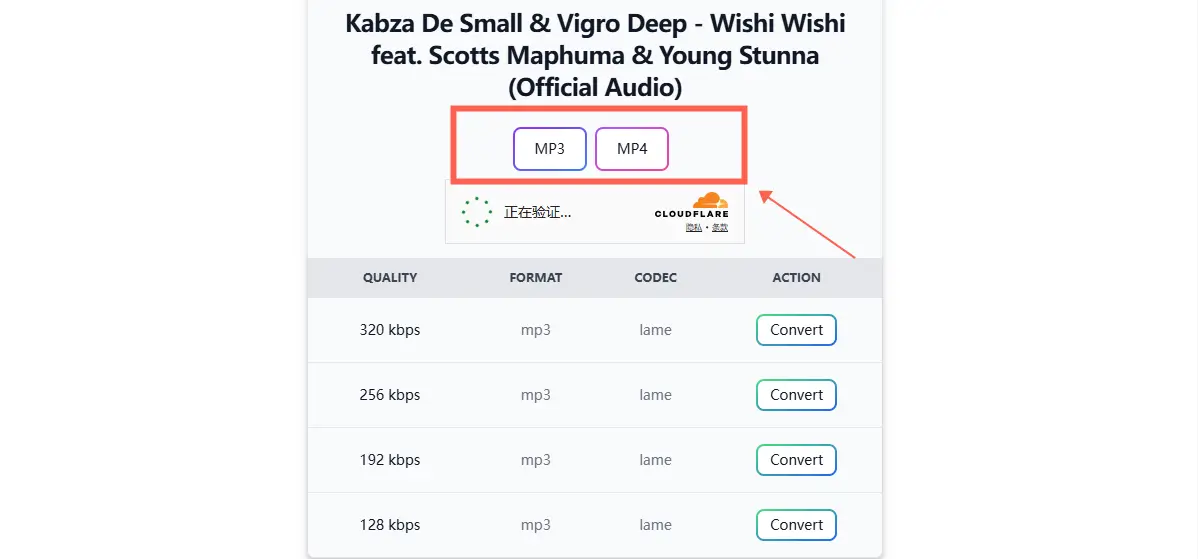
Select Format: Click on the result you want. The system will display various MP3 (Audio) or MP4 (Video) options.
-
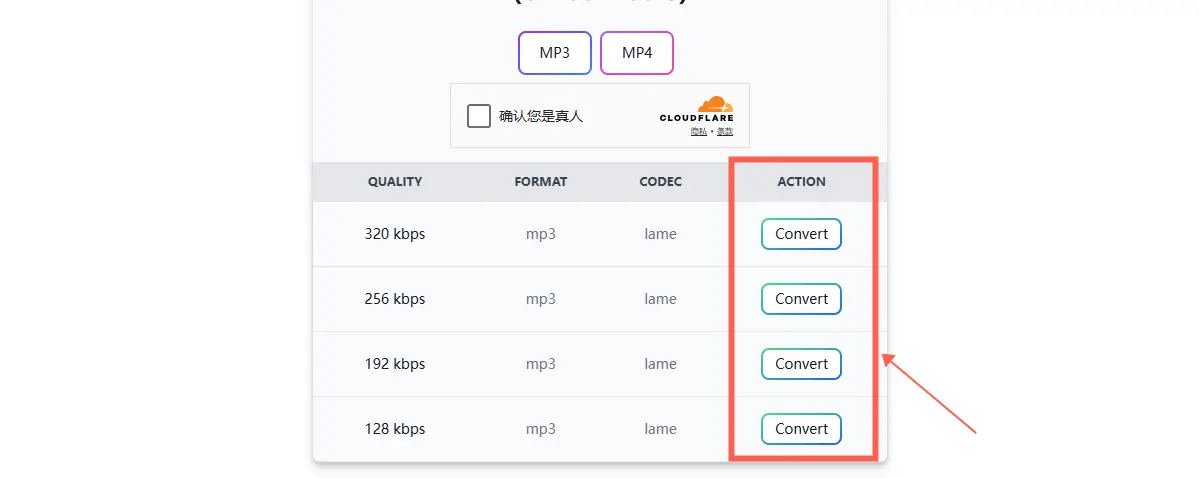
Confirm Download: Click the convert button, wait for the system to process the link, and save the file to your device.
Deep Dive: The Pros and Cons of Tubidy
Every free tool is a double-edged sword. Here’s a breakdown of why people love Tubidy and where it falls short.
✅ The Pros
-
Completely Free: No subscription fees, making it highly accessible for users on a budget.
-
Data-Friendly: It offers lightweight file options that load quickly—ideal for areas where mobile data costs are high.
-
Massive Library: Because it scrapes the public web, you can find almost any trending hit or local track.
❌ The Cons
-
No Preview Due to Copyright: This is a major pain point. Many search results cannot be played or previewed online due to copyright protection. You might end up downloading the wrong version without knowing.
-
Lack of Codec Options: You have no choice over the quality. Tubidy usually offers a single, fixed export option, meaning you can't select high bitrates (like 320kbps) or lossless formats.
-
Misleading Ad Traps: The site is riddled with redirects. Clicking "Download" often triggers pop-ups for gambling or unsafe software, posing a risk to inexperienced users.
-
No Batch Downloading: You cannot download a whole playlist at once; you must manually click every single track, which is highly inefficient.
The Better Choice: Snappixify — Your All-in-One Multimedia Tool
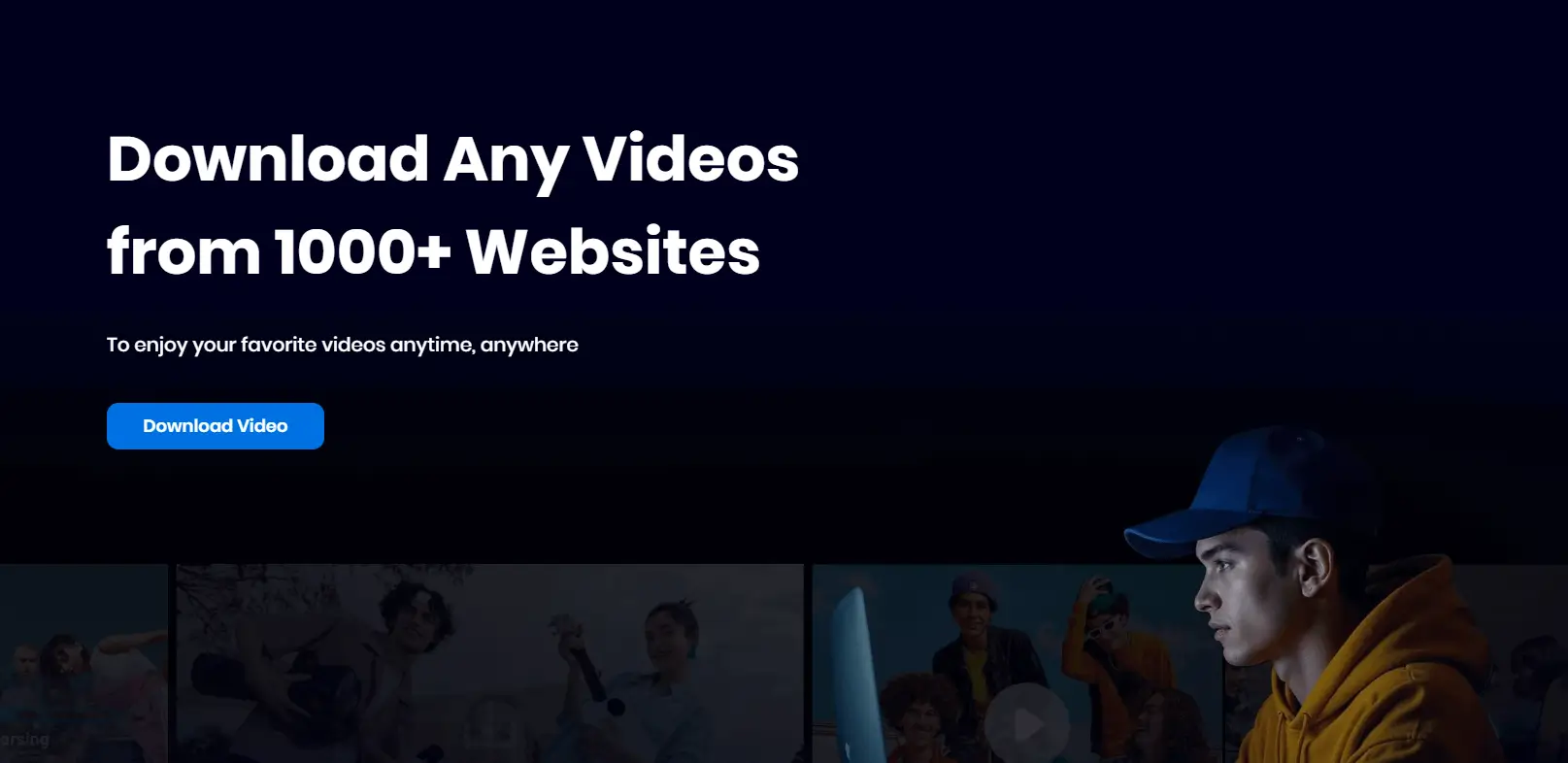
If you are tired of Tubidy’s annoying ads and unstable quality, Snappixify is the professional-grade upgrade you’ve been looking for. It is a comprehensive multimedia hub that integrates powerful downloading and conversion capabilities into one seamless interface.
Why Snappixify Stands Out:
-
100% Safe & Pure Experience: Safety is our top priority. Snappixify is entirely ad-free with no misleading redirects. More importantly, you can use the service without any registration or login, protecting your privacy while saving you time.
-
Ultimate Multi-Platform Support: Whether it's YouTube, Spotify, Apple Music, Instagram, Facebook, or TikTok, Snappixify handles them all. It supports over 1,000 platforms, making it your true "one-stop shop."
-
120X Speed & Massive Formats: Experience lightning-fast conversions across 200+ formats.
-
Audio: Choose from 400+ formats (MP3, WAV, FLAC, AAC, etc.).
-
Video: Access 500+ formats (MP4, MOV, MKV, ProRes, etc.).
-
-
Customizable Quality: Unlike Tubidy’s fixed files, Snappixify lets you manually select your preferred quality. From data-saving modes to premium 320kbps HQ audio or 4K video, you are in control.
-
More Than a Downloader: It's also a powerful Media Converter. Easily switch between hundreds of formats (like MP4 to AVI or WAV to MP3) in seconds to ensure compatibility with any device.
How to Download & Convert with Snappixify: A Step-by-Step Guide
Snappixify provides two dedicated tools to ensure you get the exact file you need with much higher quality and flexibility than a standard Tubidy search.
Tool 1: Snappixify MP3 Converter (For Music Lovers)
Perfect for extracting high-fidelity audio from videos or converting existing audio files into the universal MP3 format.
-
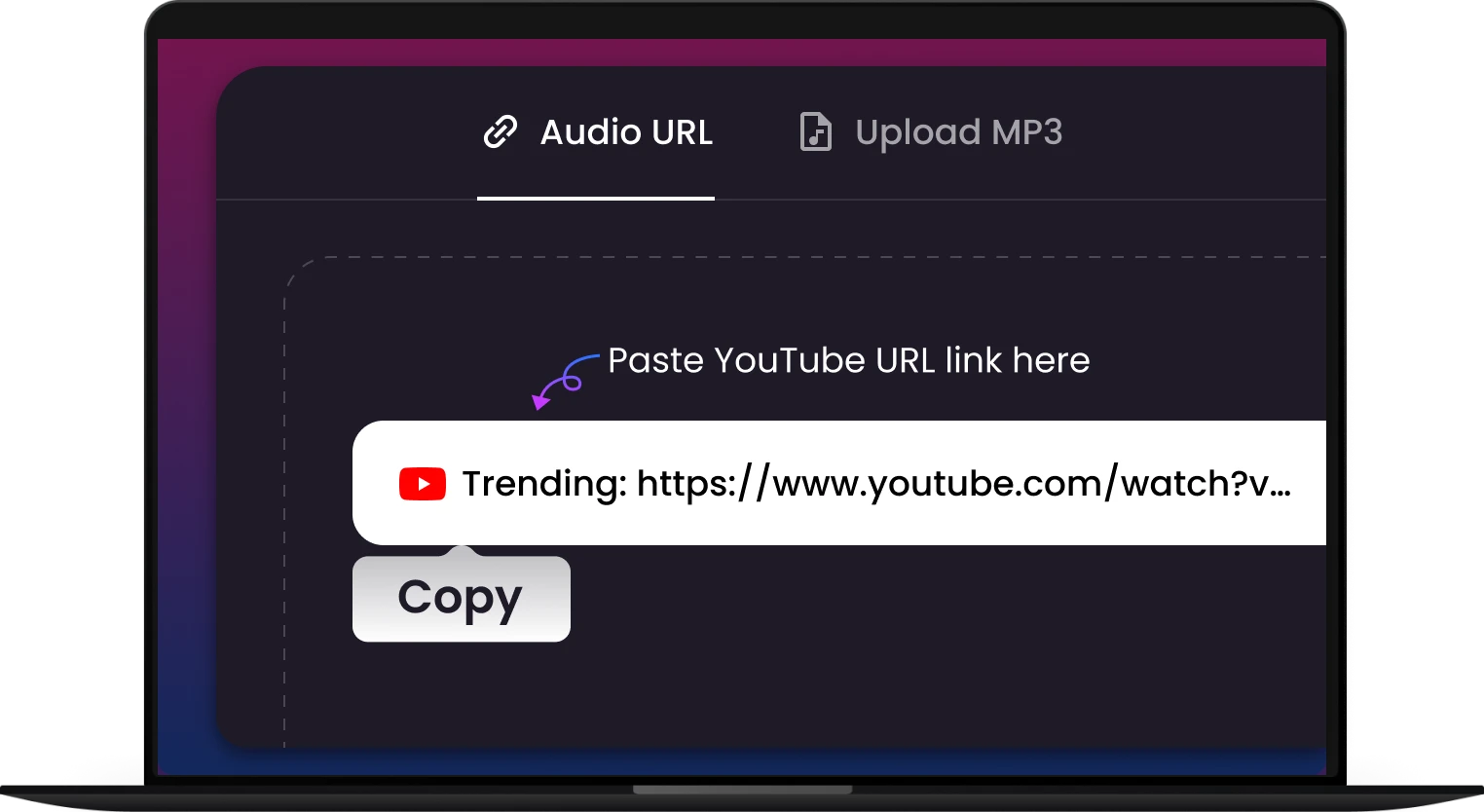
Add File: Drag and drop your file (Video, Audio, etc.) or simply click the "Paste URL" button to import content from YouTube, Spotify, or other platforms. Our secure tool supports all popular formats.
-
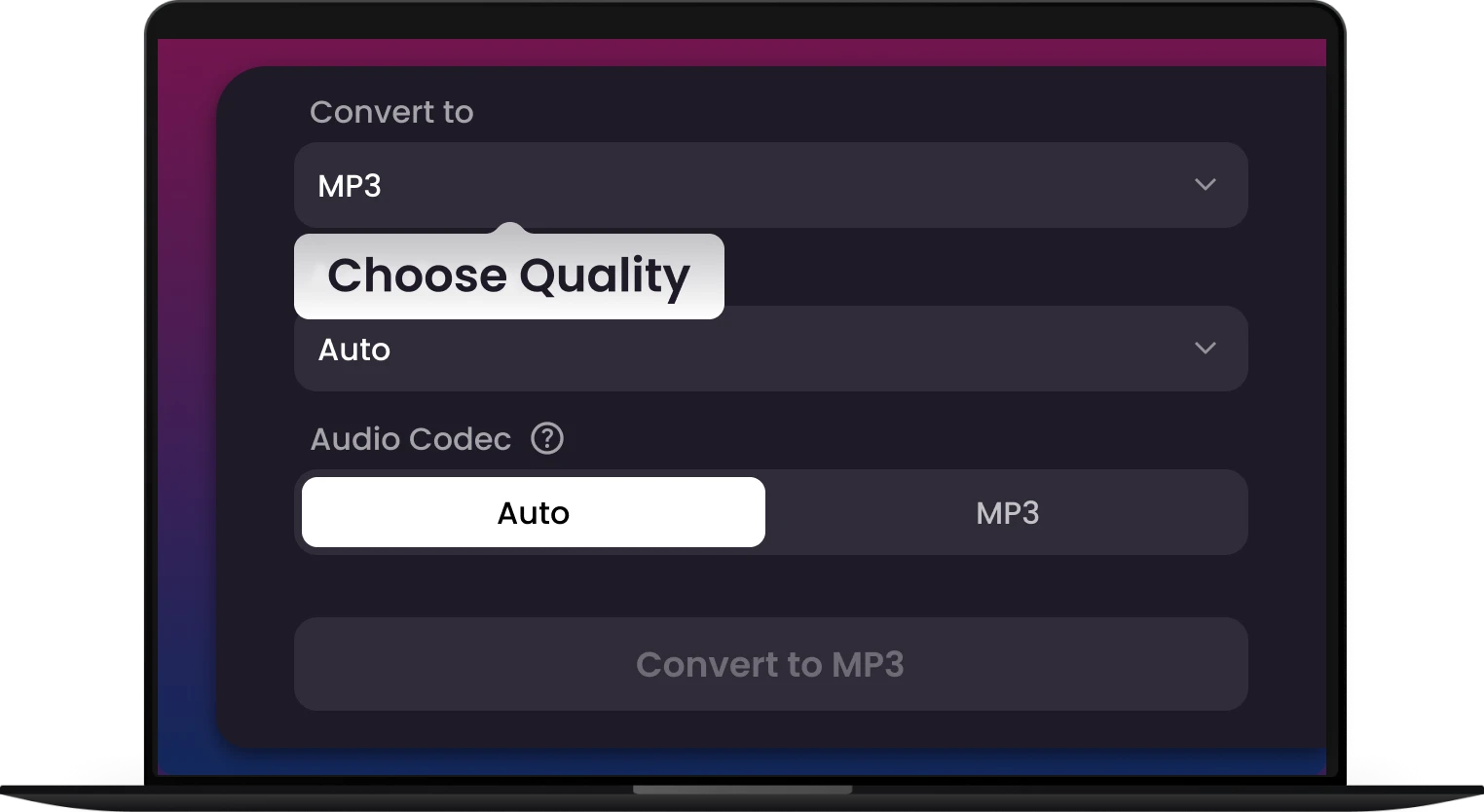
Choose MP3 & Settings: Select MP3 as your output format. Here, you can manually customize the quality, bitrate, or volume to create the perfect audio file for your ears.
-
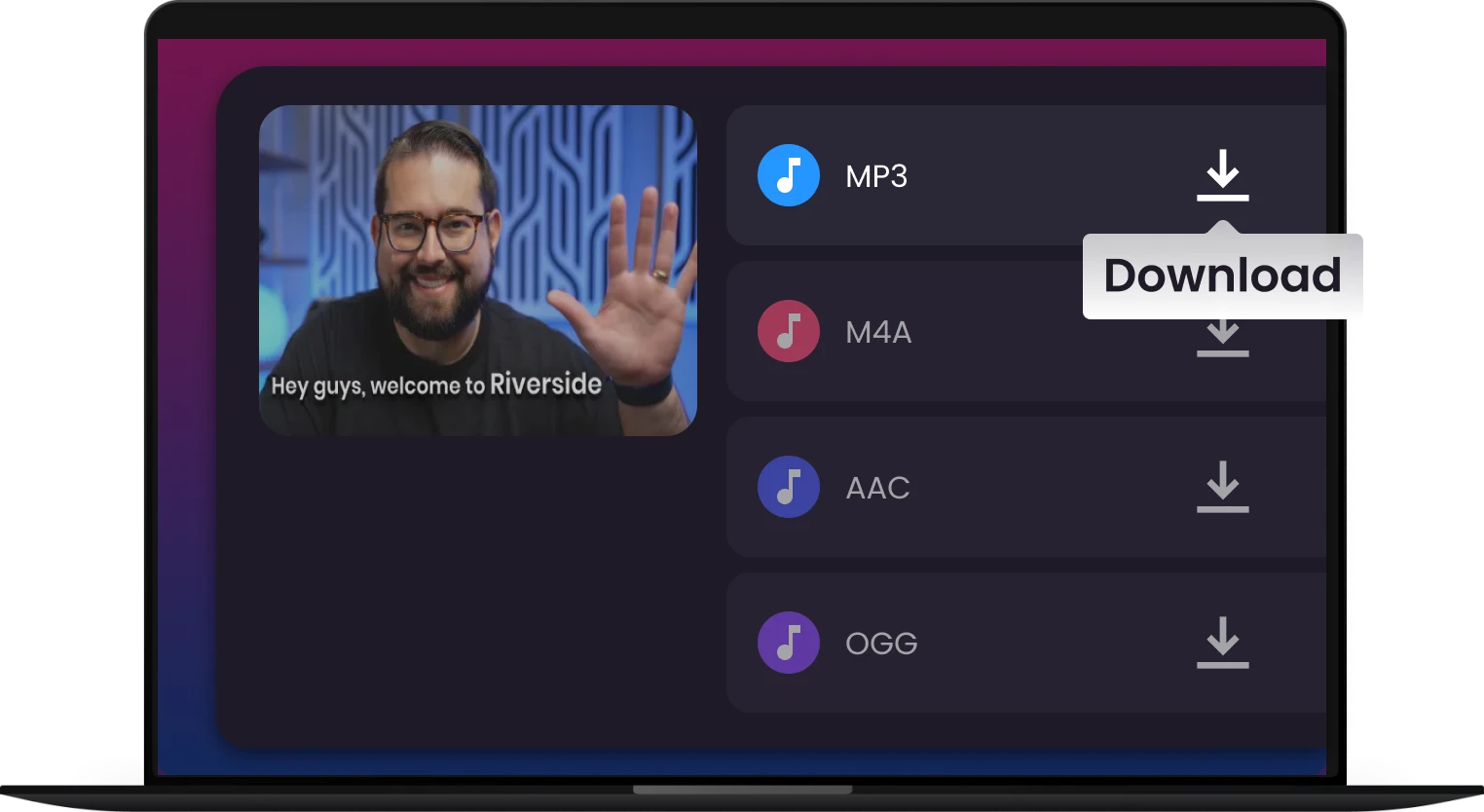
Convert & Save: Click "Convert." Your file is transformed in seconds! Download your high-quality MP3 directly to your device.
Tool 2: Snappixify MP4 Converter (For Video Enthusiasts)
Whether you are downloading a 4K movie or converting a clip for your phone, our MP4 converter gives you full technical control.
-
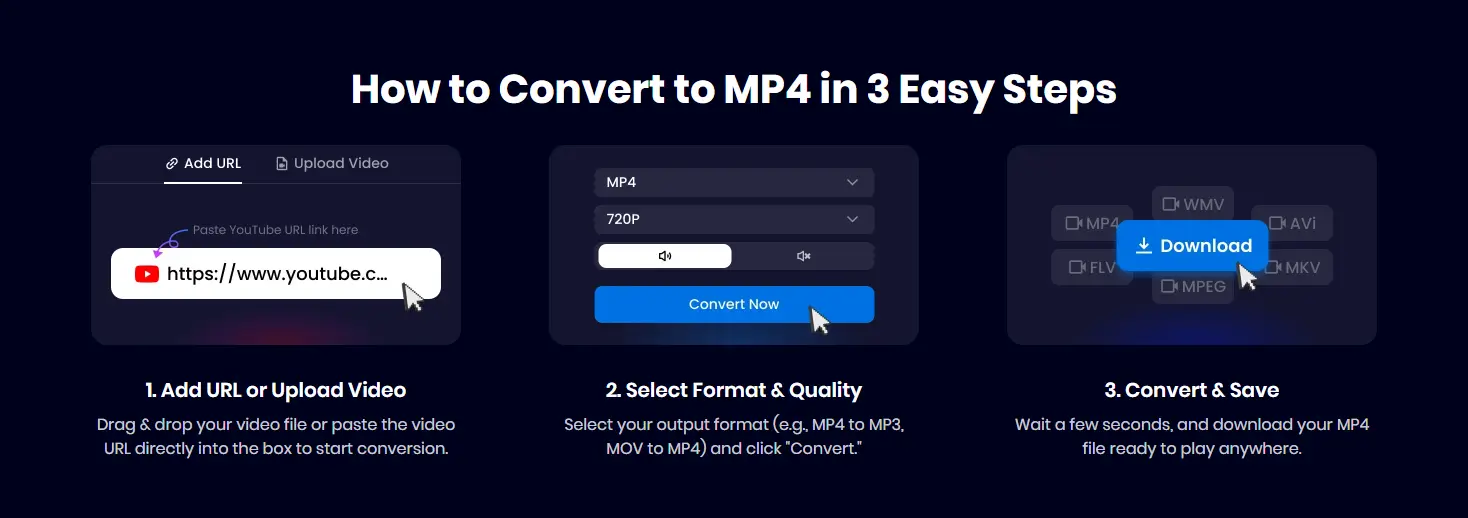
Add File: Drag and drop your video file or click "Paste URL" to fetch a video from social media or streaming sites.
-
Select Format & Codec: Choose MP4 as your output. A standout feature of Snappixify is the ability to select your preferred Video Codec:
-
Auto: Best for general compatibility.
-
H.264: Ideal for older devices and social media.
-
H.265 (HEVC): Best for high quality at smaller file sizes.
-
AV1: The latest standard for ultra-efficient 4K streaming.
-
-
Convert & Save: Hit "Convert" to enjoy lightning-fast 120X processing. Once finished, click download to save your crisp, high-definition video.
Summary: Time to Upgrade Your Music Collection
While Tubidy remains a simple tool for quick, small files, it can't compete with the security and quality of a professional platform. If you want 320kbps audio, 4K video, and seamless Spotify-to-MP3 conversion, Snappixify is the clear winner for 2025.
Ready to say goodbye to annoying pop-ups? Try Snappixify today and redefine your digital entertainment experience.
FAQ: Everything You Need to Know About Music Downloaders
1. Is it legal to download music from Tubidy or Snappixify?
Downloading music from these platforms falls into a "gray area." Generally, downloading copyrighted content without the artist's permission is against the terms of service of platforms like YouTube and Spotify. However, downloading content for personal, offline use is common practice in many regions. We always recommend supporting your favorite artists through official channels or premium subscriptions whenever possible.
2. What is the difference between 128kbps and 320kbps MP3?
This refers to the "bitrate" or audio quality.
-
128kbps: Standard quality, smaller file size, but some audio details are lost.
-
320kbps: High-quality (HQ) audio, offering a much richer and crisper sound. While Tubidy often defaults to lower bitrates to save data, Snappixify allows you to choose 320kbps for a premium listening experience.
3. Will downloading music from these sites infect my device with viruses?
Traditional sites like Tubidy often rely on aggressive redirect ads which can occasionally lead to suspicious websites. To stay safe:
-
Avoid clicking on "Your system is out of date" pop-ups.
-
Use a trusted tool like Snappixify, which offers a clean, ad-free interface.
-
Keep your device's antivirus software updated.
4. Can I download an entire Spotify playlist at once?
Most basic search-engine-style downloaders (like Tubidy) require you to download songs one by one. Professional tools like Snappixify are designed to handle album and playlist links, significantly saving you time by processing the entire list for conversion.
5. Why can’t I play some of the MP4 videos I downloaded?
This is usually a codec compatibility issue. Older devices might not support modern formats like HEVC. If your video won't play, try using VLC Media Player (which plays almost everything) or use Snappixify to convert the video into a standard H.264 MP4 format, which is compatible with 99% of devices.
6. Do I need to pay for Snappixify?
Snappixify offers a Daily Free Credit for every user, allowing you to test the high-speed conversion and premium quality at no cost. For heavy users who need unlimited batch downloads and 120X speed, various affordable membership plans are available.


