 Snappixify


Want to save your favorite trending songs as local MP3 files so you can listen offline anytime, anywhere? Traditionally, obtaining a clean audio file has often been restricted by streaming platform's DRM protection or video formats. Fortunately, with Snappixify, you can easily convert and extract audio from two major sources: high-trending MVs and Spotify streaming. This article will guide you on how to efficiently turn hot songs into a high-quality MP3 collection using Snappixify.
Hot Song Recommendations: Extract the Audio You Want Now!
Before diving into the Snappixify steps, here are some of the highest-ranking and most recommended tracks you can immediately look up, convert, or extract using the methods below:

-
The Fate Of Ophelia (Artist: Taylor Swift). A track often noted for its deep, literary themes and emotional depth, exploring tragic beauty and destiny, perfect for fans of narrative songwriting.
-
Houdini (Artist: Dua Lipa). This high-energy dance-pop track is about mastering the art of disappearing when a relationship gets too complicated, referencing the famous escape artist.
-
Not Like Us (Artist: Kendrick Lamar). A powerful, highly viral hip-hop piece known for its aggressive beat and complex cultural and personal commentary, which sparked widespread conversation.
-
Espresso (Artist: Sabrina Carpenter). This catchy, infectious pop hit features lighthearted, playful lyrics about being so effortlessly appealing that the singer is "working late" for her partner.
-
All I Want For Christmas Is You (Artist: Mariah Carey). The quintessential holiday track, this iconic festive anthem is known for its soaring vocals and the simple, universal theme of choosing love over material gifts during the Christmas season.
-
Golden (Artist: HUNTR/X, EJAE, Audrey Nuna & REI AMI). A collaborative track recognized for its sleek production and vibrant music video, embodying a feeling of confidence and radiant success, making it ideal for MV audio extraction.
To find more tracks, always refer to the global authority chart, the Billboard Hot 100, and real-time trends on Google Trends.
Why Convert to MP3? The Unmatched Benefits
Why go through the effort of converting a track to a local MP3 file? The benefits extend far beyond simple accessibility:
-
True Offline Freedom: Once converted, the MP3 file is saved directly to your device. You can listen anywhere—on a flight, deep underground, or during a data outage—without relying on any Wi-Fi or mobile data connection.
-
An Ad-Free Listening Experience: If you use the free tiers of streaming services like YouTube Music and Spotify, your listening experience is constantly interrupted by advertisements. Converting the track removes these jarring interruptions, ensuring a smooth, uninterrupted listening session.
-
Future-Proof Your Collection: Streaming platforms occasionally remove songs or albums due to licensing disputes or artist changes. By archiving the converted MP3 file, you ensure that even if the song is taken down from the streaming service, your personal copy remains accessible forever.
The Source of Hot Tracks—Where to Find Them?
1. Official Charts and Recommendations (The Source of Hot Tracks)
-
Briefly mention the Billboard Hot 100 or other authority charts as a reference for obtaining trending track names.
-
Also, Google Trend can be used to search for popular songs.
2. Two Main Media Formats for Hot Songs (Two Main Media Forms)
-
Video Format (Audio Extraction): Music Videos (MVs), primarily published on YouTube, Vevo, or other video platforms. The audio needs to be extracted from them.
-
Audio Format (Stream Conversion): Song streams, primarily available on audio platforms like Spotify. The stream needs to be converted.
Method One: Using Snappixify to Convert MV Videos to MP3
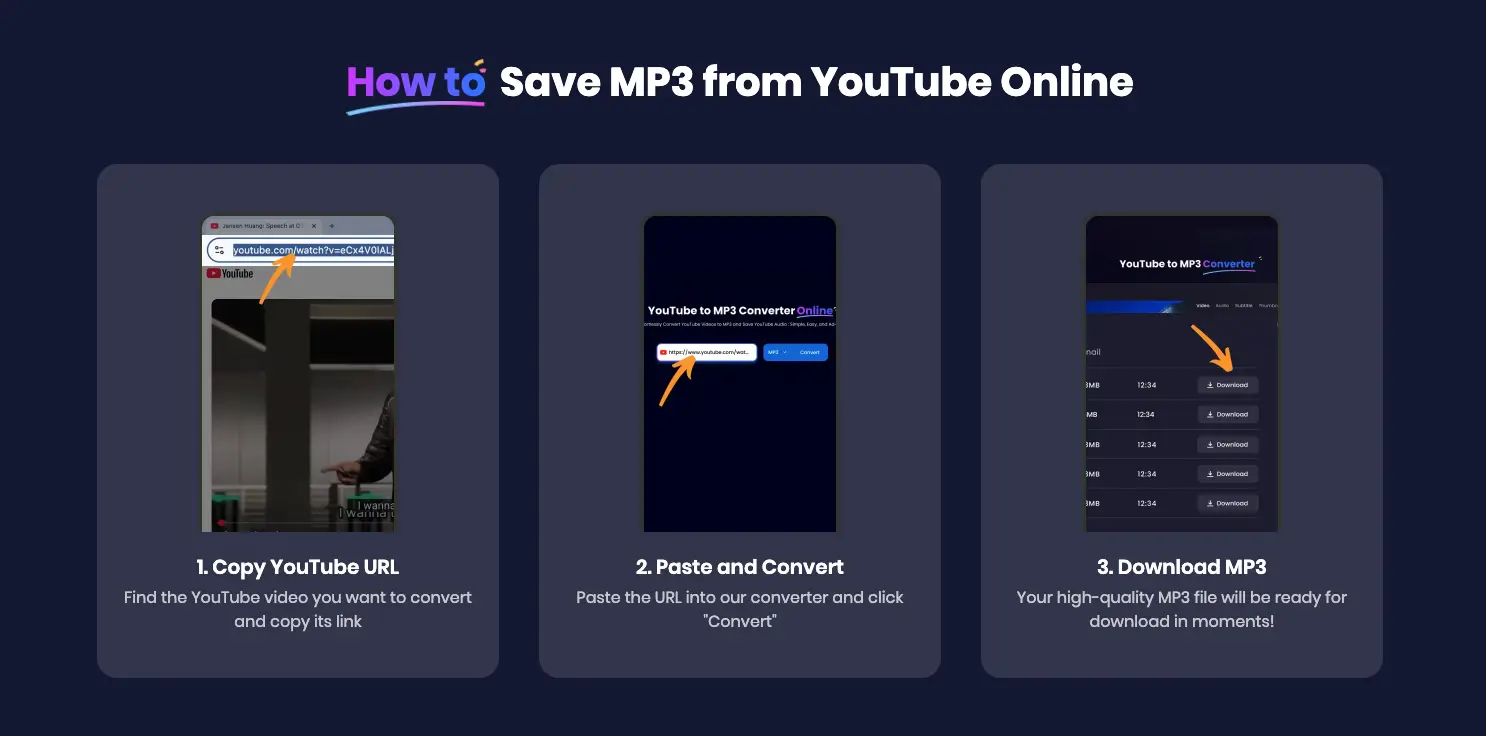
1. Locate and Copy the MV Link
-
Guide readers to find the trending song MV on YouTube/other video platforms.
-
Step: Copy the MV's full URL address.
2. Use Snappixify to Extract Audio
-
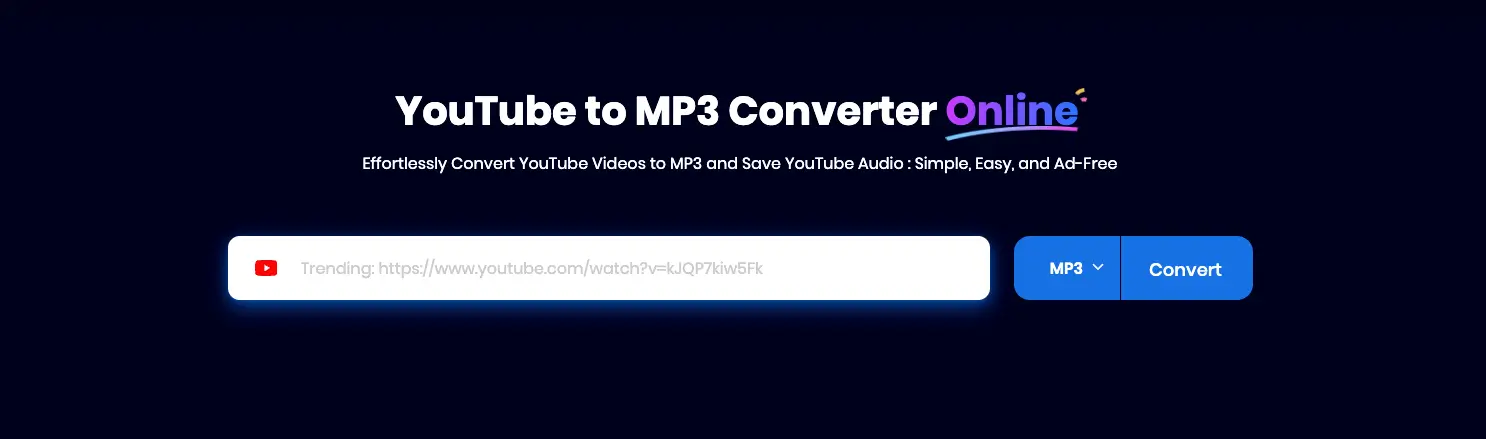
Step A: Launch the Snappixify tool.
-
Step B: Paste the copied MV link into the input box.
-
Step C: Select the output format as MP3 (or any other desired audio format).
-
Step D: Click the "Convert" button.
-
Step E: Then navigate to the next page and click the "Download" button to save the song.
This method ensures high-quality audio acquisition, separating the clean audio file from the visual content.
Method Two: Using Snappixify to Convert Spotify Tracks
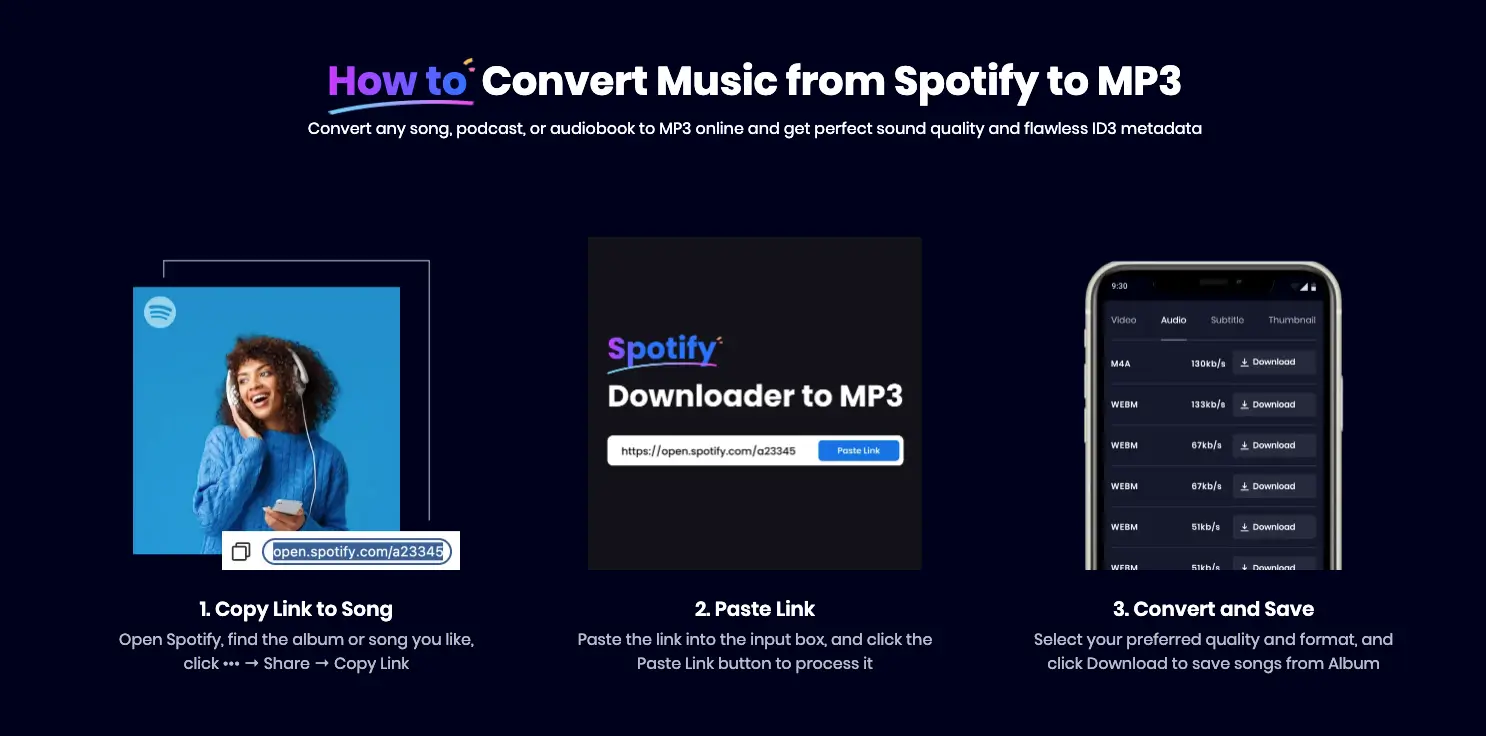
1. Select the Target Track on Spotify
-
Guide readers to search for the hot song on the Spotify app or web player.
-
Step: Obtain the Spotify Share Link for the song or playlist.
2. Navigate to Snappixify’s Spotify Conversion Page
-
Explain how Snappixify processes Spotify tracks' DRM protection.
-
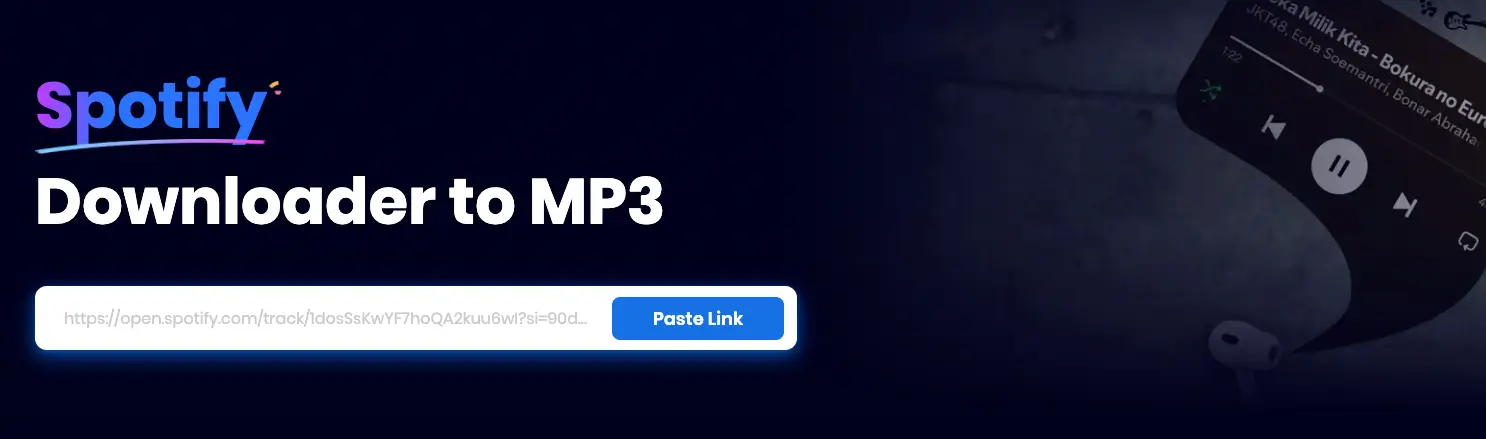
Step A: Paste the Spotify song link into the designated area on Snappixify.
3. Execute Audio Conversion
-
Step B: Click the "Paste Link" button.
-
Step C: Click the "Download" button to convert the song.
This method simplifies the process of converting Spotify tracks for personal music library construction.
Important: Understanding Copyright and Personal Use
When using any tool to convert or extract copyrighted material, it is crucial to understand the legal limits of its use.
-
Personal Use Only: The MP3 files obtained through Snappixify are strictly for personal listening, archival, and private use. This means you can enjoy them on your devices for your own pleasure.
-
Strictly NO Commercial Use: You are strictly prohibited from using the converted audio files for any commercial purposes. This includes, but is not limited to, redistribution, selling, creating derivative works for profit, or public performance.
-
User Responsibility: You must ensure that your use of the converted files complies with your local copyright laws and the terms of service of the original streaming platforms.
Conclusion: Snappixify — Your All-in-One Audio Conversion Powerhouse
Snappixify makes it effortless to unlock high-quality audio from anywhere — whether you're capturing the soundtrack from a trending music video, converting a Spotify stream for offline listening, or organizing your growing library across multiple devices. With support for all major formats and lightning-fast conversions, Snappixify gives you complete control over how you save, manage, and enjoy your favorite tracks.
So go ahead — start building the digital music collection you’ve always wanted. With Snappixify, every song, every beat, and every moment is just one click away.


