 Snappixify




High-definition video shouldn't stay trapped on your SD card. While AVCHD captures stunning detail, its complex folder structure and large file sizes make it a nightmare for quick sharing and mobile playback.
Converting AVCHD files to MP4 is the single most effective way to reclaim your storage space and ensure your videos are ready for any screen. Below, we break down the most efficient ways to make the switch without sacrificing an ounce of quality.
What is AVCHD and MP4?
1. What is AVCHD?
AVCHD (Advanced Video Coding High Definition) was jointly developed by Sony and Panasonic in 2006.
-
Definition: It is a file-based format designed specifically for digital camcorders to record high-definition (HD) signals onto SD cards, hard drives, or DVD discs.
-
Technical Core: It utilizes the MPEG-4 AVC/H.264 video compression standard and supports Dolby Digital (AC-3) or uncompressed linear PCM audio.
-
Key Characteristics: AVCHD is known for its complex folder structure (often seen as a PRIVATE or BDMV folder). It is designed to preserve high visual fidelity, making it a favorite for professional videographers or those planning to burn content onto Blu-ray discs.
2. What is MP4?
MP4 (MPEG-4 Part 14) is the most widely used and versatile multimedia container format in the world today.
-
Definition: It is a standardized digital container format used to store video, audio, subtitles, and even still images in a single, easily manageable file.
-
Technical Core: Like AVCHD, it uses H.264/AVC or the more modern H.265/HEVC compression.
-
Key Characteristics: Its greatest strength is universal compatibility. Whether it’s a smartphone, tablet, computer, or social media platform (YouTube, TikTok, Instagram), MP4 files play seamlessly without the need for conversion.
3. Comparison Table: AVCHD vs. MP4
|
Feature |
AVCHD |
MP4 |
|
Full Name |
Advanced Video Coding High Definition |
MPEG-4 Part 14 |
|
Image Quality |
Very High (Excellent for capturing fine details/motion) |
High (Efficient compression with great visual results) |
|
File Size |
Larger (Preserves more original data) |
Smaller (Highly compressed to save storage) |
|
Compatibility |
Low (Requires specific software or players) |
Universal (Works on almost all devices/web browsers) |
|
Audio Format |
AC-3 (Dolby Digital) |
AAC (Advanced Audio Coding) |
|
File Structure |
Complex (Multiple sub-folders and index files) |
Simple (A single .mp4 file) |
|
Best Use Case |
Camcorder recording, Blu-ray burning |
Web sharing, mobile playback, quick editing |
Why Convert AVCHD to MP4?
AVCHD (Advanced Video Coding High Definition) is a format primarily used by high-end camcorders from brands like Sony and Panasonic. While it offers stunning image quality, it comes with several headaches:
-
Poor Compatibility: Most smartphones, tablets, and even some smart TVs cannot play AVCHD files (usually ending in .MTS or .M2TS) natively.
-
Storage Issues: AVCHD files are data-heavy, taking up significant space on your hard drive.
-
Sharing Barriers: Uploading "raw" AVCHD files to social media or YouTube often results in errors or extremely long upload times.
MP4, on the other hand, is the "universal language" of video. It balances high quality with high compression and works on virtually 100% of modern devices.
Why Do Users Convert AVCHD to MP4?
Video conversion becomes essential for a variety of reasons, catering to different user needs:
-
Social Media Sharing
Users often need to convert videos into a shareable format like MP4 for quick uploads to platforms like YouTube, Instagram or TikTok.
-
Simplified Editing
For video creators and editors, MP4 is more accessible in popular editing tools (such as CapCut or iMovie) compared to the more complex AVCHD format, which can slow down workflows.
-
Smooth Streaming
Viewers looking to stream personal videos on servers like Plex or DLNA often face playback issues with formats like AVCHD, making conversion to MP4 crucial for smooth, uninterrupted viewing.
Common Methods for AVCHD to MP4 Conversion
There are several ways to get the job done depending on your technical comfort level:
|
Method |
Best For |
Pros |
Cons |
|
Professional Desktop Software |
Power users & offline batch processing |
Ultimate control; privacy-focused; no internet required. |
Steep learning curve; requires installation & disk space. |
|
Traditional Online Converters |
One-off, non-sensitive files |
Completely free; no account needed for basic tasks. |
Intrusive ads; inconsistent quality; potential privacy risks. |
|
Snappixify (Streamlined Web Tool) |
Modern professionals & high-quality results |
High-fidelity output; lightning fast; accessible from any device. |
Requires an active internet connection. |
How to Convert AVCHD to MP4 Using Snappixify
If you want a hassle-free experience without downloading bulky software, Snappixify is a fantastic choice. Here is how it works:
.MTS or .M2TS file into the upload box.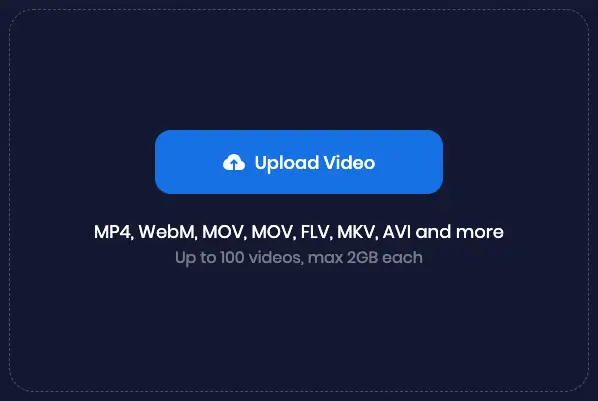
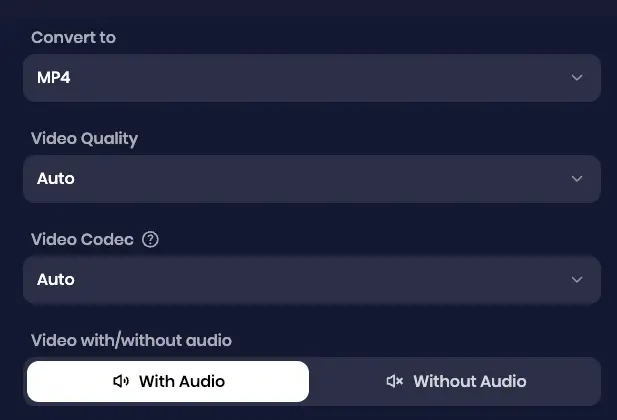
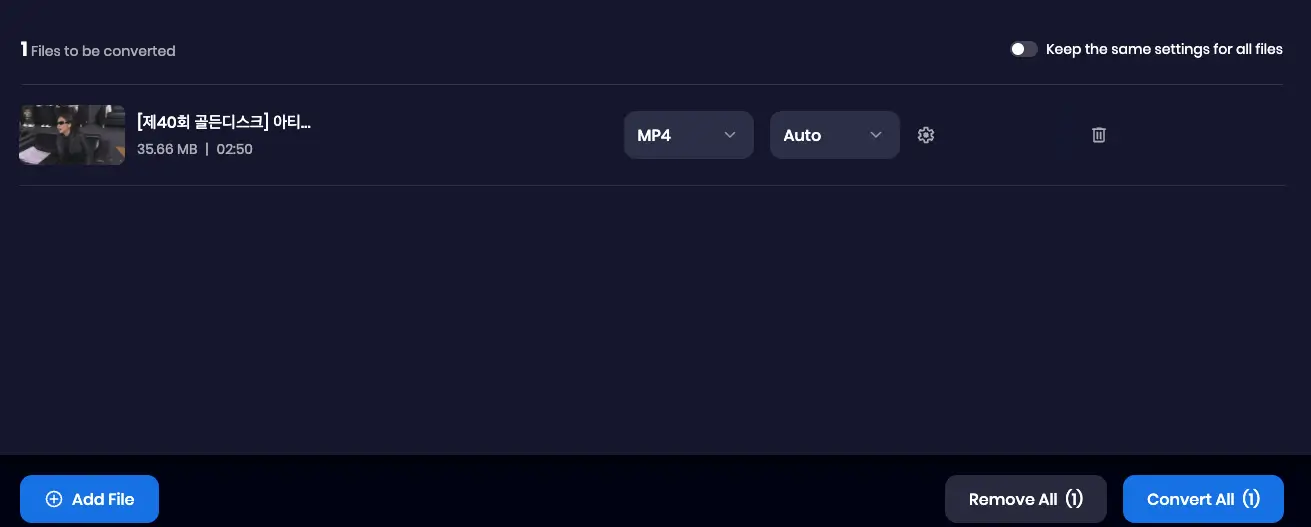
Frequently Asked Questions About AVCHD to MP4
Is AVCHD better quality than MP4?
AVCHD can provide better quality than MP4, especially for high-definition videos, because it supports higher bitrates and is designed for professional video recording. However, MP4 is more versatile and widely compatible with various devices and platforms, so the choice depends on your needs.
How to open AVCHD files on PC?
To open AVCHD files on a PC, you can use various methods, including video players like VLC or Media Player Classic, or editing software such as Adobe Premiere Pro, Sony Vegas, or DaVinci Resolve. However, for a smoother experience, Snappixify is an excellent tool to consider. It allows you to easily convert AVCHD files to more compatible formats like MP4, making them playable on most devices and video players without any hassle.
What to do with AVCHD files?
You can use AVCHD files for video editing, archiving, or converting them to more commonly supported formats like MP4 or MOV with Snappixify. You may also choose to burn them to Blu-ray discs or upload them to video sharing platforms, provided the file size and format are compatible.
Can I import AVCHD into iMovie?
Yes, you can import AVCHD into iMovie, but there are some limitations. For standard-definition AVCHD, iMovie '07 or newer will work. For high-definition AVCHD (1080p or 720p), you need iMovie '08 or later. Note that iMovie may not support AVCHD 60p (1080 or 720) files, so converting them to a more compatible format like MP4 with Snappixify may be necessary.
How to convert camcorder video to MP4?
To convert camcorder videos (such as AVCHD) to MP4, simply use Snappixify. Here’s how:
-
Upload Your Camcorder Video: Drag and drop your AVCHD files into Snappixify, or upload them directly from your device.
-
Choose MP4 Format: Select MP4 as the desired output format for easy playback across all devices.
-
Optional Editing: Trim or mute the video if needed using Snappixify’s simple tools.
-
Convert: Click Convert to process the video and download the MP4 file instantly.
Snappixify makes converting camcorder videos quick, simple, and hassle-free!
Will I lose video quality after converting?
If you use the appropriate settings during conversion with Snappixify, the quality loss will be minimal and often imperceptible. MP4 is a highly efficient format that maintains sharp quality even with compression.
What about the audio?
AVCHD typically uses AC3 audio codec, which may not be compatible with all devices. When converting AVCHD to MP4, it’s recommended to set the audio codec to AAC to ensure the audio plays correctly on most devices, including mobile phones.
Summary
Absolutely. While AVCHD is great for the moment you hit "record," MP4 is the king of playback. Converting your files ensures your memories are safe, viewable, and ready to be shared with the world.
Ready to try it out? You can start by uploading your first file to Snappixify today for a quick conversion!


