 Snappixify


In the history of digital media, Flash Video was once the undisputed king of the web. While HTML5 has largely taken over, many of us still encounter these classic files in our archives or on niche sites.
Today, we’ll explore what Flash Video is and how to use Snappixify—the premier flash video to mp3 converter online—to breathe new life into your files.
What is Flash Video and Where is it Found?
Flash Video (commonly seen with the .FLV extension) is a container file format developed by Adobe Systems. It was designed to deliver synchronized video and audio streams over the internet.
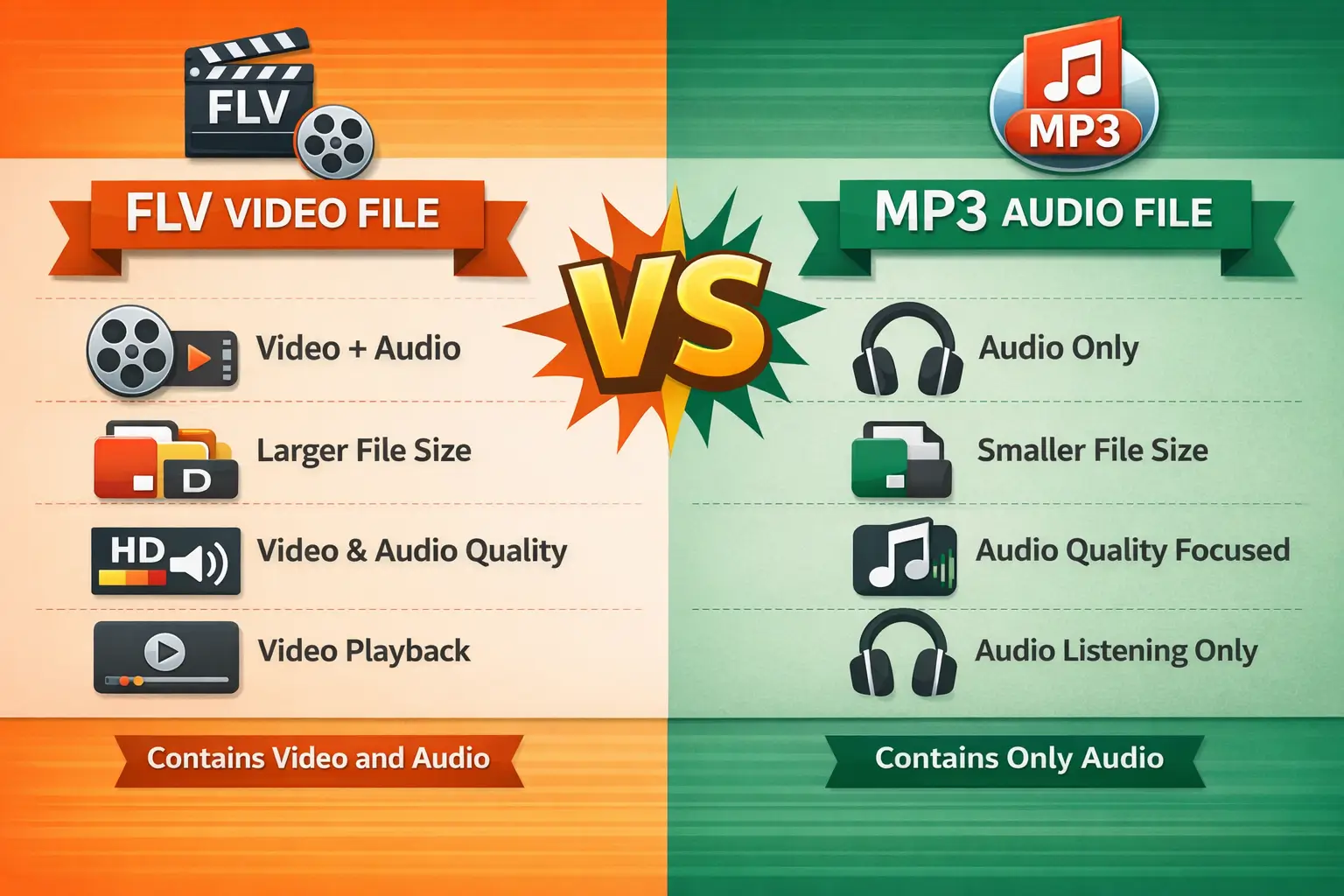
Where you typically see a flash video file:
Legacy Streaming Sites:
In the early 2010s, platforms like YouTube and Hulu relied heavily on FLV.
Old Educational Portals:
Many e-learning courses created between 2005 and 2015 still use this format.
Archived Web Games:
Classic browser games often call upon a flash video file to mp3 stream for their cutscenes and background music.
Why Should You Convert Flash Video to MP3?
While video offers a visual experience, there are many reasons why you might need a flash video converter to mp3:
Device Compatibility:
Modern smartphones and car audio systems don't support FLV, but they play MP3s perfectly.
Storage Efficiency:
When you convert flash video file to mp3, you save significant space by discarding the video data you don't need.
Portability:
Extracting the audio allows you to listen to lectures, speeches, or music videos on the go without keeping your screen on.
How to Convert Flash Video to MP3 with Snappixify
If you are looking for a flash video to mp3 converter free download, stop right there! You don't need to install bulky software. Snappixify allows you to convert flash video to mp3 online in three simple steps:

Step 1: Upload Your File
Visit the Snappixify homepage and drag your FLV file into the upload box. Our tool acts as a high-speed flash video to mp3 online gateway.
Step 2: Choose Your Settings
Select "MP3" as your output. You can choose different bitrates (like 128kbps or 320kbps) depending on your quality needs.
Step 3: Convert and Save
Click the "Convert" button. Once the process is finished, your file is ready! This is the most efficient way to handle how to convert flash video to mp3 without technical headaches.
Why Choose Snappixify for Converting FLV to MP3
When searching for a way to convert flash video to mp3, Snappixify stands out for several reasons:
|
Feature |
Why It Matters |
|
Zero Installation |
Skip the "free download" risks. Our tool runs entirely in your browser, saving you disk space and keeping your system clean. |
|
High-Fidelity Audio |
We don't just "extract" audio; we preserve it. Enjoy crisp, clear bitrates that do justice to the original source. |
|
Lightning Fast |
Time is money. Our optimized algorithms process files in seconds, so you spend less time waiting and more time listening. |
|
Batch Processing |
Why do one by one? Upload your entire playlist at once and let our tool handle the heavy lifting in a single go. |
|
Cloud Powered |
We use high-performance servers to do the work. Your CPU stays cool, and your computer won't lag or freeze during conversion. |
|
Privacy First |
Your security is non-negotiable. Files are end-to-end encrypted and permanently wiped from our servers after 24 hours. |
Frequently Asked Questions About Flash Video to MP3
Can I just rename the file extension from .flv to .mp3?
No. Simply changing the name doesn't change the way the data is encoded. If you rename it, most players will fail to open the file. You need a dedicated tool like Snappixify to properly extract the audio stream and re-encode it into a valid MP3 format.
How does Snappixify ensure high-quality audio extraction?
Snappixify uses advanced algorithms to detect the original bitrate of your Flash video.
-
Lossless Extraction: Whenever possible, Snappixify pulls the raw audio data without re-compressing it, preventing quality loss.
-
Custom Bitrates: If you need a specific file size, Snappixify allows you to choose from 128kbps, 192kbps, or 320kbps to balance quality and storage.
Is it safe to convert my files using Snappixify?
Absolutely. Unlike many "free" online converters that may bundle adware or store your files on external servers, Snappixify prioritizes your privacy. The conversion process is secure, and your original files remain untouched and private.
Can I convert multiple Flash videos at once?
Yes! One of the core strengths of Snappixify is its Batch Processing capability. You don’t have to convert files one by one; simply drag and drop your entire folder of FLV files into Snappixify, and it will process the entire queue automatically, saving you hours of manual work.
Why should I choose Snappixify over free online converters?
While online converters exist, they often come with limitations:
-
File Size Limits: Online tools often cap uploads at 50MB. Snappixify handles files of any size.
-
Internet Speed: Online tools depend on your upload/download speed. Snappixify works locally, making it much faster.
-
No Interruptions: You won't deal with annoying pop-up ads or "Premium" paywalls for basic features.
What if my Flash file is an .SWF instead of an .FLV?
SWF files are often interactive animations rather than simple videos. Snappixify is designed to parse these complex containers, identifying the embedded audio tracks and exporting them as clean, standalone MP3 files that are ready for your playlist.
Will the converted MP3s work on my iPhone, Android, or Car?
Yes. MP3 is the most universally compatible audio format in the world. Once Snappixify finishes the conversion, you can sync the files to any mobile device or copy them to a USB drive for your car's audio system without worrying about compatibility issues.
Conclusion
Flash Video might be a legacy format, but the content within it is still valuable. Whether it's an old music video or a recorded seminar, Snappixify makes it easy to convert flash video file to mp3 so you can listen anywhere, anytime.
Ready to start? Use our flash video to mp3 tool today and experience the fastest conversion on the web!


