 Snappixify


You already have an MP4 file — maybe it’s a recorded meeting, an online lecture, a music video, or a clip you saved for later. But when you actually want to use it, you realize something: you don’t need the visuals at all. You just want the audio, so you can listen while commuting, working, or doing something else.
That’s where the frustration starts. Keeping the video means large file sizes, unnecessary storage, and limited flexibility.Many tools promise a simple MP4 to MP3 conversion, but then ask you to install software, create an account, or deal with settings you don’t care about. For something that should take seconds, the process suddenly feels overcomplicated.
Snappixify is built for exactly this moment. With its MP4 to MP3 online converter, you can extract high-quality audio directly in your browser — no downloads, no signup, and no technical setup. Just upload your video or paste a link, convert it to MP3, and use the audio the way you actually need.
Why Convert MP4 to MP3?
Most MP4 files are watched once — but listened to many times. Keeping the video means larger files, more storage, and fewer ways to use the content. MP3 files, on the other hand, are lightweight, portable, and designed for listening.
That’s why converting MP4 to MP3 is often the better option when your goal isn’t watching — it’s hearing.
Users typically convert MP4 to MP3 when:
-
You saved a YouTube or online video, but only want the audio so you can listen offline on your phone without staring at a screen.
-
You need to extract background music, narration, or dialogue from a video for reuse in another project.
-
You recorded an interview, webinar, or meeting as video, but want to turn it into podcast-style audio that’s easier to share and replay.
-
You want to reduce file size and storage usage by removing unnecessary video tracks.
-
You watch educational or training videos, but prefer listening to them while commuting, exercising, or doing other tasks.
How to Convert MP4 to MP3 with Snappixify (3 Simple Steps)
Snappixify is designed to be fast, simple, and beginner-friendly. The entire process takes just a few clicks.
Step 1: Upload an MP4 File or Paste a Video URL
Go to Snappixify MP4 to MP3 Converter
You can either:
-
Upload an MP4 file from your device, or
-
Paste a video URL from a supported platform
Snappixify works with a wide range of video sources and formats.
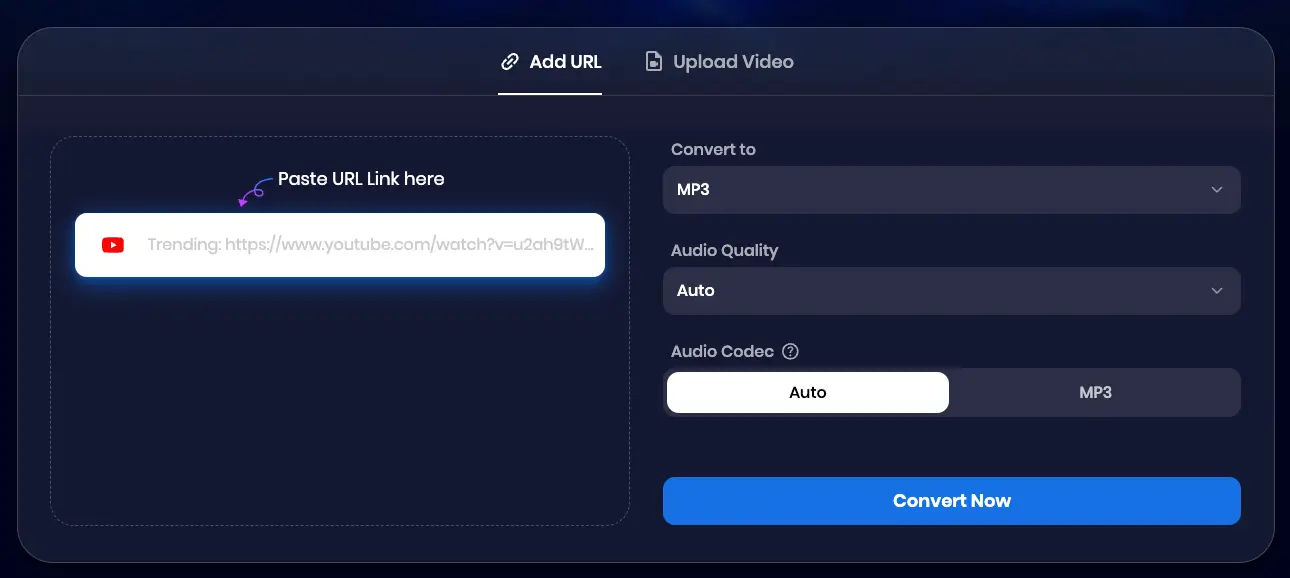
Step 2: Select MP3 and Start the Conversion
Choose MP3 as your output format.
For audio quality, you can select a bitrate of up to 320 kbps if you want the best possible sound.
If you don’t have any specific requirements for the audio codec, simply leave it set to Auto — Snappixify will handle the optimal settings for you.
Once everything looks good, click Convert Now to start the conversion. The process begins immediately and usually takes just a few seconds.
Step 3: Download Your MP3 Audio File
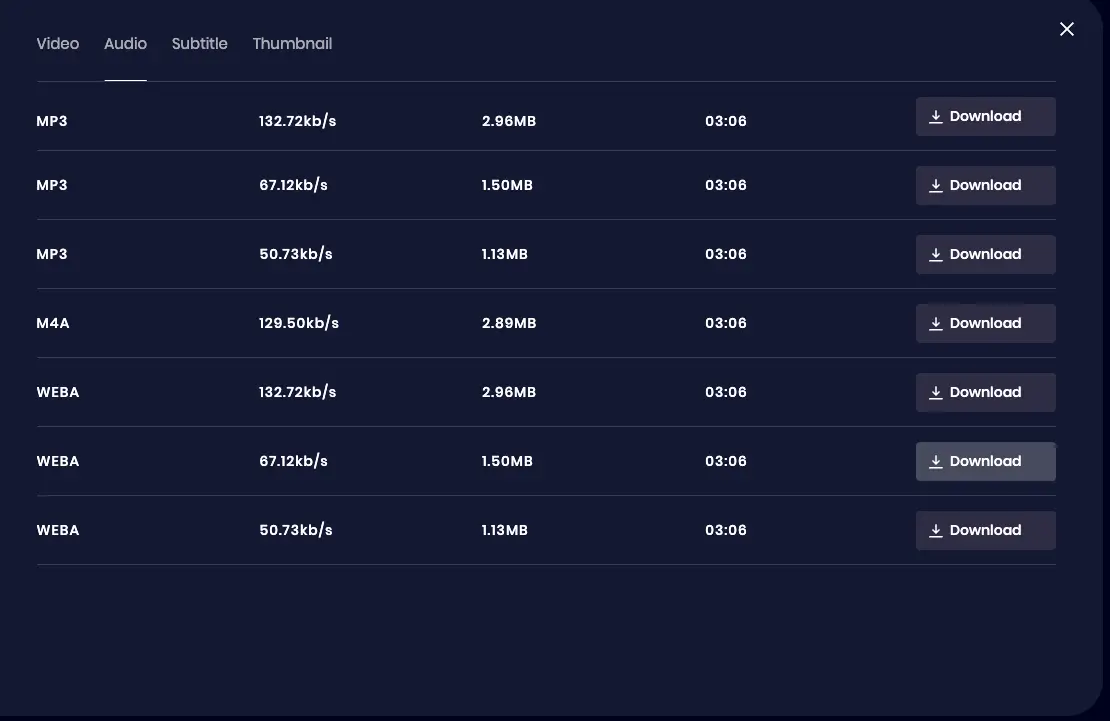
Once the conversion is complete, click Download to save the audio file to your device.
Most conversions finish in just a few seconds, depending on video length.
Why Use Snappixify for MP4 to MP3 Conversion?
There are many video-to-audio tools online, but Snappixify is built for reliability and ease of use:
Lightning-Fast One-Click Conversion
Snappixify is designed to keep things simple. With just one click, you can convert MP4 videos to MP3 audio in seconds. There are no complicated steps, no unnecessary settings, and no waiting around. Whether your video is short or long, the conversion process is fast and efficient.
No Ads, No Watermarks, No Installations
Many online converters come with pop-ups, forced downloads, or watermarks on your files. Snappixify removes all of that. The entire MP4 to MP3 conversion runs directly in your browser, with zero ads, zero watermarks, and no software installation required.
Supports HD, 4K, and Even 8K Video Sources
Snappixify can extract audio from a wide range of video qualities, including HD, 4K, and 8K sources. This makes it suitable for everything from simple online clips to high-resolution professional videos, without compromising performance or stability.
Studio-Quality MP3 Audio Output
Audio quality matters. Snappixify delivers high-quality MP3 output with bitrates of up to 320 kbps, ensuring clear vocals, rich music, and consistent sound. Whether you’re creating podcasts, saving music, or repurposing audio, the results are ready for real-world use.
Works on All Major Browsers and Devices
Snappixify works smoothly across all major browsers, including Chrome, Safari, Opera, Edge, and Firefox. There’s no need to worry about compatibility — you can convert MP4 to MP3 on desktop or mobile, anytime, anywhere.
Built for Real-World Use
Snappixify isn’t built for professional editors only. It’s designed for students, creators, professionals, and everyday users who simply need a fast, reliable way to extract audio from video files. No learning curve, no technical knowledge required — just upload, convert, and download.
What Can You Do with Your Converted MP3 Files?
Here are some practical ways people use their converted MP3 files:
Turn videos into podcasts or audio episodes
Listen offline on any device
Reuse audio in video editing projects
Add narration to presentations and slides
Organize and build an audio library
Because MP3 files are small, widely supported, and compatible with almost every device and platform, they’re much easier to manage than video files. Whether you’re sharing audio with others or keeping it for personal use, MP3 makes the content accessible anytime, anywhere.
Tips for the Best MP4 to MP3 Conversion Results
Converting MP4 to MP3 is straightforward, but a few simple practices can make a noticeable difference in audio quality and file management.
Start with videos that have clear audio
Rename your MP3 files right after downloading
Store converted audio in a dedicated folder or cloud location
These small steps don’t take much time, but they can significantly improve your overall workflow and make working with audio more efficient.
Why Choose Snappixify Over Other MP4 to MP3 Converters?
Snappixify is trusted by millions of users because it goes beyond basic MP4 to MP3 conversion. It’s built as a powerful, universal media converter that adapts to different formats, platforms, and quality needs—without locking users into a single workflow.
Wide Range of Audio Output Formats
Snappixify doesn’t limit you to MP3. After uploading your MP4 video, you can extract audio in 400+ audio formats, including WAV, AAC, M4A, APE, M4R, AIFF, FLAC, AU, OGG, AMR, MP2, Opus, and more.
True Universal Video Format Support
You’re not restricted to MP4 files. Snappixify supports 500+ video formats, making it a truly universal converter. In addition to MP4, it works with MOV, MKV, M4V, FLV, AVI, MPG, MPEG, VOB, 3GP, WMV, ASF, RM, RMVB, OGV, WEBM, and many others.
Convert Directly from Video URLs
In many cases, you don’t even need to download a video first. With Snappixify, you can extract audio directly by pasting a video URL. The converter supports 1,000+ websites, including YouTube, Vimeo, Dailymotion, TikTok, SoundCloud,and more.
High-Bitrate Audio, Always Under Your Control
Audio quality should be your choice. Snappixify allows you to select bitrates up to 320 kbps, including studio-quality 320 kbps MP3 for the best possible sound.You can easily balance quality and file size based on your needs.
Built for Scale, Not Just One-Time Use
Millions of users choose Snappixify because it works consistently across formats, platforms, and projects. It’s not just a one-off MP4 to MP3 tool—it’s a reliable solution for anyone who regularly works with video and audio.
Conclusion
Converting MP4 to MP3 is one of the easiest ways to reuse audio content and save time and storage. With Snappixify’s free online MP4 to MP3 converter, you can extract audio in seconds—no downloads, no accounts, and no complications.
Whether you’re creating podcasts, saving music clips, or repurposing video audio for new projects, Snappixify makes it effortless.
Try it now for free: https://www.snappixify.com/mp4-to-mp3


