 Snappixify


In 2025, video remains the king of content, but audio is the "hidden gem" for productivity. Many users find that videos are great for watching, but audio is far more flexible for learning and entertainment on the go.
This article provides a complete walkthrough on how to convert video to audio across all your devices, ensuring you can turn any video into a valuable audio asset.
Why You Should Convert Video to Audio
Personal Productivity and Convenience
Watching a long tutorial or interview can be difficult when you are busy. Converting these videos into audio allows you to:
-
Listen with the screen off: Save battery and avoid accidental touches on your phone.
-
Save Data and Space: Audio files are much smaller than high-definition videos.
- Offline Access: Turn a music MV into an MP3 to enjoy your favorite tunes without an internet connection.
For Content Creators: Asset Optimization
For content creators, audio extraction is a powerful productivity tool.
Most video editing software provides only a limited set of built-in audio tracks. Finding the right background music or sound effect often takes a lot of time. By extracting audio from existing videos, creators can:
-
Reuse soundtracks, background music, or voice clips
-
Build a personal audio library from past projects
-
Reduce time spent searching for external audio resources
This workflow significantly improves editing efficiency and content reuse.
Why Snappixify is a Great Choice
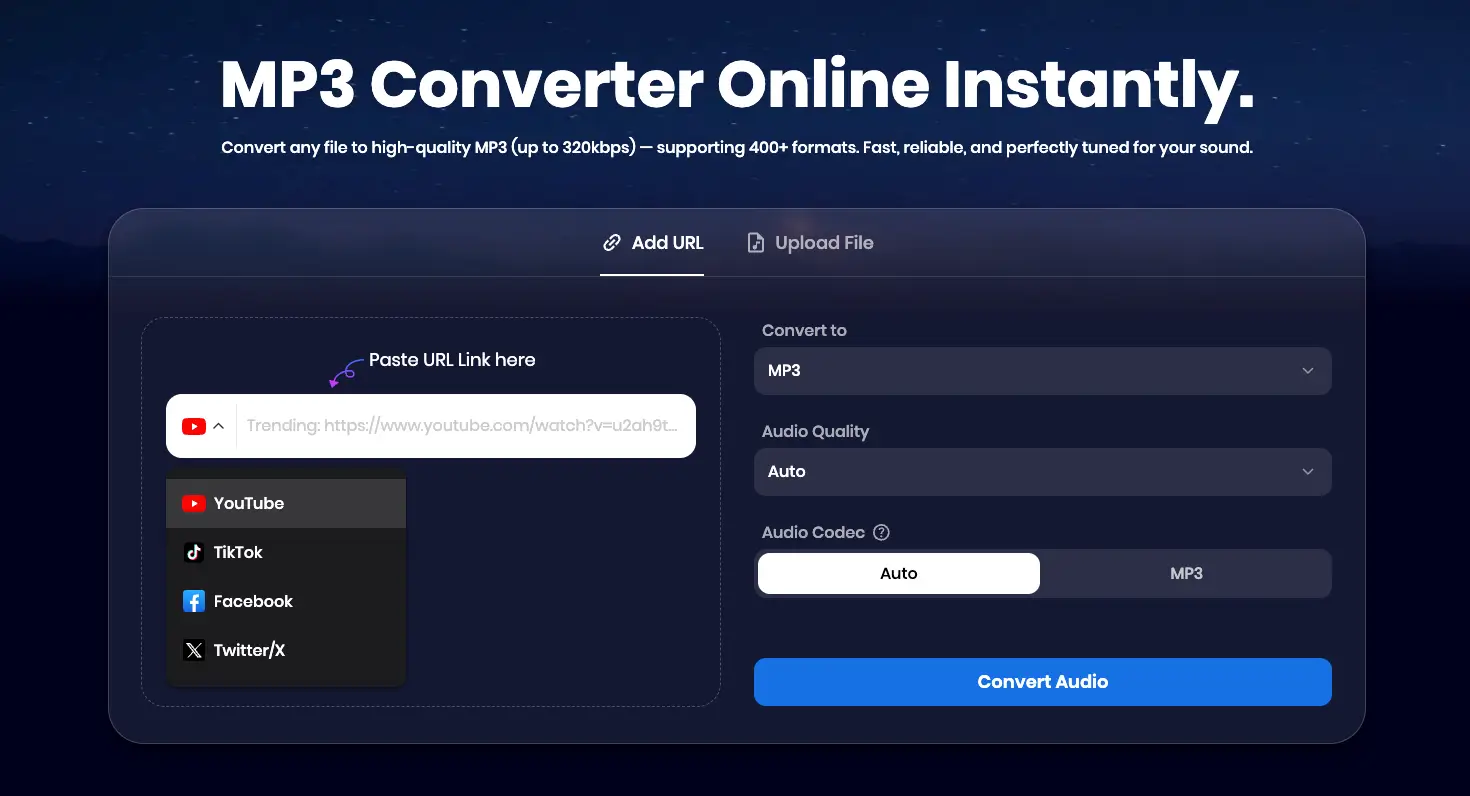
Snappixify is an all-in-one, web-based solution that works on all platforms. It’s designed to make converting video to audio fast, simple, and hassle-free.
Pros:
-
No registration required
-
No software download
-
No ads, safe and clean
-
Works directly in the browser
-
Supports multiple platforms in one place
With Snappixify, you can:
-
Convert videos from YouTube, Twitter, Facebook, Instagram, and many other websites
-
Upload your own video files and extract audio
-
Complete everything on a single page
-
Choose from a wide range of audio formats (400+), including MP3, WAV, WMA, M4A, M4B, M4R, APE, AAC, AC3, MKA, AIFF, FLAC, AU, OGG, AMR, MP2, Opus, and more
-
Take advantage of additional creator-friendly tools, such as video downloading, Spotify downloading, and video/audio conversion
How to Convert Video to Audio with Snappixify: Step-by-Step Guide
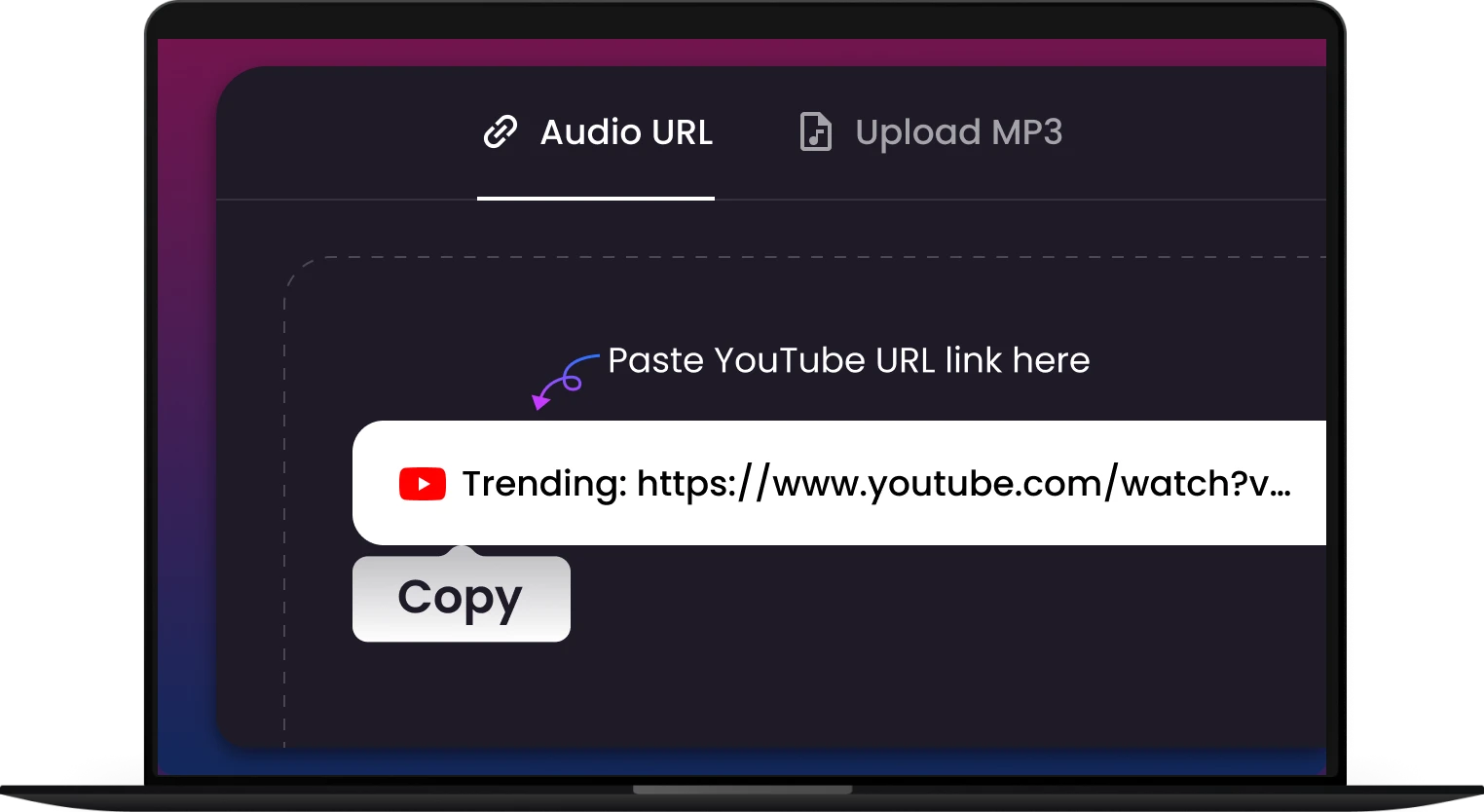
① Copy the link:
Copy the video link from any supported platform
② Paste the link:
Paste the link into Snappixify
③ Choose format and quality:
Select your preferred audio format and audio quality
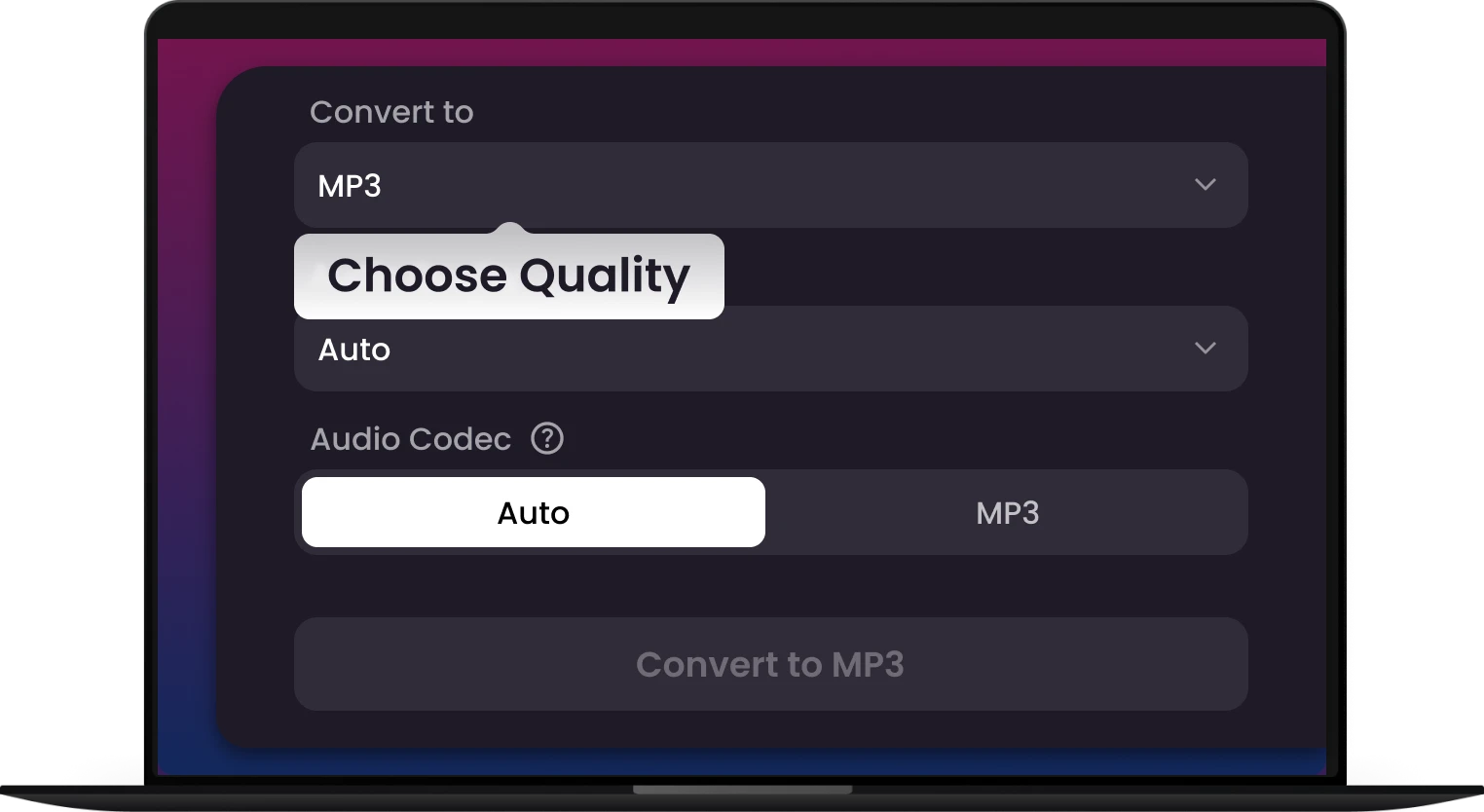
④ Convert audio:
Click Convert Audio to start the process
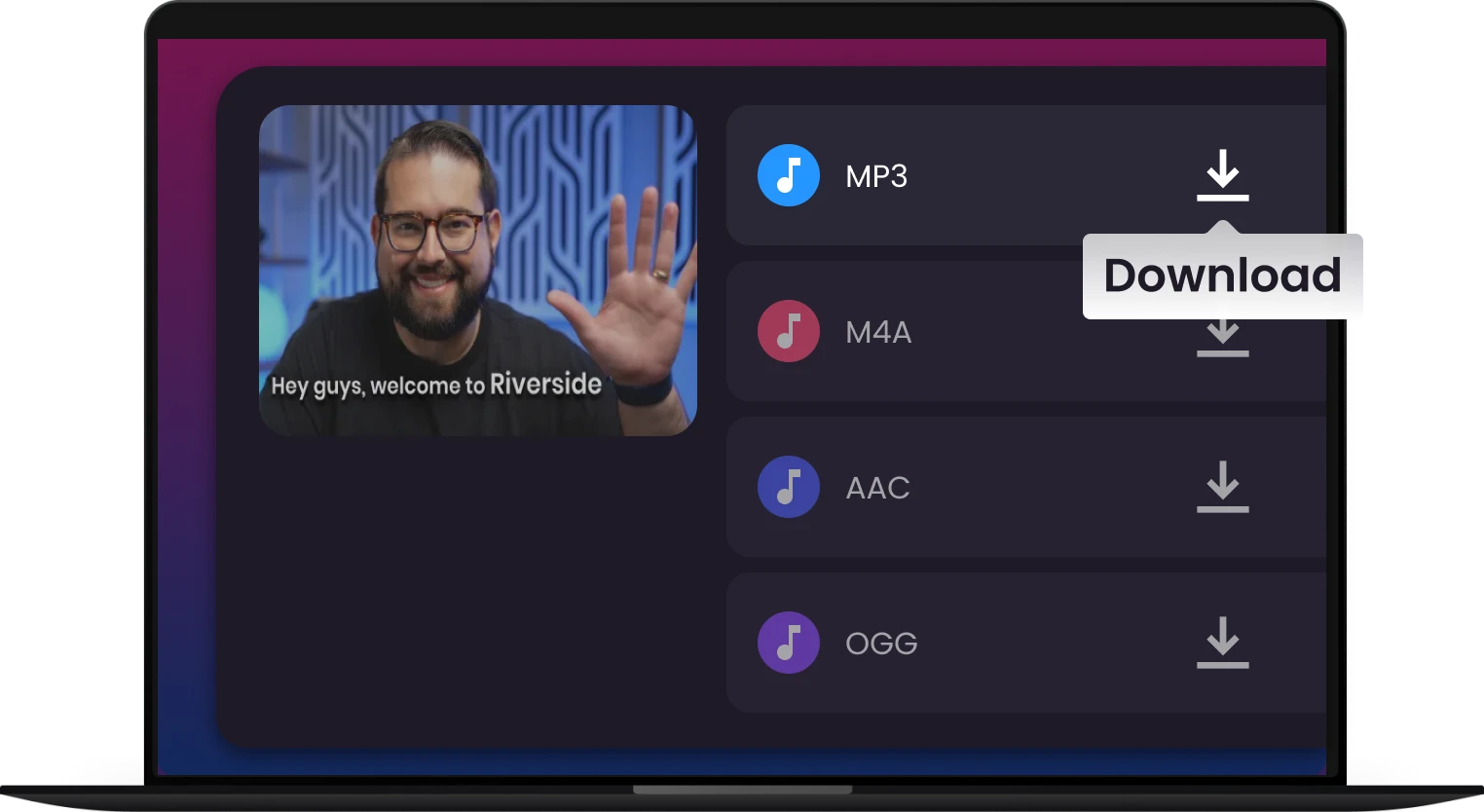
⑤ Download:
Wait briefly, then click Download to save the audio file
Understanding Audio Formats: Differences and Applications
Different audio formats have unique characteristics and are suitable for different use cases:
-
MP3: Most common format; good balance of quality and file size; compatible with nearly all devices
-
WAV / AIFF: Lossless formats with high audio quality; ideal for professional editing or archival purposes; larger file size
-
FLAC / ALAC: Lossless compressed formats; maintain CD-quality audio with smaller files than WAV/AIFF
-
M4A / AAC: Optimized for Apple devices; better quality than MP3 at similar bitrates
-
OGG / Opus: Open-source formats; efficient for streaming and low-bitrate scenarios
-
AMR: Optimized for voice recordings; small size, lower fidelity
How to choose:
-
For casual listening on phones: MP3 or AAC
-
For music production or editing: WAV, AIFF, or FLAC
-
For voice memos or podcasts: AMR or MP3
-
For streaming: OGG or Opus
Choose the Best Plan to Supercharge Your Experience
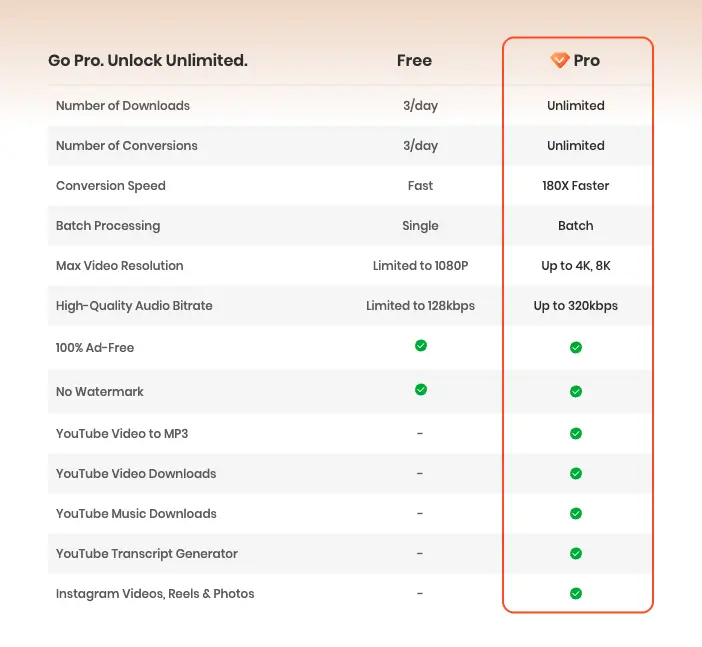
If you are looking for the fastest way to convert video to audio without any limitations, you can now try our 7-Day Pro Trial for only $1.95. This is the perfect way to experience premium performance for a very small cost.
Why Try the $1.95 Pro Trial?
-
180X Ultra-Fast Speed: Get your audio files instantly without waiting.
-
8K Video Support: Download and convert high-resolution videos from 1000+ sources.
-
Pristine Audio Quality: Extract high-quality sound up to 320kbps.
-
Risk-Free: Cancel any time before the 7-day trial ends.
Standard Pro Plans
If you need long-term access, we also offer flexible plans to suit your needs:
-
1-Month: $9.95 (Cancel any time)
-
1-Quarter: $29.95
-
1-Year: $79.95 (Best Value)
Whether you choose the $1.95 trial or a full plan, you will enjoy unlimited downloads and unlimited conversions to make your content creation or personal listening more efficient.
Conclusion
Converting video to audio unlocks flexibility for learning, entertainment, and content creation. With Snappixify, you can quickly extract, convert, and optimize audio files without installing software or worrying about ads.
FAQ: Essential Tips for Video to Audio Conversion
Q: Is it possible to extract audio from social media videos for free?
A: Yes. You can use free mp3 converter in Snappixify to extract sound from platforms like YouTube, Instagram, or Facebook. However, please ensure you have the legal rights or permission from the content creator before downloading.
Q: Can I convert multiple videos to MP3 at the same time?
A: Absolutely. While many basic tools only allow one file at a time, Snappixify supports batch processing, making it a dedicated video to mp3 converter that can handle multiple files simultaneously to save you time.
Q: Will the audio stay in sync with the original video content?
A: Most reliable video downloader online tools, like Snappixify, preserve the exact timing and sync of the original track. If you notice a delay in other tools, you may need to use professional editing software to adjust the track manually.
Q: How do I improve the sound quality after extraction?
A: When using Snappixify, you can select your preferred sound quality (up to 320kbps) directly during the conversion process. If you already have an audio file and want to enhance it, you can use the online audio converter to re-encode it into a higher quality format or bitrate for a much better listening experience.


