 Snappixify


Top 3 MKV to MP4 Video Converters in 2025
Tired of MKV files being blocked by your phone, editor, or upload platforms like TikTok? The issue is compatibility. You need a converter that guarantees blazing speed, perfect quality, and universal MP4 support, but finding the right one can be a headache, costing you time and quality.
Stop compromising on quality. This guide cuts straight to the chase. We first define the essential criteria for selection, follow up with a direct comparison of three top tools, and conclude by naming Snappixify as the ultimate, reliable choice for all your conversion needs.
Criteria for Evaluating Online MKV to MP4 Converters
When evaluating online MKV to MP4 converters, consider the following criteria:
-
Conversion Quality: Ensure the output video quality is similar to the original, without significant distortion or visual issues.
-
Conversion Speed: A good converter should complete the file conversion quickly, especially when dealing with large files.
-
File Size Limitations: Check if there are any restrictions on the file size. Ideally, the converter should allow for the upload of large video files without any issues.
-
Supported Formats: Verify whether the converter supports only MKV to MP4 or if it also supports other video formats like AVI, MOV, WEBM, etc.
-
Ease of Use: An easy-to-use converter typically features a clear interface and straightforward process, allowing users to convert videos easily.
-
Security: Ensure the converter is secure, protecting your personal information and uploaded video content. Many converters delete files after conversion, increasing security.
-
Ads and Pop-ups: Evaluate whether the converter is cluttered with excessive ads or pop-ups, which can negatively affect the user experience.
-
Additional Features: Features like batch conversion, video trimming, or resolution adjustment can make the converter more versatile and useful.
-
Customer Support: Consider whether the converter offers prompt customer support or helpful documentation in case you encounter issues.
These criteria can help assess the overall performance and suitability of an online MKV to MP4 converter.
Top 3 MKV to MP4 Converters in 2025
1. Snappixify
Platform:
Online Converter
Features:
-
High-Quality Conversions
Convert to 8K, 4K, HD 1080P, and 3D formats with lossless and seamless output. Full codec support for AV1, VP9, VP8, H.264, and H.265 ensures universal compatibility across devices. -
Universal Format Compatibility
Supports over 500 formats, including MP4, MP3, MOV, AVI, MKV, WEBM, and more. Compatible with devices like iPhone, Mac, Windows, Android, PC, and PS5. -
Fast Video Conversion
Achieve up to 180X faster conversion speeds with GPU acceleration using NVIDIA, AMD, Intel, or Apple M5 GPUs, ensuring fast processing without compromising quality. -
All-in-One Video Converter
Convert and share videos from platforms like YouTube, TikTok, Instagram, and Facebook. Edit, trim, and repurpose videos for social media and marketing needs. -
Batch Conversion
Convert multiple videos at once with customizable parameters. GPU-powered batch processing allows for quick, high-resolution video conversions.
Limitation:
-
Dependence on GPU: Speed and performance may be impacted on lower-end hardware without GPU acceleration.
-
Learning Curve for Advanced Features: Some advanced tools and settings may require a bit of a learning curve for first-time users.
Pricing:
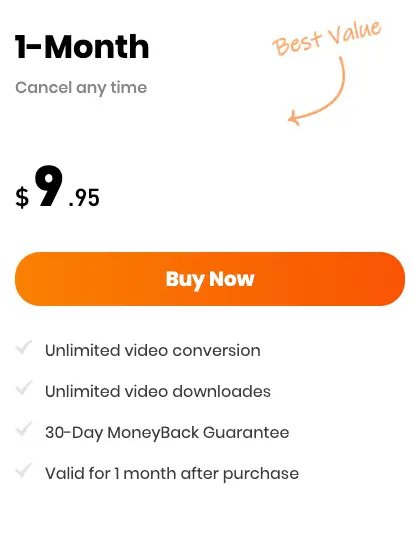
Our pricing is $9.95 per month, and with this subscription, you'll get high-definition videos with no watermark, even during the free trial period.
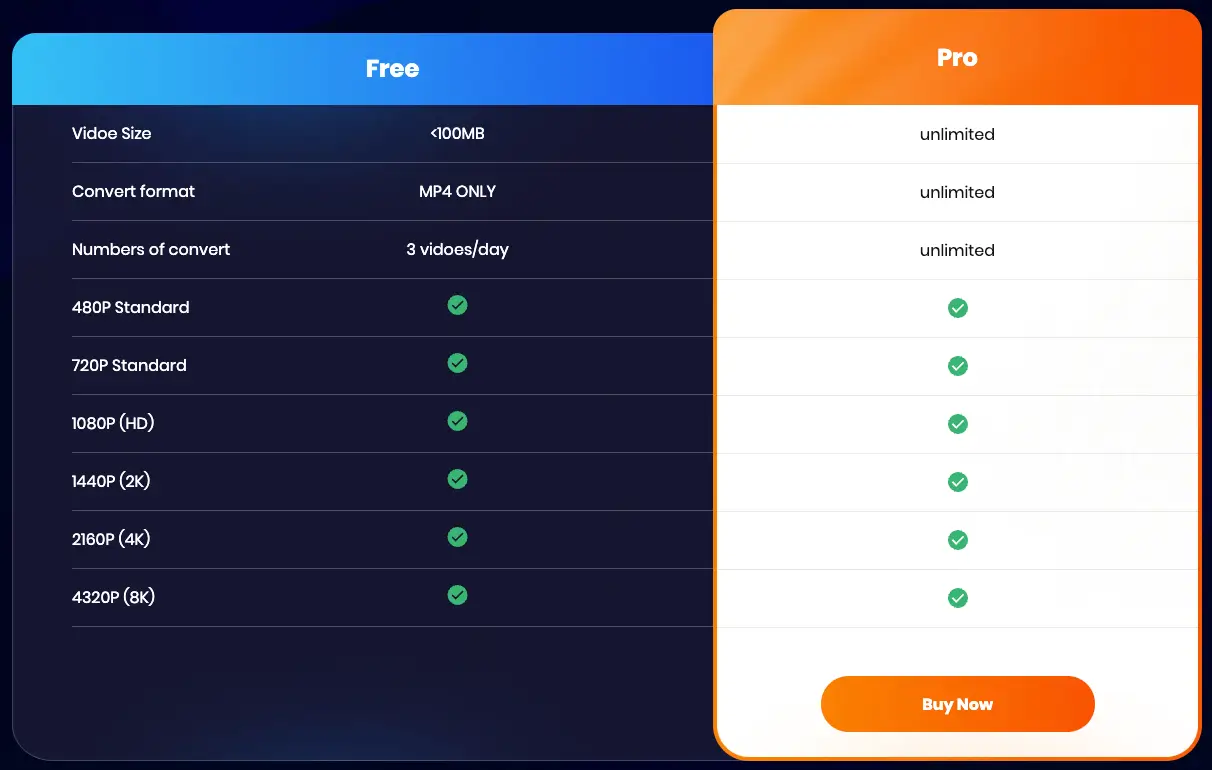
Here’s a quick comparison between our free and paid versions to help you choose the best option for your needs.
2. Movavi
Platform:
Desktop
Features:
-
High-speed conversion of video, audio, and image files
-
180+ formats: MP4, MOV, AVI, DVD, VOB, MKV, MP3, and more
-
Basic video editing: trim, crop, rotate, adjust colors and sound
-
Batch processing, lossless compression, and AI video upscaling
Pros:
-
Available for both Windows and Mac users
-
Fast conversions with no limits
-
Wide range of optimization features
-
One of the easiest apps
Cons:
-
It does not have an online video download feature
Pricing:
-
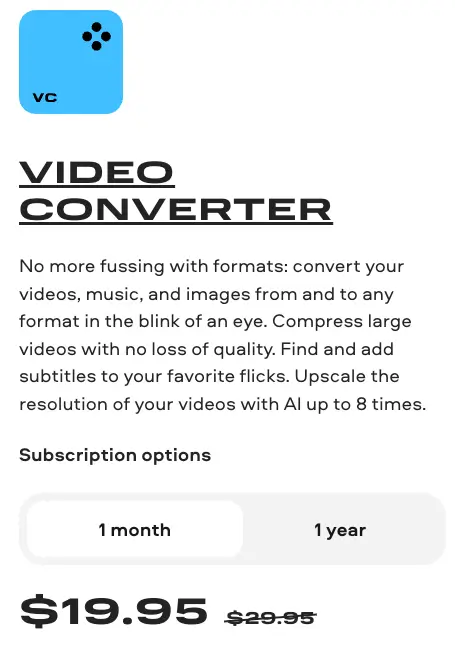
7-day trial period
-
A "Trial" watermark is added to output videos
Other restrictions
-
When converting audio files, only half the file length is converted
-
When working in the SuperSpeed mode, only half the video file length is converted
3. kapwing
Platform:
Online Converter
Features:
● Start creating immediately with thousands of templates and copyright-free videos, images, music, and GIFs
● Repurpose content from the internet by pasting links
● AI-powered subtitling and translation for videos in seconds
● Cloud-based platform: access your projects from any device, anywhere
● Supports video, audio, and image conversion in multiple formats (MP4, MOV, AVI, MP3, GIF, etc.)
Pros:
● No installation required, works directly in the browser
● Easy-to-use interface suitable for beginners
● Supports team collaboration and cloud-based workflow
● Fast conversion for most standard file sizes
Cons:
● Free plan adds a watermark to exported videos
● Limited file size for free users
Pricing:
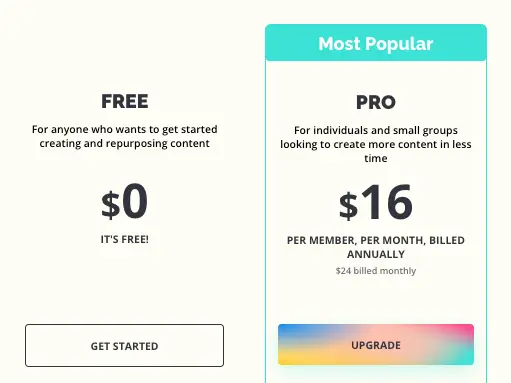
● Free plan with watermark and basic features
● Pro plan: $16/month (removes watermark, unlocks full features)
Other restrictions:
● Maximum file size depends on your subscription plan
● Certain export formats or resolutions may require Pro
Comparison of MKV to MP4 Converters
To help you compare the features, pricing, and overall performance of different video conversion tools, here’s a side-by-side comparison of Kapwing, Movavi, and Snappixify. This table highlights the key attributes such as ease of use, speed, and pricing for each tool, enabling you to make an informed decision based on your specific needs.
|
Feature |
Kapwing |
Movavi |
|
|
Type |
Online |
Desktop Software |
Online |
|
Ease of Use |
No installation required |
Installation required |
No installation required |
|
Speed |
Depends on network speed and server load |
Known for fast speeds |
GPU and cloud support available |
|
Pricing |
Free version (watermarked) / Paid subscription (no watermark, more features) |
Paid, with a limited free trial |
Free daily quota with no watermark |
|
Price (Monthly) |
$16 |
$19.95 |
$9.95 |
Bonus: Covert to More Formats with Snappixify
Snappixify is not only capable of optimizing your videos to meet platform requirements (for example, the TikTok video requirements), but it is also a powerful all-in-one video format converter!
We support easily converting your video files (such as MOV, AVI, WMV, FLV, MKV, and more) into the universal MP4 format, ensuring your content can be played without barriers on any device and platform.
Conclusion
Selecting the right MKV to MP4 converter requires a comprehensive consideration of conversion speed, output quality, ease of use, and additional features.
Through the comparative review of three mainstream tools, we found that each has its strengths, capable of meeting the specific needs of different users. However, if you are looking for the best balance of performance, stability, and feature richness, we strongly recommend choosing Snappixify. With its outstanding conversion efficiency and lossless quality, it is undoubtedly your reliable choice for handling video format conversion tasks.
FAQs
What is the best MKV to MP4 converter?
The best MKV to MP4 converter is Snappixify. It’s an online, browser-based tool that allows you to convert MKV files to MP4 quickly, without installing any software. Snappixify stands out because it preserves high video quality, supports batch conversion, and works across all devices thanks to its cloud-based platform.
Should I convert MKV to MP4?
Yes, converting MKV to MP4 is generally recommended because MP4 offers far greater compatibility across devices, media players, and social platforms, whereas MKV may not play smoothly everywhere.
Can I convert MKV to MP4 for free?
Yes, you can easily convert MKV to MP4 for free using online tools like Snappixify. It allows you to upload your MKV files and convert them to MP4 without installing any software or paying for a subscription. Snappixify also preserves video quality, supports batch conversion, and works directly in your browser, making the process fast, convenient, and accessible from any device.
Is MKV better quality than MP4?
MKV is not necessarily higher quality than MP4; each has its own use case, depending on what you want to achieve. MKV is usually suitable for situations that require multiple audio tracks, subtitles, or lossless video storage, while MP4 is better for wide compatibility, streaming, and everyday viewing.


