 Snappixify


The pursuit of high-fidelity audio often begins with securing files in pristine, uncompressed formats like WAV or FLAC. These files embody the true quality of the original recording. However, owning these high-quality archives is only half the battle. You may have the best-sounding music, but the large file size and limited player recognition quickly turn this asset into a logistical headache.
This is why mastering the art of wav to mp3 conversion is essential. The core principle of our digital music strategy is simple: strategically performing the wav to mp3 conversion is the most effective way to exchange minimal quality loss for maximum format compatibility and portability. This skill is a fundamental requirement for efficiently managing your modern digital music library.
Why Do We Need to Convert WAV Audio File to MP3?
WAV stands for Waveform Audio File Format. It is the champion of quality because it stores audio data uncompressed. But this fidelity comes at a steep cost, forcing us to search for the right wav to mp3 converter.
The Immense Pressure of Storage Space
WAV files, being uncompressed, are massive. A single three-minute WAV track can easily exceed 30 MB. In contrast, a high-quality MP3 of the same duration weighs only about 7-8 MB.
To put this into perspective: 100 WAV audio files could easily consume over 3 GB of storage space. By contrast, converting these wav files to mp3 at a high bitrate would cut that storage requirement by nearly 75%. For users who manage large music archives, this is a critical consideration for hard drive and cloud storage efficiency.
The Device Compatibility Gap
Despite its ubiquity, the WAV format is not universally supported. Many older devices, car stereos, and some mobile operating systems or streaming services do not seamlessly recognize the format. To ensure your music plays reliably everywhere—from an old portable player to a simple website embed—you need the universally accepted format. The MP3 format is the undeniable universal standard, ensuring that once you convert wav audio to mp3, your music enjoys true Format Freedom.
Efficiency in Online Distribution
If your goal is to share audio or upload it to a web platform, bandwidth is a concern. Smaller MP3 files transmit much faster, saving both your time and hosting costs. This efficiency makes MP3 the ideal output format for virtually all online distribution needs.
Core Conversion Techniques: Maximizing Quality Retention
The goal when you convert wav to mp3 is not just to shrink the file; it is to shrink it smartly. Since MP3 is a lossy format, we must manage the loss to make it imperceptible to the human ear.
Mastering the Bit Rate
The Bit Rate, measured in kilobits per second (kbps), is the most crucial factor. It determines how much data is retained during the compression process.
-
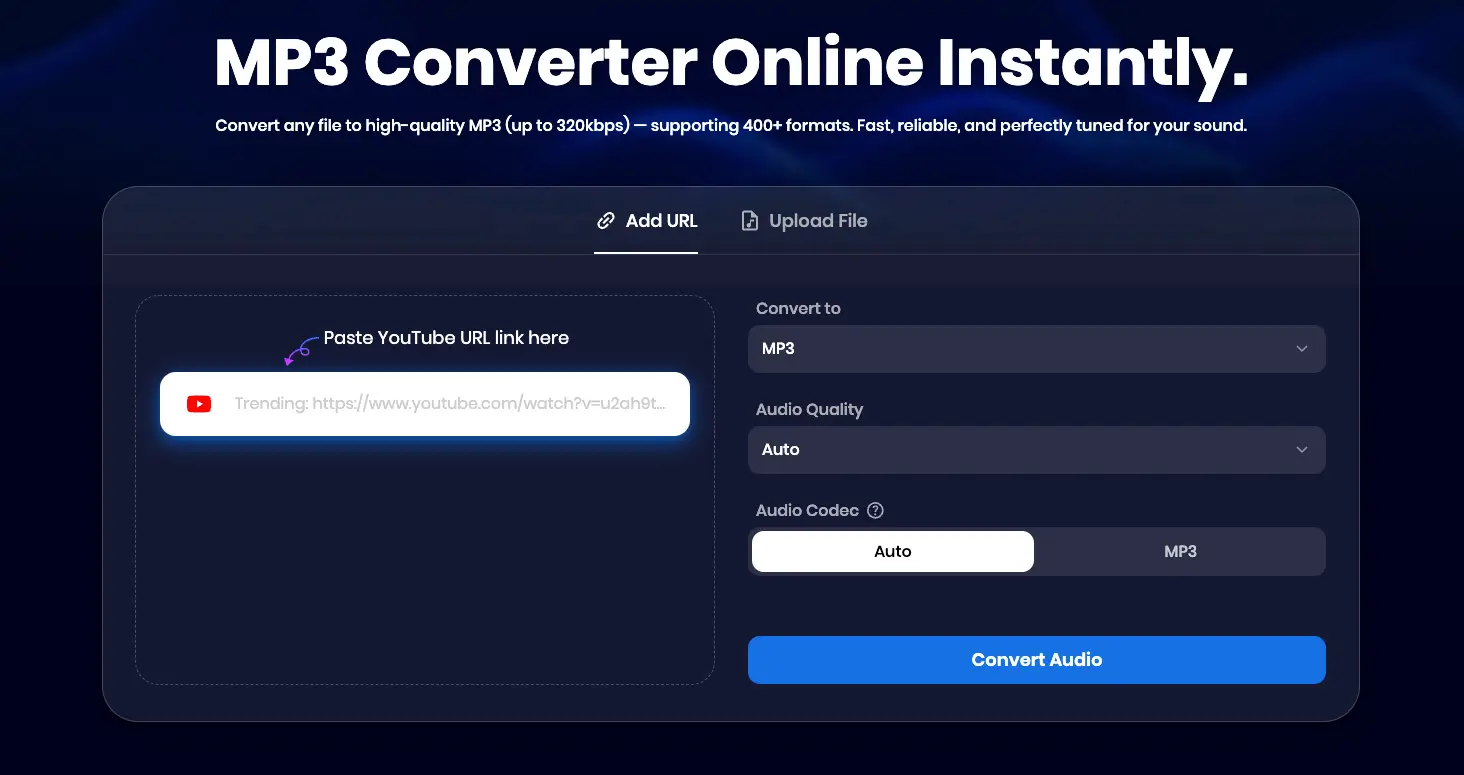
The 320 kbps Gold Standard: For high-fidelity music content, you must insist on a conversion setting of 320 kbps. This is the highest possible standard for the MP3 format. Choosing lower bitrates (e.g., 128 kbps) may result in noticeable quality degradation, losing transient details and affecting the depth of the bass. Setting your wav to mp3 converter to 320 kbps ensures maximum quality retention.
Choosing Your Audio Codec
A good wav to mp3 converter allows you to choose between two main encoding options:
-
MP3 (MPEG-1 Audio Layer III): This is the universal standard and the intended output format. Choosing MP3 ensures maximum compatibility across all devices, from older car players to modern smartphones.
-
Auto (Automatic Selection): When chosen, the converter intelligently selects the best codec based on the target settings (e.g., if you set the quality to 320 kbps, it chooses the most efficient and robust MP3 encoder to achieve that rate). This is often the most convenient choice, as it guarantees a reliable result without requiring technical knowledge, making it a powerful feature of any wav to mp3 converter.
Snappixify: The Best Practice for WAV to MP3 Conversion
Choosing the right tool is paramount to ensuring your valuable high-quality files are converted securely and efficiently.
Professional Tool Selection Standards
When selecting a tool to turn wav to mp3, a professional solution must offer:
-
Speed and Batch Processing: The ability to handle large batches of wav files to mp3 converter jobs quickly and reliably.
-
Security: A clean, ad-free interface that guarantees your data integrity and privacy.
-
Metadata Retention: Automatic preservation of essential ID3 tags (artist, title, album art) to keep your music library perfectly organized.
How to Use Snappixify to Convert WAV Audio to MP3
Snappixify is designed for a seamless, high-quality conversion experience. The process to convert wav audio to mp3 is straightforward:
-
Step 1: Set Output Parameters and Quality.
-
Navigate to the output settings interface.
-
Select the format as MP3.
-
Crucially, choose the desired Audio Quality (we recommend the highest setting, 320 kbps).
-
-
Step 2: Upload Your WAV File.
-
Click the "Open" or "Upload" button.
-
Select your local WAV file (or multiple files for batch processing).
-
-
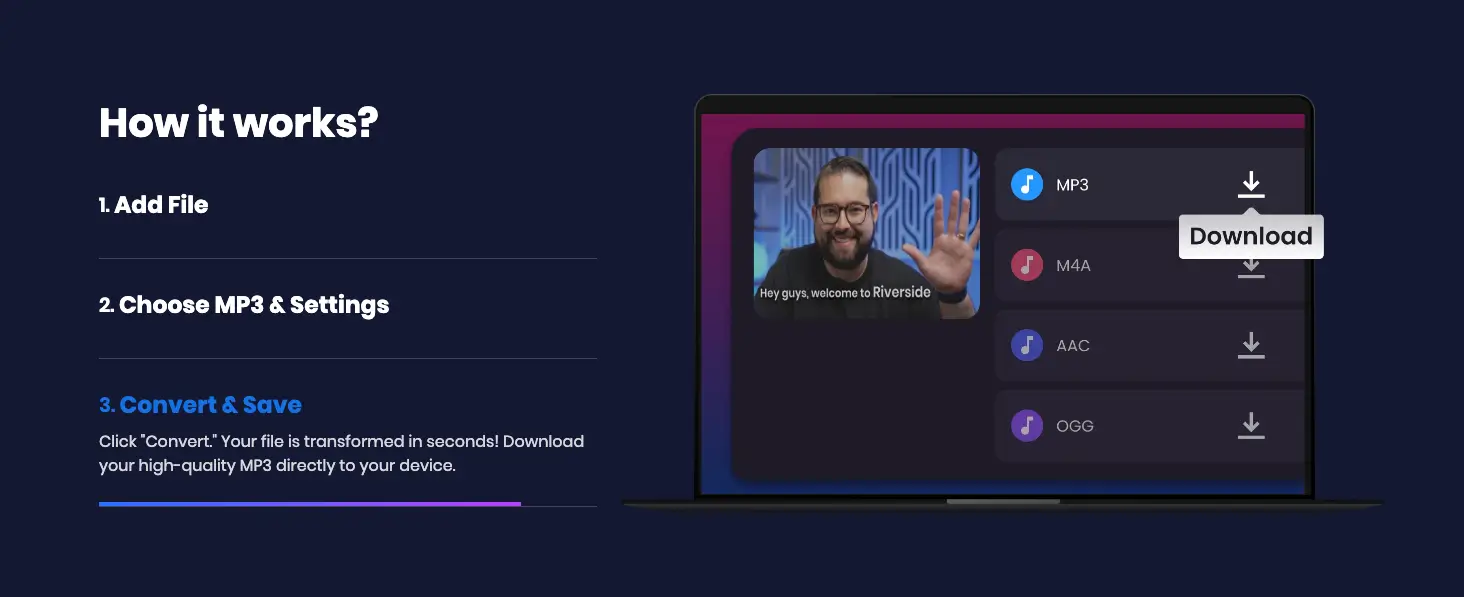
Step 3: Convert and Download.
-
The tool will parse and begin processing the file. Once ready, click the final "Convert" button.
-
After conversion is complete, click "Download" to save your newly compressed, high-quality MP3 file to your device.
-
Summary: Essential Skill for Efficient Library Management
Converting from .wav to mp3 is not just a technical process; it's a strategic necessity for any serious digital music enthusiast. By employing the highest bitrates and using a reliable, secure wav to mp3 converter like Snappixify, you successfully bridge the gap between uncompromising quality and universal portability, finally achieving full command of your digital music library.
FAQs About WAV to MP3
Does converting a WAV file to MP3 lose quality?
Yes, MP3 is a lossy format, meaning some data is permanently removed during compression. However, by using the 320 kbps Gold Standard, the quality loss is minimized to a level generally imperceptible to the human ear.
How much smaller is an MP3 file compared to the original WAV file?
A high-quality MP3 (320 kbps) is typically 75% smaller than the same WAV file. For example, a 30 MB WAV file becomes roughly 7-8 MB as an MP3.
Does Snappixify retain the song information (ID3 tags) during conversion?
Yes, a key feature of a professional tool is Metadata Retention. Snappixify is expected to automatically preserve essential ID3 tags (artist, title, album art) to keep your music library perfectly organized.
Should I choose 'MP3' or 'Auto' for the Audio Codec?
If your priority is universal compatibility across all devices, select MP3. If you want the converter to intelligently select the most robust encoder for your desired 320 kbps quality, select Auto for maximum convenience.


