 Snappixify


There are countless platforms out there to convert URLs to MP3, but many people find it overwhelming to choose the right one. This blog is here to show you the most useful and safe ways to get the job done easily. Converting links to MP3 is an incredibly helpful way to save your favorite sounds, and once you’ve downloaded your files, you can truly start your offline listening journey without limits.
Why You Need a Reliable URL to MP3 Converter
The Power of Personal Audio Ownership
If you’ve ever tried to save audio from the web, you know how frustrating it can be. Here is why a reliable converter is a game-changer for you:
-
Permanent Access: Don’t let your favorite tracks vanish. By downloading them as MP3s, you ensure they stay in your library forever, even if the original video or account is deleted.
-
Audio-Only Efficiency: If you only care about the sound—like a podcast, lecture, or a catchy beat—converting to MP3 is much smarter than managing bulky video files.
-
The "Zero-Signal" Solution: Whether you are in a crowded subway or 30,000 feet in the air, your music stays with you. No buffering, no data costs, and no need for Wi-Fi.
Why a "Universal Converter" is Your Best Choice
Compared to niche tools or limited plugins, a universal converter offers superior flexibility:
-
One Tool for Every Platform: You don’t need a dozen different apps. A universal converter works across 1,000+ sites like YouTube, Instagram, and TikTok with just one simple link.
-
Absolute Playback Freedom: Unlike the "Offline Mode" in streaming apps that forces you to check in every 30 days, a real MP3 file is yours forever. You can play it on any device—from your car stereo to a vintage MP3 player—without any restrictions.
-
Maximized Device Performance: By extracting only the audio, you save over 90% of your storage space. This keeps your phone lean, fast, and ready for more content.
Online Converters: The Best Choice for Casual Users
Online tools are the go-to for most users because they require zero installation—just copy, paste, and download. However, not all converters are created equal. To help you make the best choice, we recommend the following two tools based on their performance and features.
Top Recommendation: Snappixify (The All-in-One Powerhouse)
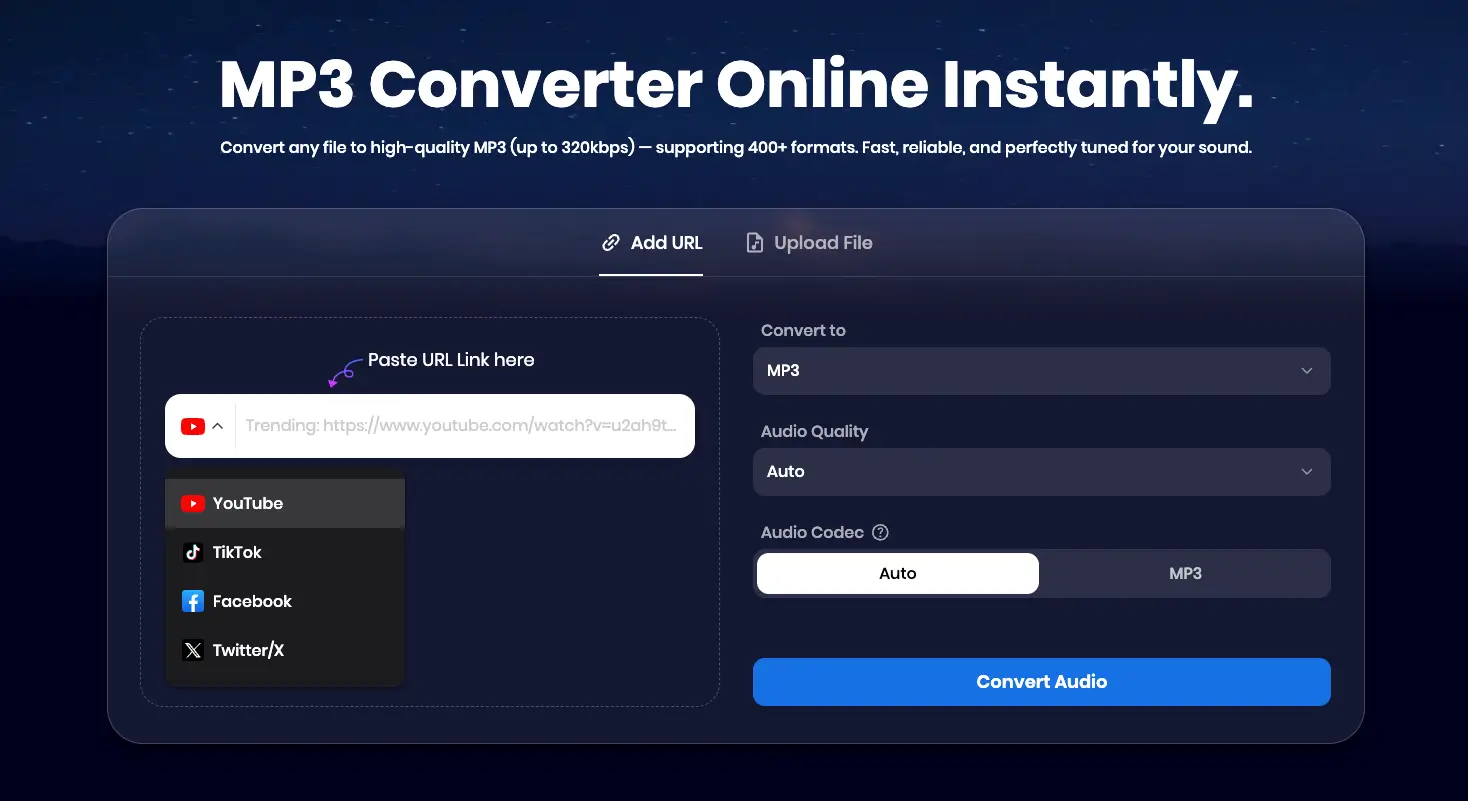
Snappixify stands out as our premier recommendation. It isn't just a simple converter; it’s a professional-grade integrated media hub that handles everything from audio extraction to video transcription.
-
Massive Format & Site Support:
-
400+ Audio Formats: From standard MP3 and WAV to professional formats like FLAC, AIFF, and the modern Opus codec.
-
500+ Video Formats: Supports MP4, MOV, MKV, ProRes, and even niche formats like WEBM or MTS.
-
1000+ Websites: Beyond YouTube, you can seamlessly save content from TikTok, SoundCloud, Instagram, Bilibili, Twitch, and more.
-
-
Key Advantages:
-
Pure Ad-Free Experience: While most converters are cluttered with dangerous pop-ups, Snappixify provides a clean, minimalist interface.
-
Professional Audio Control: You can select your Audio Quality (up to 320kbps) and even choose your Audio Codec (Auto or MP3).
-
Cross-Device Compatibility: No installation or system limits. It works perfectly on Chrome, Safari, and all major browsers across PC, Mac, and mobile.
-
How to Use Snappixify (Step-by-Step)
-
Copy the URL of the video or audio you want to convert.
-
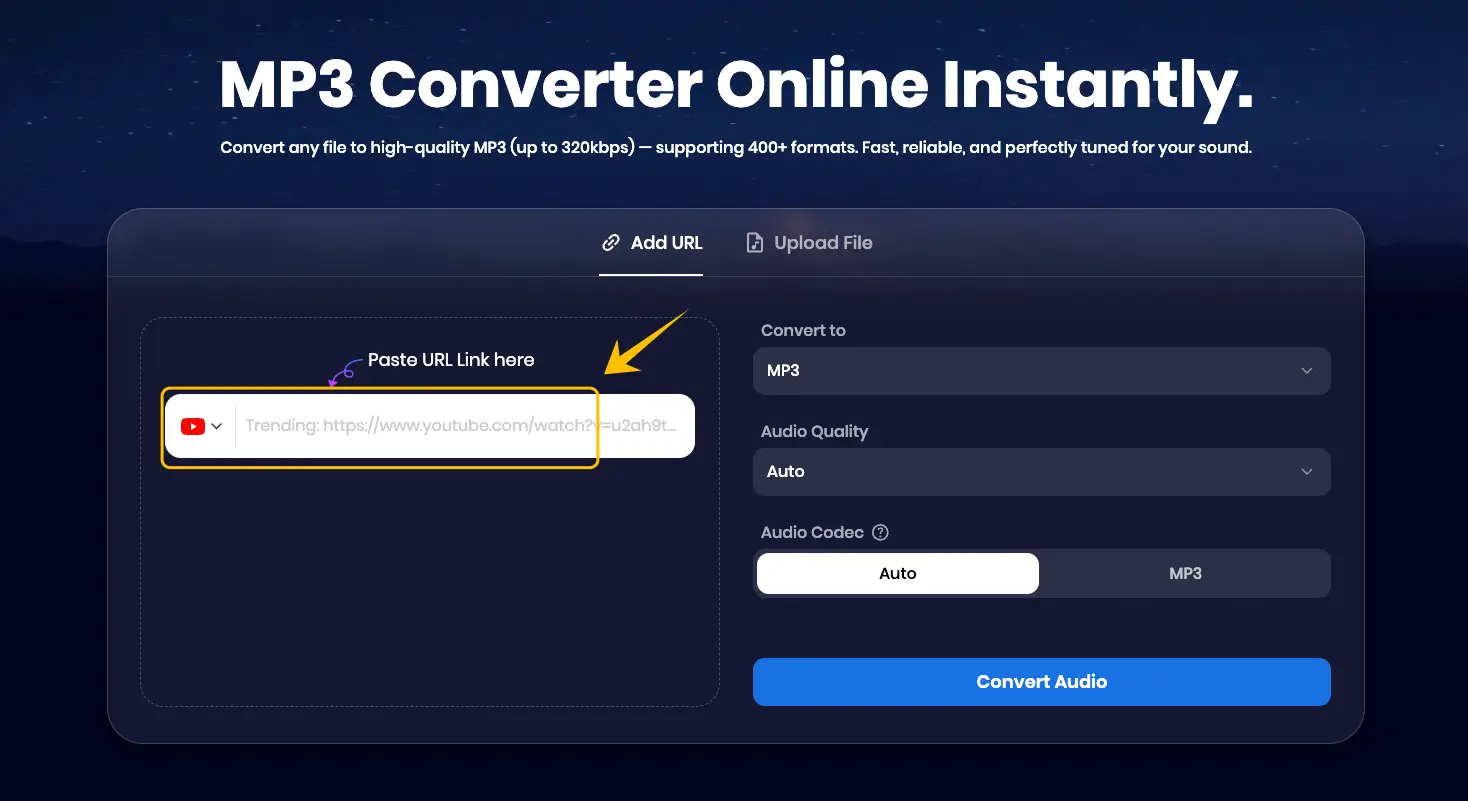
Visit Snappixify.com and paste the link into the search bar.
-
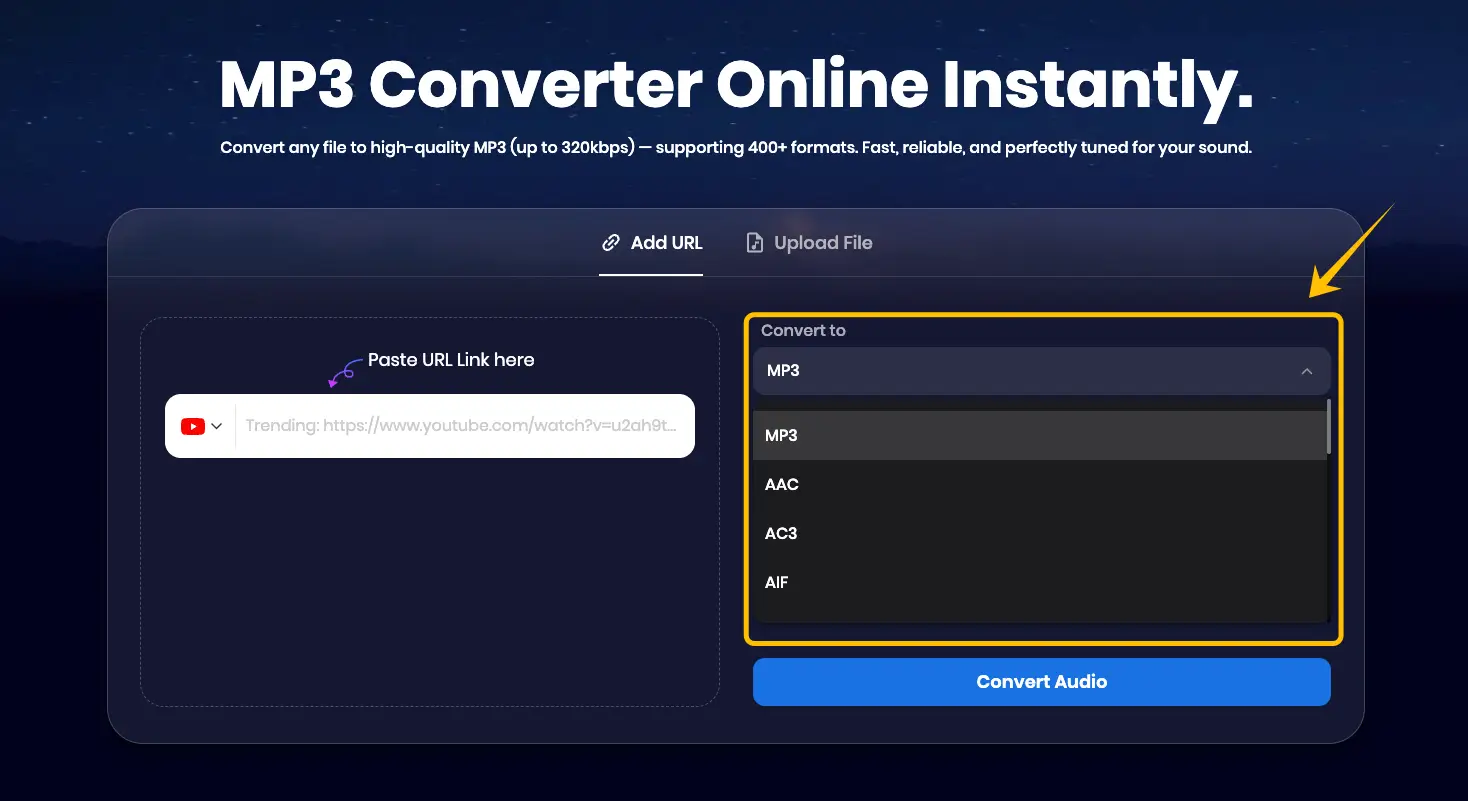
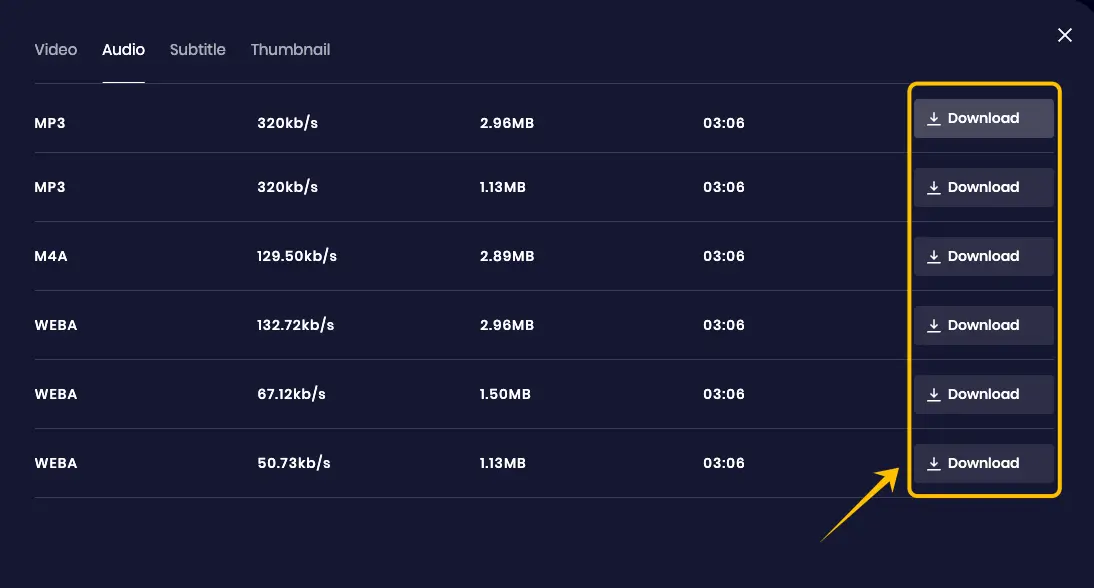
Choose your format: While MP3 is the most popular choice for universal compatibility, you can also select from a wide range of other formats like WAV, FLAC, or M4A depending on your needs.
-
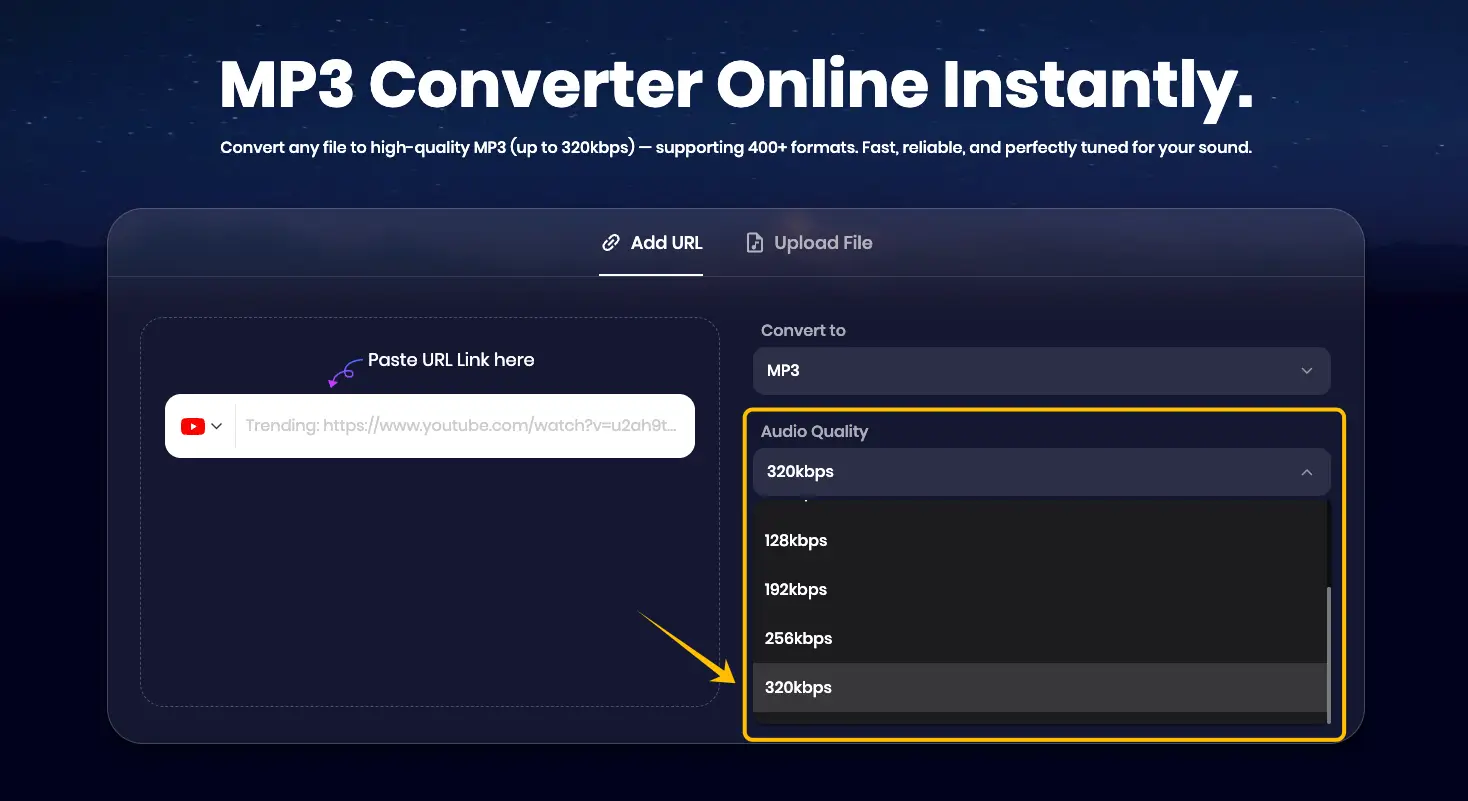
Select Audio Quality: For the best listening experience, we highly recommend choosing the highest quality (320kbps) to ensure crystal-clear sound.
-
Click Convert Audio, then hit Download to save your file.
AmoyShare
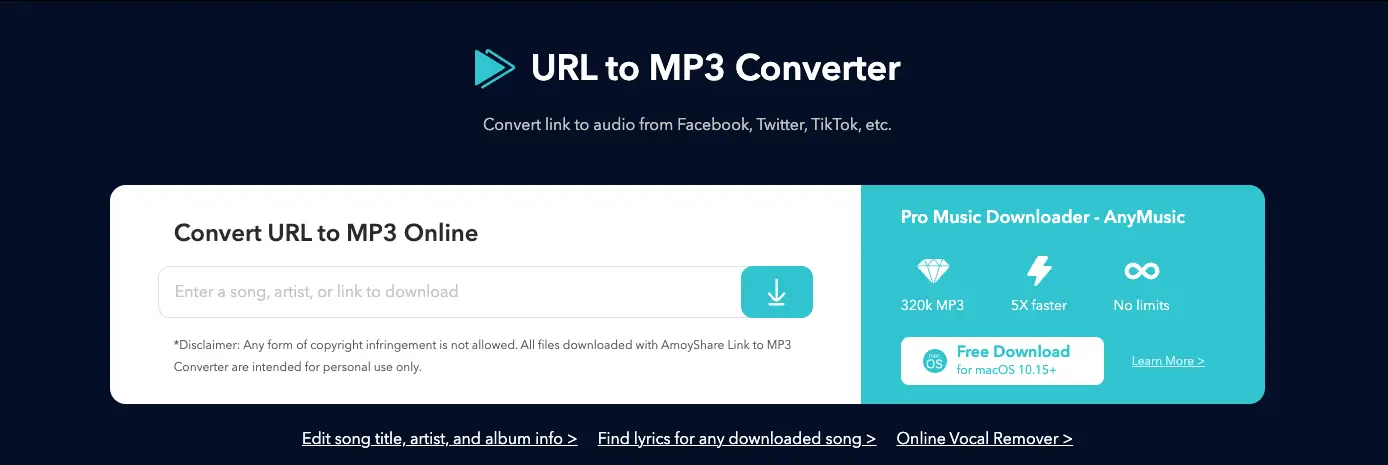
AmoyShare is a comprehensive multimedia platform that offers a variety of AI-powered tools, including an AI Watermark Remover, Background Eraser, and a dedicated URL to MP3 converter.
-
Pros:
-
Extensive Website Support: It claims to support downloads from over 1,000 different websites, making it a versatile option for various social media platforms.
-
No Registration Required: You can use its basic downloading features immediately without the need to create an account or provide personal information.
-
Multi-Functional Ecosystem: Beyond conversion, the site provides access to other helpful tools like an ID3 Tag Editor for organizing your music library.
-
-
Cons:
-
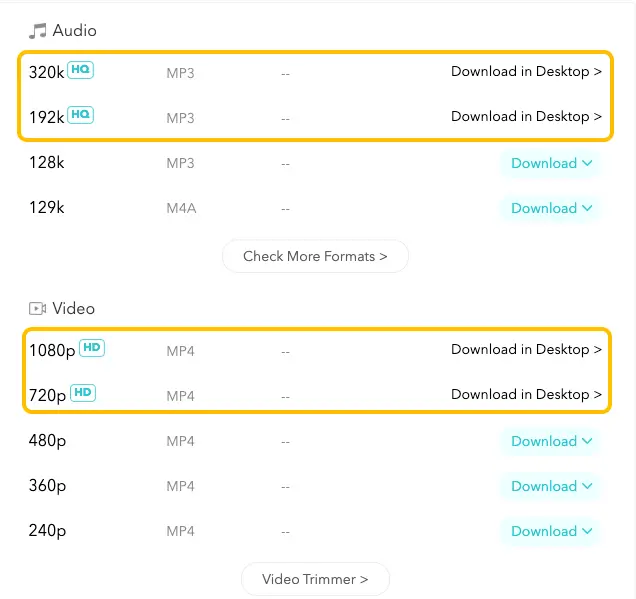
Quality Restrictions: While the site lists high-quality options, you cannot download 320kbps or 192kbpsaudio directly in your browser. These professional bitrates are locked, requiring you to install their desktop "Pro" software to access them.
-
-
Ad Disruptions: Clicking the download button often triggers pop-up ads or redirects to third-party pages, which can interrupt the user experience.
-
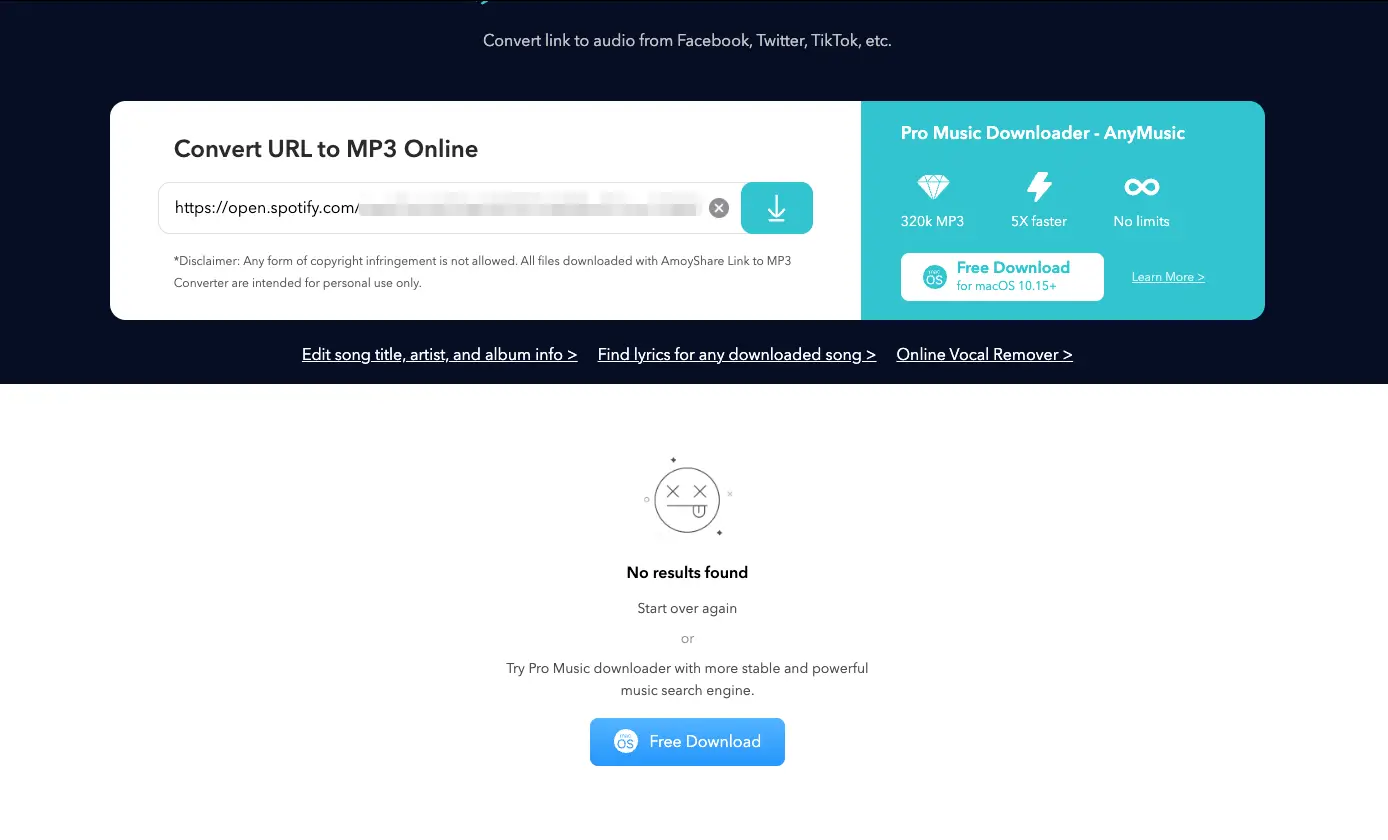
Inconsistent Platform Support: Although the site mentions support for many platforms, certain services—like Spotify—often fail to parse or download correctly in the online version.
-
Cluttered Interface: The conversion page is heavily populated with prompts and buttons urging users to install software, which may feel overwhelming if you are looking for a clean, web-only tool.
-
Which Audio Format Should You Choose?
When you use a converter like Snappixify, you’ll often see a long list of formats. Choosing the right one depends on whether you value high-fidelity sound or saving storage space. Audio files generally fall into three categories: Lossy, Lossless, and Uncompressed.
Common Lossy Formats (Small Files, Great for Daily Use)
Lossy formats discard some "unheard" audio data to keep file sizes small. They are the standard for streaming and mobile devices.
-
MP3: The king of compatibility. It’s perfect for podcasts and general listening because almost every device on Earth can play it. For the best experience, always choose 320kbps.
-
AAC (M4A): The successor to MP3. At the same bitrate, AAC sounds noticeably better and more detailed. It’s the standard for YouTube, Apple Music, and modern streaming.
-
OGG Vorbis: An open-source alternative used primarily by Spotify. It is highly efficient but has limited support on older mobile devices.
-
Opus: The new gold standard for the web. It provides incredibly low latency and high quality even at very low bitrates. It’s the format used by Discord and WhatsApp for voice calls.
Common Lossless Formats (Original Quality, Large Files)
Lossless formats use clever math to shrink file sizes without losing a single bit of audio data. When you play them, they are identical to the original studio recording.
-
FLAC (Free Lossless Audio Codec): The favorite of audiophiles. It reduces file size by about 50% compared to a CD, but maintains 100% of the quality.
-
ALAC (Apple Lossless): Apple’s version of FLAC. If you use an iPhone or a Mac and want lossless quality, this is your best bet for the Apple ecosystem.
Uncompressed Formats (Studio Quality, Massive Files)
These files contain raw, uncompressed data. They take up the most space but are the "Master" files used in professional production.
-
WAV: The standard for Windows and professional music production. It’s huge, but it captures every nuance perfectly.
-
AIFF: Apple’s version of a WAV file. It’s uncompressed and sounds identical to WAV, but it has better support for metadata (like album art and artist names).
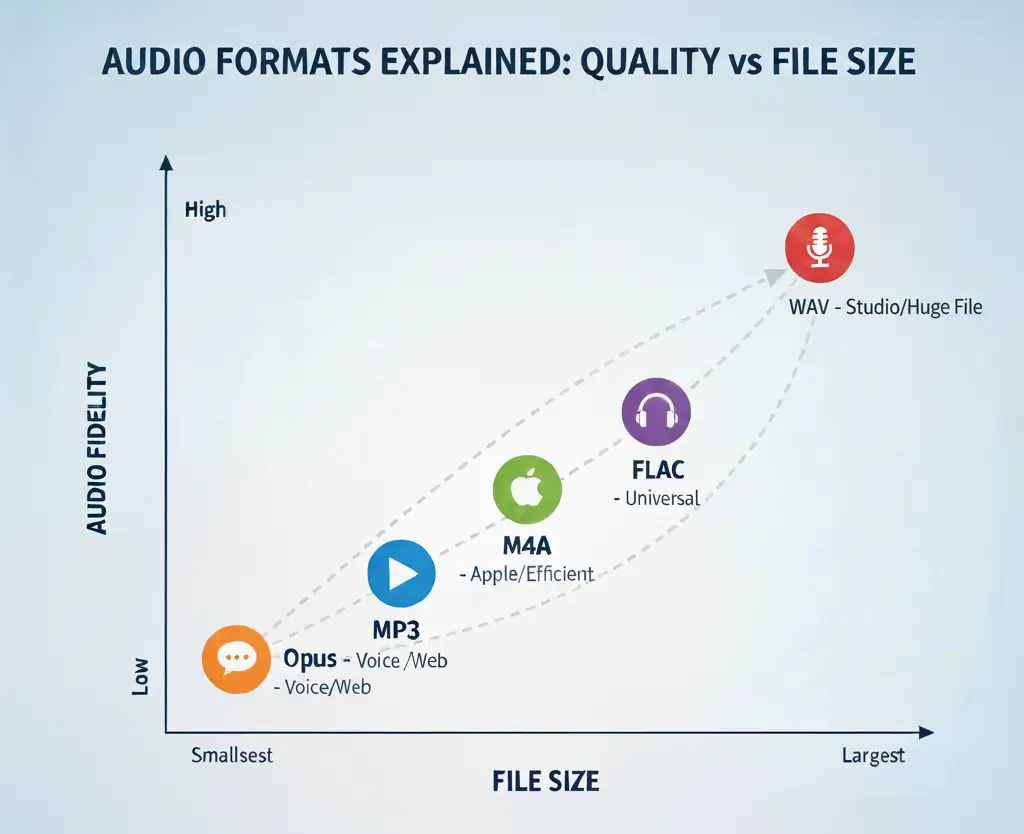
Quick Selection Guide
|
Your Goal |
Format |
Why? |
|
I want it to play on ANY device |
MP3 |
It’s the most compatible format ever made. |
|
I want the best sound for my iPhone/Mac |
M4A (AAC) |
Higher efficiency and better quality for Apple users. |
|
I want the absolute highest quality |
WAV or FLAC |
Zero quality loss, identical to the original source. |
|
I want to save as much space as possible |
Opus |
Great sound quality even with very small file sizes. |
The Pro Method: How to Get yt-dlp
If you want the most powerful tool without the fluff, yt-dlp is the industry standard. It’s a tiny, command-line program that can download almost anything. Here is the quickest way to get it running on your system.
Quick Install (The Easiest Way)
You don’t need to browse through complex websites. Just open your terminal (Command Prompt or PowerShell) and type the following:
For Windows, install yt-dlp by running the command "winget install yt-dlp".
On a Mac, if you're using Homebrew, use the command "brew install yt-dlp".
For Linux, install it via "pip install yt-dlp".
Essential Companion: FFmpeg
To convert videos into high-quality 320kbps MP3s, yt-dlp needs a "helper" called FFmpeg.
-
Windows users: Running
winget install yt-dlpusually installs FFmpeg automatically. -
Verify: Type
yt-dlp --versionin your terminal. If you see a date (e.g.,2025.11.12), you are ready to go!
One-Click Automation
To make it as easy as a website, pairing it with the External Application Launcher browser extension is key. Once configured, you can simply click a button in your browser, and yt-dlp will handle the rest in the background—no manual copying and pasting required.
How to Choose the Right Tool for You?
|
Feature |
Snappixify (Online) |
yt-dlp (Hardcore) |
AmoyShare (Online) |
|
Ease of Use |
⭐⭐⭐⭐⭐ |
⭐ |
⭐⭐⭐ |
|
Download Speed |
Fast |
Instant |
Moderate |
|
Ads & Pop-ups |
None |
None |
Frequent |
|
Max Quality |
True 320kbps |
Customizable |
Limited on Web |
|
No Software Needed |
✅ Yes |
❌ No |
Only for Low Quality |
Final Thoughts
Finding the perfect URL to MP3 converter depends on your needs. If you are a developer or a tech enthusiast, yt-dlp is the ultimate power tool. However, for 99% of users who want a fast, safe, and high-quality experience without installing anything, Snappixify is the clear winner. It respects your privacy, avoids annoying ads, and delivers professional 320kbps audio every time.
Ready to start your offline journey? Try Snappixify today and save your favorite sounds forever!


