 Snappixify



What Is 4K Video Downloader Plus?
4K Video Downloader Plus is a desktop application available for Windows, Mac, and Linux. It lets you:
-
Download videos from YouTube, Vimeo, and other sites in up to 4K resolution.
-
Save entire playlists and channels with a single click.
-
Extract subtitles in SRT format or embed them directly into videos.
-
Use a “Smart Mode” to apply your favorite settings automatically.
On the surface, it sounds like a dream for anyone who gathers lots of video content. However, while the app has a free version, many of its best features are locked behind a paid “Plus” license.
Is 4K Video Downloader Plus Really Free?
The short answer is: You can use 4K Video Downloader for free, but not all features come without payment. Here's what you get in the free tier:
Single-Video Downloads in 4K
You can paste a video link, select 4K quality (if available), and save that one clip.
Subtitle Extraction
Free users can download subtitles separately in SRT format but cannot embed them directly into the video file.
Smart Mode
This feature is available in both free and paid versions. Once you set your format and quality, future downloads follow those settings.
However, the free version of 4K Video Downloader has several limitations:
-
Playlist & Channel Downloads Are Capped: You can save only up to 25 items per playlist. If you try a larger playlist, the software prompts you to buy the paid license to continue.
-
Download Speed Is Not Prioritized: Some users report slower downloads compared to the paid version, especially on large or 4K videos.
-
Upgrade Prompts and Occasional Ads: The free app shows reminders to upgrade to the “Plus” version, which can interrupt your workflow.
-
No Commercial License: If you need the videos for any commercial use, you must purchase the paid license.
-
Support Is Limited: Free users don't get priority customer support. If you run into issues, you may wait longer for help.
So while the free tier does allow a 4K Video Download, many people find the caps on playlists and constant upgrade prompts frustrating. If you only need one or two clips now and then, the free version might be fine. But for frequent use, you'll likely hit those paywalls quickly.
Why You Might Want a Different Option?
If you find these limitations frustrating, you're not alone. Many of us need to save multiple videos, entire playlists, or channels without interruptions. We want to avoid pop-ups pushing us to pay. And we want a tool that covers more websites than just the biggest ones. A truly free downloader should let you:
-
Download from thousands of websites—not just YouTube and Vimeo.
-
Grab videos up to 4K without speed caps or hidden costs.
-
Choose from MP4, MKV, WEBM, MOV, and more, depending on what your device or editor needs.
-
Enjoy a Safe & Secure Download process—no hidden installers or toolbars.
-
Get clean files with No Ads and No Watermark.
-
Stop Buffering by storing videos locally so you can watch without pauses.
-
Watch Videos Offline anywhere, anytime.
That's exactly what a new site called Snappixify offers—completely free.
Introducing Snappixify: The Truly Free Choice
Snappixify is a browser-based video downloader that checks every box you'd want. Here's a closer look at its standout features:
True 4K Video Download
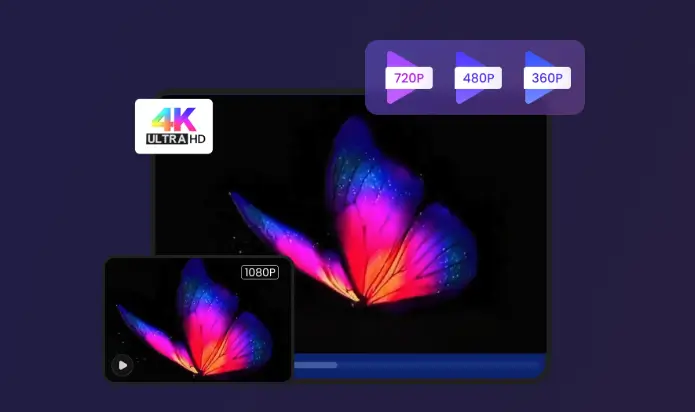
If the original video is available in 4K, Snappixify lets you download it in that full resolution. Perfect for nature documentaries, movie trailers, game footage, or any content where detail matters. You won't lose sharpness or color depth.
MP4, MKV and More
MP4 (phones, tablets, TVs): Universal compatibility, small file sizes, smooth playback.
MKV (ideal for 4K/HDR): Keeps richer color depth, perfect for HDR content on high-end displays.
WEBM, MOV, and others: Extra flexibility for editing or quick web playback.
Getting the right format is important—Snappixify lets you decide exactly how you want your video file to look.
No Ads / No Watermark
Many free tools plaster their name or ads all over your videos. Snappixify believes your files should be clean. There are zero banner ads on the site, and your downloaded clips contain No Watermark. That means you can share, edit, or archive them without cropping out logos.
Stop Buffering
Once your video is on your device, you never have to worry about loading circles or frozen screens. Playing locally stored files means smooth viewing, even if your internet slows down. Snappixify helps you stop buffering once and for all.
How to Use Snappixify in 3 Easy Steps
Want to see why Snappixify beats 4K Video Downloader Plus? Here's how simple it is:
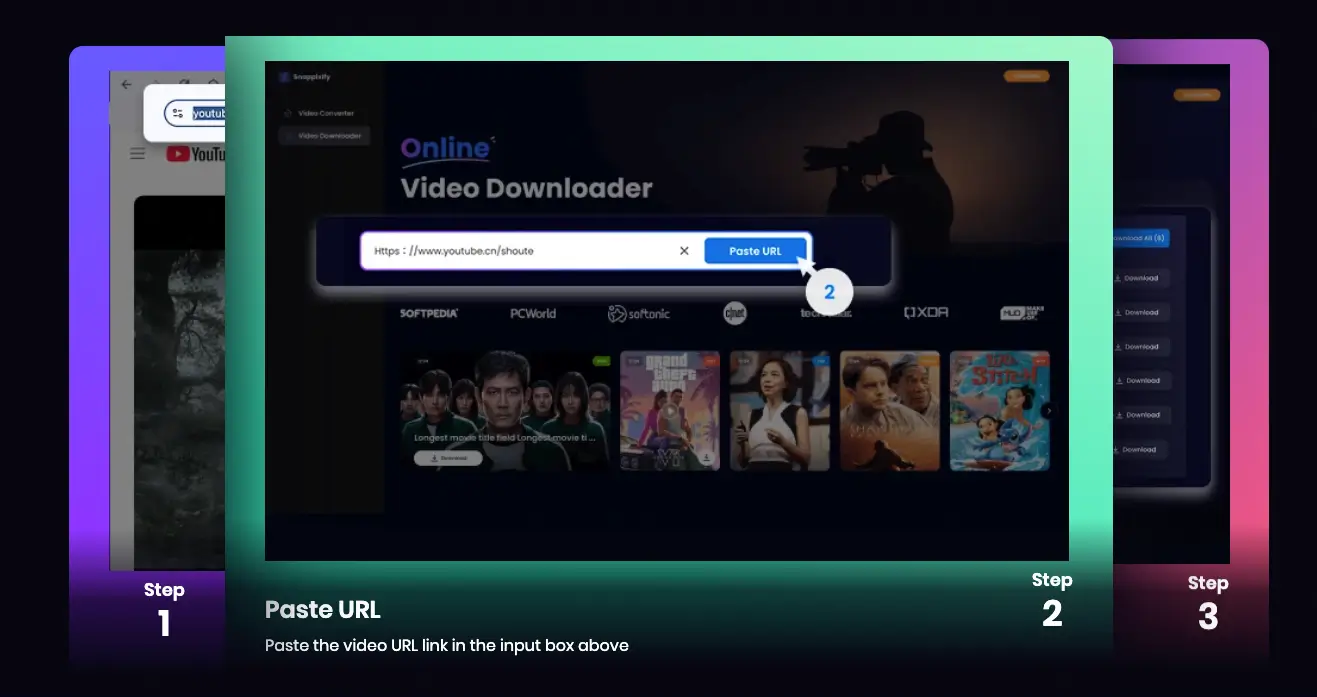
1. Copy the Video URL
Go to any supported site (YouTube, Facebook, Vimeo, etc.) and copy the video link from your browser's address bar.
2. Paste Into Snappixify
Open Snappixify in your browser—no sign-up required. Paste the link into the input box.
3. Select Format & Quality, Then Download
Choose your preferred format (MP4, MKV, WEBM, or MOV).
Pick up to 4K Video Download if that's available.
Click “Download,” and watch as the file appears in seconds.
That's it—you have a clean, high-quality video file with no hidden fees or interruptions.
Comparing 4K Video Downloader Plus and Snappixify
|
Feature |
4K Video Downloader Plus (Free) |
Snappixify |
|
Supported Websites |
YouTube, Vimeo only |
1000+ Websites |
|
True 4K Resolution |
Yes (single videos) |
Yes |
|
Batch/Playlist Downloads |
Limited (25 items) |
Unlimited |
|
Format Options |
MP4, MKV |
MP4, MKV, WEBM, MOV, etc. |
|
Ads / Upgrade Prompts |
Yes |
No Ads |
|
Watermark |
No (but upgrade nudges) |
No Watermark |
|
Security |
Requires app install |
Browser-based HTTPS |
|
Offline Playback |
Yes |
Stop Buffering & Watch Offline |
|
Subtitle Extraction |
Yes (SRT) |
Yes (embedded or separate) |
|
Commercial License Needed |
Yes (paid tier) |
No |
As you can see, Snappixify unlocks all the premium perks you want without asking for payment. No batch limits, no upgrade nags, and support for hundreds of extra sites make it a clear winner.
Tips for Getting the Best Downloads
Check for 4K Sources
If you want true 4K, make sure the original video is published in that resolution. Not every clip on YouTube is 4K, so double-check by looking for “Original quality” settings or a 4K badge before copying the link.
Organize Your Files
Create folders like “Movies,” “Tutorials,” or “Music Videos.” Rename files with clear names, for example: “2025-05-30_Baking_Cake_Recipe.mp4.” That way, you can always find them easily.
Use a Fast Internet Connection
Downloading high-resolution videos can be data-heavy. If you have a slow connection, consider grabbing lower resolutions like 1080p or 720p first, then upgrade to 4K later.
Backup Favorites
Save your most-watched clips to an external drive or cloud service. This protects them if your main device ever crashes.
Keep Your Browser Updated
Since Snappixify runs in your browser, make sure Chrome, Firefox, Safari, or Edge is on its latest version. This ensures compatibility and security.
Conclusion
So, is 4K Video Downloader Plus free? In a limited sense, yes—you can grab single videos in 4K at no cost. But you'll quickly find playlist caps, upgrade prompts, and speed limits unless you pay.
If you need a truly free video downloader that covers 1000+ websites, offers genuine 4K Video Download, and supports multiple formats like MP4, MKV and More, consider Snappixify. With Safe & Secure Download, No Ads, No Watermark, and the power to Watch Videos Offline without buffering, Snappixify gives you all the perks of a premium tool—without asking you to spend a dime. Try Snappixify today and enjoy unrestricted, hassle-free video downloads!


