 Snappixify


Why Choose a Browser-Based Downloader Over Extensions?
Many Chrome add‑ons promise free video downloads but come with hidden drawbacks:
-
Security Risks: Extensions often request broad permissions, giving them access to all your browsing data and personal information.
-
Limited Site Support: Most only handle YouTube or a handful of popular platforms, leaving you stranded on niche or regional sites.
-
Quality Caps: Free versions usually limit you to 720p or 1080p; true 4K video download requires paid upgrades.
-
Aggressive Ads & Pop‑Ups: Banner ads, forced upgrade prompts, and autoplay videos make the experience frustrating.
-
Watermarked Downloads: Some "free" tools stamp their logo on your downloads to push you toward the premium plan.
Using Snappixify in Chrome avoids these issues. It runs entirely within your browser over HTTPS—no risky installations or unwanted permissions.
What Makes Snappixify the Best Free Video Downloader for Chrome?
1. Crystal-Clear 4K Downloads
Looking for true cinematic quality right in your browser? Snappixify lets you save videos in stunning detail.
-
Pin-Sharp Definition: Perfect for 4K monitors and big-screen TVs.
-
Edit Without Limits: Trim, zoom, or color-grade while keeping full resolution.
-
Built for the Future: Your files stay sharp no matter how display tech evolves.
Say goodbye to pixelated streams—get every frame in full clarity straight from Chrome.
2. Choose Your Ideal Format — MP4, MKV, and Beyond
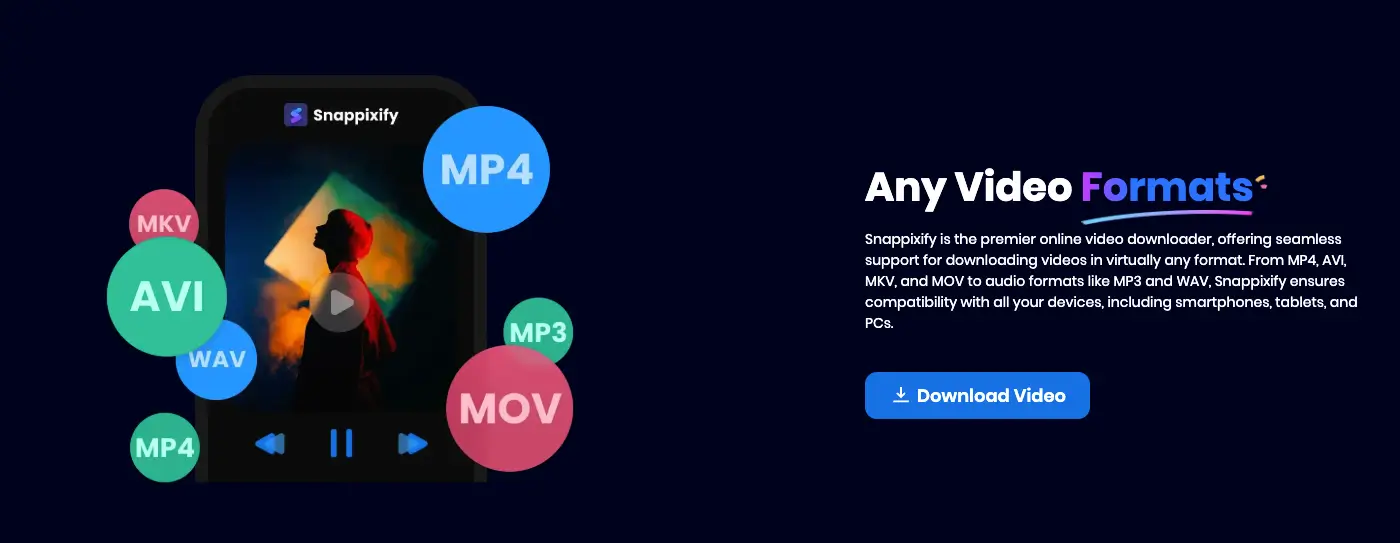
Different projects need different file types, and Snappixify has them all.
-
MP4: Runs smoothly across all major devices.
-
MKV: Great for HDR visuals or multi-audio tracks.
-
WEBM, MOV, AVI: Tailored for editors or online publishing.
Download your videos exactly how you need them—no converters, no hassle.
3. 100% Clean: No Ads, No Watermarks
Enjoy a distraction-free and professional download experience.
-
Zero Ads: No pop-ups or unwanted redirects.
-
Pure Output: Your videos remain logo-free and untouched.
Focus on your content, not on closing tabs or cropping out marks.
4. Enjoy Seamless Offline Playback
Your downloads are ready wherever you are.
-
Instant Viewing: Works with any standard player like VLC or QuickTime.
-
No More Buffering: Watch smoothly even without a signal.
-
Save on Data: Download once, enjoy endlessly.
Take your favorite videos anywhere—no Wi-Fi required.
How to Use Snappixify in Chrome
Getting started is quick and effortless — no installs, no sign-ups.
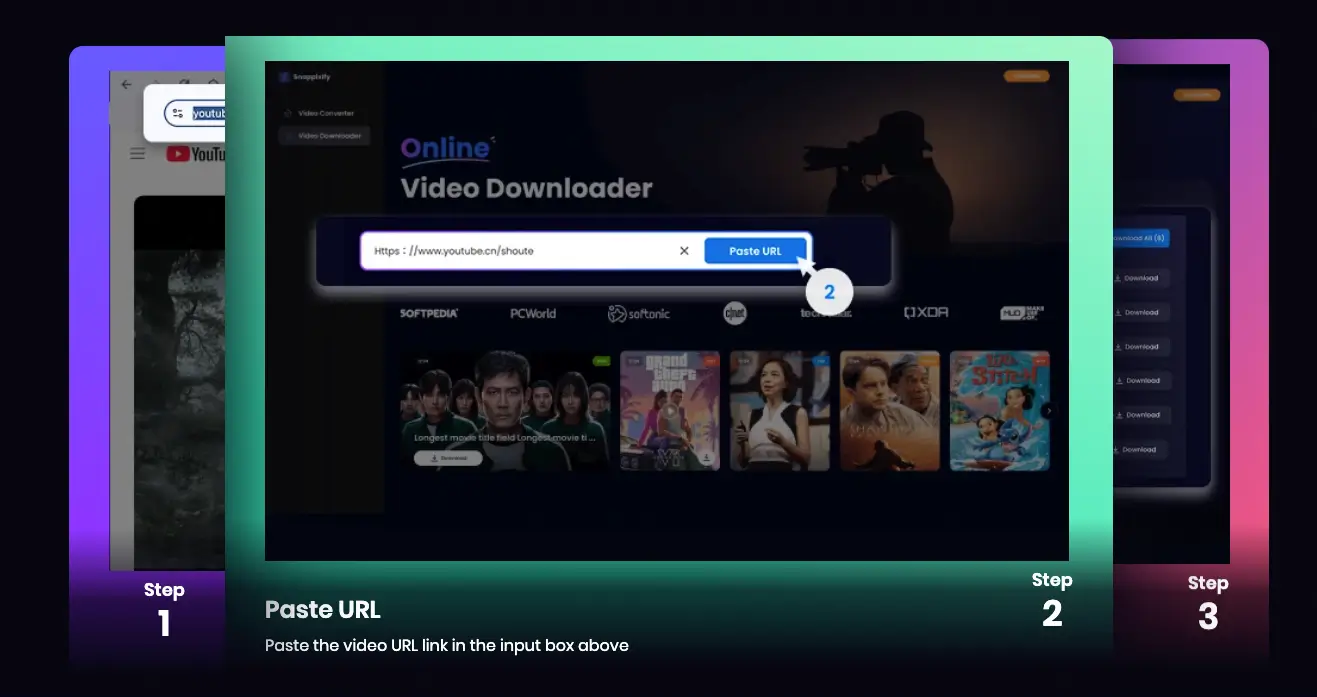
1. Copy the Video Link
Go to the video you want to save in Chrome and copy its URL directly from the address bar.
2. Open Snappixify
Head to snappixify.com. Everything runs in your browser — nothing to download or set up.
3. Paste the Link
Drop the copied URL into the box on the homepage. Snappixify will instantly scan and display all available download options.
4. Choose Format & Quality
Select your preferred file type — MP4, MKV, or others — and pick the resolution you want, including full 4K if available.
5. Download and Enjoy Offline
Hit Download, and your video will appear in Chrome’s download bar. It’s saved automatically to your device — ready to play offline or edit anytime.
Organizing Your Video Library
A tidy library makes access quick and painless:
-
Create Folders by Category: "Tutorials," "Movie Trailers," "Music Videos," "Documentaries."
-
Use Descriptive Names: Rename "video123.mp4" to "2025‑06_PythonTutorial.mp4."
-
Date Prefixes: Start filenames with the date (YYYY‑MM‑DD) for automatic sorting.
-
Backup Important Clips: Copy must‑keep videos to cloud storage or an external drive to avoid data loss.
Real‑World Applications
-
Students & Educators: Save lecture clips and demonstrations for offline review—no campus Wi‑Fi needed.
-
Travelers & Commuters: Download movies, vlogs, or language lessons before flights and train rides.
-
Content Creators: Archive reference footage, B‑roll, or inspirational clips for your next project.
-
Casual Viewers: Build a personal library of music videos, sports highlights, or stand‑up comedy sketches.
With Snappixify, you have the freedom to collect and enjoy content on your terms.
Snappixify vs. Traditional Extensions
|
Feature |
Chrome Extensions |
Snappixify |
|
Site Coverage |
~10–20 platforms |
1000+ websites |
|
Maximum Resolution |
720p–1080p |
4K video download |
|
Format Options |
MP4 only |
MP4, MKV and more |
|
Ads/Pop‑ups |
Frequent |
No ads |
|
Watermarks |
Common |
No watermark |
|
Security Risks |
High (malware/trackers) |
Safe & secure download(HTTPS) |
|
Offline Playback |
Limited by tool |
Watch videos offline(smooth) |
Snappixify matches and exceeds every feature of free extensions without their downsides.
Tips for Smooth Downloads
Stable Internet Connection: Use a reliable Wi‑Fi network for large 4K video downloads.
Updated Browser: Keep Chrome, Firefox, or any browser up to date for best compatibility.
Storage Management: High‑resolution files can be large—archive or delete unneeded videos to free space.
Batch Planning: Collect all your video links in a document, then download them sequentially in Snappixify.
Audio Extraction: Pair with apps like Audacity to pull audio tracks for podcasts or presentations.
Ensuring Privacy and Performance
-
No Software Installs: Snappixify operates entirely in your browser—no hidden apps or extensions.
-
Encrypted Traffic: All data transfers use HTTPS to protect your downloads.
-
No Tracking: Snappixify doesn't collect personal data or user history, leaving your privacy intact.
With a lightweight footprint, Snappixify won't slow down your browser or system.
Conclusion
When you need the best free video downloader for Chrome, Snappixify stands out as the ultimate solution. It supports 1000+ websites, provides true 4K video download, offers MP4, MKV and more formats, and ensures a safe & secure download—all without ads, watermarks, or the need for extensions. Plus, you can effortlessly watch videos offline on any device. Skip the risky add‑ons and complicated installs—open your browser, visit Snappixify, and start saving videos with ease today!
FAQs About Best Free Video Downloader for Chrome
1: What is the best free video downloader for Chrome without extensions?
If you don’t want to install any Chrome extensions, try Snappixify — a browser-based downloader that works directly in Chrome. You just paste a video link, choose quality (HD, 1080p, MP4), and download instantly — no installs or plugins required.
2: How can I download HD videos in Chrome for free?
You can download HD or even Full HD (1080p) videos using a Chrome-based downloader like Snappixify. Paste the link, select “HD quality,” and save the file directly to your device — all free, no registration needed.
3: Do I need to sign up to use a free Chrome video downloader?
No, the best free Chrome downloaders don’t ask for sign-ups or logins. Snappixify, for example, lets you paste a video link and download instantly — simple, fast, and 100% free.


