 Snappixify


Why Are Your Downloaded Facebook Videos Always Blurry?
Have you ever experienced this? You spot a stunning 4K drone shot or a crystal-clear cooking tutorial on Facebook. You save the link, use a random downloader, but when you open the file, it looks like a pixelated mess from the early 2000s.
Why does it look like 1080p on the site but drop to 360p once it's on your local drive?
The reality is that most online downloaders on the market prioritize cost-saving over quality. They often only capture the low-quality, compressed preview streams. To save videos to your hard drive without sacrificing a single pixel, you need a truly professional platform. Snappixify was created to solve this "quality anxiety," allowing you to retrieve original high-definition resources with just one click.
Who is Searching for Real HD Quality?
In our research, we’ve found three specific groups of people who demand nothing less than perfection when it comes to video bitrate:
-
Video Bloggers & Content Collectors: For them, quality is everything. Whether it’s a rare 4K live recording or an aesthetically pleasing short film, any loss of pixels is a destruction of the original work. They need "original-grade" archiving.
-
Social Media Editors & Marketers: The biggest nightmare for a creator is blurry footage. Editors need clean, audio-synced, and watermark-free MP4 files that can be dragged directly into software like Premiere Pro or CapCut for repurposing while maintaining a premium look.
-
Journalists & Deep Learners: Breaking news or hours-long live lectures are often time-sensitive. They need to create high-bitrate offline backups instantly—before a video is deleted or restricted—to ensure their research material is preserved.
Snappixify: More Than Just a Facebook Downloader
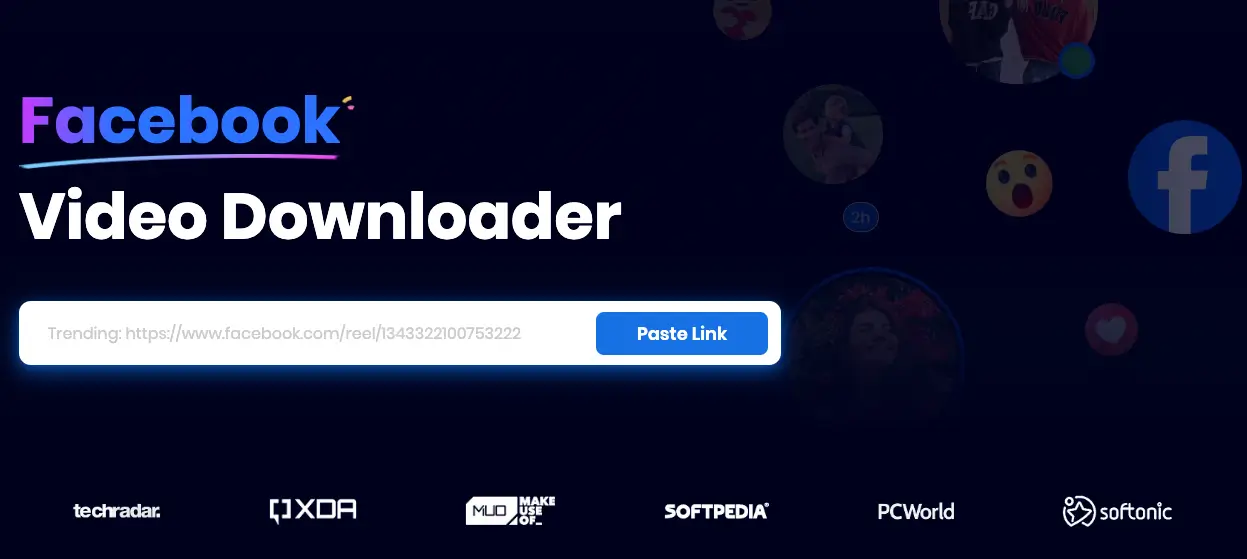
To address all the pain points mentioned above, Snappixify provides the perfect balance of power and simplicity. It isn't just a simple downloader; it’s an all-in-one media processing hub.
What makes it stand out?
-
All-in-One Integration: One platform to rule them all. Beyond Facebook, it seamlessly supports TikTok, Instagram, and YouTube. More importantly, it features robust Video Converter and Audio Converter capabilities, allowing you to handle various file formats effortlessly.
-
Pure and Clean Experience: This is what users love most—Zero Pop-up Ads. The interface is sleek, professional, and free of those annoying, misleading "Download" buttons that plague other sites.
-
Zero-Friction Use: No registration, no email binding, and no bulky browser extensions required. This "pick up and play" logic is incredibly user-friendly for everyone from techies to beginners.
Step-by-Step Tutorial: Secure Your HD Footage in 3 Steps
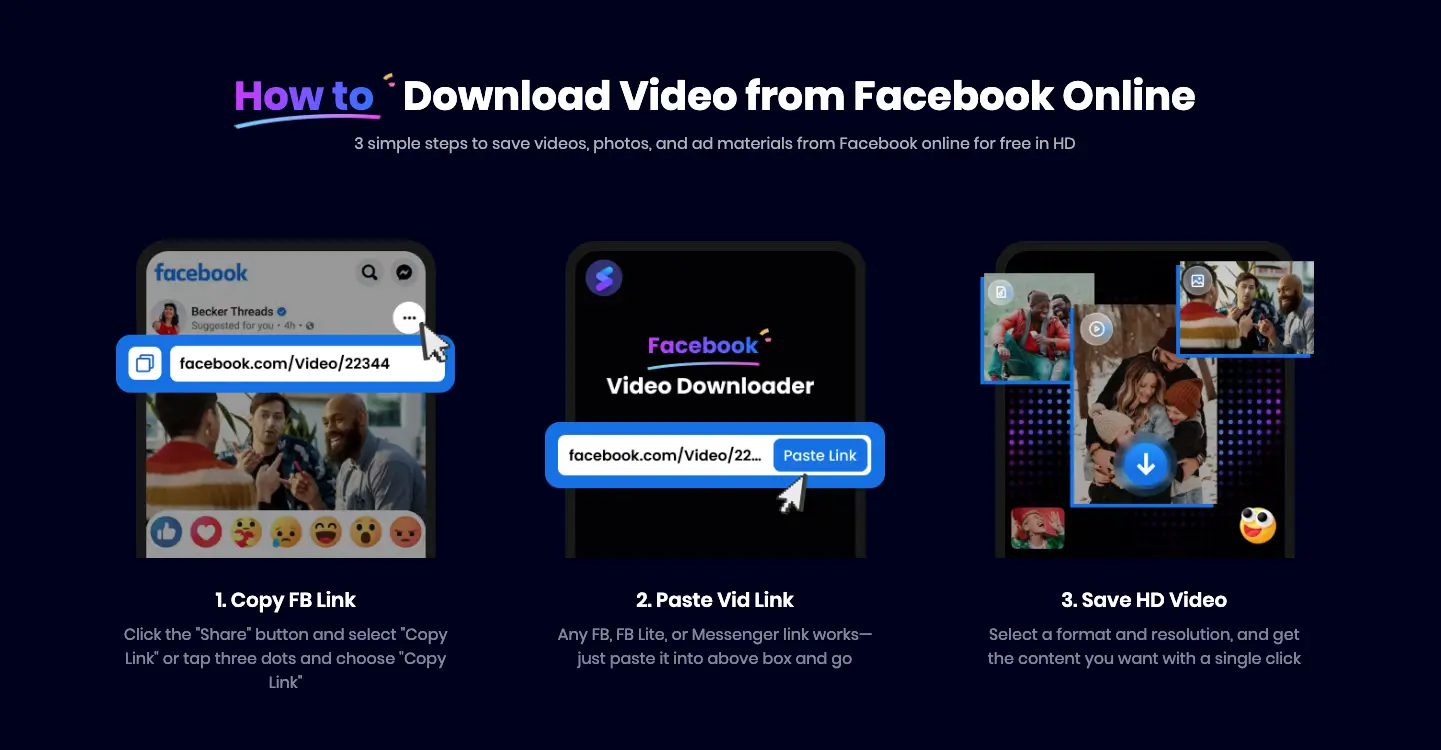
Using Snappixify to capture high-definition material is as easy as 1-2-3:
-
Copy: Find your target video on Facebook, click "Share," and copy the video link.
-
Paste: Visit the Snappixify official website. Click "Paste Link" in the central search box, and the site will automatically navigate you to the parsing interface.
-
Download: Once processed, you’ll see multiple options ranging from 360p to 1080p HD and even 4K. Simply click your desired quality, and it will be saved to your device in seconds.
Pricing: Unlock 8K Performance for the Price of a Coffee
Snappixify offers a highly flexible pricing structure designed to meet the needs of every user.
-
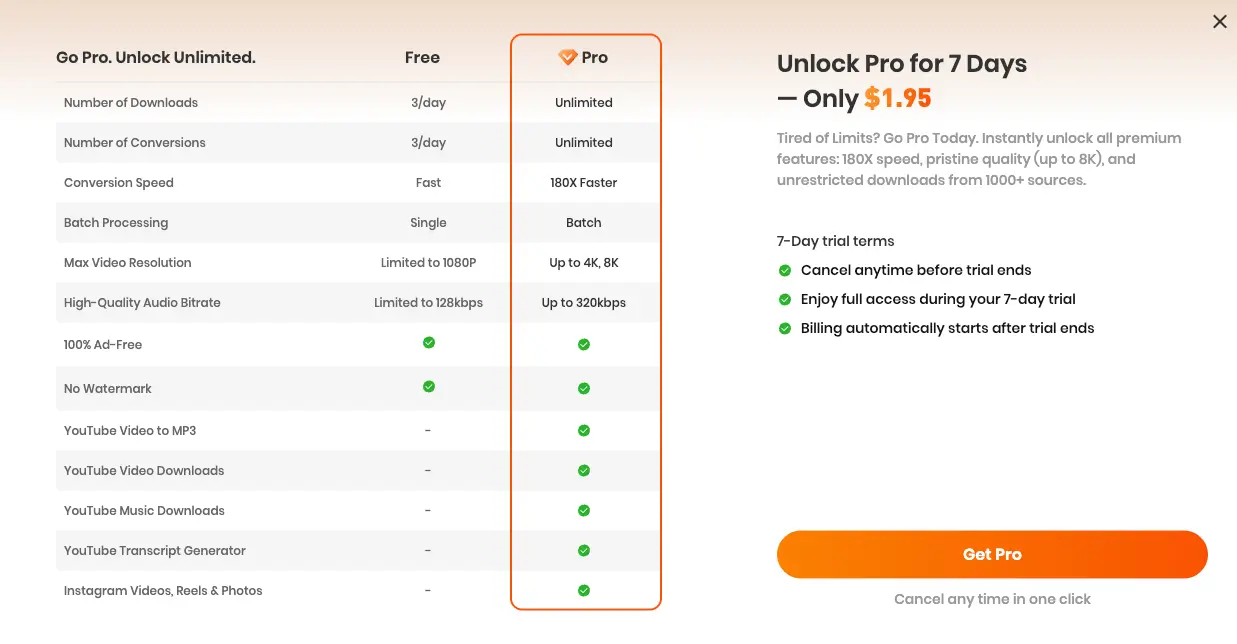
Stay Free: If you are an occasional user, no problem! The platform offers one completely free HD download (up to 1080p) every single day.
-
The 7-Day Pro Trial (Go Pro): If you are in the middle of a high-intensity project, you can pay just $1.95—which is less than half the price of a basic coffee at Starbucks—to unlock 7 days of Pro access:
-
180X Ultra-Fast Conversion: Large files are finished in the blink of an eye.
-
Up to 8K Resolution: Capture the highest quality source files available.
-
320kbps High-Quality Audio: Pure sound quality for a lossless experience.
-
Unlimited Downloads: Say goodbye to daily limits and quotas.
-
-
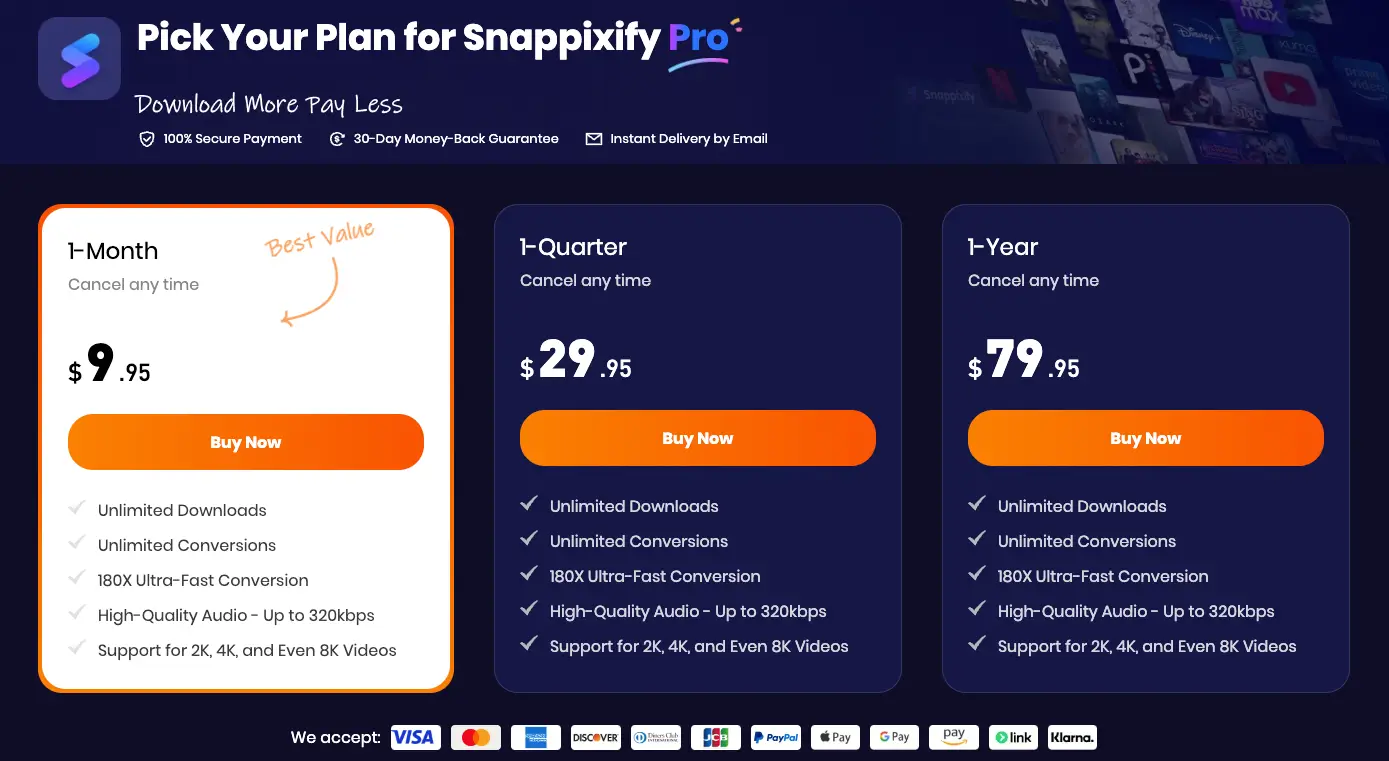
Long-Term Professional Plans: Choose the Monthly plan ($9.95) for flexibility or the Yearly plan ($79.95) for the best long-term value.
The Geek’s Choice: yt-dlp
For "power users" who crave ultimate customization, yt-dlp is a name you’ve likely heard. It is a command-line-based open-source tool that is incredibly powerful.
How to use yt-dlp:
-
First, you must install a Python environment on your computer.
-
Install the tool via command line:
pip install yt-dlp. -
Enter the command:
yt-dlp [video_link]to start the download.
Expert Insight:
While yt-dlp is free and powerful, the barrier to entry is extremely high. You need a basic understanding of programming, must manually handle environment configurations, and there is no graphical interface—making the process tedious for most. For the vast majority of users who value speed, stability, and a smooth experience, Snappixify remains the more efficient and convenient choice.
Conclusion
In 2025, finding content is easy, but finding "high-quality" content is the real challenge. Whether you are downloading for professional editing or personal archiving, stop letting blurry, pixelated videos waste your storage space.
Try Snappixify today and start saving the moments that deserve to be seen in stunning High Definition!
FAQs about Facebook Photo Downloader
To ensure a seamless experience, we’ve compiled the most common questions from our creative community:
Q1: Why don’t I see 4K or 1080p options for certain videos?
A: The available quality depends entirely on the source file uploaded by the creator. If the original video was recorded in 720p, it cannot be "upconverted" to 4K. Additionally, Facebook processes HD versions a few minutes after a video goes live; try waiting 30 minutes for the highest bitrate to become available.
Q2: Can I download videos from private Facebook groups or "Friends Only" posts?
A: To respect privacy protocols, Snappixify is designed for "Public" content. Since the web-based tool does not require your login credentials (keeping your account safe), it cannot bypass the privacy settings of restricted posts.
Q3: What should I do if the downloaded file won't play?
A: Snappixify saves videos in the highly compatible MP4 format and audio in MP3. If you encounter playback issues, utilize our built-in Video Converter to re-encode the file, or use a universal player like VLC.
Q4: Is Snappixify compatible with mobile devices (iOS/Android)?
A: Yes! Unlike yt-dlp, which requires a desktop environment, Snappixify is fully mobile-optimized. Just open your mobile browser, paste the link, and save. For iPhone users, files are typically saved to the "Files" app before you move them to your Photos.
Q5: What happens after the $1.95 trial ends?
A: The 7-day trial offers a low-cost "test drive" of our 180X speed and 8K capabilities. If not canceled before the week ends, the subscription will renew to a standard plan. The process is transparent, and you can manage or cancel your subscription at any time in the dashboard.


