 Snappixify


Can You Download Videos from Social Media Directly?
Quick answer: yes, but only in TikTok and YouTube Premium.
Most social media platforms don't offer an in-built video-downloading function for the rights of content creators. If downloading videos can be easily done, it may be unfair to the content creators. However, that is kind of a one-size-fits-all approach.
Many people download social media videos for offline watching, easy sharing, remixing, etc. If you want to download videos in downloading non-allowed platforms, you can use all social media video downloaders, which can download videos from any social media, including Instagram, YouTube, Facebook, X, and more. We will introduce them later in this article.
In this section, let's see how to download videos from TikTok and YouTube Premium.
Download videos on TikTok:
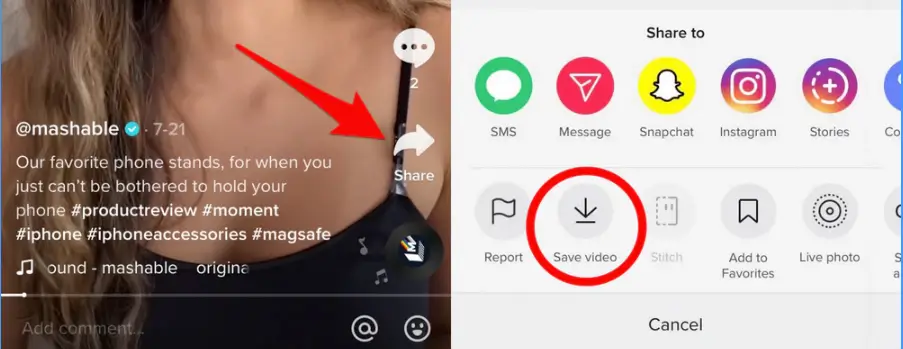
To download a TikTok video, tap the Share button in the bottom-right corner of the video. Then choose Save Video.
Download videos on YouTube Premium:
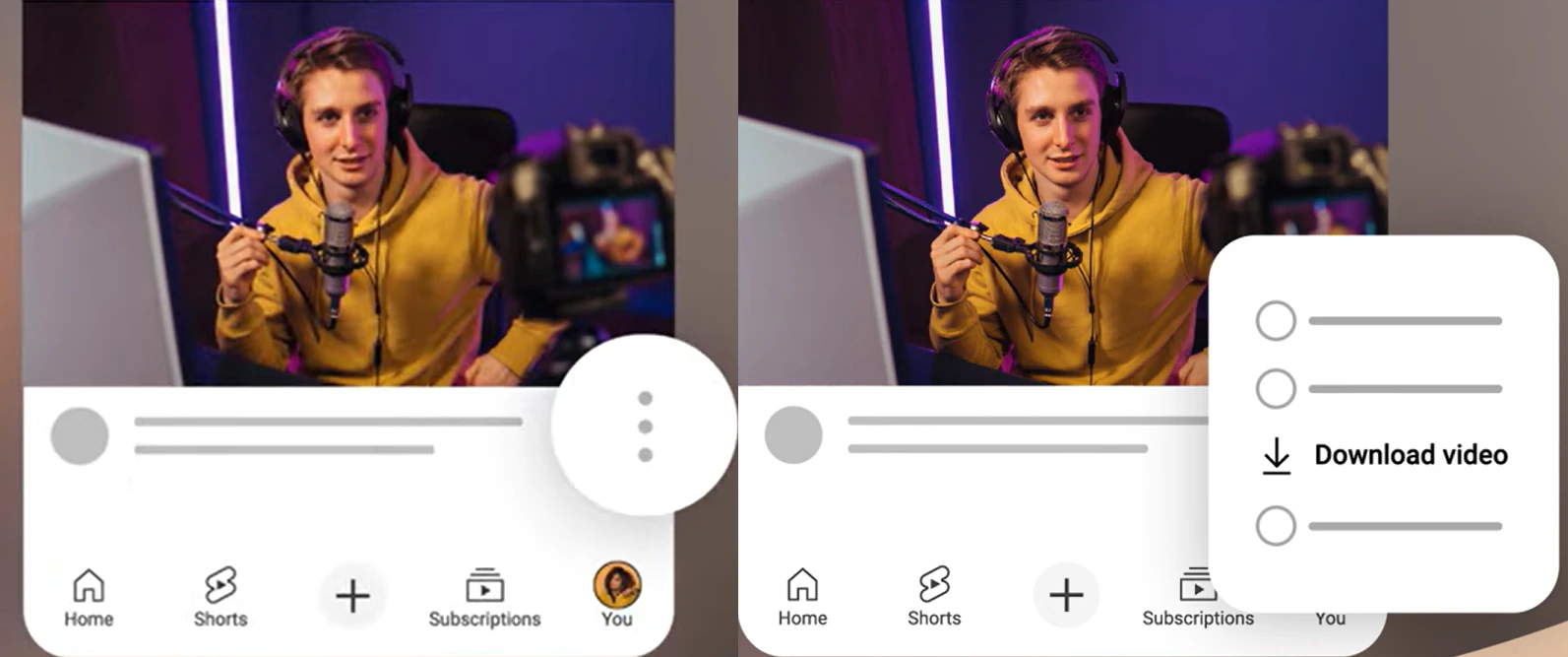
When you swipe on the YouTube Home screen, tap on the three-dots button in the video section corner. Then choose the Download Video option.
3 Ways to Download Social Media Videos
Download Social Media Videos with a Free Online Downloader
If you need to download all social media videos for free on any device, all social media video downloader online is your solution. However, it is not easy to find a safe online social media downloader that also has simple but powerful functions. We tested 14 downloaders, including the famous Y2Mate. We ranked them and finally picked the top one downloader that offers solid all-around performance: Snappixify social media downloader. Let's see Snappixify's main features:
-
All social media downloading supported: Snappixify is a comprehensive social media video downloader. You can download Instagram, YouTube, X, TikTok, Facebook, Spotify, and Netflix videos in this downloader.
-
Remain at a relatively high speed even when downloading long videos: According to our test, you can download a 1-hour video in just 2 minutes. And you can download a short social media video even in no time with Snappixify!
-
Online and compatible with all devices & free to use every day: As an online tool, you can use Snappixify on any device, just with a browser. Moreover, it offers free usage to download videos without a watermark. And the free plan is totally enough for daily use.
-
Support downloading various video formats: Considering the various formats demanded, Snappixify also offers the option to choose a video format before downloading social media videos.
Steps to download social media videos with Snappixify social media downloader:
Step 1. Copy the link of the video you want to download. For example, if you want to download an Instagram Reel, tap on the airplane icon (the share button) and then choose Copy Link.
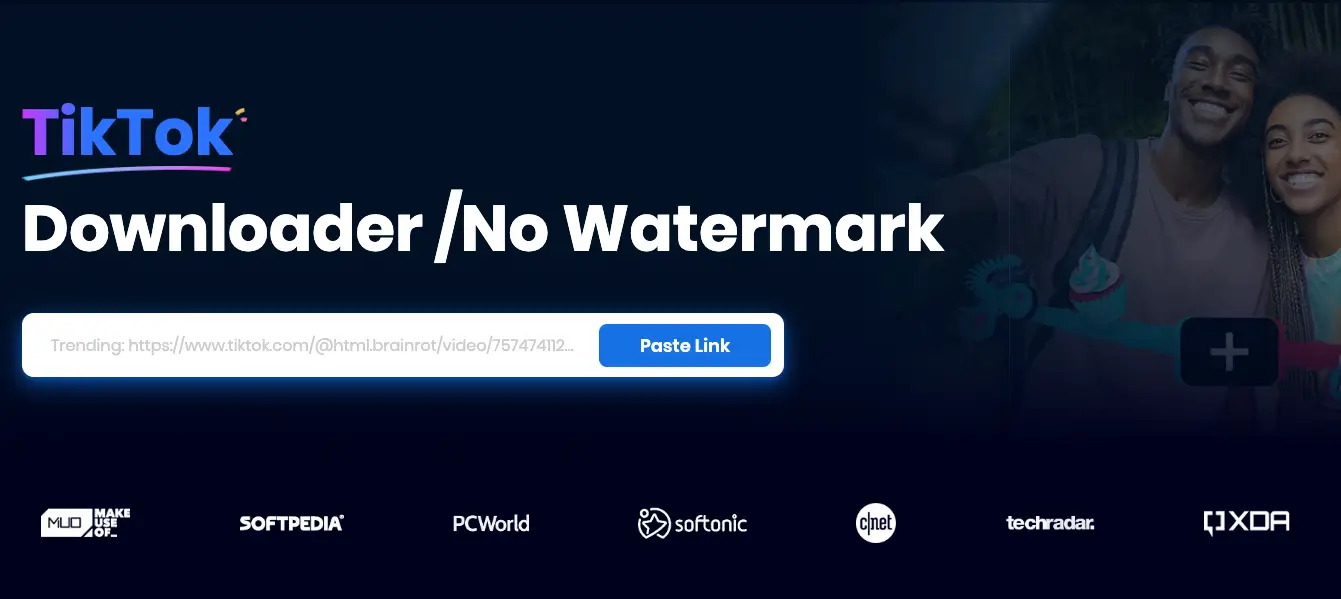
Step 2. Visit snappixify.com on the browser of your phone or computer. Then paste the link to the link area.
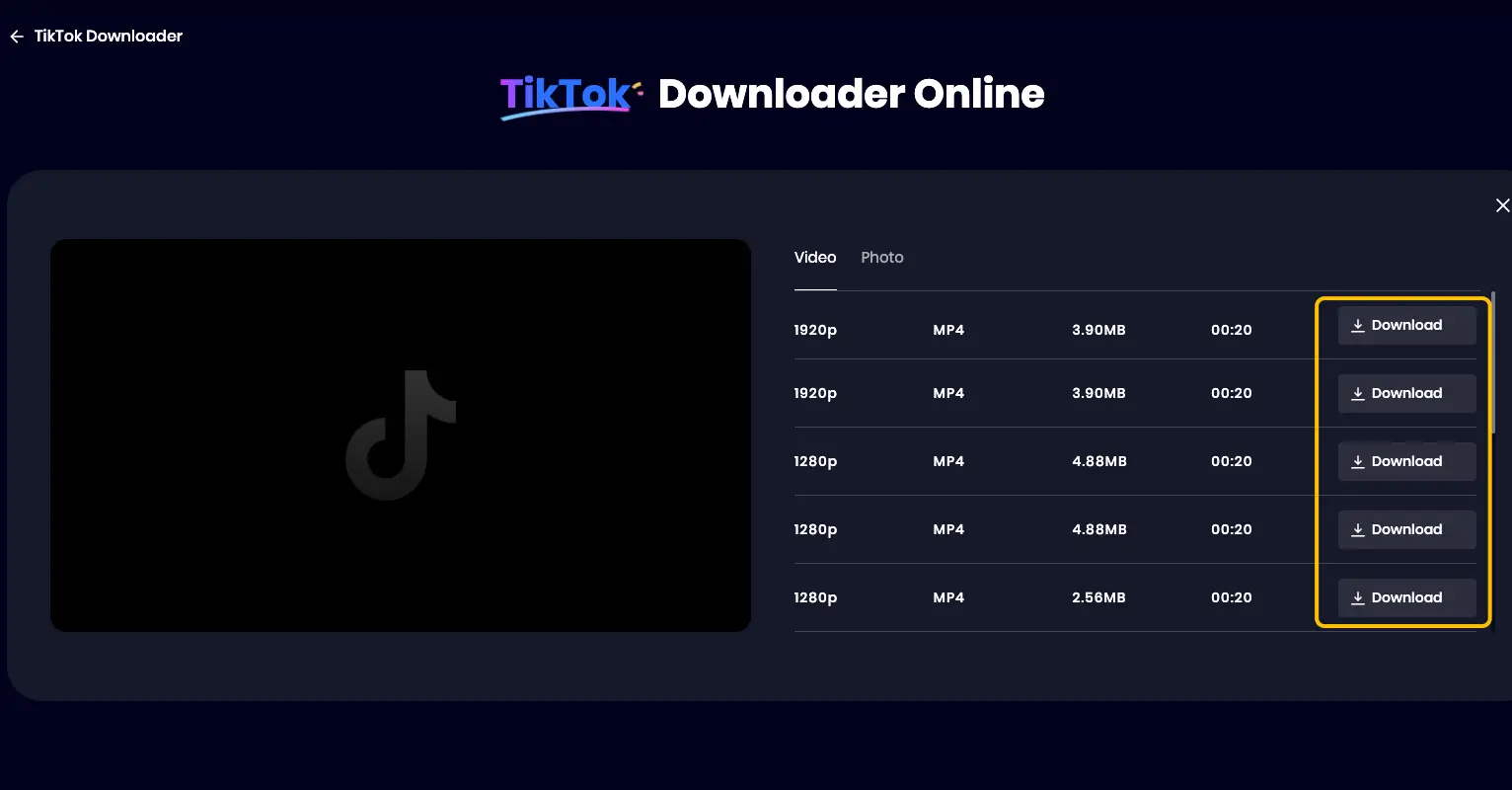
Step 3. Click the Video tab at the top. And then, choose one video format and resolution. Click the Download button. Wait for the video to be downloaded. Generally, if the video is shorter than 1 minute, Snappixify can download it in no time.
Download Social Media Videos Using Desktop Software
If you use a computer to watch social media videos and prefer watching long videos, you can use a desktop social media downloader for higher stability and more functions. Here, we will also recommend an excellent tool: TuneFab VideOne Downloader.
As a computer program that downloads social media videos, TuneFab VideOne Downloader supports social media videos from more sources, even OnlyFans and Disney+. It also allows users to download videos in various formats like Snappixify, including MP4, MKV, and MOV. However, all of the mentioned features are open to use after purchasing. So, make your own decision.
Steps to download social media videos with TuneFab VideOne Downloader:
Step 1. Download and install TuneFab. Then, launch it on your computer.
Step 2. Copy the URL of the video and paste it into the link area on the main interface of TuneFab.
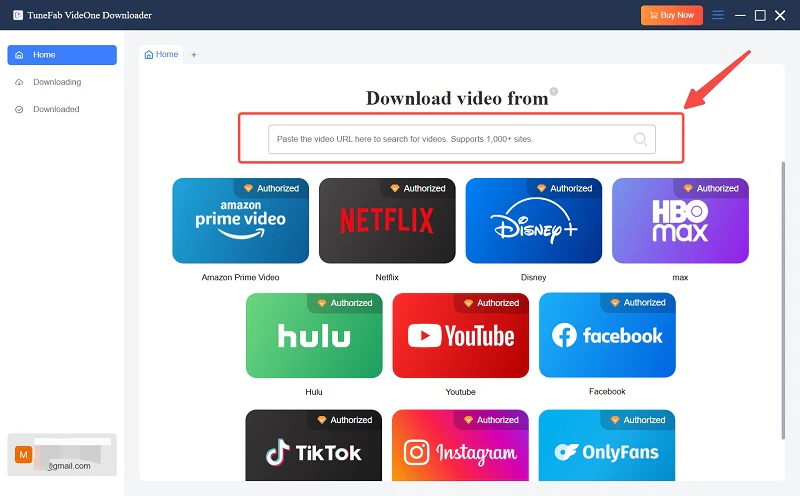
Step 3. Choose the video format and resolution before you download that video.
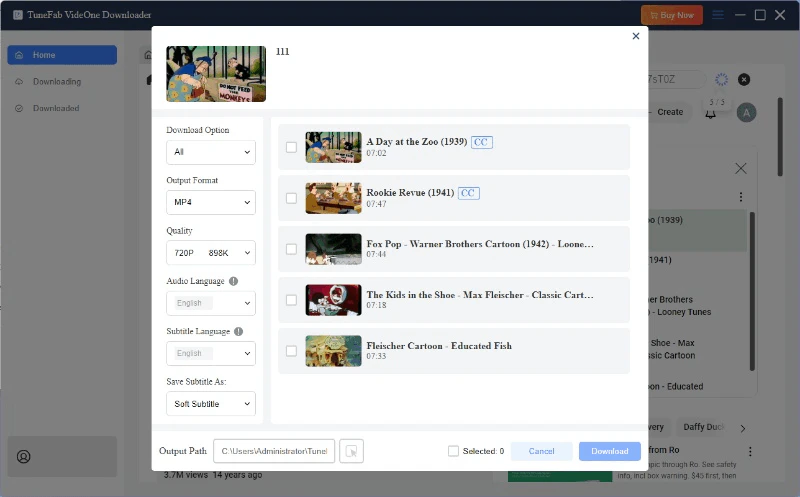
Step 4. Click the download button and make the purchase. Then the video will be automatically saved to your computer.
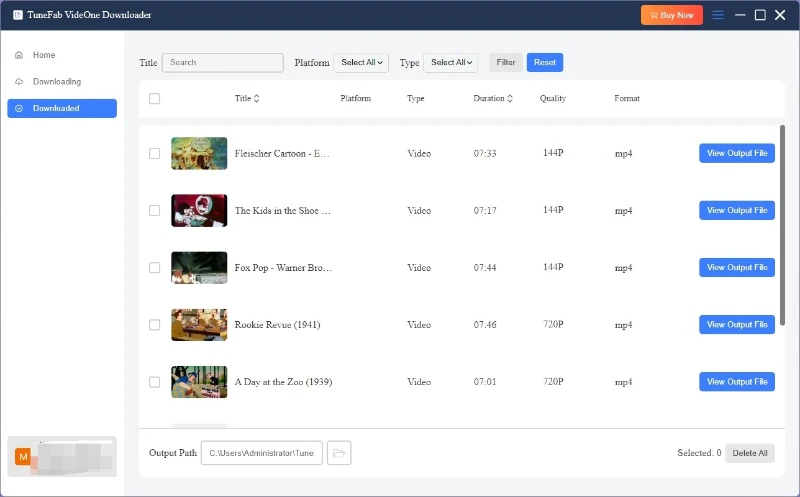
Download Social Media Videos with Browser Extension
Using the browser extension social media downloader is also a good choice. It is suitable for users who don't often download social media videos and have no requirements for the downloading speed, file formats, or video resolution. Here we also have a tool to recommend: Qooly Video Downloader.
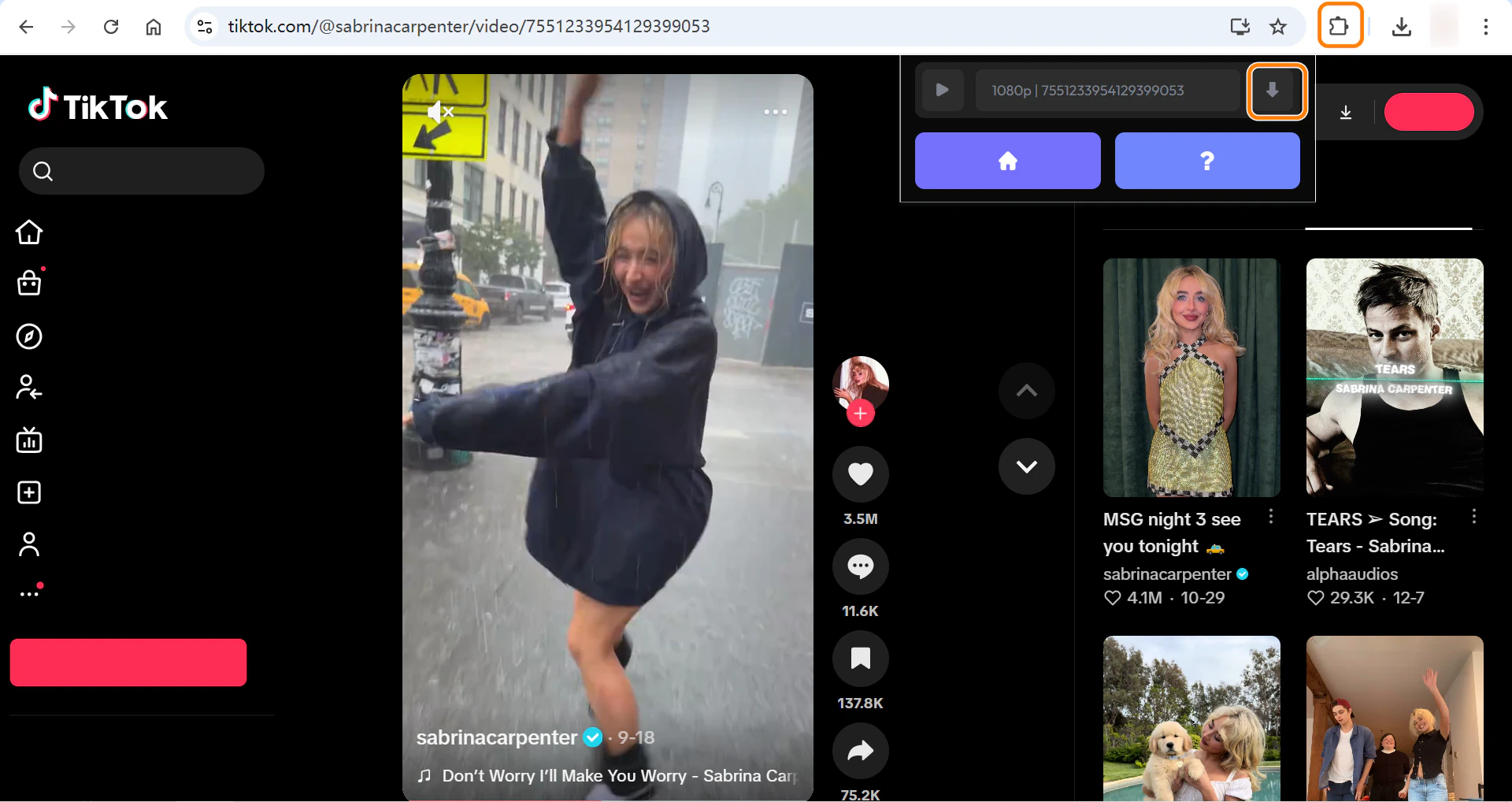
It automatically detects the videos of YouTube, Instagram, and other social media platforms on the current page. Then, you can download the video and watch the video online at the same time. Let's see the steps to add it to your browser and use it.
Step 1. Click the three-dots button at the top of your browser and choose Extensions. Search for social media downloader and choose Video Downloader. Then, click Add to Extension.
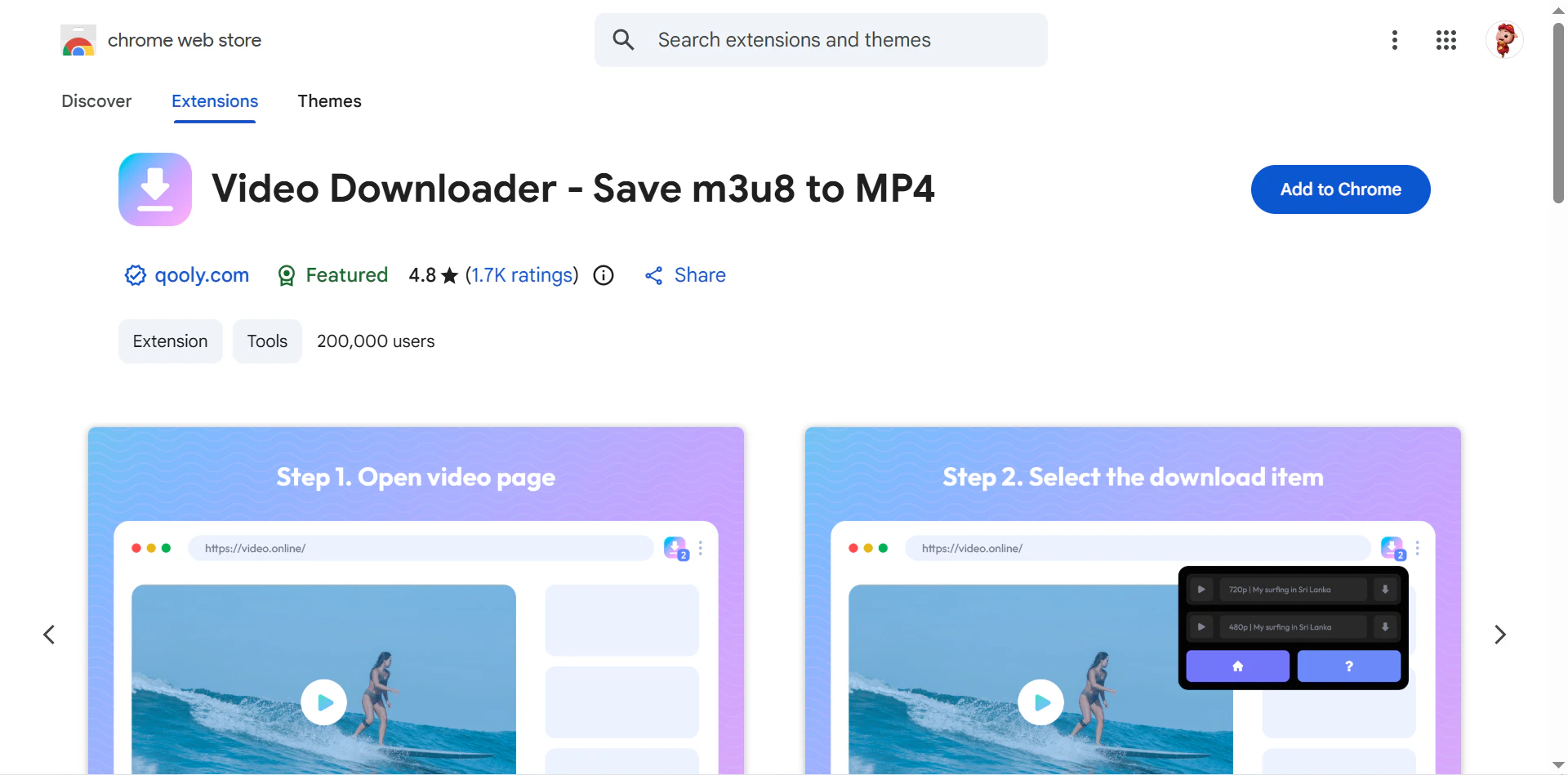
Step 2. Visit a social media video and play it.
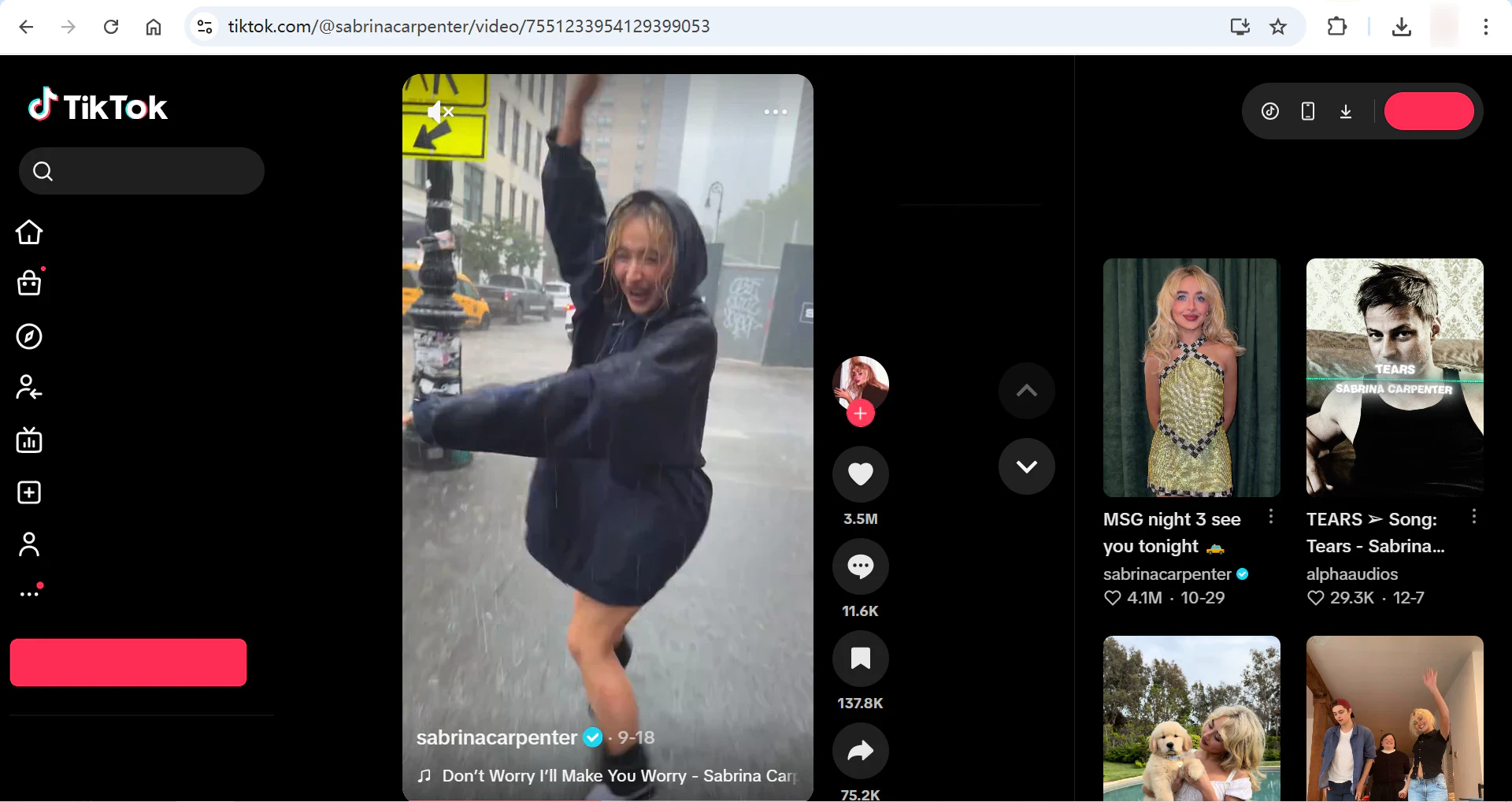
Step 3. Click the Extension button at the top of your browser and choose Video Downloader. Once it detects the playing video, it will show the download button. Click it, and then the video will be saved to your computer.
Conclusion
Now you know how to download social media videos after reading this article. In a word, you need a social media video downloader to download videos from all platforms apart from TikTok. We introduced 3 tools on different platforms to meet your needs. All three have their unique features. If we have to pick the best social media video downloader, it should be Snappixify. It is free and more flexible. You can download videos from all popular social media platforms with various video formats using Snappixify.
FAQs About Social Media Video Downloader
Can I download social media videos without a watermark?
Yes. Snappixify is a social media video downloader without a watermark. It will not add watermarks automatically and will also remove any existing watermarks from social media platforms. However, if the creator adds a watermark on the video before they upload the video, the watermark can't be removed.
What is the best social media video downloader?
The best downloader depends on your needs. Snappixify is ideal for quick, free online downloads, while TuneFab VideOne Downloader is better for high-quality, batch, or long video downloads. Choose an online tool for convenience or desktop software for stability and advanced features.
Can I download social media audio with a downloader?
Yes. Many social media video downloaders support audio extraction and allow you to save audio as MP3 or M4A. Desktop software usually offers more format options and better quality. Make sure the video is public, and the downloader supports audio downloads for that platform.


