 Snappixify



The world of digital content is shifting toward a new frontier: Video to Video AI. This technology allows creators to take an existing video and completely reimagine its style, lighting, or characters. However, every great AI masterpiece starts with a high-quality foundation. To get the best results, you need a reliable mp4 converter online to secure your source material.
Understanding the Concept of Video to Video AI
A video to video converter powered by AI is not just a simple format changer. Unlike traditional tools that move a file from AVI to MP4 or convert text to video, AI-driven converters analyze the motion, depth, and semantics of your original footage. They then redraw the video based on your artistic prompts.
The core philosophy here is simple: Input equals Output. If you provide a blurry or low-resolution video, the AI will struggle to generate a clean result. This is why professional creators emphasize the importance of having a crisp, original video as a baseline before starting the AI transformation process.
How Video to Video AI Works
AI models operate by analyzing and processing your source footage frame by frame. Essentially, the AI retains the "structural integrity" or the motion paths of your video while re-rendering the visual data on top. To achieve professional-grade results, this process is generally divided into two popular methods:
1. AI Dance Synthesis: Bringing Characters to Life
One of the most trending uses of a video to video converter is character animation. In this workflow, you take a video of a person dancing and combine it with a static image of a popular IP character or a specific person. The AI then "projects" that character onto the dancer's movements.
-
Sourcing Your Footage: You can either record yourself dancing (which is time-consuming) or use a free video downloader to find high-quality trending dance clips from social media.
-
Pro Tip for Success: For the AI to accurately track motion, the video must be crystal clear. Avoid footage where the dancer is wearing extremely baggy or loose clothing, as this hides the precise movement of the arms and legs, causing the AI to lose track of the "skeleton."
2. Spatial Camera Movement: Building New Worlds
Another powerful application involves using simple camera work to define a digital environment. By providing the AI with a video that features specific camera movements (like a drone shot or a slow pan), you can instruct the AI to generate entirely different worlds within that same spatial context.
-
Environmental Swapping: A simple walk-through of a local park can be transformed into a lush, enchanted forest or a neon-lit cyberpunk city.
-
The Advantage: Since the AI relies on the original camera "skeleton" of your footage, the resulting scene feels physically real and immersive. Using a reliable pc video downloader to grab professional cinematography as a reference is a great way to start this process without owning expensive camera gear.
How to Get High Quality Source Videos Using Snappixify
To use a video to video converter effectively, you first need to grab your source material from platforms like YouTube, TikTok, or Facebook. This is where Snappixify becomes your best creative partner. Snappixify is a free online tool that lets you download and convert videos without any software installation.
Why Choose Snappixify for AI Assets?
-
Multi-Platform Support: Easily download content from a vast range of websites, including YouTube, Instagram, and TikTok.
-
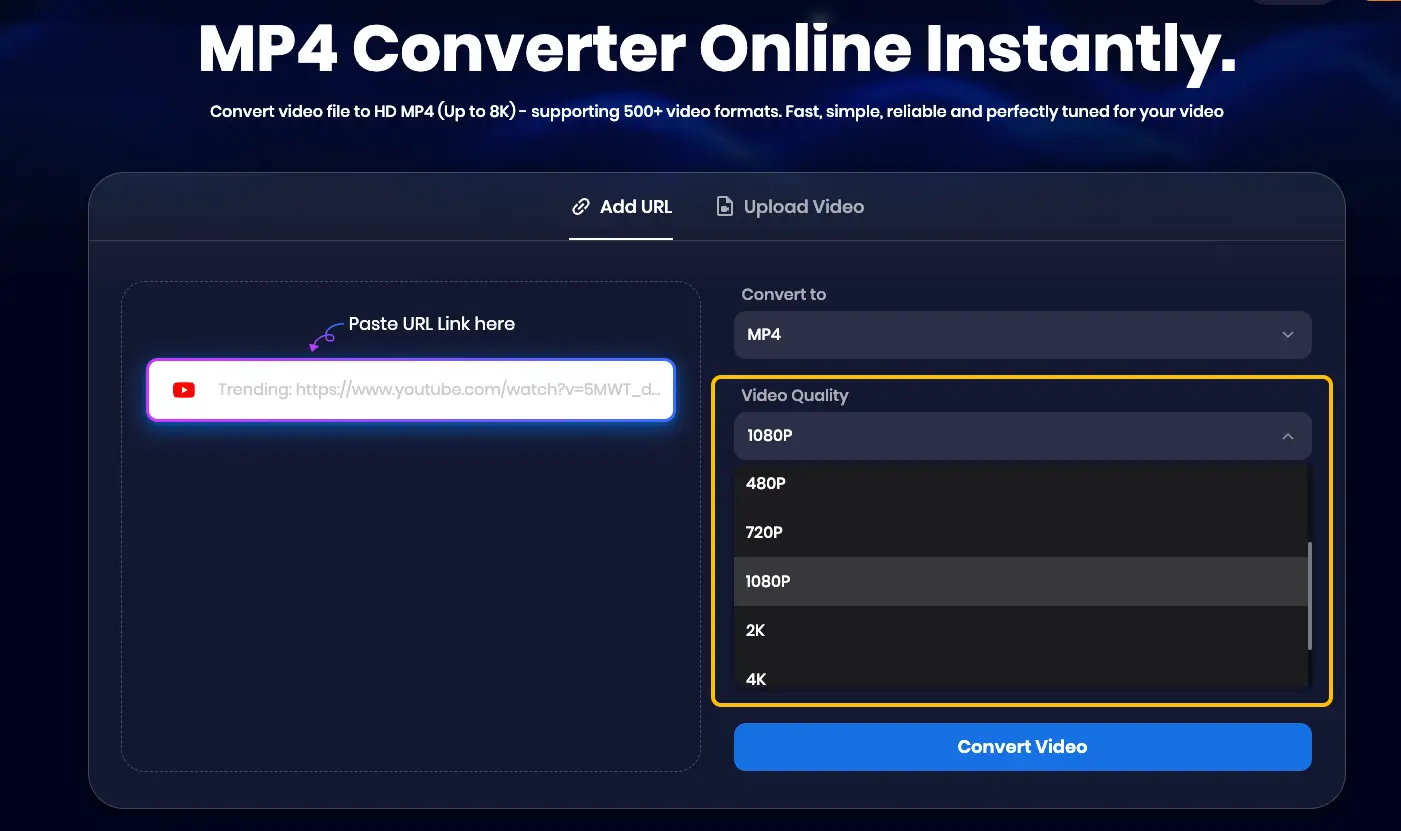
High-Resolution Options: You can select specific resolutions like 1080p, 2K, or even 4K to ensure your AI has the best pixels to work with.
-
Ad-Free and Secure: Enjoy a clean downloading experience without annoying pop-ups or security risks.
-
User-Friendly Interface: The layout is simple and intuitive, allowing beginners to start downloading in seconds.
Step-by-Step Guide to Prepare Your Footage
Follow these simple steps to get your original video ready:
-
Copy the URL: Find the video you want to transform on YouTube, Twitter, TikTok, or Facebook and copy its link.
-
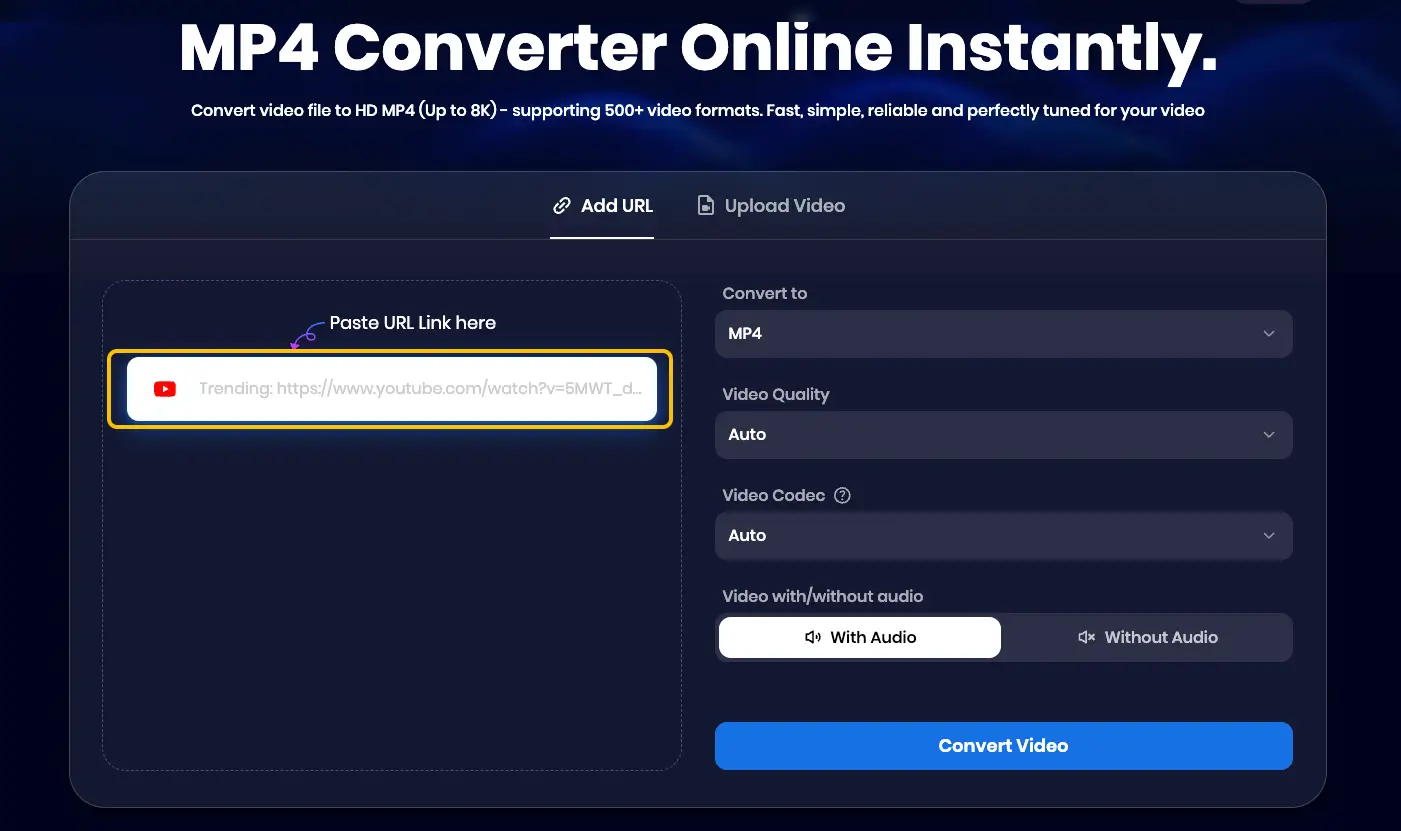
Paste into Snappixify: Visit the Snappixify video converter page and paste the link into the search bar.
-
Select Your Format: Choose a high-quality format such as MP4, MOV, or WMV. For AI tools, MP4 is usually the most compatible choice.

-
Select Video Quality: Choose the highest available resolution (e.g., 1080p) to maintain detail.
-
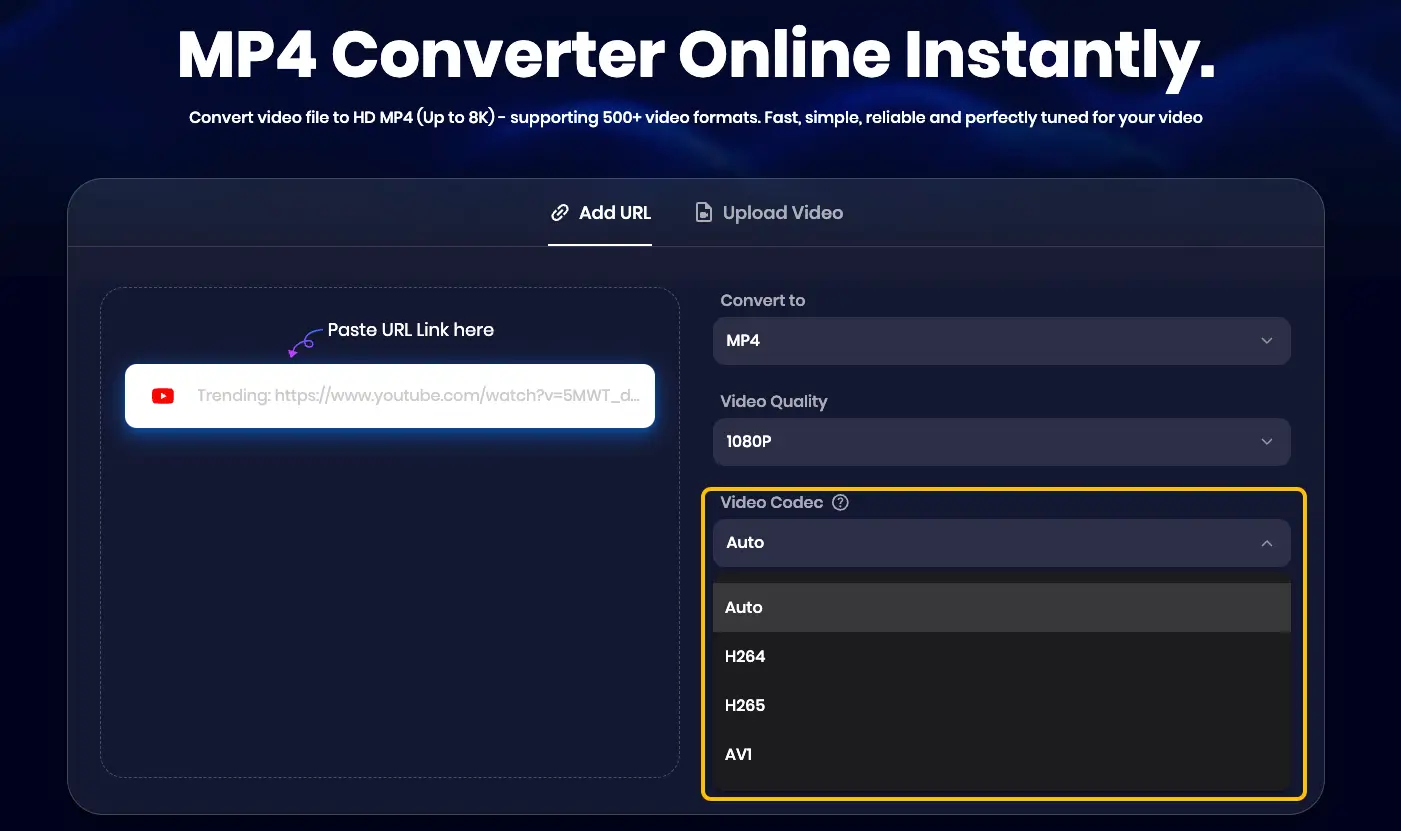
Choose Video Codec: * Auto: Recommended if you are unsure; the tool will choose the best balance.
-
H.264: The most compatible codec for almost all AI software.
-
H.265 (HEVC): Great for high quality at smaller file sizes.
-
AV1: A modern, highly efficient codec for top-tier quality.
-
-
Convert and Download: Click "Convert Video," wait a moment for the process to finish, and then click "Download" to save the file to your device.
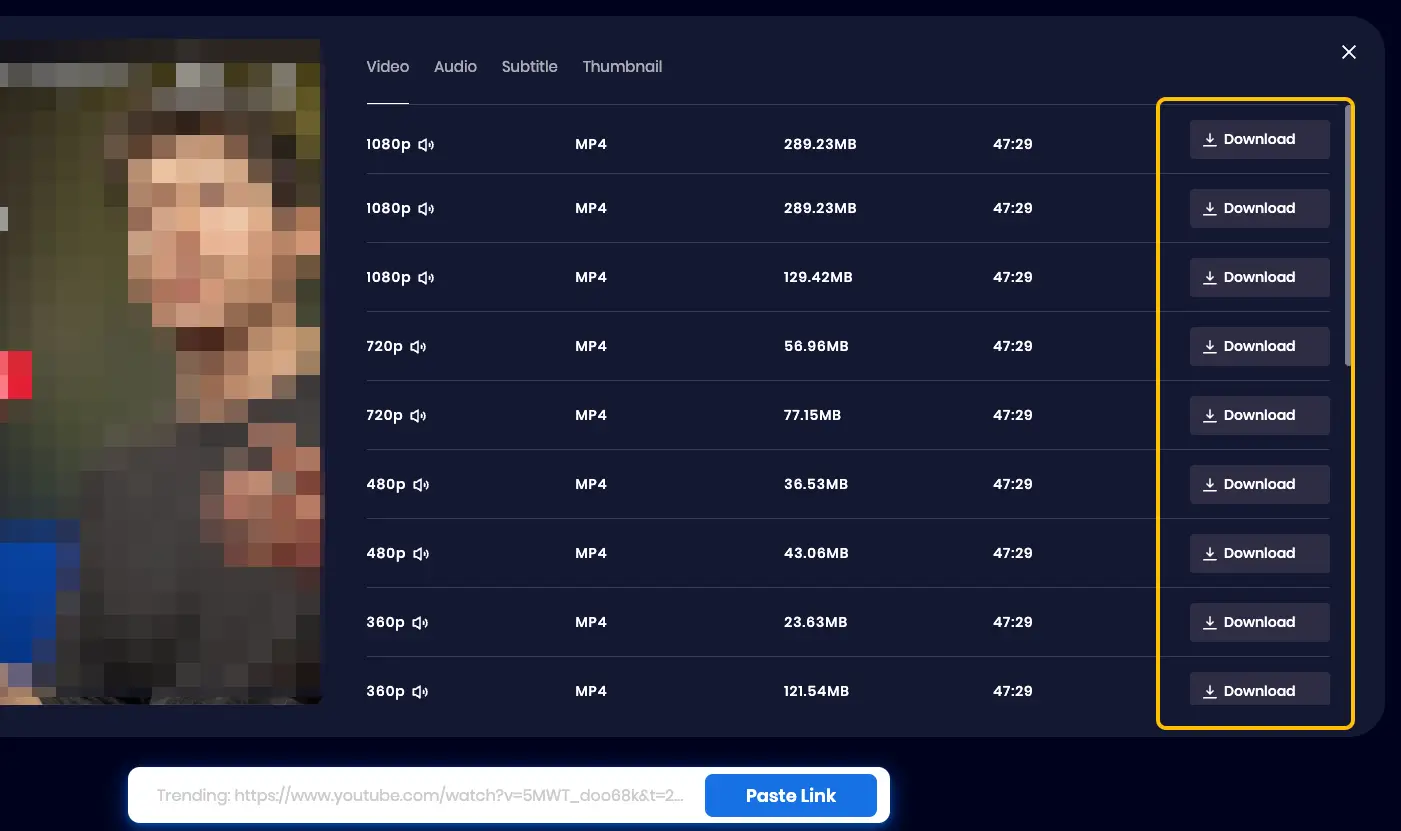
By using an online video downloader, you ensure that the AI tool has a stable, high-bitrate file to work with.
Popular Application Scenarios for AI Video Tools
Why are creators flocking to a video to video converter? Here is how this tech is being used across industries:
-
Social Media & Anime Trends: Transforming viral dance challenges into high-end 3D character animations or anime-style clips.
-
Film Production: Using low-cost "proxy" shots (like a walk in the woods) to generate complex CGI environments like enchanted forests.
-
Legacy Restoration: Reviving old 480p family archives or classic films into 4K masterpieces using AI upscaling.
-
Commercial Marketing: Swapping a sunny beach background for a snowy mountain to localize ads for different seasons without expensive reshoots.
In all these scenarios, the importance of the mp4 converter quality cannot be overstated. Using high-bitrate files from a video converter ensures smoother AI textures and prevents visual artifacts that occur with low-quality sources.
Advantages and Challenges of Video to Video AI
The Advantages
-
Creative Efficiency: What used to take weeks of rotoscoping now takes minutes.
-
Cost Effective: No need for expensive sets or costumes when you can generate them digitally.
-
Consistency: AI helps maintain a uniform look across different clips.
The Challenges
-
Hardware Requirements: Most AI conversion requires high-end GPUs or paid cloud credits.
-
Copyright Awareness: Always ensure you have the rights to the videos you download via a pc video downloader if you plan to use them for commercial purposes.
-
Source Quality: As mentioned, AI cannot fix a fundamentally broken or extremely shaky video.
Future Trends in AI Video Transformation
The future of the video to video converter is moving toward real-time processing. We expect to see tools that can change your video style as you are filming it. At Snappixify, we are constantly updating our servers to support higher resolutions and faster conversion speeds, ensuring you always have access to the best source materials for these emerging technologies.
Conclusion
The potential of video to video AI is limitless, offering a new playground for digital artists and social media influencers alike. By mastering the art of the "Source Video," you set yourself up for success.
Are you ready to start your AI journey? Visit Snappixify today to download your first source clip and see how easy it is to convert to mp4 for your next AI project.


