 Snappixify


How to use snappixify for instagram downloads?
Snappixify works entirely in your web browser—no installations or extensions required. To download photos and videos from Instagram:
1. Copy the post link
In Instagram's app or website, tap the three dots on the photo or video post and select “Copy Link.”
2. Open snappixify
Go to snappixify.com in Chrome, Firefox, Safari, or Edge. No login is needed.
3. Paste and select
Paste the link into Snappixify's input box. The tool will fetch the available download options.
4. Choose format and quality
Select your format—MP4, MKV and more—and pick video resolution up to 4K video download if it's available.
5. Download and view offline
Click “Download.” Your Instagram photo or video saves to your device, ready to watch videos offline or share with friends.
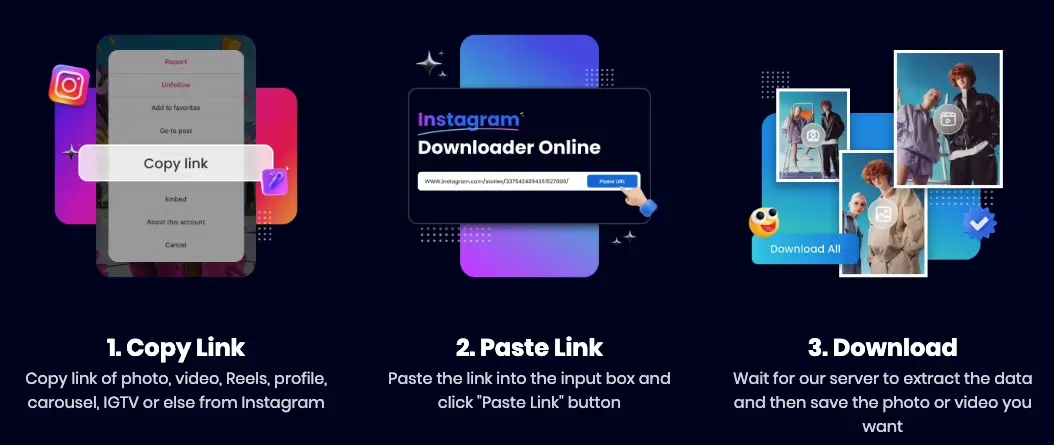
Using Snappixify, your instagram photo and video downloader experience is fast and reliable every time.
Can you get high‑quality instagram videos?
Absolutely. Many downloaders limit you to low resolutions, but Snappixify offers genuine 4K video download when Instagram provides it. That means:
-
Sharper footage: Fine details in nature scenes, travel vlogs, or makeup tutorials appear crisp and clear.
-
Better playback: High-resolution videos look smooth and bright on your TV or monitor.
-
Editing flexibility: If you plan to edit or remix clips, 4K files give you room to crop or pan without losing quality.
Whether you're saving a quick video story or a full-length IGTV episode, Snappixify's high-resolution options set it apart as the top instagram photo and video downloader.
How to choose the right format for your needs?
Different devices and projects call for different file types. Snappixify makes it easy to pick:
-
MP4: Universal compatibility. Plays on any phone, tablet, or computer without extra software.
-
MKV: Ideal for preserving HDR and multiple audio tracks. Perfect for archiving or professional editing.
-
WEBM, MOV, AVI: Handy for web uploads, slideshows, or specific editing tools.
By selecting the correct format before you download a ted talk or an Instagram clip, you avoid time-consuming conversion steps later. Snappixify's format flexibility distinguishes it as the ultimate instagram photo and video downloader.
Can you trust snappixify with your privacy?
Privacy and security are critical when saving online content. Snappixify protects you by offering:
-
No Installations: Everything runs in your browser via encrypted HTTPS—no app downloads, no hidden toolbars.
-
Zero Trackers: Snappixify does not collect or share your personal data or download history.
-
Clean, Ad‑Free Interface: No pop‑ups, banners, or forced ads—just a clear “Download” button.
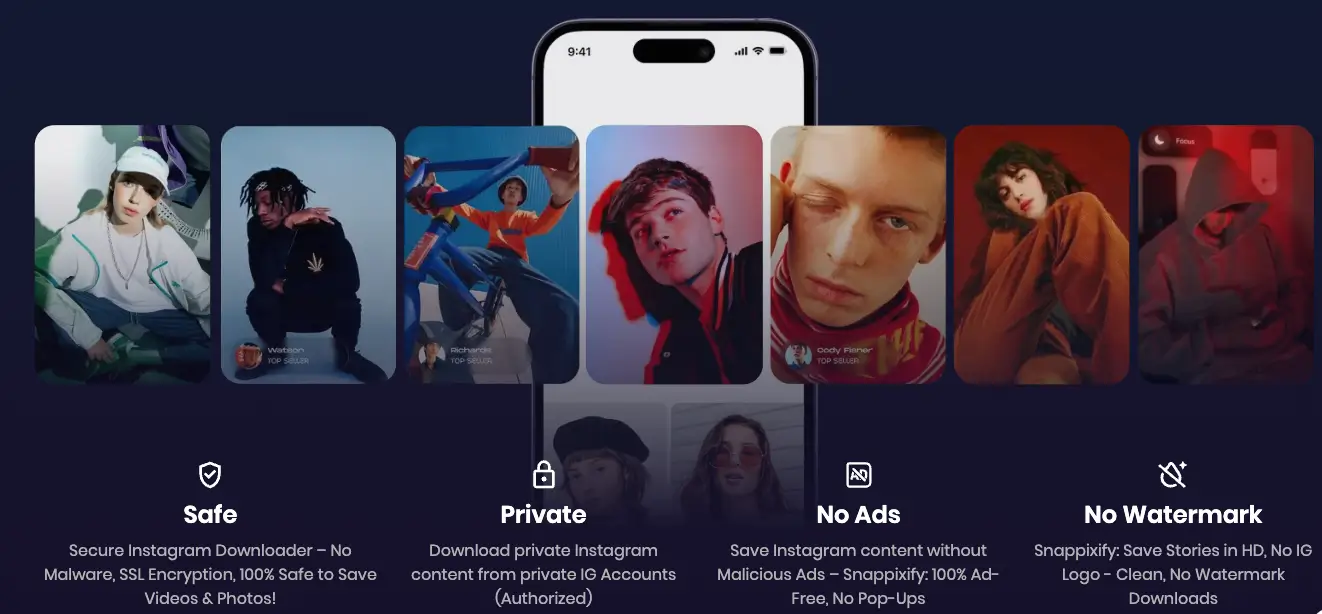
With these safeguards, every Instagram photo or video you save using Snappixify follows a fully private, safe & secure download process, giving you confidence in your instagram photo and video download tool.
How to watch instagram videos offline?
Once you have downloaded the videos, you can watch videos offline anytime, even without internet:
-
Travel: Load up on travel clips, language lessons, or motivational talks before a flight or road trip.
-
Presentations: Embed local video files in PowerPoint or Keynote to ensure smooth playback without Wi‑Fi.
-
Learning: Save tutorial videos for study sessions in areas without good internet access.
Snappixify turns Instagram content into portable files, allowing you to carry your favorite videos wherever you go and eliminating buffering issues.
Can you save instagram photos, too?
Yes. In addition to videos, Snappixify lets you download high-resolution Instagram photos:
Copy the photo link
Tap the three dots on the image post and select “Copy Link.”
Paste into snappixify
Paste the link into the input box on snappixify.com.
Download the image
Choose the photo option and click “Download.” The image saves in its original resolution, with no watermark or loss of quality.
As your go‑to instagram photo and video downloader, Snappixify ensures complete control over both photos and videos from Instagram, all in one convenient tool.
How snappixify handles multiple websites?
While Snappixify shines as an instagram photo and video downloader, it also supports a wide range of other sites:
-
Facebook & Twitter: Save any publicly shared video or photo.
-
TikTok: Download creative clips and trends.
-
Vimeo, Dailymotion: Indie films and professional tutorials.
-
News & Education: TED Talks, Khan Academy, and more.
One single platform covers all your download needs, making Snappixify far more versatile than specialized Instagram-only tools.
Can you organize your downloads?
After saving multiple photos and videos, a simple method keeps your library tidy:
-
Themed Folders: Group by topic—“Travel,” “Food,” “Makeup,” “Education.”
-
Descriptive Filenames: Rename files like “2025-07_BaliDrone.mp4” or “2025-07_SaladRecipe.jpg.”
-
Date Prefixes: Start filenames with dates (YYYY‑MM‑DD) for automatic sorting.
These small steps help you locate files quickly after using Snappixify as your instagram photo and video downloader.
Conclusion
Snappixify is the ultimate instagram photo and video downloader for anyone who wants fast, reliable, and high‑quality downloads. With support for 1000+ websites, true 4K video download, multiple formats like MP4, MKV and more, a safe & secure download process, and absolutely no ads or no watermark, Snappixify gives you full control over your Instagram media. Try Snappixify today and experience effortless instagram photo and video downloader functionality—so you can keep your favorite photos and videos wherever you go.


