 Snappixify


MP3 is the most popular audio file format, with generally a smaller size and relatively low audio quality, while MP4 is the most compatible video file format, with a bigger file size and higher audio quality. You can use Snappixify MP3 Converter and Snappixify MP4 Converter to get the two formats of file, or convert them to other audio and video formats.
But is MP3 always smaller, or does MP4 always contain video? Or, do you have other confusion? Don't worry, we will introduce everything about MP3 vs MP4 in a way that everyone can understand.
A Quick Guide to MP3 and MP4 Formats
-
MP3 is an audio format, while MP4 is a video format.
-
An MP4 file can contain only sound, while an MP3 can't contain the video image.
-
MP3 and MP4 are distinguished by file size, audio quality, codec, and more.
What Is MP3 vs MP4? A Clear Definition for Beginners
What Is MP3?
Quick definition: MP3 is a digital audio file format used to store sound.
MP3 is a popular audio file format used to store music and other sound content. When it comes to the MP3, you can't ignore the following features:
-
One of the earliest audio formats: MP3 is released in the 1990s. For decades, MP3 has been the most commonly used format.
-
Compatibility: As one of the earliest audio formats, MP3 has high compatibility. Most computers, phones, and even smart TVs support playing MP3s, whether they are old devices or new devices.
-
Lossy compression: When MP3 was released, the audio technology was not mature. Therefore, when compressing the sound to an MP3 file, the sound detail can't be stored losslessly. So, MP3 is called the lossy compression audio format.
-
Small file size: Since MP3 is a lossy compression audio format, it usually has a small file size, making it convenient to be transferred and shared. That is also why MP3 is one of the most popular audio formats.
What Is MP4?
Quick definition: MP4 is a digital multimedia file format used to store video, audio, and other media content.
MP4 is a widely used multimedia format that can contain both video and audio in a single file. When it comes to MP4, you should know the following key features:
-
One of the earliest multimedia formats: MP4 was standardized in the early 2000s and was designed to contain more than just sound, but also video, subtitles, and images, making it very flexible for different use cases.
-
Efficient compression: MP4 supports modern codecs such as H.264, H.265, and AAC, which compress media efficiently while keeping good quality. This makes MP4 suitable for online streaming and high-resolution playback.
-
Wide compatibility: MP4 is supported by most smartphones, computers, web browsers, smart TVs, and social media platforms. Because of this, it has become the standard format for online videos and streaming content.
-
Balanced file size and quality: Thanks to advanced compression methods, MP4 files can deliver high-quality video and audio in a relatively small file size, making them easy to store, upload, and share.
MP3 vs MP4 Format: Core Differences
What is MP3 vs MP4? Please give a quick scan of the following comparison table. In the following sections, we will introduce the significant differences between MP3 and MP4.
|
MP3 vs MP4 |
MP3 |
MP4 |
|
Format type |
Audio file format |
Multimedia container format |
|
Primary purpose |
Store and play audio |
Store video, audio, and other media |
|
Supported content |
Audio only |
Video, audio, subtitles, images, metadata |
|
Typical file extension |
.mp3 |
.mp4 |
|
Compression type |
Lossy audio compression |
Codec-based multimedia compression |
|
Common codecs used |
MP3 |
AAC (audio), H.264 / H.265 (video) |
|
Audio quality |
Good at higher bitrates |
Similar or better quality at lower bitrates |
|
Video support |
No |
Yes |
|
Subtitle & caption support |
No |
Yes |
|
Metadata support |
Basic metadata |
Advanced metadata and chapters |
|
File size tendency |
Usually smaller |
Usually larger |
|
What affects file size |
Audio bitrate |
Resolution, frame rate, codec, bitrate |
|
Which is the smaller file size |
MP3 is usually smaller |
MP4 is larger when the video is included |
|
Streaming support |
Audio streaming |
Video and audio streaming |
|
Social media compatibility |
Limited |
Highly optimized |
|
Device compatibility |
Almost universal |
Excellent on modern devices |
|
Best use cases |
Music, podcasts, audiobooks |
Videos, streaming, social media content |
|
Editing flexibility |
Audio-focused |
Highly flexible for media editing |
|
Storage efficiency |
Very efficient for audio |
Efficient for multimedia content |
|
Choose this format if… |
You only need audio and small files |
You need video or multimedia support |
Which Is the Smaller File Size: MP3 vs MP4?
MP3 is usually way smaller when comparing MP3 and MP4 files of the same duration.
Why MP3 Files Are Usually Smaller
Because MP3 stores only audio, while MP4 usually stores video data.
MP3 is an audio-only format. It can store nothing but sound, which means there is no extra data for images, video, or visual effects.
Another reason MP3 files are small is lossy compression. Due to its compression method, less noticeable audio details are removed to reduce file size.
Why MP4 Files Are Often Larger
MP4 is built to store much more than audio. In most cases, MP4 files include video streams along with audio, which will surely increase the file size. Video data requires far more storage than sound, especially when higher resolutions or frame rates are involved.
In addition, MP4 files may contain subtitles, metadata, and other multimedia elements. File size is influenced by factors such as video resolution, codec choice, bitrate, and playback length. Even with efficient compression, an MP4 file with video will almost always be larger than an MP3 file of the same duration.
Can MP4 Ever Be Smaller Than MP3?
Yes, but rare.
This usually happens when MP4 is used as an audio-only container (It's rare, though, after all, MP4 is designed for video, not audio) with modern codecs like AAC. AAC is more efficient than MP3 (which is also a codec that has the same name as the audio format MP3). It removes more sound details to keep the file size smaller, but still keeps a similar sound quality.
For example, an MP4 file containing only AAC audio at a low bitrate may take up less space than a high-bitrate MP3 file with the same duration. While this is less common in everyday use, it shows that file size is not determined by the format name alone, but by how the media is encoded.
MP3 vs MP4 Audio Quality: What Actually Sounds Better?
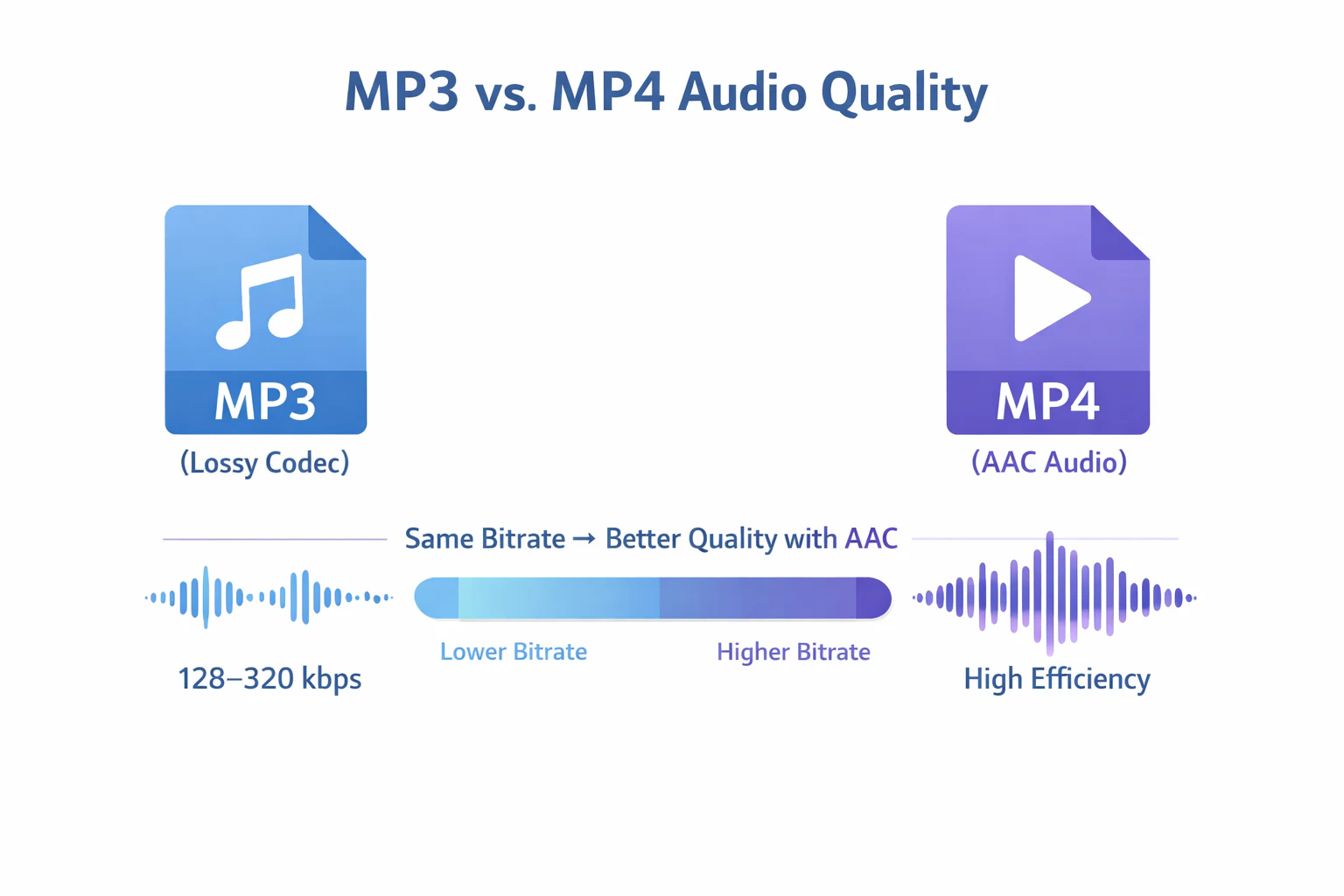
When comparing MP4 vs MP3, MP4 usually sounds better than MP3 when the bitrate is the same. If the bitrate is different, we can't just say which is better in audio quality, since audio quality is impacted by not only one factor.
Let's quickly introduce what bitrate (or bit rate) is. Bit is short for binary digit. It is the smallest storage and transmission unit in the computer. There are only two statuses about a bit: 1 and 0. An 8-bit equals 1 byte. So, as a result, bitrate is how much audio data is packed into every second of a file. It's measured in kbps (kilobits per second). The audio quality is largely influenced by its bitrate.
MP3 Audio Quality Characteristics
As we mentioned, the MP3 format file uses a lossy audio compression codec: MP3, which means the file contains less sound data, and hence leads to the low bitrate.
At higher bitrates, such as 256 kbps or 320 kbps, MP3 can still deliver clear and enjoyable sound for most listeners. This is why it has remained popular for music downloads, podcasts, and everyday listening. For example, you can download YouTube as MP3 at 320 kbps. It will be an audio file of good sound quality.
However, compared to newer audio technologies, MP3 is less efficient and needs more data to reach the same perceived quality.
MP4 Audio Quality Potential
MP4 itself is not an audio codec, but it often stores audio using modern codecs like AAC. AAC is more efficient than MP3 and can produce similar or even better sound quality at lower bitrates. This means an MP4 file with AAC audio will sound better than the same-bitrate MP3. Moreover, in daily practice, the bitrate of MP4 audio is usually higher than that of MP3, which means MP4 will generally sound much better than MP3.
MP3 vs MP4: Compatibility and Playback Support Across Devices
MP3 and MP4 are both widely supported, but they are optimized for slightly different playback environments.
Device and Platform Support for MP3
MP3 is one of the most universally supported audio formats. Because it has been around for decades, almost every device that can play sound supports MP3 files. This includes older computers, basic music players, car audio systems, smartphones, and smart TVs. It also works across all major operating systems and browsers, and it rarely requires extra codecs or software.
Device and Platform Support for MP4
MP4 is designed for modern multimedia playback and is supported by most smartphones, tablets, smart TVs, and web browsers. It is the standard format for online video platforms, streaming services, and social media websites.
MP3 vs MP4: Common Use Cases
Knowing when to use MP3 or MP4 helps you choose the right format for your needs. Both formats have clear strengths. Apart from just choosing MP3 when you only need to store audio and choosing MP4 when you also need to store video, you can refer to the best scenarios for using MP3 and MP4.
Best Scenarios for Using MP3
-
Listening to music offline
-
Saving podcasts or audiobooks
-
Recording voice or speech content
-
Sharing audio files in a small size for storage or email
MP3 is great when you only need sound. It works everywhere and takes little space.
Best Scenarios for Using MP4
-
Sharing video clips online
-
Posting content on social media
-
Making multimedia presentations
-
Adding subtitles, images, or visuals to content
MP4 is perfect for videos or files that mix audio and visual elements.
Convert Between MP3 and MP4 Easily
When to Use Snappixify MP4 Converter and MP3 Converter
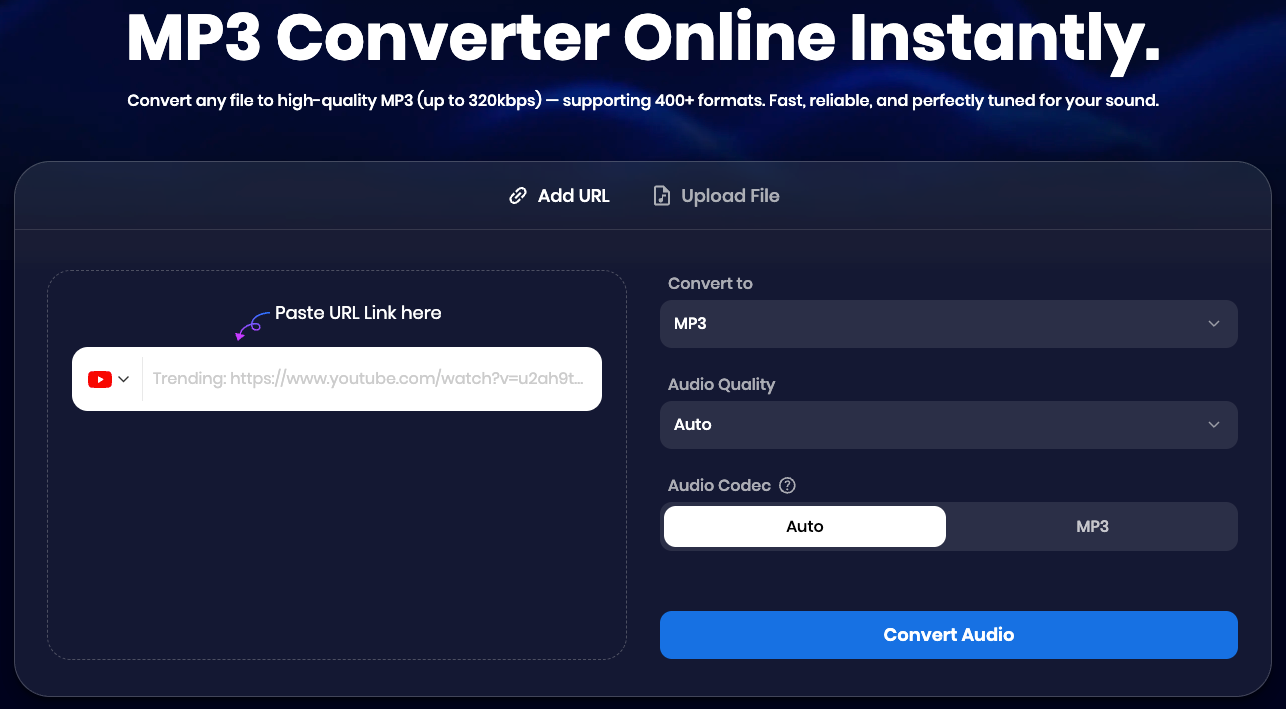
Now, you have understood when to use MP3 and when to use MP4. However, imagine that you find a wonderful MV video on YouTube, but you just want to download the music as an MP3 file so that you can enjoy it without any storage pressure. You need an MP3 converter.
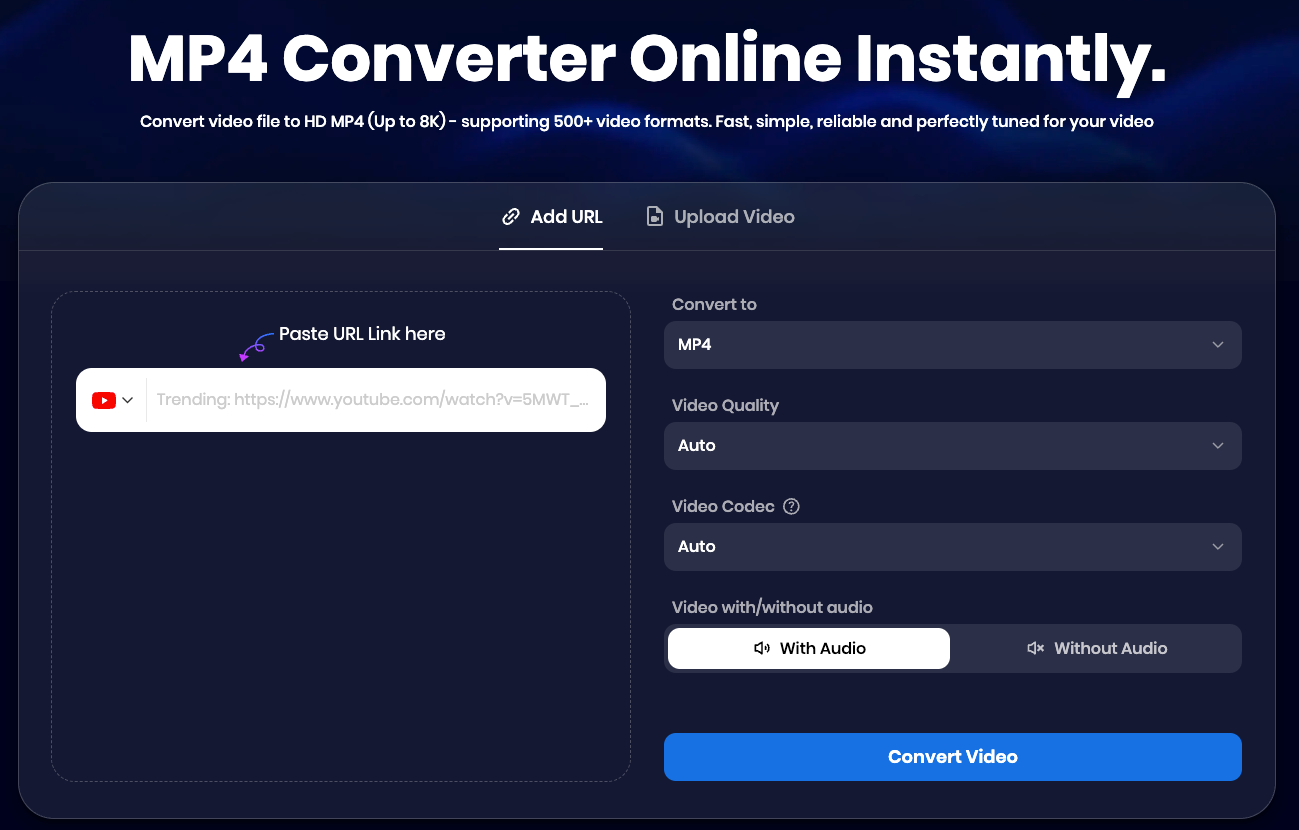
And when you have some low-compatibility video formats, converting them into the MP4 format will help play them on more devices. In that case, you need an MP4 converter.
Snappixify MP3 Converter and Snappixify MP4 Converter will help you to do that.
Why Snappixify Is Different from Other Converters
There are many converters in the market, but you can always choose Snappixify. It has the following features:
-
Free to use: Snappixify provides free usage credits every day, which are enough for casual use.
-
Support social media link: Apart from uploading local files to convert, you can also directly paste the YouTube, X, TikTok, and Instagram link directly to get the MP3 and MP4 files.
-
Fully customizable: You can customize the codec and bitrate to control the audio quality and file size with Snappixify MP3 Converter and Snappixify MP4 Converter.
-
High speed: With the advanced algorithm of Snappixify, you can convert a 3-minute video to MP4 in no more than 2 seconds, which is 30% quicker than most converters.
Common Misunderstandings About MP3 vs MP4
Now, we are done with everything about the MP4 vs MP3 format. However, there are two common misunderstandings about MP3 vs MP4 that you need to pay attention to:
MP4 Is Not Just a Video Format
MP4 is a video container, which doesn't mean that it can only contain video. There are also MP4 files that only contain audio.
File Extension Does Not Equal Quality
Just because a file is MP3 or MP4 does not guarantee its quality. The sound quality depends on the bitrate and compression codec used. Two files with the same extension can sound very different.
FAQs About MP3 vs MP4
1. Is MP4 a video format or an audio format?
MP4 is a multimedia container. It can hold video, audio, or both.
2. Can MP4 files contain audio only?
Yes. You can have audio-only MP4 files using modern codecs.
3. Is MP4 just a replacement for MP3?
No. MP4 is not a replacement. MP3 is still better for simple audio and small file sizes.
4. When should I convert MP4 to MP3?
You can convert MP4 to MP3 when you only need the audio of a video, like extracting the music from an MV.
5. When should I convert audio to MP4 instead of MP3?
Generally, MP3 is better to contain audio than MP4. Therefore, we don't recommend convert video to MP4. In fact, if you want the better audio quality, turn to some lossless audio format like FLAC.
Final Thoughts on MP3 vs MP4
MP3 vs MP4 format? I think this article will be the final one that helps you understand what MP3 vs MP4 is, and when to use them. By the way, if you need MP3 or MP4 format, don't forget to use Snappixify MP3 Converter and MP4 Converter.


