 Snappixify


Have you ever found a perfect BGM on TikTok but struggled to save it as a high-quality audio file for your own projects? While screen recording is a common workaround, it often leaves you with poor sound quality and annoying background noise. If you want to convert TikTok video to MP3 with professional fidelity, I have put together several proven methods to help you solve this problem.
In this guide, I will provide multiple solutions ranging from advanced command-line tools for maximum control to fast, one-click online alternatives that get the job done instantly.
Things You Need to Know Before Downloading
Before you start extracting your favorite tracks, you should understand how to use these tools responsibly. Here is a quick breakdown of how to balance your personal needs with creative respect:
Your Personal Use
In most cases, downloading TikTok audio for your personal use is completely good. Whether you want to save a catchy tune for offline listening or set a specific beat as your phone's ringtone, these methods are designed to give you more flexibility. As long as the file stays on your device for your own enjoyment, you can use these tools with confidence.
Respecting Other Creators
On the other hand, you need to be careful if you plan to share the audio or use it in your own public projects. If you post a video featuring a song made by someone else, you should always mention the name of the original artist. Giving proper credit is the best way to respect the creator’s hard work while avoiding potential copyright issues on social media platforms.
Quick and Easy Online Tools for Any Device
Whether you are using a smartphone or a desktop, online tools are often the most convenient choice. These platforms require no installation; as long as you have a stable internet connection, you can extract your favorite audio in seconds.
Snappixify
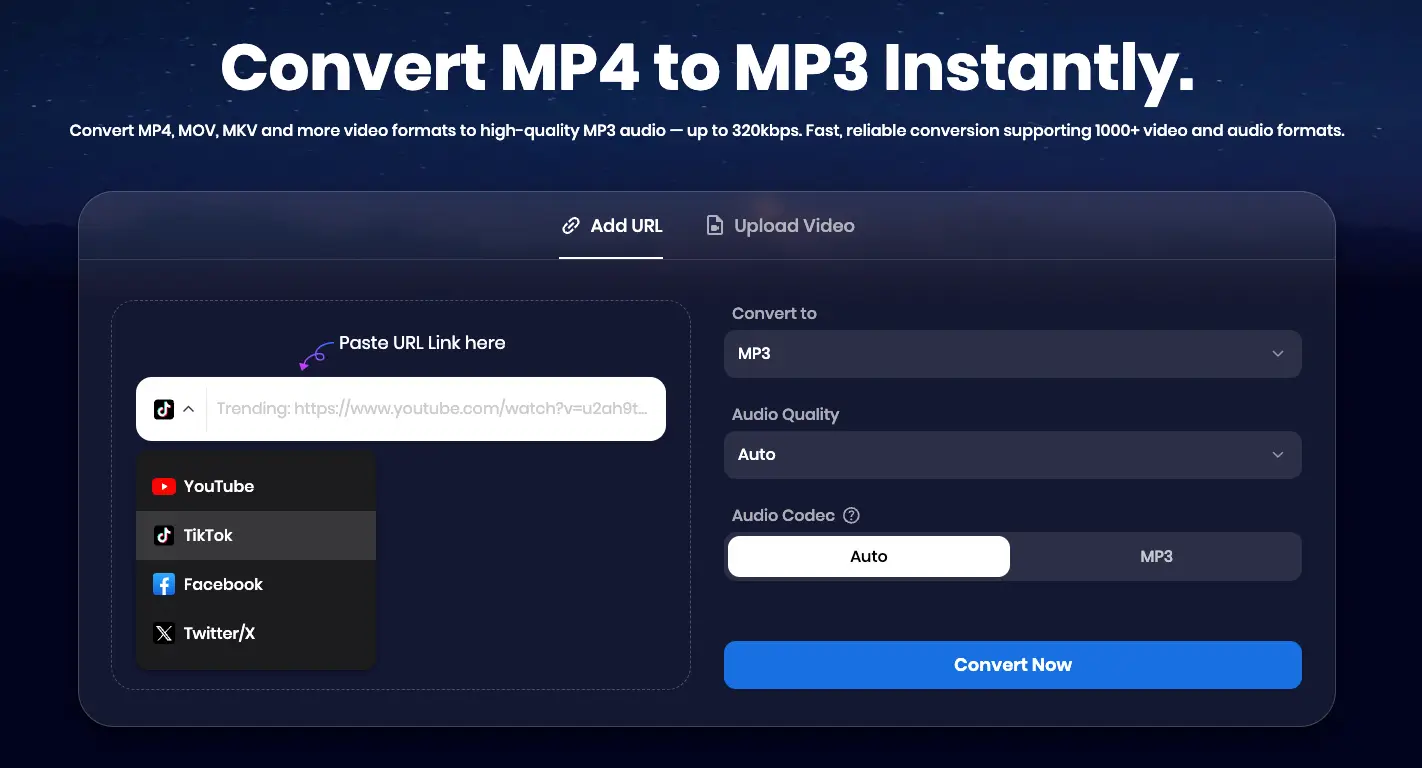
The All-in-One Online Downloader Snappixify is a powerful, all-in-one online tool designed for users who want a premium experience without the premium price tag. It stands out by offering far more than just simple conversions, providing a professional-grade solution for all your media needs.
Key Features:
-
Massive Platform Compatibility: You can grab content from over 1,000 websites, including TikTok, YouTube, Facebook, and Twitter, making it a universal downloader for all your social media favorites.
Pros:
-
Ad-Free Experience: Unlike many free tools, Snappixify provides a clean environment without annoying pop-ups.
-
Versatile Formats and Quality: Beyond standard MP3s, Snappixify supports a wide range of audio and video formats. You can even customize your output with high-quality options up to 320kbps.
-
No Installation Needed: It works perfectly on any browser like Chrome or Safari across all devices—PC, Mac, or mobile.
-
Instant Use: No registration or login is required. Just paste your link and start.
-
High-Speed Conversion: Optimized servers ensure your files are ready in seconds, even for high-resolution tasks.
How to Convert TikTok to MP3 with Snappixify
Follow these simple steps to extract high-quality audio from any TikTok video:
Step 1: Get the TikTok Video URL
Before you can convert the file, you need the specific link to the video.
-
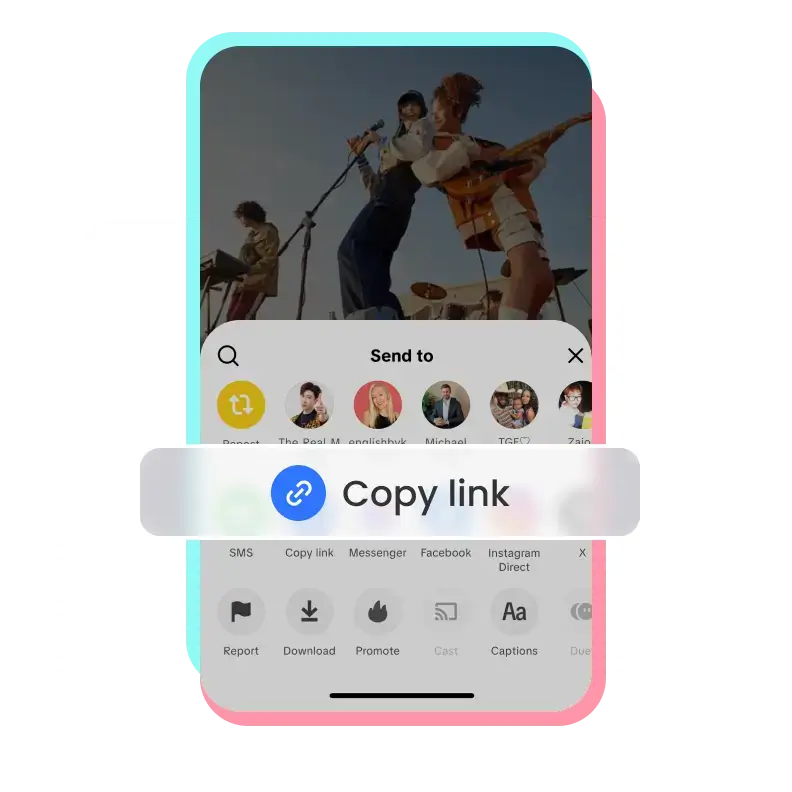
On Mobile: Open the TikTok app, tap the Share icon (the arrow) on the right side of the screen, and then tap the Copy link button.
-
On Desktop: Simply open the video in your browser and copy the URL directly from the address bar at the top.
Step 2: Paste and Select Your Preferences
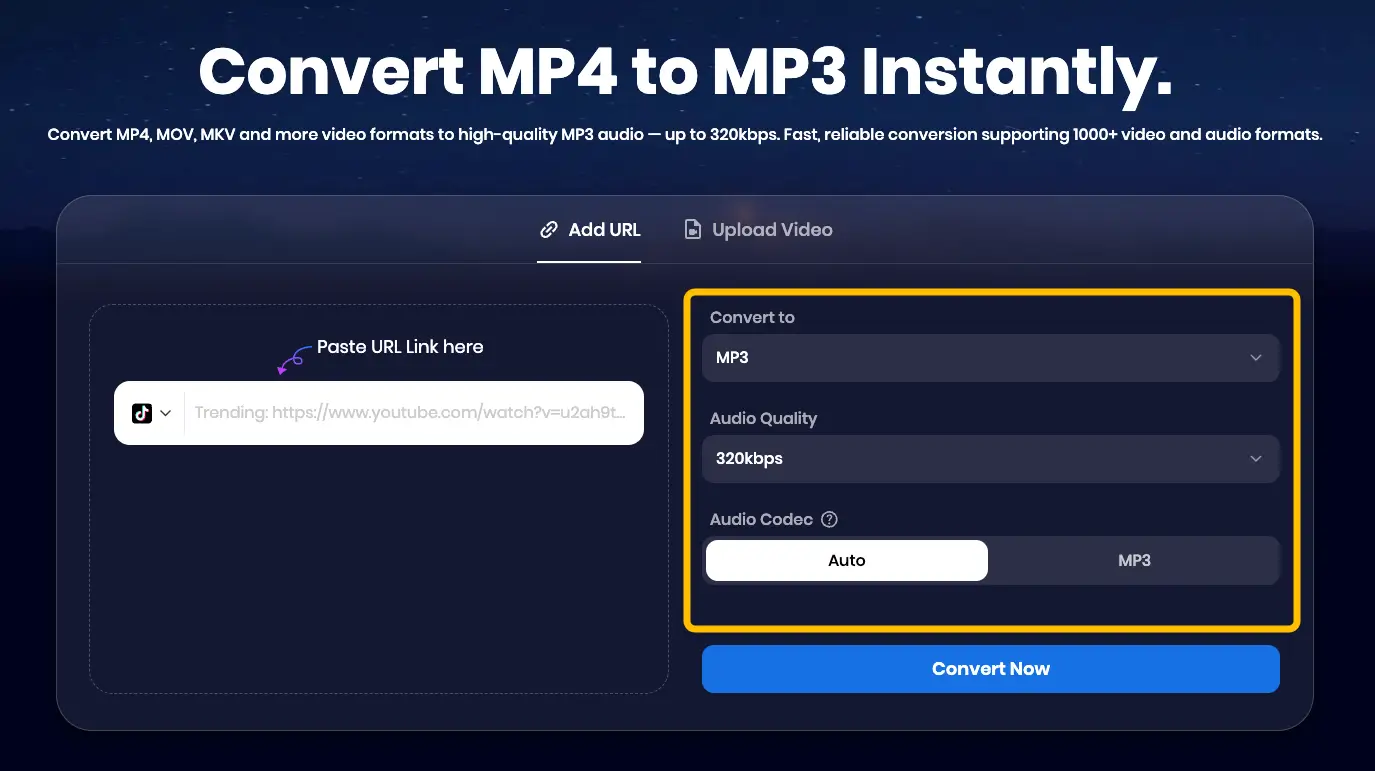
Go to the Snappixify website and paste the link into the search bar. Here, you can customize your download. Choose MP3 as your format and pick your preferred Audio Quality (such as 320kbps) and Audio Codec.
Step 3: Convert and Download
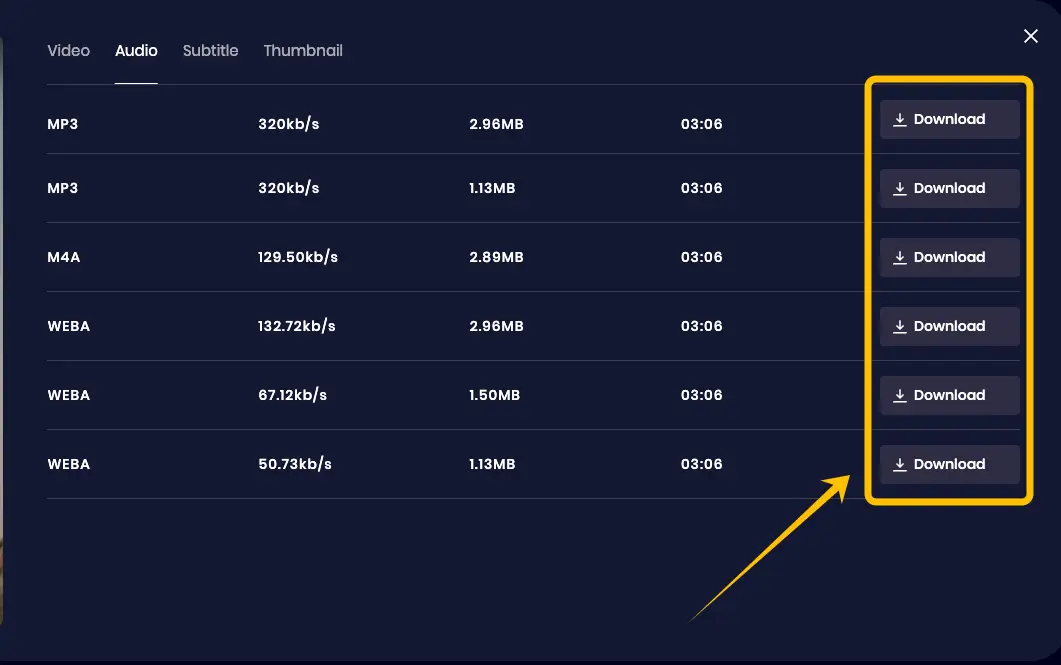
Click the Convert Now button. Wait a few moments for the server to process your file, and once it is ready, click Download to save the MP3 directly to your device.
Professional Desktop Solution: yt-dlp via Python
While online tools provide incredible speed and accessibility for most users, yt-dlp serves as a powerful complementary solution for those seeking deep customization. It is a world-class, open-source command-line project that offers unmatched flexibility for managing digital media. For users who enjoy technical control or need to handle large-scale tasks, this tool stands as a gold standard for extracting high-fidelity audio directly to your desktop.
Key Features:
-
Batch Processing: You can download entire playlists or multiple TikTok profiles with a single command.
-
Metadata Preservation: It automatically grabs thumbnails, artist names, and video descriptions.
Pros:
-
Completely Free: No hidden subscriptions or "premium" tiers.
-
Maximum Quality: It fetches the original audio stream directly from the server for the best possible sound.
-
Privacy: Your downloads are processed locally on your machine, not on a third-party server.
-
Unrivaled Format Support: Beyond MP3, it can handle almost any codec and container available on the internet.
Cons:
-
Steep Learning Curve: For beginners, the initial setup can be quite complex. It requires using the terminal and following a multi-step installation process that might feel intimidating if you aren't familiar with command-line interfaces.
How to Configure and Download TikTok to MP3
Because yt-dlp is a technical tool, you need to set up a specific "environment" on your Mac or PC to make it work. Follow these steps to get started:
Step 1: Create a Dedicated Tools Folder
Before downloading any files, I highly recommend creating a specific folder to keep everything organized.
-
Create a new folder on your Desktop or in your Documents named
tools. -
All the files you download in the following steps (yt-dlp and FFmpeg) must be moved into this single folder. This ensures the tools can "find" each other when you run the conversion command.
Step 2: Download the Core Files for Your OS
First, you need to visit the official yt-dlp GitHub Releases page to get the executable file.
- For Windows Users:
Scroll down to the "Assets" section and click on yt-dlp.exe to download it.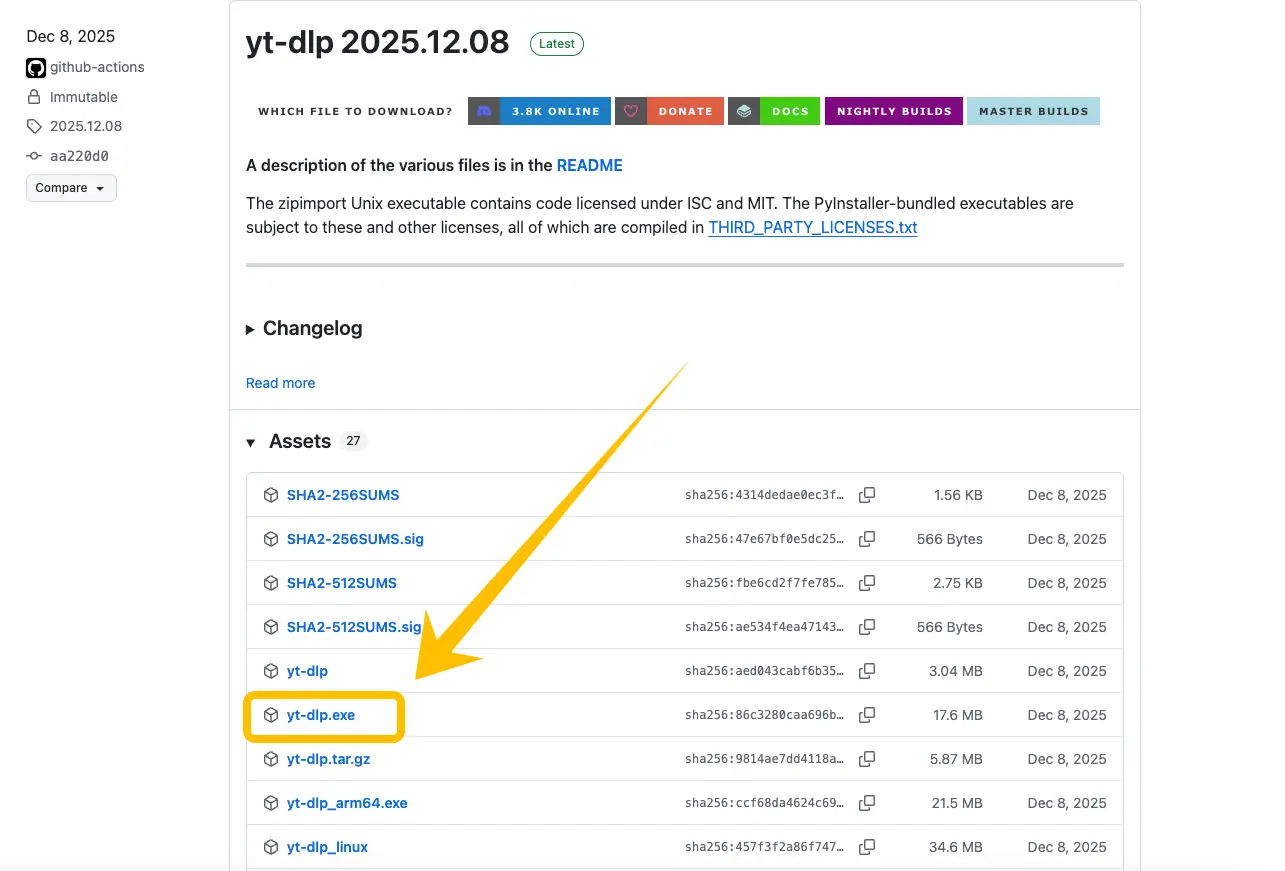
-
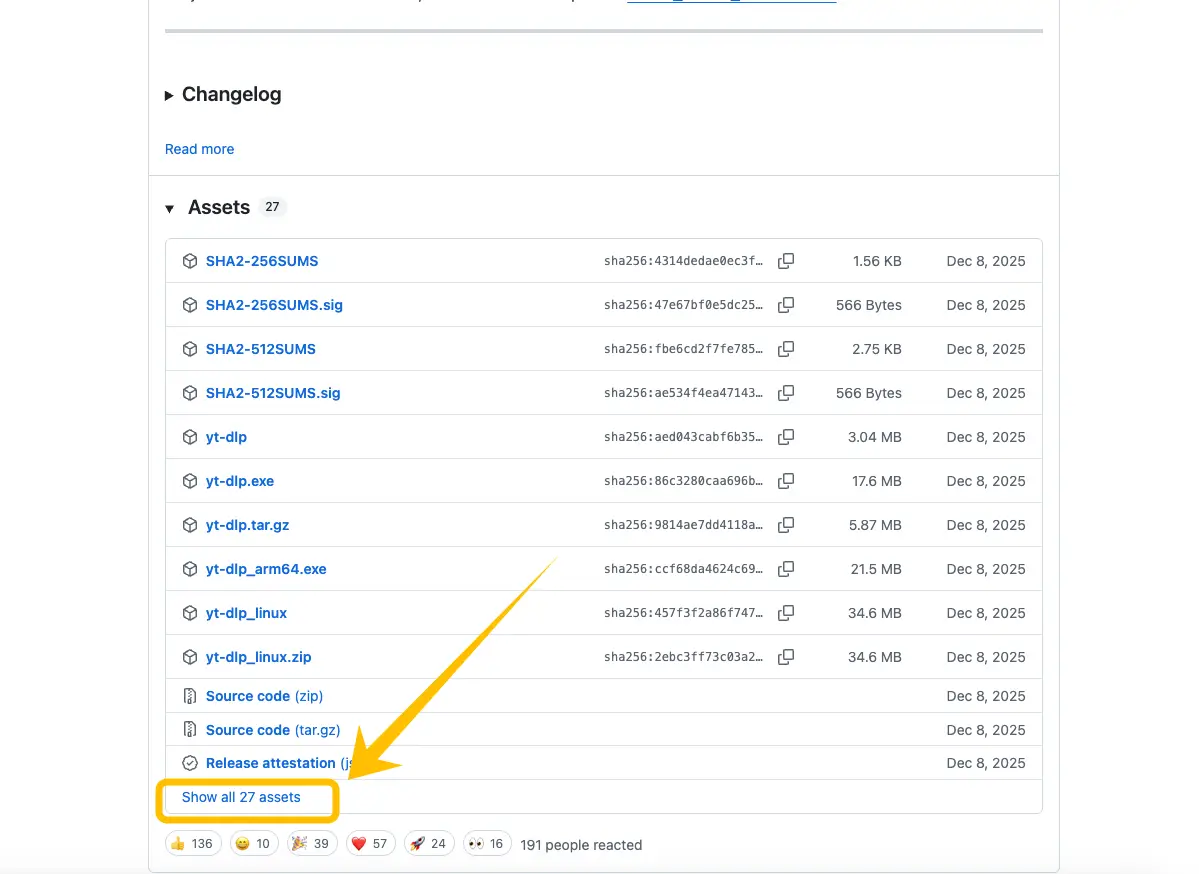
For Mac Users:
Click on the "Show all assets" text to expand the list.
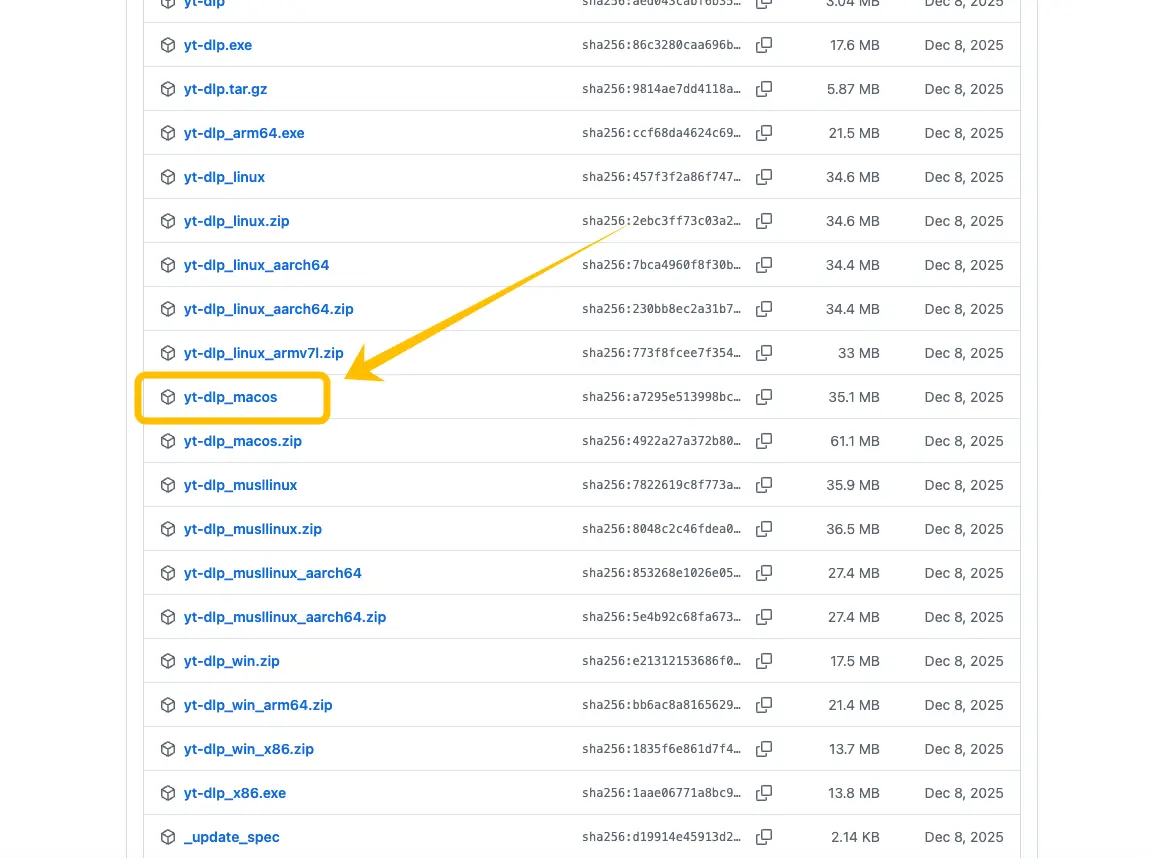
Look for the file named yt-dlp_macos and download it. (If you use an M1/M2/M3 chip, ensure you pick the compatible version if listed).
Step 3: Set Up the FFmpeg "Converter"
While yt-dlp grabs the media, it needs a secondary tool called FFmpeg to convert it into a high-quality MP3.
-
On Windows: Download the FFmpeg essentials zip, extract the folder, and move the ffmpeg.exe file into the same folder where your
yt-dlp.exeis located. -
On Mac: This is much faster using a script. Right-click your folder containing yt-dlp, select "New Terminal at Folder", and run the following command:
-
Download and Unpack FFmpeg:
curl -L https://evermeet.cx/ffmpeg/getrelease/zip -o ffmpeg.zip && unzip ffmpeg.zip && chmod +x ffmpeg && rm ffmpeg.zip

-
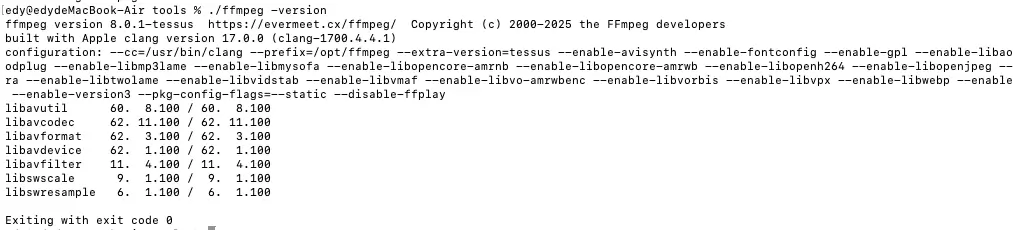
Verify the Installation (Check Version): To make sure FFmpeg is correctly installed and ready to use, type this command: ./ffmpeg -version
Step 4: Run the Final Command
With all the files prepared in your dedicated folder, you are now ready to convert. Crucially, you must ensure your Terminal or Command Prompt is operating inside the tools folder.
-
Open the Terminal in the right place:
-
On Mac: Right-click your
toolsfolder and select "New Terminal at Folder". -
On Windows: Open the
toolsfolder, click on the address bar at the top, typecmd, and press Enter.
-
-
Enter the Conversion Command: Paste the following command into the window (make sure to replace the placeholder with your actual TikTok link):
./yt-dlp -x --audio-format mp3 --ffmpeg-location ./ffmpeg "YOUR_TIKTOK_URL_HERE" -
Find Your MP3: Once the process finishes, your high-quality MP3 file will appear right inside that same
toolsfolder.
Unlock More Possibilities with MP3 Files
You might wonder why it’s better to have an MP3 file instead of just keeping the video. Extracting the audio brings several practical advantages that make your media library much more versatile:
-
Significant Storage Savings: Video files are heavy. By converting them to MP3, you significantly reduce the file size—sometimes by over 90%. This allows you to save hundreds of your favorite tracks without worrying about running out of space on your phone or computer.
-
Convenience for On-the-Go Listening: MP3 is the universal format for audio. Once converted, you can easily add these files to your Spotify local files, Apple Music, or any offline player. You can enjoy your favorite TikTok trends while driving or at the gym without needing a constant data connection.
-
Perfect for Content Creation: If you are a video editor, having the standalone MP3 makes it much easier to use the audio as background music (BGM) for your own projects. You can cut, loop, and mix the sound in editing software without the hassle of stripping the audio from a video file.
-
Better Organization: It is much easier to manage a playlist of audio files than a gallery full of random screen recordings. With MP3s, you can edit the metadata, making your personal audio collection clean and searchable.
Conclusion
Choosing the right tool depends on your needs. For a quick, one-click experience on any device, Snappixify is the ideal, user-friendly choice. However, if you are a power user seeking maximum control and batch downloads, yt-dlp is well worth the initial setup. Whichever path you take, you are now ready to enjoy your favorite TikTok sounds anytime, anywhere, in high-quality MP3.
FAQ: Troubleshooting Your Conversions
1. Will the audio quality be high enough for professional use?
The final quality depends heavily on the original source. If the TikTok creator uploaded the video with high-quality sound, yt-dlp will capture that original fidelity.
-
Pro Tip: If you find command-line settings confusing but still want guaranteed high-bitrate results, using Snappixify is a great alternative. It allows you to manually select 320kbps in the settings, ensuring a premium listening experience with just one click.
2. Why must I use double quotes (" ") with yt-dlp?
TikTok URLs contain special characters (like ? and &) that can confuse the terminal. Placing the link inside double quotes ensures yt-dlp reads the entire URL as a single, unbroken link, preventing "command not found" or syntax errors.
3. Can I extract audio from someone else’s TikTok?
Yes, as long as the video is public. However, always remember to respect copyright rules. If you plan to use the audio for your own content, it is best practice to give credit to the original creator or seek permission if required.


