 Snappixify


Do you find many books too dry to read or simply lack the time to sit down with one? Switching to audiobooks is a game-changer, allowing you to "read" during your commute, at the gym, or before bed. But the real challenge is: how do you find high-quality audiobooks for free and save them for offline listening? In this guide, we will show you exactly how to hunt for titles on YouTube and Spotify and use audio converter to build your own permanent library.
How to Find the Best Audiobooks?
To find the right audiobook efficiently, you first need to know which platform excels at which type of content. Here is a quick comparison to help you decide where to start your search:
|
Content Type |
Recommended Platform |
Why it Works |
|
Classics & Literature |
YouTube |
High-quality human narration and dedicated historical channels. |
|
Modern Bestsellers |
Spotify |
Huge library of recent titles often hidden as "Podcasts" or "Albums." |
1. YouTube
YouTube hosts a massive collection of audiobooks, but they fall into two distinct categories that require different approaches.
Stable Resources: Public Domain Classics
These are books with expired copyrights. They are legal, permanent, and often narrated by professional voice actors. For the best experience, follow these reputable channels:
-
Greatest AudioBooks: The best for "heavy" literature. They focus on massive novels like Moby Dickand The Art of War.

-
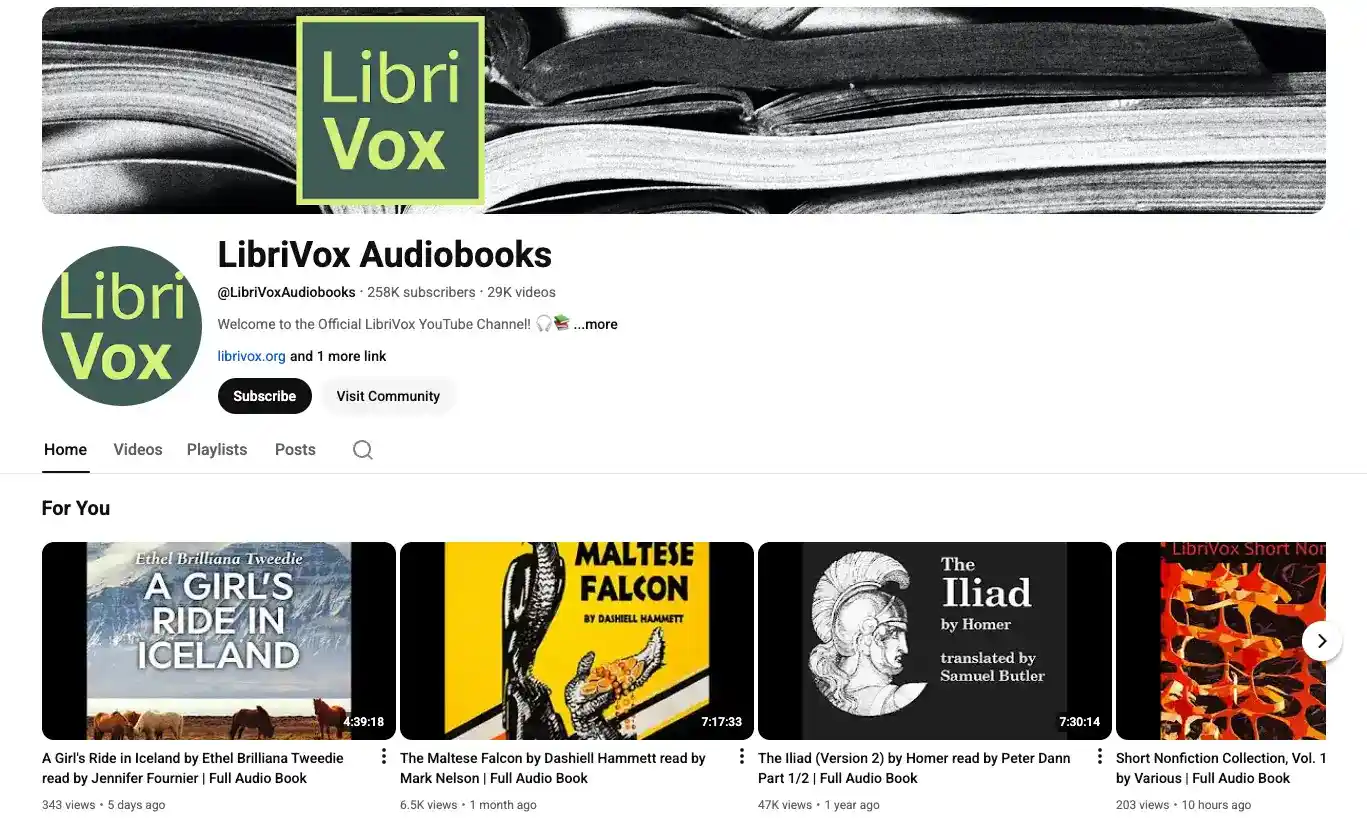
LibriVox Audiobooks: A massive volunteer project. It’s perfect if you want to find multiple versions or different narrators for the same classic book.
Fragile Resources: Modern Copyrighted Books
Newer books like Atomic Habits or Game of Thrones exist in a "gray area."
To find full versions and avoid low-quality AI voices, use this formula:
[Book Title] + Full Audiobook![[Book Title] + Full Audiobook](https://imgs.snappixify.com/cover_image/1768274631625-1nd5gs8j.webp)
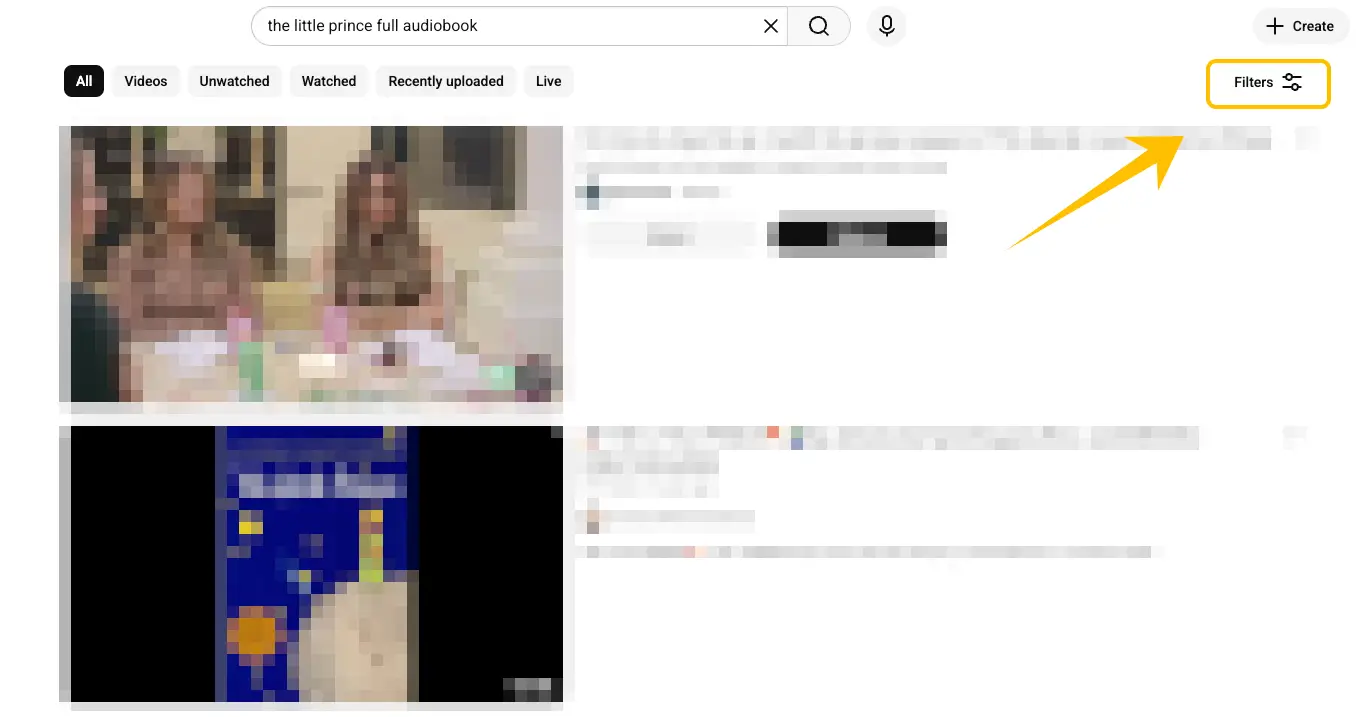
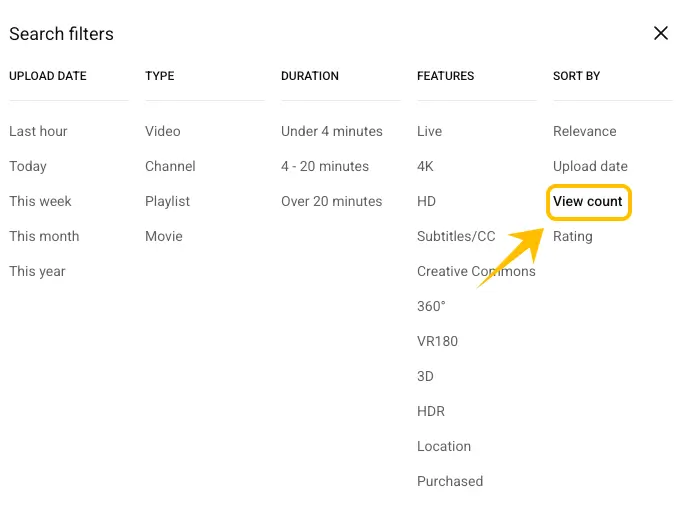
set the duration to "Over 20 minutes"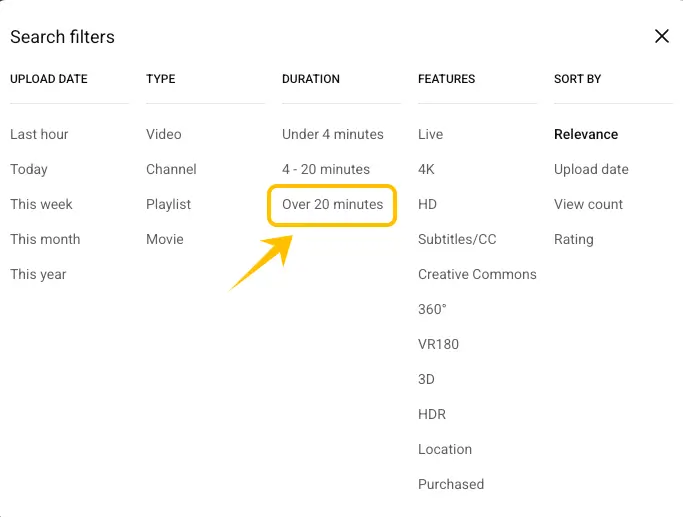
and sort by "Popularity" (or "View count" on older versions). This updated 2026 metric ensures you find legitimate, high-retention recordings that other listeners have already verified, rather than short clips or AI-generated spam.
2. Spotify: The Secret Library Behind the Music
Spotify isn't just for music; it is a massive, organized library for modern titles. Here is how to navigate it:
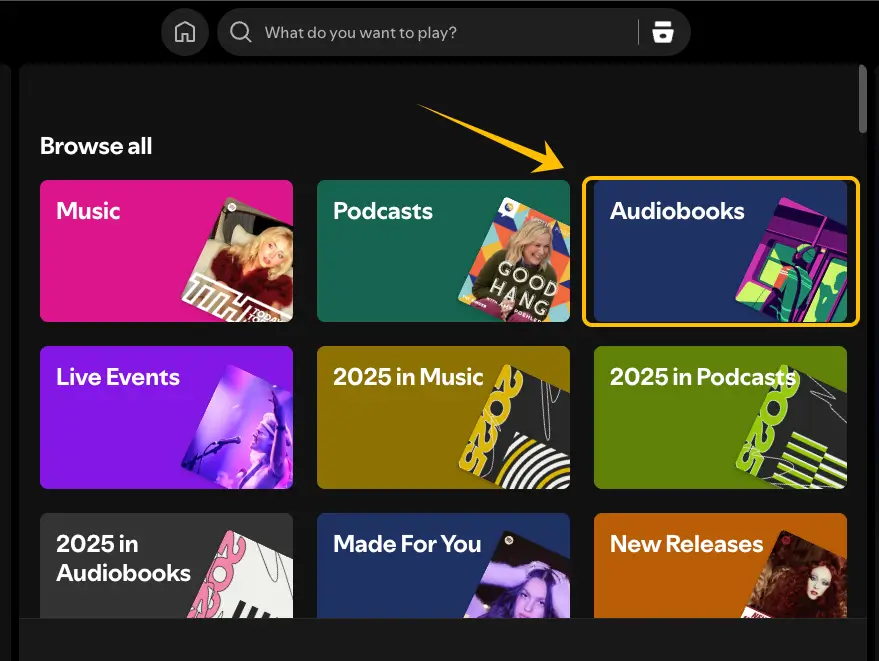
Go to the Search tab.

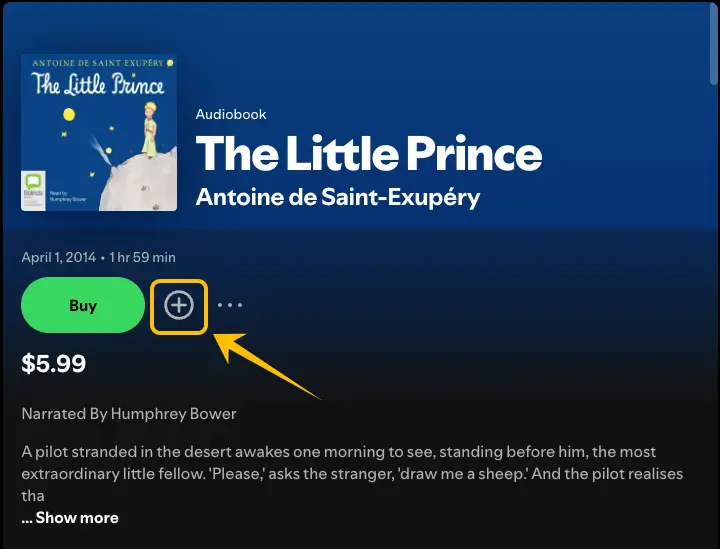
Select the "Audiobooks" tile under the "Browse All" section.
Why "Finding" Them Isn't Enough
Finding a great audiobook is only half the battle. If you rely solely on streaming, you will quickly run into several frustrating roadblocks that can ruin your listening experience:
-
The Spotify "Walled Garden": While Spotify allows Premium users to download content to their "Library," these files are encrypted and stuck inside the app. You don't actually own the file, meaning you can't move it to an MP3 player, a dedicated audiobook app, or play it on devices without the Spotify app installed.
-
The YouTube "Vanishing Act": As mentioned, modern copyrighted books on YouTube are part of a "cat and mouse" game. A book you start listening to today could be flagged and removed for copyright infringement by tomorrow. If you haven't saved a local copy, your progress and the story are gone forever.
-
Data and Battery Drain: Streaming 20+ hours of audio on the go is a massive drain on your mobile data and phone battery.
To truly own your library and ensure your favorite books are available anytime, anywhere, and forever, you need to move these titles from the cloud to your local storage. This is where the right tools come in.
The Solution: Archiving Your Library with Snappixify
Finding the content is just the beginning; "archiving" it is how you truly own it. Snappixify is an all-in-one online toolkit designed to bridge the gap between streaming platforms and your local storage.
Why Use Snappixify?
-
No Installation Required: It is a 100% web-based tool. No need to clutter your computer with risky software.
-
No Registration: You can start converting immediately without creating an account or giving away personal data.
-
User-Friendly Interface: The design is clean and intuitive, making it accessible even for non-tech-savvy users.
-
High-Speed Conversion: Powered by fast servers, it processes long audiobook files in seconds.
Step-by-Step: How to Save from YouTube
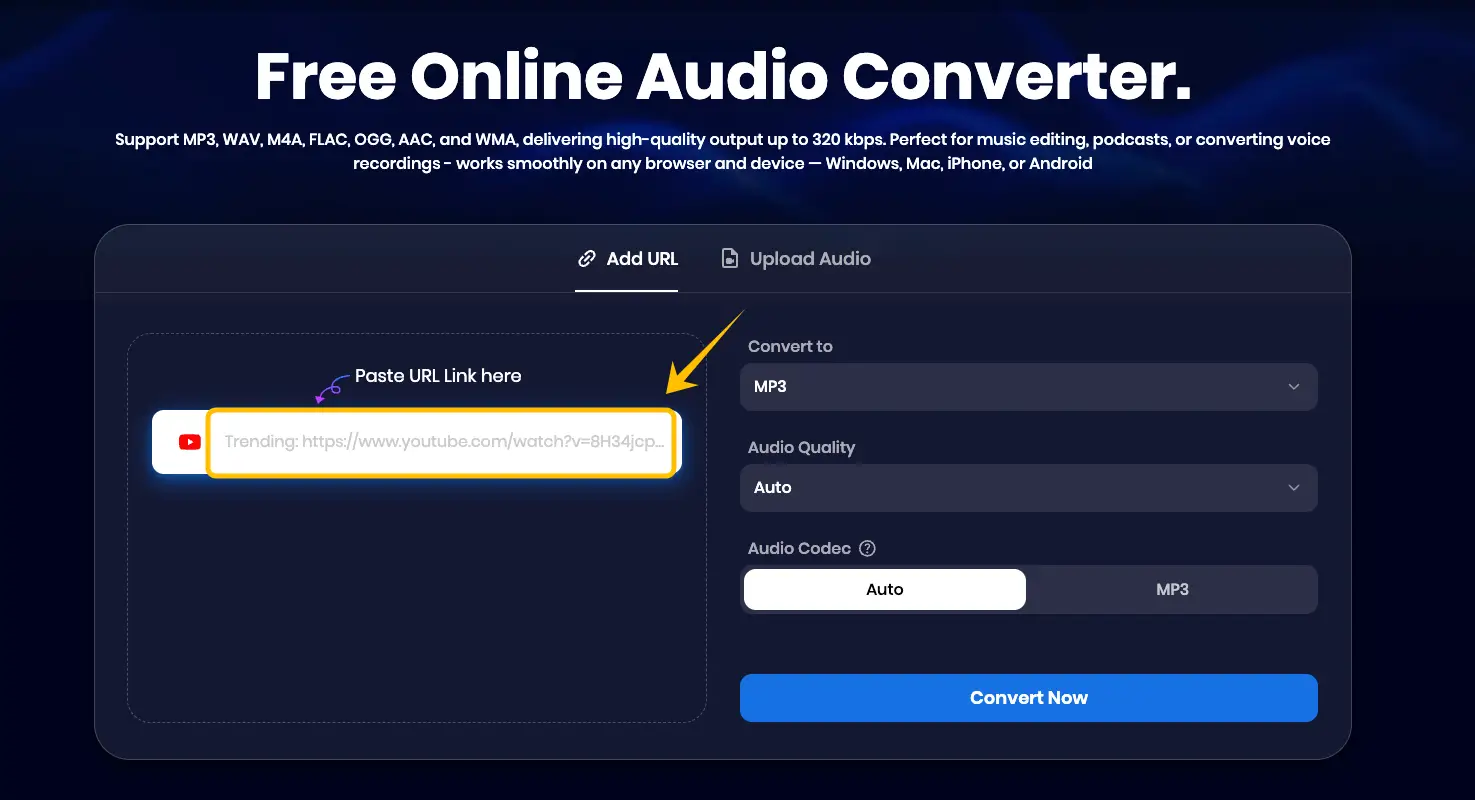
For those high-quality classic narrations on YouTube, use the Audio Converter.

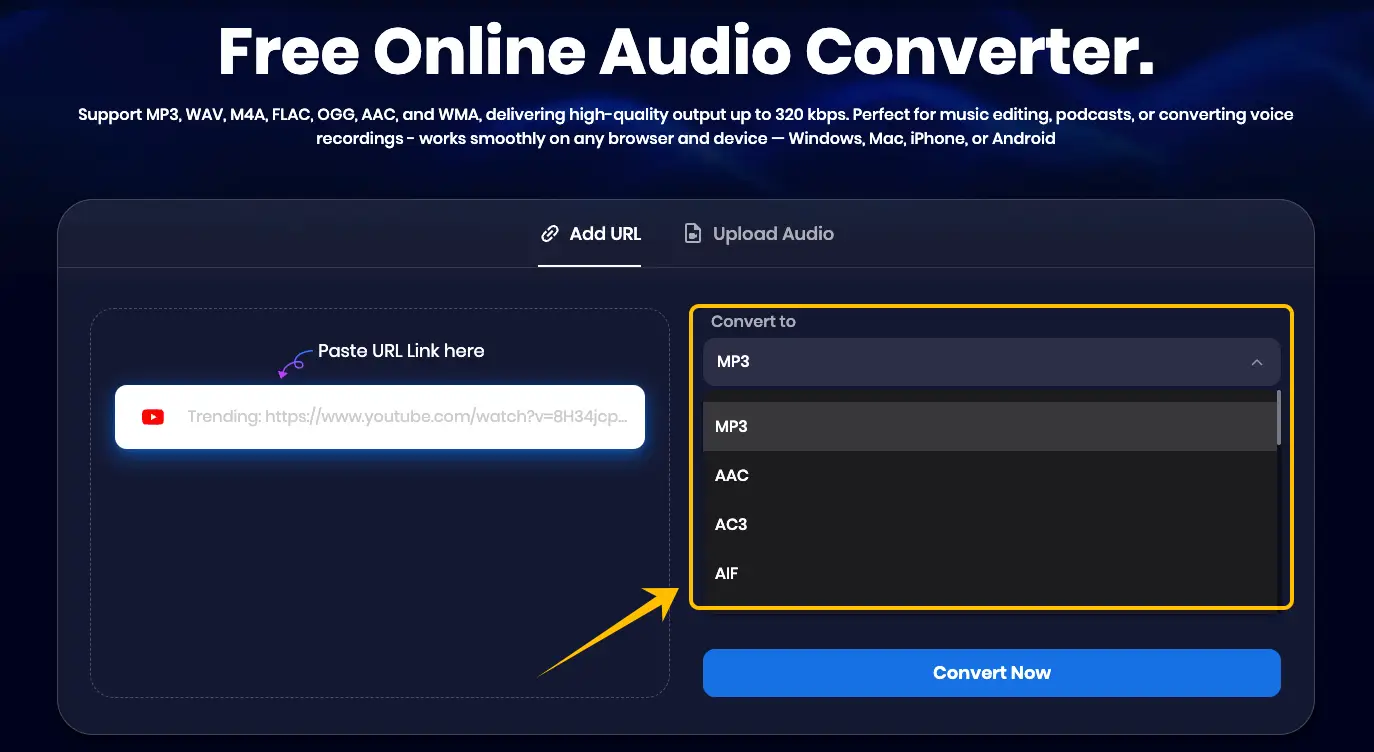
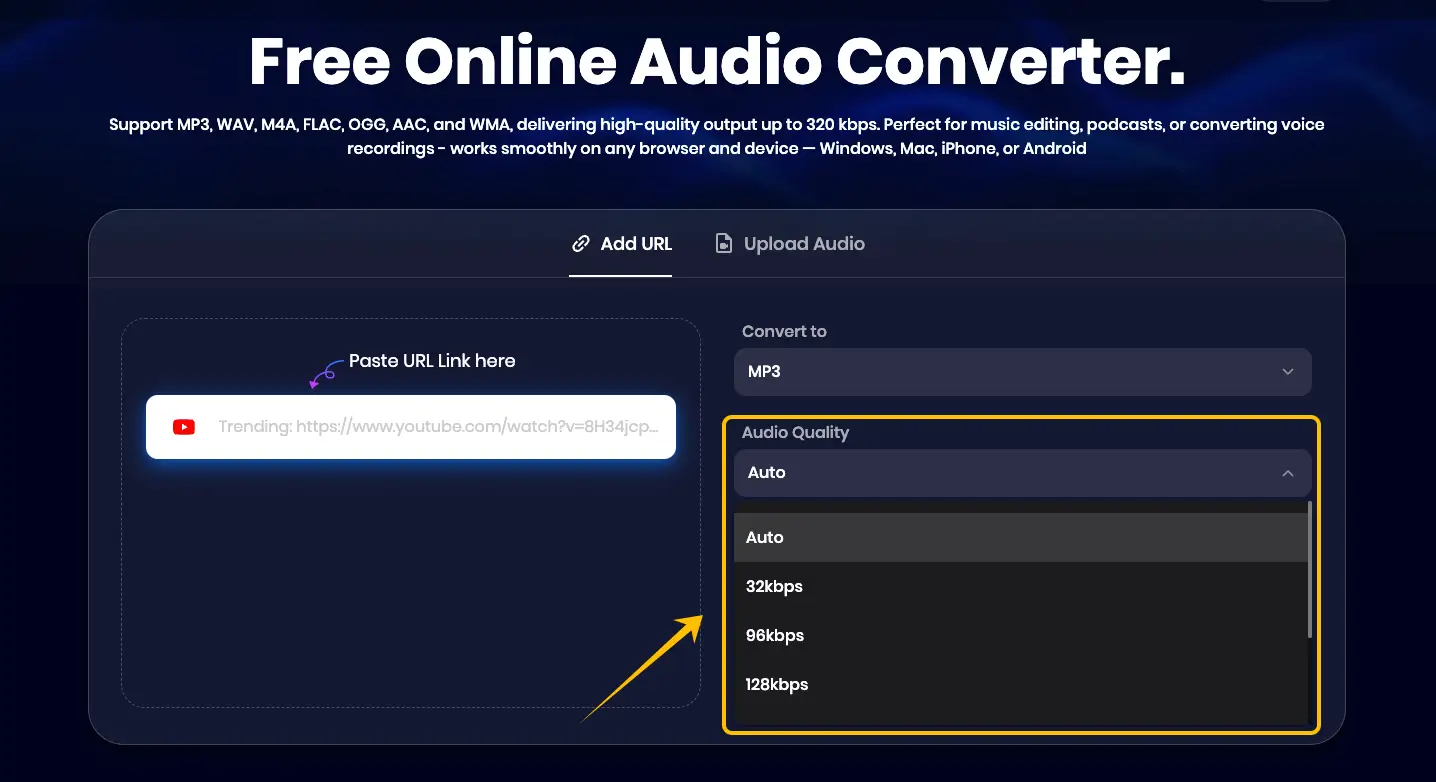
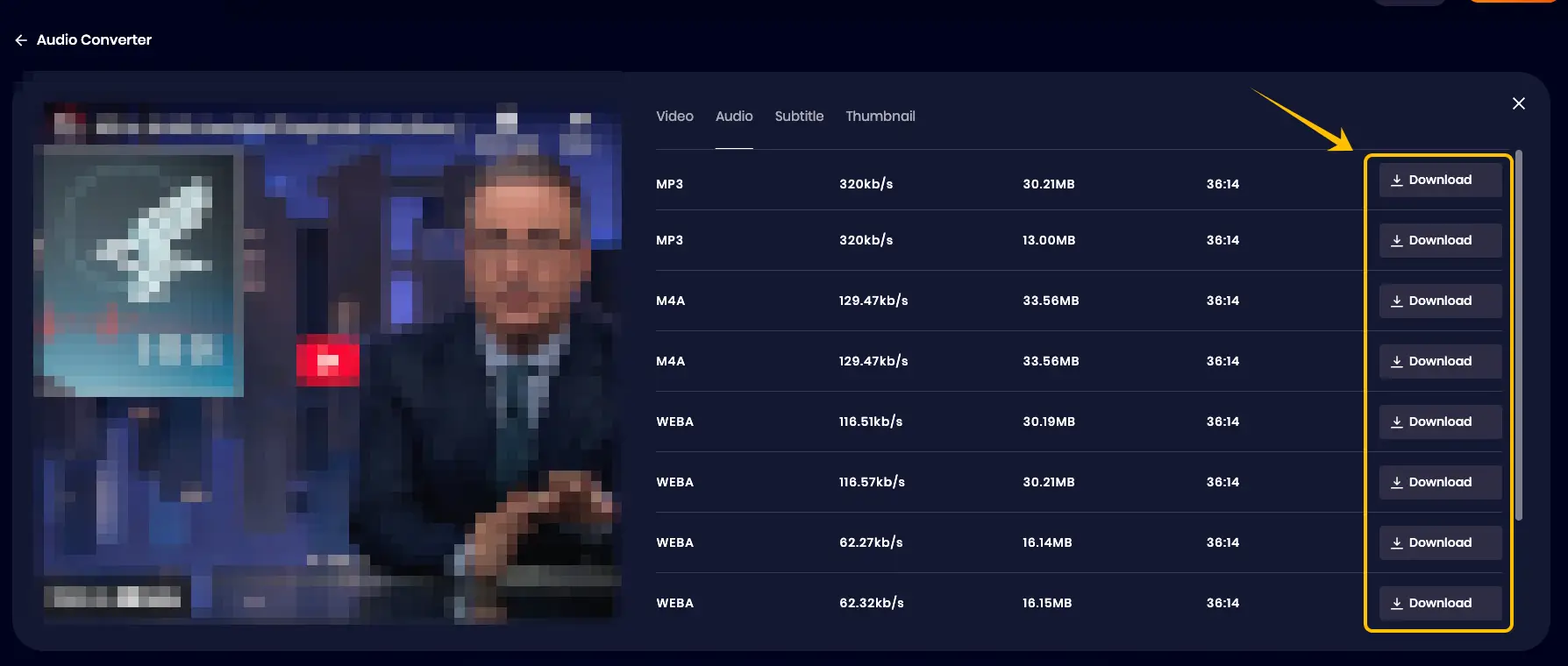
Step-by-Step: How to Save from Spotify
Even without a Premium subscription, you can use the Spotify Downloader to grab your favorite titles.
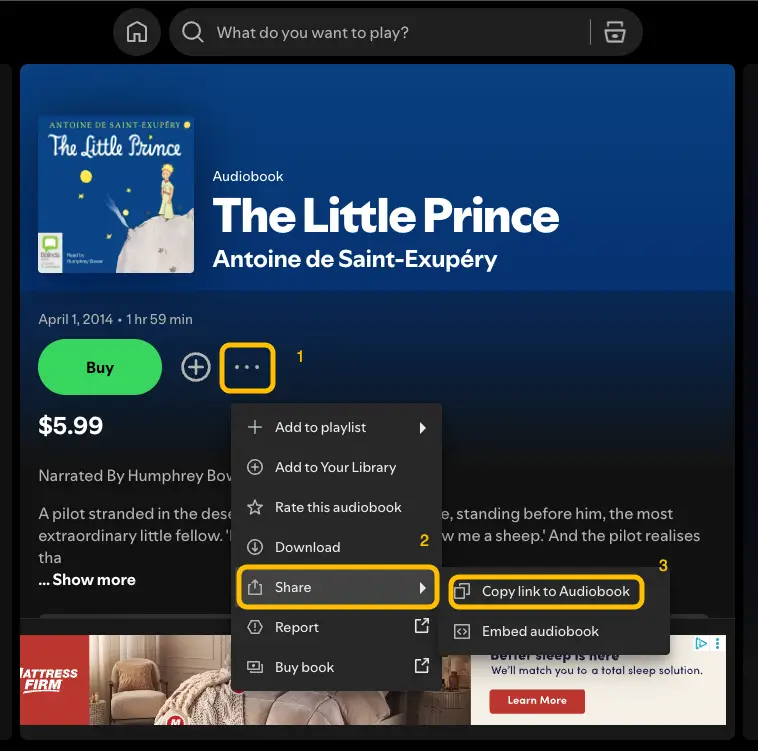
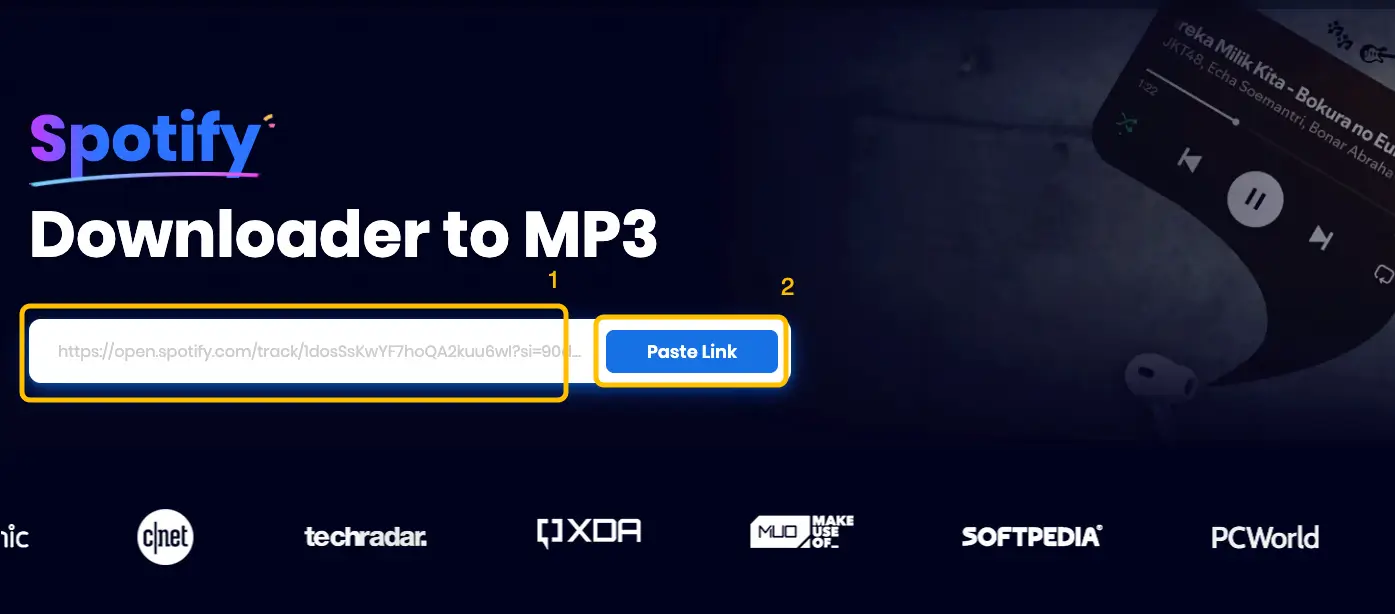
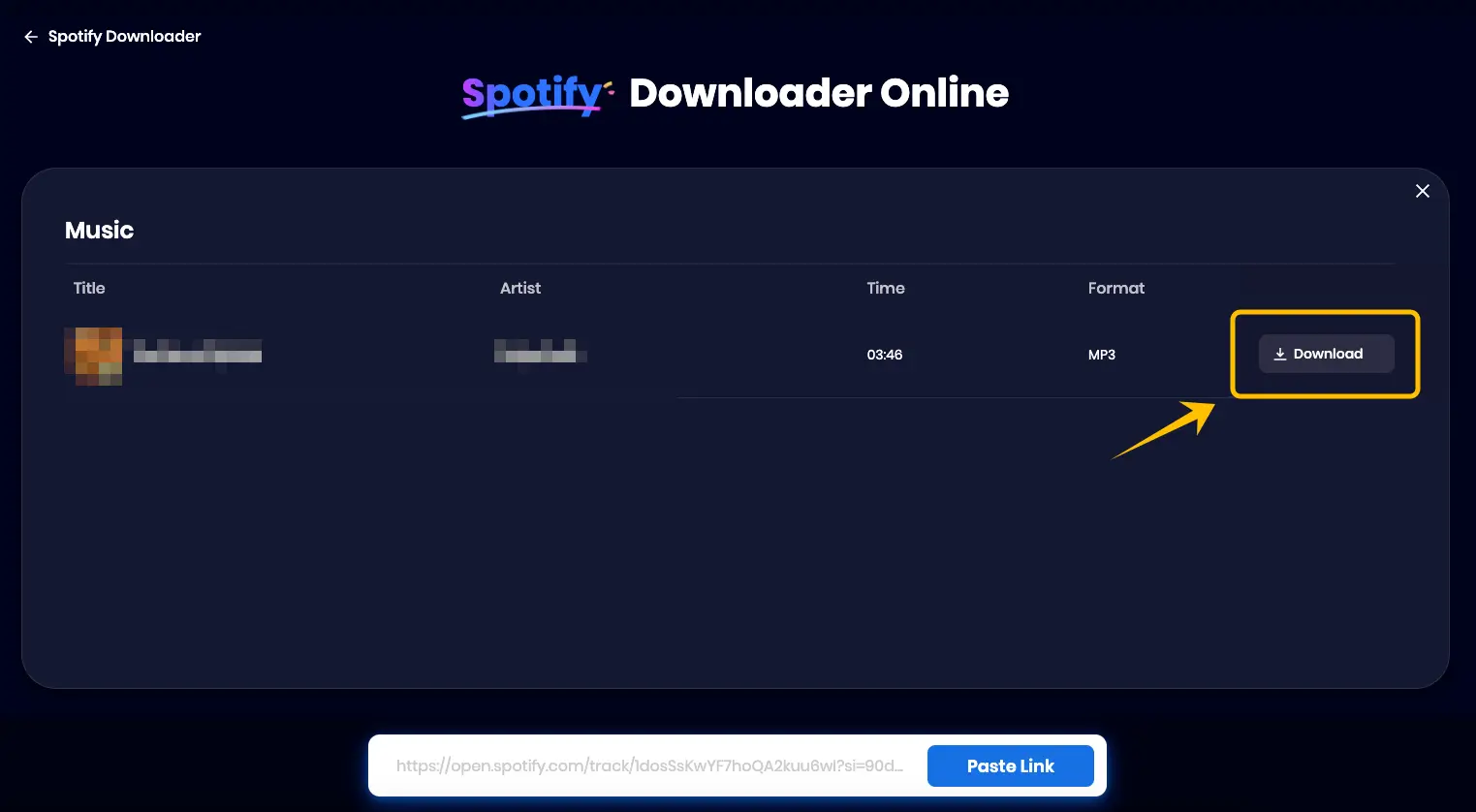
Is This Legal? Understanding Fair Use and Security
While building your own library is exciting, it is essential to follow the "Golden Rule" of digital content: Personal Use Only. The methods and tools mentioned in this guide are intended for personal, offline enjoyment. As long as you are using these files for your private collection—such as listening during your commute or at the gym—you are staying within the realm of fair use. However, there are a few boundaries you should never cross:
-
No Commercial Distribution: Never upload these converted files to other platforms, sell them, or use them for any commercial purposes. This is a direct violation of copyright laws.
-
Support the Creators: If you truly love an author's work, consider supporting them by purchasing their physical books, attending their events, or maintaining a subscription when possible.
-
Safe Tools Only: Stick to reputable web-based tools like Snappixify. Unlike shady "free" software that requires installation and might contain malware, Snappixify is an online platform that doesn't require access to your system files, ensuring your computer stays safe while you build your library.
By keeping your library private and using secure tools, you can enjoy your favorite stories with peace of mind.
Conclusion
Building a private audiobook library is the best way to ensure your favorite stories are always available, offline and forever. By combining the vast resources of YouTube and Spotify with the powerful conversion tools of Snappixify, you can stop worrying about expiring trials or disappearing videos.
Start your collection today. Head over to Snappixify and turn your favorite streaming links into a permanent collection. Happy listening!
FAQs About Building Your Library
1. Can I download these audiobooks for free?
Yes! By using Snappixify, you can download your favorite titles for free. Every user gets a free daily download quota. If you find yourself building a large library and need more, you can try our 7-day trial for just $1.95—it’s an incredibly affordable way to bulk-save your collection. For long-term listeners, our extended subscriptions offer the best value for money.
2. Can I download audiobooks on my iPhone?
Of course. Snappixify is designed to work seamlessly across all platforms. You don't need a Mac or a PC; simply open Snappixify.com in any mobile browser (like Safari or Chrome) on your iPhone or Android, and follow the same steps to save your files.
3. Besides YouTube and Spotify, where else can I find audiobooks?
If you're looking for more variety, here are some excellent alternative resources:
-
LibriVox: A fantastic site offering free public-domain audiobooks read by volunteers from around the world.
-
OverDrive / Libby: A service that allows you to borrow digital audiobooks for free from your local public library.
-
Audible: Amazon's premier service for purchasing and downloading a massive library of modern bestsellers.
-
Open Culture: A curated site that lists hundreds of free audiobooks (mostly classics) that you can download directly to your MP3 player.
-
iTunes / iBooks: Apple’s built-in services for purchasing and managing your audiobook collection on iOS devices.
4. What is the best format for audiobooks?
For the best balance between quality and file size, MP3 at 320kbps is the gold standard. It ensures the narrator's voice is crystal clear while keeping the file compatible with almost every device in existence.


