 Snappixify


Want to download Instagram videos in the highest quality without pixelation, compression artifacts, or third-party watermarks? Whether you're a content creator, social media manager, or just an avid collector of aesthetic Reels, this guide will walk you through how to get the best results using Snappixify, a reliable online video download and conversion tool.
This article unpacks everything you need to know about high-quality Instagram video downloads—why resolution matters, how Instagram compresses videos, and most importantly, how to get crystal-clear downloads using Snappixify.
Why High-Quality Instagram Video Downloads Matter
Instagram is a visual-first platform. Poor video quality can lead to:
-
Lower engagement (blurry visuals reduce watch time)
-
Reduced shareability (bad quality = bad brand image)
-
Difficulty in editing (compressed files lose detail)
-
Compatibility issues across editing platforms
For creators repurposing videos for YouTube Shorts, TikTok, or presentations, source quality is everything.
According to Statista, videos generate 38% more engagement than image posts. High-quality downloads preserve that edge.
How Instagram Compresses Video — and How to Outsmart It
Instagram automatically compresses video content during upload. This affects:
-
Resolution: Often reduced to 720p or lower
-
Bitrate: Drops to save server space
-
Frame Rate: May dip from 60fps to 30fps
-
Audio Quality: AAC format at lower bitrate
That's why downloading videos directly from Instagram's frontend (e.g., via screen recording or app cache) results in subpar quality.
Instead, using a dedicated Instagram video downloader like Snappixify allows you to access the original stream in full resolution—whether that's 1080p, 2K, or even 4K when available.
Meet Snappixify: Your HQ Instagram Video Downloader
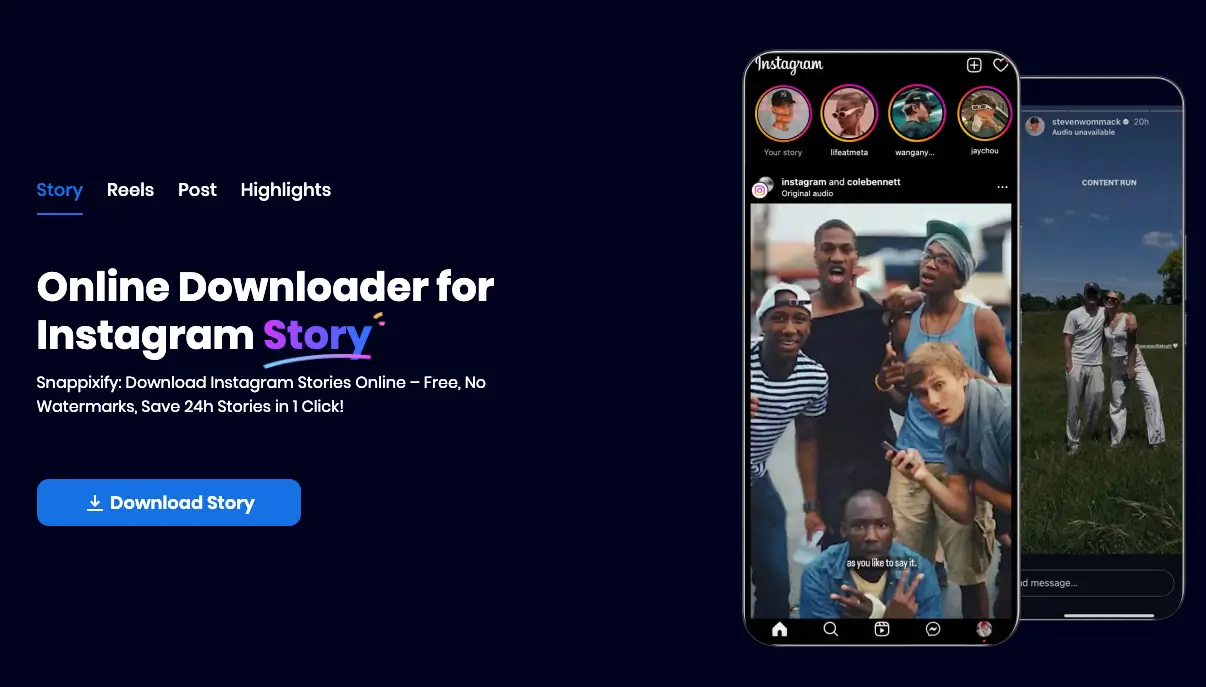
Snappixify is a free, browser-based tool that supports:
-
1080p+ downloads for Instagram videos
-
Reel, IGTV, Story, and Feed post support
-
MP4 conversion for editing or repurposing
-
No watermarks, no login required
-
SSL encryption for secure downloads
Key Features
-
No software installation
-
Supports video + audio in sync
-
Multi-device compatible (desktop, tablet, mobile)
-
Converts Instagram video to MP4 in HD quality
How to Use Snappixify for Highest-Quality Instagram Downloads
Step-by-Step Guide
-
Copy the Instagram video link
-
From the app: Tap the three dots > Copy Link
-
From the web: Copy the URL from the browser bar
-
-
Visit Snappixify
-
Paste the URL into the input box
-
Click "Download"
-
Choose the highest available resolution (usually labeled 1080p or HD)
-
Click "Download MP4" to save
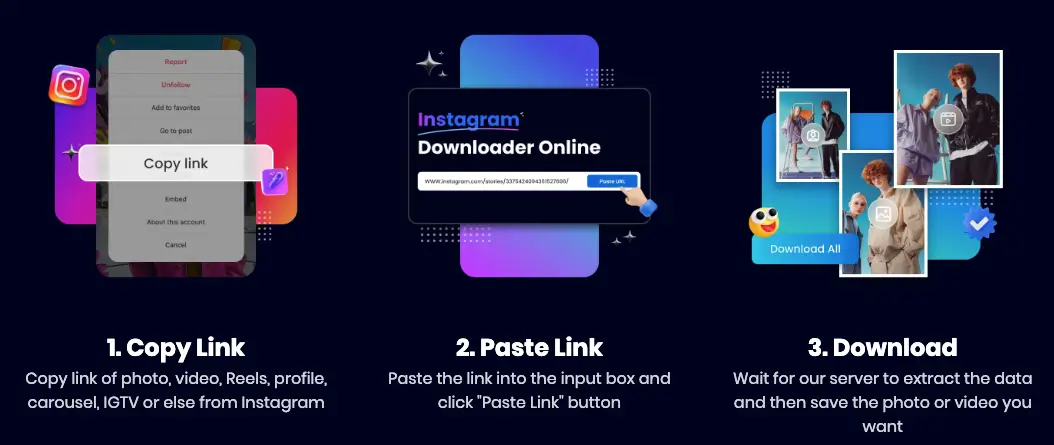
That's it. No software, no ads, no registration.
Real-World Use Case: Social Media Manager for a Travel Brand
Case Study:
Emily runs a travel blog on Instagram. She often needs to download her own Reels or user-generated content to create YouTube Shorts and TikTok compilations.
Before using Snappixify:
-
She used screen recordings (blurry and cropped)
-
Editing was painful due to low bitrates
After switching:
-
She downloads in full HD, edits directly
-
Output looks professional across platforms
-
Engagement improved by 15% on repurposed clips
Tips for Best Results When Downloading IG Videos
Choose the Right Content
Not all Instagram videos are uploaded in HD. Make sure:
-
The original video was shot in 1080p or higher
-
It's not a re-upload of a screen recording
Use Desktop Browser for Accuracy
Mobile browsers sometimes force compressed versions. For best quality:
-
Use Chrome or Firefox on desktop
-
Right-click > Inspect to ensure the right resolution
Avoid Third-Party Repost Apps
These often watermark or re-encode content. Stick to direct download tools like Snappixify.
Instagram Video Types & What You Can Download
|
Video Type |
Supported |
Max Quality |
|
Reels |
✅ |
1080p |
|
IGTV |
✅ |
1080p+ |
|
Feed Videos |
✅ |
1080p |
|
Stories |
✅ |
720p–1080p |
|
Lives (Post) |
✅ |
720p |
Note: Live videos must be archived by the user before downloading.
Final Thoughts: Why Quality = Strategy
In the era of short-form video dominance, quality is your competitive edge. Instagram's algorithm rewards engaging content—and high-res visuals are a huge part of that.
Snappixify empowers creators, marketers, and casual users alike to download and preserve the original clarity of Instagram videos, enabling better edits, easier repurposing, and stronger audience engagement.
Don't settle for blurry downloads. Use Snappixify to get your hands on the highest quality Instagram videos in just a few clicks.
Frequently Asked Questions (FAQs)
Is Snappixify free?
Yes. All features are free, with no usage limits.
Does it support private accounts?
No. Videos must be publicly viewable.
Can I convert videos to other formats?
Yes. Use the Online Video Converter to convert MP4 to AVI, MOV, or audio formats like MP3.
Will it download videos in 4K?
If the video is originally uploaded in 4K and available on Instagram, yes. Otherwise, it will download at the highest available resolution.


